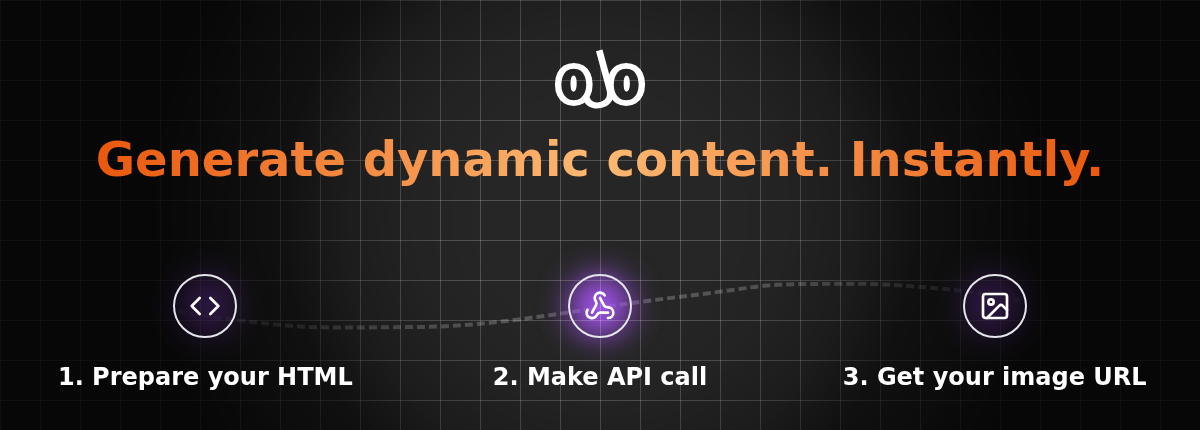
Turn any HTML into stunning images with a single API call.
oJo (self-host version) is the open-source, self-hosted version of ojo.so - a powerful HTML-to-image API service. Perfect for developers, agencies, and organizations who need dynamic image generation with full control over their infrastructure.
oJo transforms HTML, CSS, and JavaScript into high-quality images programmatically. Whether you're automating social media content, generating personalized marketing materials, or creating dynamic visuals for your applications, oJo makes it simple and scalable.
- 🎨 HTML to Image Conversion - Convert any HTML/CSS/JS into high-quality PNG images
- 🔧 Custom Fonts & Styles - Full support for custom fonts, CSS frameworks, and external libraries
- 📱 Template System - Create reusable templates with dynamic variables
- 🚀 REST API - Simple HTTP API for easy integration
- 🐳 Docker Ready - Complete containerized setup with Docker Compose
- 💾 S3 Storage - Automatic image storage and CDN serving
- 🔒 Self-Hosted - Complete control over your data and infrastructure
- Docker and Docker Compose installed
- Node.js 18+ (for development)
- pnpm package manager
- S3-compatible storage (AWS S3, Cloudflare R2, MinIO, etc.)
-
Clone the repository
git clone https://github.com/ojodotso/self-host.git cd self-host -
Configure environment variables
cp docker-compose.yml docker-compose.local.yml
Edit
docker-compose.local.ymland update the following environment variables:environment: ADMIN_TOKEN: your-secret-admin-token BLOB_STORAGE_CLIENT_ENDPOINT: https://your-s3-endpoint.com BLOB_STORAGE_ACCESS_KEY: your-access-key BLOB_STORAGE_SECRET_KEY: your-secret-key BLOB_STORAGE_BUCKET_NAME: your-bucket-name
-
Start the services
docker-compose -f docker-compose.local.yml up -d
-
Verify installation
curl http://localhost:3011/health
Your oJo instance will be available at http://localhost:3011 🎉
-
Clone and install dependencies
git clone https://github.com/ojodotso/self-host.git cd self-host pnpm install -
Set up the database
docker-compose -f docker-compose.yml up postgres -d
-
Configure environment variables
Create
apps/server/.env.development:PORT=3011 ADMIN_TOKEN=your-secret-admin-token DATABASE_URL=postgres://admin:password@localhost:5432/ojo-db BROWSER_ENDPOINTS=ws://localhost:53444/playwright # S3 Configuration BLOB_STORAGE_CLIENT_ENDPOINT=https://your-s3-endpoint.com BLOB_STORAGE_ACCESS_KEY=your-access-key BLOB_STORAGE_SECRET_KEY=your-secret-key BLOB_STORAGE_BUCKET_NAME=your-bucket-name
-
Start the services
# Terminal 1: Start the browser service
docker-compose -f docker-compose-dev.yml up browser -d

# Terminal 2: Start the development server
pnpm dev
oJo Self-Host consists of two main components:
- Express.js API server that handles HTTP requests
- Database management with PostgreSQL and Drizzle ORM
- S3 integration for image storage and serving
- Template management and variable processing
- Swagger documentation at
/docs
- Headless Chromium instance powered by Playwright
- WebSocket server for browser automation
- HTML rendering and screenshot capture
- Custom font support and JavaScript execution
curl -X POST http://localhost:3011/api/v1/image/html \
  -H "Authorization: Bearer your-admin-token" \
  -H "Content-Type: text/html" \
  -d '<html><body><h1 style="color: blue;">Hello oJo!</h1></body></html>'
Response:
{
  "success": true,
  "data": {
    "url": "https://your-cdn.com/images/abc123.png",
    "width": 1200,
    "height": 630
  }
}-
Create a template
curl -X POST http://localhost:3011/api/v1/templates \
  -H "Authorization: Bearer your-admin-token" \
  -H "Content-Type: application/json" \
  -d '{
    "name": "social-card",
    "html": "<div style=\"padding: 40px; background: linear-gradient(45deg, #667eea 0%, #764ba2 100%); color: white; font-family: Arial;\"><h1>{{title}}</h1><p>{{description}}</p></div>",
    "variables": ["title", "description"]
  }'
-
Generate image from template
curl -X POST http://localhost:3011/api/v1/image/template/social-card \
  -H "Authorization: Bearer your-admin-token" \
  -H "Content-Type: application/json" \
  -d '{
    "variables": {
      "title": "Welcome to oJo!",
      "description": "Generate beautiful images from HTML"
    }
  }'
| Variable | Description | Default |
|---|---|---|
PORT |
Server port | 3011 |
ADMIN_TOKEN |
API authentication token | Required |
DATABASE_URL |
PostgreSQL connection string | Required |
BROWSER_ENDPOINTS |
Browser WebSocket endpoint | ws://browser:53444/playwright |
BLOB_STORAGE_CLIENT_ENDPOINT |
S3-compatible storage endpoint | Required |
BLOB_STORAGE_ACCESS_KEY |
S3 access key | Required |
BLOB_STORAGE_SECRET_KEY |
S3 secret key | Required |
BLOB_STORAGE_BUCKET_NAME |
S3 bucket name | Required |
oJo requires S3-compatible storage for image hosting. Supported providers:
- AWS S3 -
https://s3.amazonaws.com - Cloudflare R2 -
https://your-account.r2.cloudflarestorage.com - MinIO -
http://your-minio-server:9000 - DigitalOcean Spaces -
https://your-space.your-region.digitaloceanspaces.com
Make sure your bucket is publicly readable for image serving.
- API Documentation: Visit
http://localhost:3011/docsfor interactive Swagger documentation - Full Documentation: ojo.so/docs
- Templates & Examples: ojo.so/templates
ojo-self-host/
├── apps/
│   ├── server/          # Express.js API server
│   └── browser/         # Playwright browser service
├── packages/
│   ├── database/        # Database schema and queries
│   ├── browser/         # Browser automation utilities
│   └── libs/           # Shared libraries
└── docker-compose.yml   # Production deployment
# Development
pnpm dev              # Start development servers
pnpm build            # Build all packages
pnpm lint             # Run linting
pnpm test             # Run tests

# Docker
docker-compose up     # Start production services
docker-compose down # Stop services- Fork the repository
- Create a feature branch:
git checkout -b feature/amazing-feature - Commit changes:
git commit -m 'Add amazing feature' - Push to branch:
git push origin feature/amazing-feature - Open a Pull Request
- Issues: GitHub Issues
- Commercial Support: hello@ojo.so
This project is licensed under the Sustainable Use License - see the LICENSE file for details.
TL;DR: Free for personal and internal business use. Commercial redistribution or SaaS offerings are not permitted. For commercial use cases, please use ojo.so.
While oJo Self-Host is perfect for many use cases, consider upgrading to ojo.so for:
- ⚡ Global CDN with instant image delivery
- 🔥 Higher performance with optimized infrastructure
- 🛡️ Enterprise security and compliance
- 📊 Advanced analytics and usage insights
- 🤝 Priority support and SLA guarantees
- 🎨 Visual template editor with drag-and-drop interface
- 🔗 Native integrations with Zapier, Make.com, and n8n