A complete delivery management system developed as an academic project at PUC Minas, implementing a modern architecture with a Flutter mobile app, backend microservices, and serverless cloud infrastructure.
📂 Demonstration videos are organized in the
docs/videosfolder of this repository.
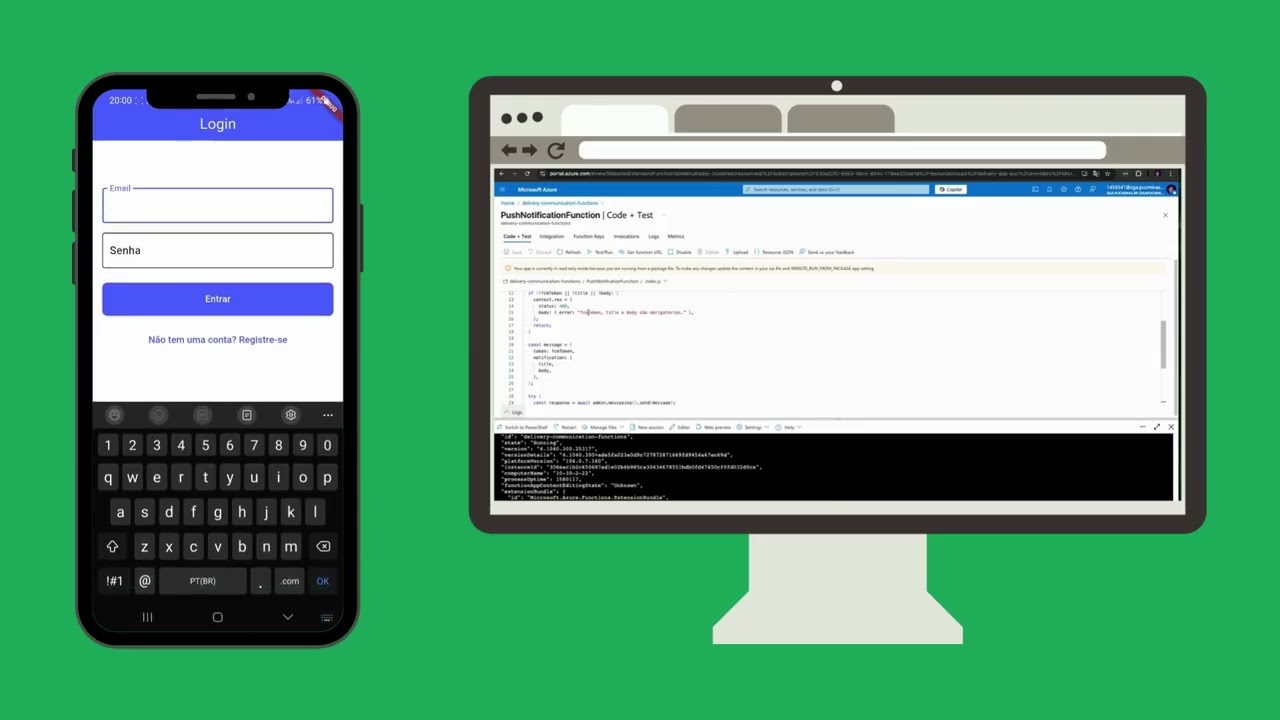

🎬 Complete Demo: Mobile + Microservices + Serverless
Video demonstrating all integrated system features
The Delivery project is a complete solution for delivery management and tracking, providing dedicated interfaces for customers and drivers. The system was developed following modern architecture principles, focusing on scalability, performance, and user experience.
Key features:
- 📱 Hybrid mobile app developed with Flutter
- 🔧 Microservices architecture for the backend
- ☁️ Azure Functions integration for serverless processing
- 📍 Real-time tracking with geolocation
- 🔔 Push notifications and email system
- 📸 Photo capture for delivery confirmation
- 🐰 Asynchronous communication via RabbitMQ

More architecture details are available in the Backend documentation: backend/README.md
delivery/
├── mobile/                   # Flutter mobile app
│   ├── lib/                  # Dart source code
│   ├── android/              # Android configuration
│   ├── ios/                  # iOS configuration
│   └── pubspec.yaml          # Flutter dependencies
│
├── backend/                  # Microservices and API Gateway
│   ├── docker-compose.yml    # Service orchestration
│   ├── api-gateway/          # API Gateway (Spring Cloud Gateway)
│   ├── auth-service/         # Authentication service (Node.js)
│   ├── order-service/        # Order service (Java 21)
│   ├── tracking-service/     # Tracking service (Node.js)
│   ├── setup-all.sh/.bat     # Auto-setup scripts
│   ├── .env.example          # Example environment variables
│   └── README.md             # Backend documentation
│
├── cloud/                    # Cloud infrastructure
│   └── functions/            # Azure Functions serverless
│       ├── src/              # Functions source code
│       ├── package.json      # Node.js dependencies
│       └── host.json         # Azure Functions config
│
└── docs/                     # Project documentation
  ├── diagramas/              # Architecture diagrams
  ├── especificacoes_entregas/# Delivery specifications
  └── videos/                 # Demo videos
Phase 1: Mobile Development - Docs
The first phase focused on building the Flutter mobile app, implementing separate interfaces for customers and drivers. Features include real-time tracking, order history, photo capture with geolocation for delivery proof, and offline storage with SQLite. Push notifications, preferences via Shared Preferences, and robust error handling (connectivity issues, denied permissions) were also implemented.
Phase 2: Microservices Architecture - Docs
In the second phase, the backend was developed using a microservices architecture, creating independent services for authentication (JWT), order management (full CRUD), real-time tracking, and notifications. Communication between services is both synchronous (REST) and asynchronous (messaging), with an API Gateway centralizing routing and authentication. This ensures scalability, maintainability, and fault isolation.
Phase 3: Serverless Infrastructure - Docs
The final phase integrated serverless components into the existing architecture, complementing traditional microservices with Azure Functions. This includes a robust notification system using serverless functions, integration between RabbitMQ and Azure Functions for asynchronous email and push processing, and real-time event management. The result is a hybrid infrastructure combining microservices reliability with serverless scalability and low operational cost.
- Flutter SDK (3.0+)
- Dart SDK
- Android Studio / Xcode (for mobile development)
- Docker (for microservices)
- Node.js 20+ (for Node.js services)
- Java 21 JDK (for Java services)
- Maven (included in project wrappers)
- Azure account (for serverless functions)
cd mobile/
flutter pub get
flutter run- Go to the backend folder:
cd backend/- Set up environment variables:
cp .env.example .env
# Edit .env as needed- Run the automatic setup:
Windows:
./setup-all.batLinux/Mac:
chmod +x setup-all.sh
./setup-all.sh
Or manually:
docker-compose up --build -dServices that will start:
- API Gateway (port 8000): Single entry point for all APIs
- Auth Service (port 3000): Manages authentication and JWT
- Order Service (port 8080): Order management
- Tracking Service (port 8081): Real-time tracking
- MongoDB: Database for authentication
- PostgreSQL: Databases for orders and tracking
- RabbitMQ: Messaging system
- Go to the functions folder:
cd functions-sb/- Install dependencies:
npm install- Configure Azure environment variables:
# Configure according to your Azure account- Deploy to Azure:
func azure functionapp publish <function-app-name>After successful startup, services are available at:
| Service | URL | Description |
|---|---|---|
| 🌐 API Gateway | http://localhost:8000 | Main entry point |
| 🔐 Auth Service | http://localhost:3000 | Authentication & authorization |
| 📦 Order Service | http://localhost:8080 | Order management |
| 📍 Tracking Service | http://localhost:8081 | Real-time tracking |
| 📖 Tracking Docs | http://localhost:8081/api/docs | Swagger documentation |
| 🐰 RabbitMQ | http://localhost:15672 | Management UI |
| Database | Host | Port | User | Password |
|---|---|---|---|---|
| PostgreSQL (Orders) | localhost | 5432 | delivery_user | delivery_pass |
| PostgreSQL (Tracking) | localhost | 5433 | root | root |
| MongoDB | localhost | 27017 | root | rootpassword |
# Health check for all services
curl http://localhost:3000/health       # Auth
curl http://localhost:8080/health       # Orders
curl http://localhost:8081/api/tracking/health  # Tracking
curl http://localhost:8000/health # Gateway# All requests go through the gateway
curl http://localhost:8000/api/auth/health
curl http://localhost:8000/api/orders/health
curl http://localhost:8000/api/tracking/health# View logs for all services
docker-compose logs -f
# View logs for a specific service
docker-compose logs -f tracking-service
# Stop all services
docker-compose down
# Rebuild and restart everything
docker-compose down && docker-compose up --build -d
# Check container status
docker-compose psFor detailed information about architecture, APIs, and deployment, see:
- Backend:
backend/README.md - Tracking Service:
backend/tracking-service/README.md - API Gateway:
backend/api-gateway/README.md - Order Service:
backend/order-service/README.md - Auth Service:
backend/auth-service/README.md - Specifications:
docs/especificacoes_entregas/
- Mobile: Flutter, Dart, SQLite, GPS, Camera
- Backend: Spring Boot, Node.js, PostgreSQL, MongoDB, RabbitMQ
- Cloud: Azure Functions, Azure Service Bus
- DevOps: Docker, Docker Compose, Maven
- Documentation: Swagger/OpenAPI
- ✅ JWT authentication shared between services
- ✅ Isolated Docker networks
- ✅ API data validation
- ✅ Input sanitization
- ✅ Independent microservices architecture
- ✅ Asynchronous communication via RabbitMQ
- ✅ Serverless functions for demand spikes
- ✅ Domain-specific databases
- ✅ Health checks for all services
- ✅ Structured, centralized logs
- ✅ Interactive Swagger documentation
- ✅ Resource monitoring
- ✅ Full containerization with Docker
- ✅ Orchestration via Docker Compose
- ✅ Automated setup scripts
- ✅ Serverless deployment via Azure Functions