






Notolog is an open-source Markdown editor built with Python and PySide6, featuring AI-powered assistance and local-first privacy.
📖 Documentation | 🪲 Report Issues | 💡 Request Features | 💬 Discussions
pip install notolog
notolog  # Launch the app
Other installation methods
With llama.cpp support:
pip install "notolog[llama]"Via Conda:
conda install notolog -c conda-forgeUbuntu/Debian: Download from notolog-debian releases
From source:
git clone https://github.com/notolog/notolog-editor.git
cd notolog-editor
python3 -m venv notolog_env && source notolog_env/bin/activate
pip install .
python -m notolog.app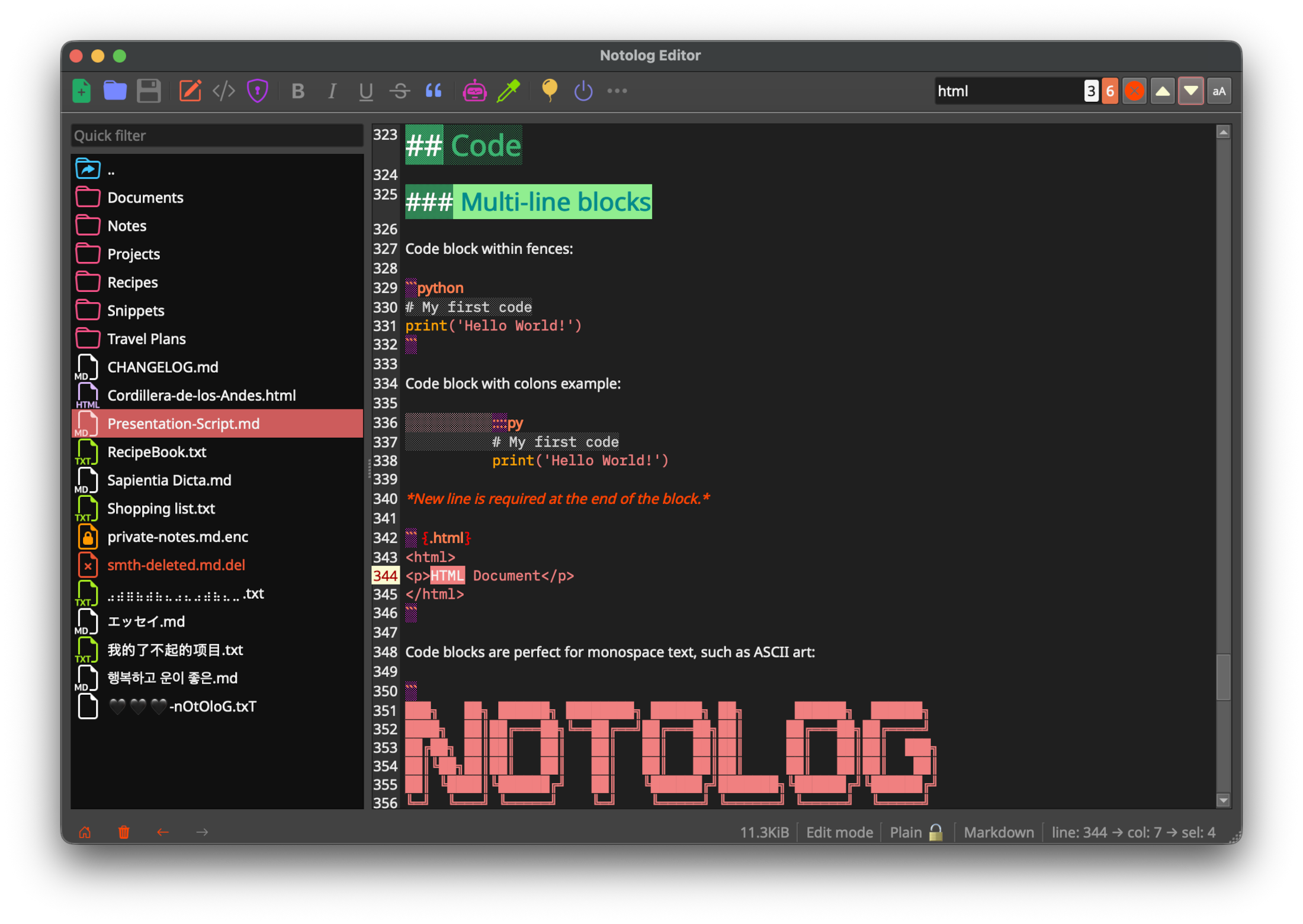
- Markdown Editor - Real-time syntax highlighting in edit mode (implemented specifically for Notolog), live preview, adaptive line numbers, code blocks
- AI Assistant - Supports: OpenAI API, ONNX Runtime GenAI (local), and llama.cpp (local, GGUF models)
- File Encryption - PBKDF2HMAC key derivation with Fernet (AES-128 CBC mode) for optional file encryption
- Multi-Language - 19 languages supported
- Customizable - 6 built-in themes
- Cross-Platform - Windows, macOS, Linux
See the User Guide for complete feature documentation.
- Python 3.10+ (python.org)
- 4 GB RAM minimum (8+ GB for local AI models)
Using a virtual environment is recommended:
python3 -m venv notolog_env
source notolog_env/bin/activate  # Linux/macOS
notolog_env\Scripts\activate     # Windows
pip install notolog
For detailed instructions including conda and Debian packages, see Getting Started.
Notolog supports three AI backends:
- OpenAI API - Cloud-based inference via OpenAI-compatible endpoints
- On-Device LLM - Local inference using ONNX Runtime GenAI (e.g. Phi-3, Llama)
- Module llama.cpp - Local inference with GGUF quantized models (e.g. Llama, Mistral, Qwen)
See the AI Assistant Guide for setup instructions.
git clone https://github.com/notolog/notolog-editor.git
cd notolog-editor
pip install -e .
python -m notolog.app
Run tests:
python dev_install.py test
pytest
See CONTRIBUTING.md for guidelines.
Notolog is open-source software licensed under the MIT License.
This project uses third-party libraries, each subject to its own license. See ThirdPartyNotices.md for details.
Notolog prioritizes data protection and user privacy:
- Encryption: File encryption (optional) uses PBKDF2HMAC key derivation with Fernet (AES-128 CBC mode).
- Auto-Save: Changes are saved automatically to prevent data loss.
- Privacy: No telemetry or tracking. Local-only AI inference options available.
For vulnerability reporting, see SECURITY.md.
This project integrates third-party AI services and libraries:
- OpenAI API: Users are required to supply their own API keys and adhere to OpenAI's applicable terms, policies, and API documentation.
- ONNX Runtime GenAI: Used for local ONNX model inference. More info: onnxruntime-genai
- llama.cpp: Used for local GGUF model inference via llama-cpp-python.
Notolog is developed independently and is not affiliated with these organizations or projects.
- Compliance: Users are responsible for ensuring their use complies with applicable laws and regulations.
- Liability: The developers disclaim liability for misuse or non-compliance with legal or regulatory requirements.
- Trademarks: All trademarks and brand names are the property of their respective owners and are used for identification purposes only.
⭐ If you find Notolog useful, please consider giving it a star on GitHub!
This README.md file has been crafted and edited using Notolog Editor.