This is the snap for cheat (based on https://github.com/cheat/cheat), “cheat allows you to create and view interactive cheatsheets on the command-line”. It works on Ubuntu, Fedora, Debian, and other major Linux distributions.
Published for  with 💝 by Snapcrafters
$ sudo snap install cheat
$ sudo snap install --channel=[candidate|beta|edge] cheat

$ sudo snap refresh --channel=[candidate|beta|edge] cheat

sudo snap install --edge cheat
sudo snap install --cheat

Usage: cheat [options] <cheatsheet>

Options:
  cheat <cheatsheet>      get <cheatsheet> content
  cheat -e <cheatsheet>   edit <cheatsheet> / create new <cheatsheet>
  cheat -s <keyword>      search in all <cheatsheet>s for <keyword>
  cheat -l                list available <cheatsheet>s and their folders
  cheat -d                list <cheatsheet>s directories
  cheat -v                show upstream cheat version
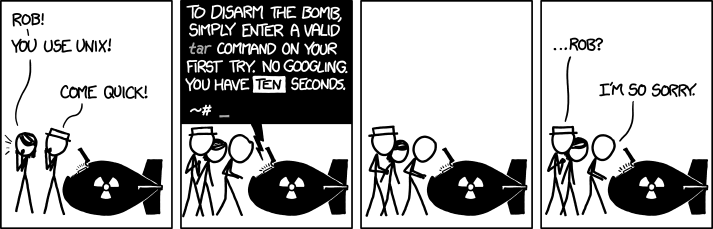
The next time you're forced to disarm a nuclear weapon without consulting Google, you may run:
cheat tar
You will be presented with a cheatsheet resembling:
  # To extract an uncompressed archive:
  tar -xvf '/path/to/foo.tar'

  # To extract a .gz archive:
  tar -xzvf '/path/to/foo.tgz'

  # To create a .gz archive:
  tar -czvf '/path/to/foo.tgz' '/path/to/foo/'

  # To extract a .bz2 archive:
  tar -xjvf '/path/to/foo.tgz'

  # To create a .bz2 archive:
  tar -cjvf '/path/to/foo.tgz' '/path/to/foo/'
Snapcrafters (join us) are working to land snap install documentation and the snapcraft.yaml upstream so cheat can authoritatively publish future releases.
- Fork the Snapcrafters template repository to your own GitHub account.
- If you have already forked the Snapcrafter template to your account and want to create another snap, you'll need to use GitHub's Import repository feature because you can only fork a repository once.
- Rename the forked Snapcrafters template repository
- Update the description of the repository
- Update logos and references to
cheat - Create a snap that runs in
devmode - Register the snap in the store, using the preferred upstream name
- Add a screenshot to this
README.md - Publish the
devmodesnap in the Snap store edge channel - Add install instructions to this
README.md - Update snap store metadata, icons and screenshots
- Convert the snap to
strictconfinement, or -classic- confinement if it qualifies - Publish the confined snap in the Snap store beta channel
- Update the install instructions in this
README.md - Post a call for testing on the Snapcraft Forum - Call for testing cheat
- Make a post in the Snapcraft Forum asking for a transfer of the snap name from you to snapcrafters - link
- Ask a Snapcrafters admin to fork your repo into github.com/snapcrafters, and configure the repo for automatic publishing into edge on commit
- Add the provided Snapcraft build badge to this
README.md - Publish the snap in the Snap store stable channel
- Update the install instructions in this
README.md - Post an announcement in the Snapcraft Forum - link
- Submit a pull request or patch upstream that adds snap install documentation - link
- Submit a pull request or patch upstream that adds the
snapcraft.yamland any required assets/launchers - link - Add upstream contact information to the
README.md - If upstream accept the PR:
- Request upstream create a Snap store account
- Contact the Snap Advocacy team to request the snap be transferred to upstream
- Ask the Snap Advocacy team to celebrate the snap - link
If you have any questions, post in the Snapcraft forum.
| Michael Berner |
| 

| Cheat |