Minecraft Colorer
mc-color is a VSCode extension that formats Minecraft color escape characters (§) in the editor.
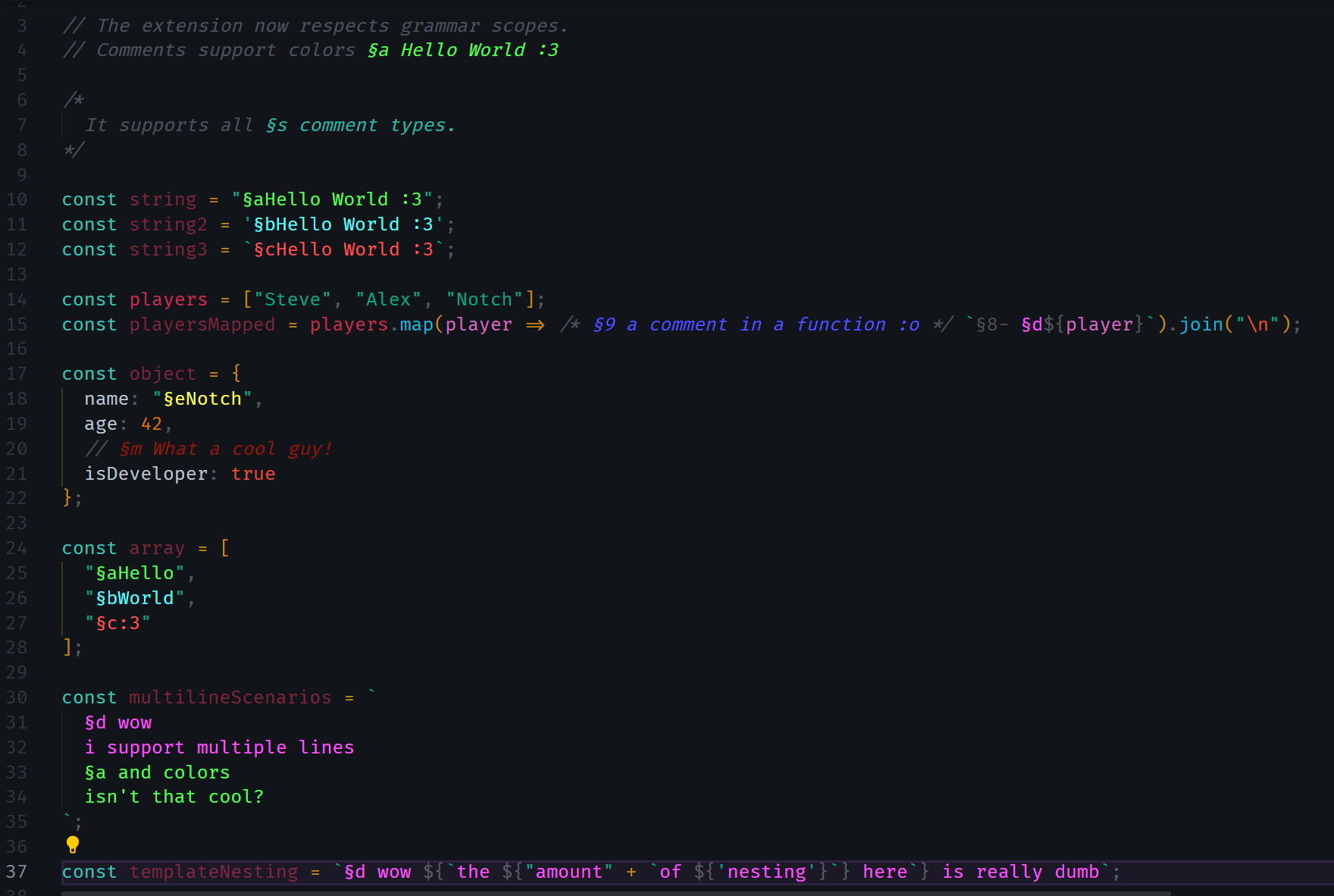
The current beta experiments with custom language tokenization for improved editor support. Supported languages are listed in /src/grammars.ts. Contributions for additional languages or enhanced grammar support are welcome! >:3
interface Config {
  "mc-color.enable": boolean;
  "mc-color.prefixes": Array<string>;
  "mc-color.version": "bedrock" | "bedrock-pre-1.21.50" | "bedrock-pre-1.19.70" | "java";
  "mc-color.marker": "foreground" | "background" | "outline" | "underline";
  "mc-color.fallback": boolean;
  "mc-color.fallbackRegex": Array<string>;
}
Default Configuration
You can configure these settings at the workspace level by adding a .vscode/settings.json file, or adjust them globally by searching for mc-color in the VSCode settings.
{
  "mc-color.enable": true;
  "mc-color.prefixes": ["&", "§"];
  "mc-color.version": "bedrock";
  "mc-color.marker": "foreground";
  // Fallback is for unrecognized languages.
  "mc-color.fallback": true;
  "mc-color.fallbackRegex": [
    "(?<!\\\\)\"", // Unescaped double quotes
    "(?<!\\\\)'",  // Unescaped single quotes
    "(?<!\\\\)`",  // Unescaped backticks
    "\\r?\\n"      // Newline (Unix or Windows style)
  ];
}