A collection of scripts to train neural networks to play the rhythm game osu!
The goal of this project is not necessarily to train a neural network to surpass humans in osu!, but to have the neural network generate human-like play data, as that is personally more interesting to me. Playing back the generated data in-game is secondary, though it has been implemented (in gui.py).
This entire project is largely inspired by (and uses a lot of beatmap processing code from) this repository.
WGAN paper with gradient penalty
This repo implements the following models, ranked from worst performing to best
Performed very well in-game, easy enough to train, but deterministic and very robotic, which isn't the goal. It turned out to be
way too good at the game.

The RNN playing Logical Stimulus, a known difficult map with all difficulty modifiers
Ended up performing like the aforementioned RNN, due to mode collapse stuff :|
Performed very well in terms of the trajectory
between notes, and in one rare case, learned to generate realistic spinner movement
and idle movements. Cannot consistently learn spinner/idle patterns, and usually just
averages out movement patterns.

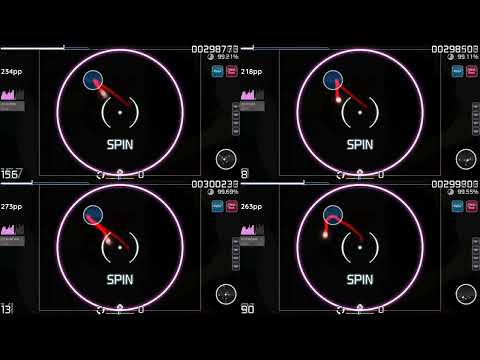
The VAE playing through a spinner. Many more examples here
Two variants were trained, one using convolutions and one using RNNs. RNN one performs a lot better, but takes a while to train due to cuDNN not supporting double backwards for the gradient penalty.
The TCN variant is probably not setup well, I didn't spend too long on it.
Results in this video:
There are also models for generating keypresses, alongside the ones that generate cursor movement. They are separated for simplicity and ease of training. There's only one at the moment:
Works fine, but sometimes will tap twice for trickier sequences.
Model weights will be made public soon, along with datasets if anyone is interested.
The gui.py script functions as a utility GUI to generate and playback replays in-game.
Note: This is not intended as a cheat, you may get banned if using this with a ranked account.
The environment is managed by uv.
To setup the environment:
uv sync
To run a python script:
uv run [path_to_script]