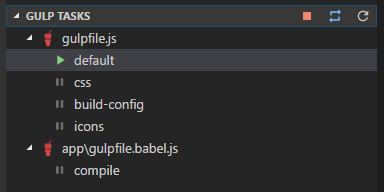
Allows you to visualize and execute gulp tasks found in your workspaces.
NOTE: If you are using a multi-root workspace and have a custom filters array in your settings, you may need to add a glob prefix (**) to
node_modulesandbower_componentsto avoid errors. This was fixed in v1.1.3 and the below example shows the required values.
The following settings can be used to control the extension via File > Preferences > Settings:
gulptasks.patternA glob pattern for gulp file matching. Has a default value of**/gulpfile*.js.gulptasks.filtersAn array of globs used to include and exclude workspace paths. Has default values of!**/node_modules/**and!**/bower_components/**.gulptasks.argsAn array of args to be included when executing gulp commands. Has a default value of empty.gulptasks.output.showAn enum value specifying when the output window should auto show. Has a default value ofTask Starts. Options areTask Starts,Task Progress,Task Completes,Task ErrorsandNever.gulptasks.notifications.executedWhether to show notifications for successfully executed tasks. Has a default value oftrue.gulptasks.notifications.terminatedWhether to show notifications for terminated tasks. Has a default value oftrue.gulptasks.notifications.restartedWhether to show notifications for restarted tasks. Has a default value oftrue.
Example:
{
  "gulptasks.pattern": "**/gulpfile*.js",
  "gulptasks.filters": [
    "!**/node_modules/**",
    "!**/bower_components/**"
  ],
  "gulptasks.args": [],
  "gulptasks.output.show": "Task Starts"
  "gulptasks.notifications.executed": true,
  "gulptasks.notifications.terminated": true,
  "gulptasks.notifications.restarted": true
}