A tool for silent keystroke logging in the background using xinput

The table is updated every 5 seconds. Take a look at
SCHEDULER_INTERVALinscript.py
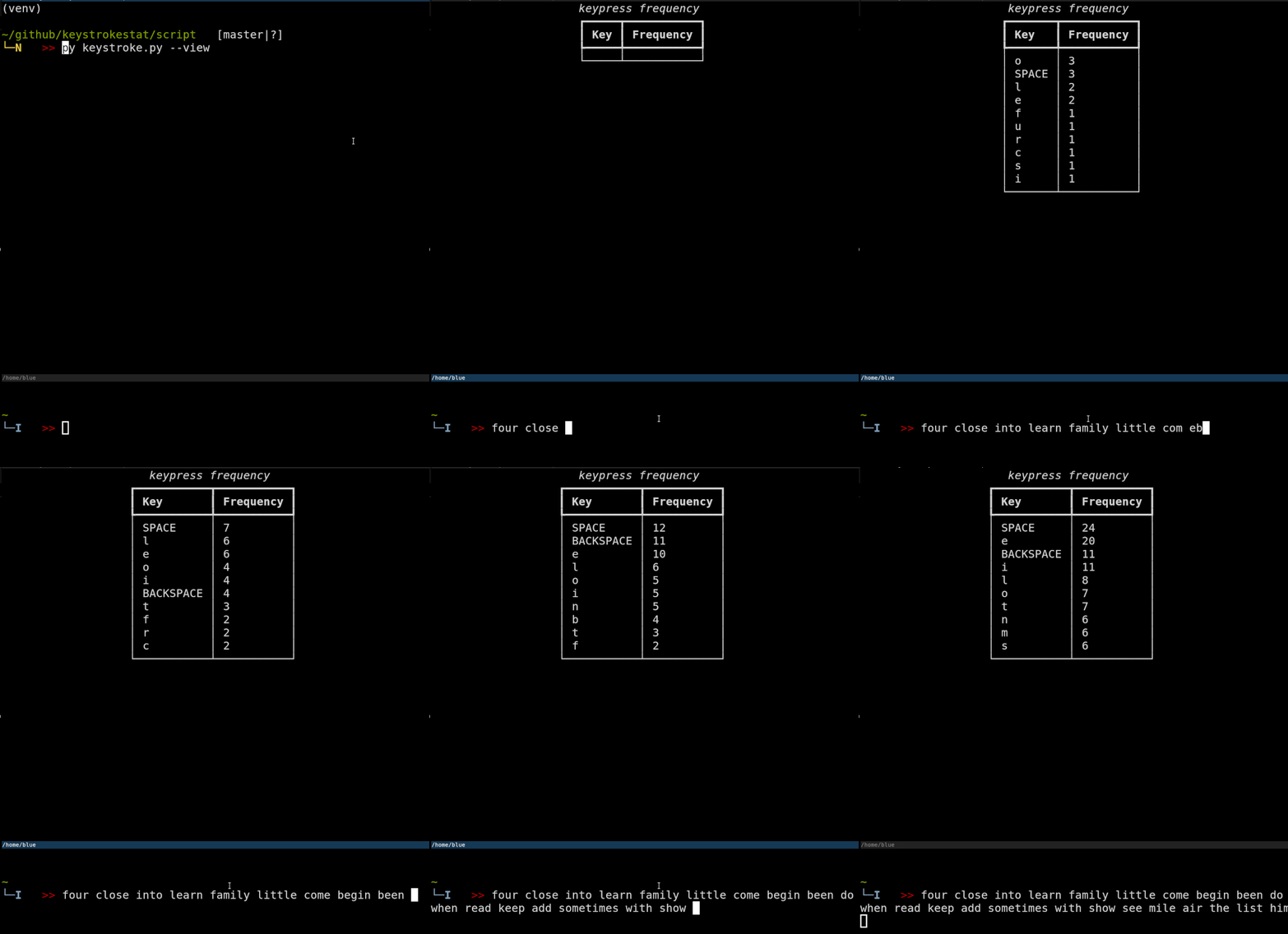
I wanted to know how much typing I do and what keys I'm using more
All the keystrokes are recorded! including the passwords and username that you type. Use at your own risk.
xinput(installation for xinput depends on the distro)
The device ID from the xinput for the keyboard being used is needed to log the keystrokes.
To get the device ID run xinput from terminal. In my case the device ID is 19 for my keyboard
[blue@linux] ~ xinput
⎡ Virtual core pointer                    	    id=2	[master pointer  (3)]
⎜   ↳ Virtual core XTEST pointer              	id=4	[slave  pointer  (2)]
⎜   ↳ Logitech M720 Triathlon                 	id=11	[slave  pointer  (2)]
⎜   ↳ Logitech K850                           	id=18	[slave  pointer  (2)]
⎣ Virtual core keyboard                   	    id=3	[master keyboard (2)]
    ↳ Virtual core XTEST keyboard             	id=5	[slave  keyboard (3)]
    ↳ Power Button                            	id=6	[slave  keyboard (3)]
    ↳ Video Bus                               	id=7	[slave  keyboard (3)]
    ↳ Power Button                            	id=8	[slave  keyboard (3)]
    ↳ Sleep Button                            	id=9	[slave  keyboard (3)]
    ↳ Logitech M720 Triathlon                 	id=13	[slave  keyboard (3)]
    ↳ Logitech K850                           	id=19	[slave  keyboard (3)]
    ↳ Mi TV soundbar (AVRCP)                  	id=10	[slave  keyboard (3)]
The xinput test command with the device ID will print key release and key press to the stdout.
The python script uses the subprocess module to call the command and record stdout which is read from the buffer
every few seconds for storing the data in SQLite post processing of stdout buffer.
[blue@linux] ~ xinput test 19
xinput test 11
key release 36
key press   57
nkey press   31
ikey press   54
ckey release 57
key press   26
key release 31
ekey release 54
key release 26
key press   42
gkey press   27
rkey release 42
key press   26
ekey release 27
key press   38
akey release 26# once you have cloned this repo
cd keystrokestat
pip3 install -r script/requirements.txt
python3 script/keystroke.py --help
Usage: keystroke.py [OPTIONS]
run workflow and log the keystrokes
Options:
--view TEXT displays top frequently used keys
--pkill kill all instances of xinput
--help Show this message and exit.
To start the Dash sever for live view
cd server
docker-compose up
Tested on Ubuntu 20.04.1 LTS
Take a look at my personal stats
The reason why you see high frequency for j, k, l, h are because of
viusage I was quite suprised myself to see the stat 😊
Let you me know what you think about this. You can share your thoughts with me on twitter