
Quickly jump to any route's source file in TanStack Router / TanStack Start projects.
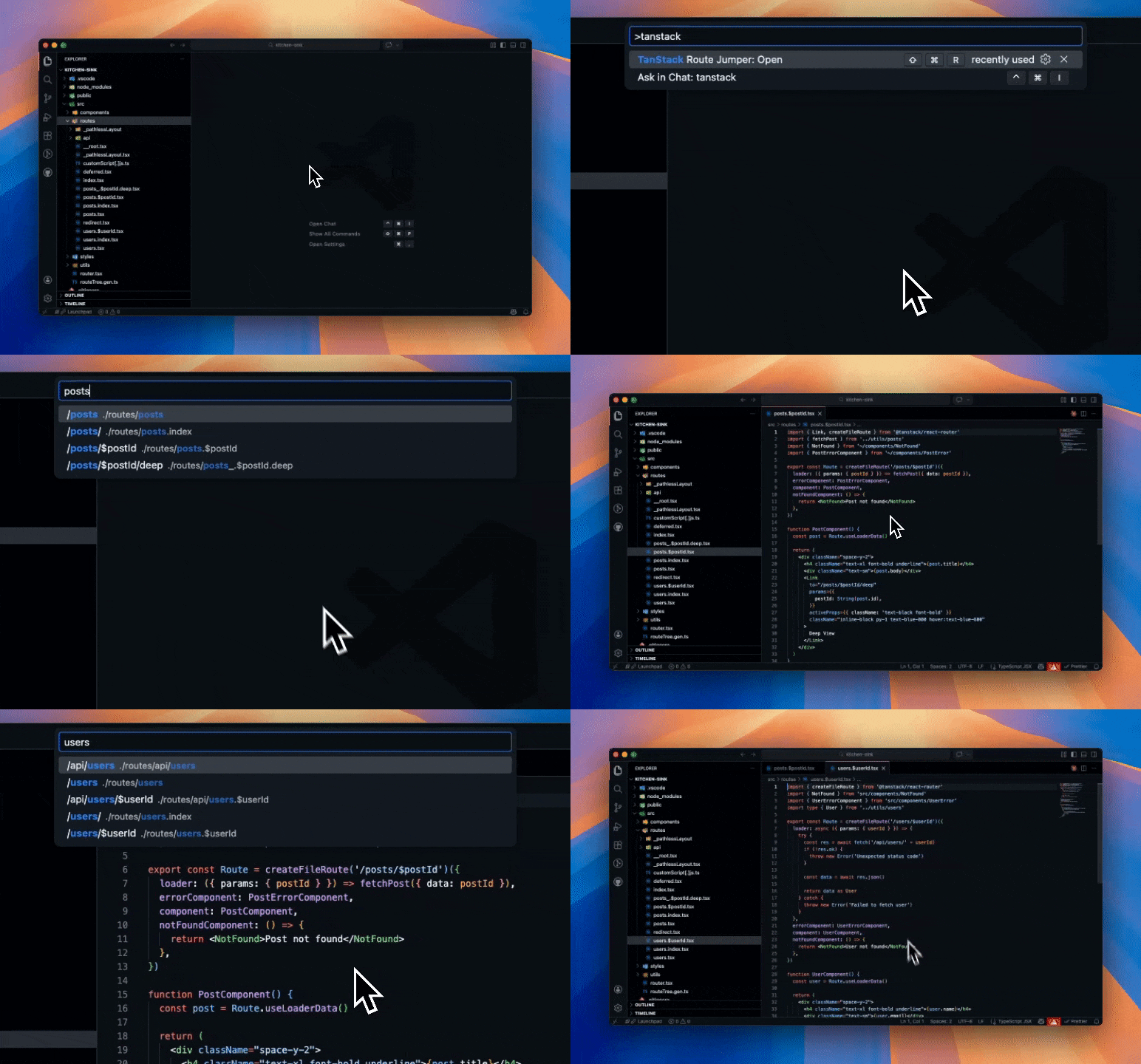
Parses your auto-generated routeTree.gen.ts and presents every route in a searchable QuickPick. Select a route and jump straight to its source file.
- Resolves all route types: static, dynamic (
$userId), splat ($), pathless layouts (_with-auth), and nested layouts - Sorted alphabetically so related routes stay grouped together
- Searches both the route path and the file path
Open the command palette and run TanStack Route Jumper: Open, or use the keyboard shortcut:
| Platform | Shortcut |
|---|---|
| macOS | Cmd + Shift + R |
| Windows / Linux | Ctrl + Shift + R |
Your project must use TanStack Router or TanStack Start with file-based routing enabled. The extension looks for a routeTree.gen.ts file in your workspace.
Search for TanStack Route Jumper in the VS Code Extensions sidebar, or install from the Visual Studio Marketplace.
Contributions are welcome! Please open an issue or submit a pull request on GitHub.