These are the exercise from the Pluralsight course Getting Started with Asynchronous Programming in .NET.
Data provided for free by IEX View IEX’s Terms of Use.
Inside the Completed folder for each module, you will find that you have code that is commented out. You can uncomment the code to test the completed solution for each different exercise.
- Open the solution in Visual Studio 2017 or later (Asynchornous Streams requires Visual Studio 2019)
- Restore NuGet Packages
- Compile and Run both the Web and WPF Applications
- Open the solution in Visual Studio for Mac (latest version)
- Restore NuGet Packages
- Compile and Run both the Web and MacOS Applications
Right click the solution and select "Set Startup Projects..."
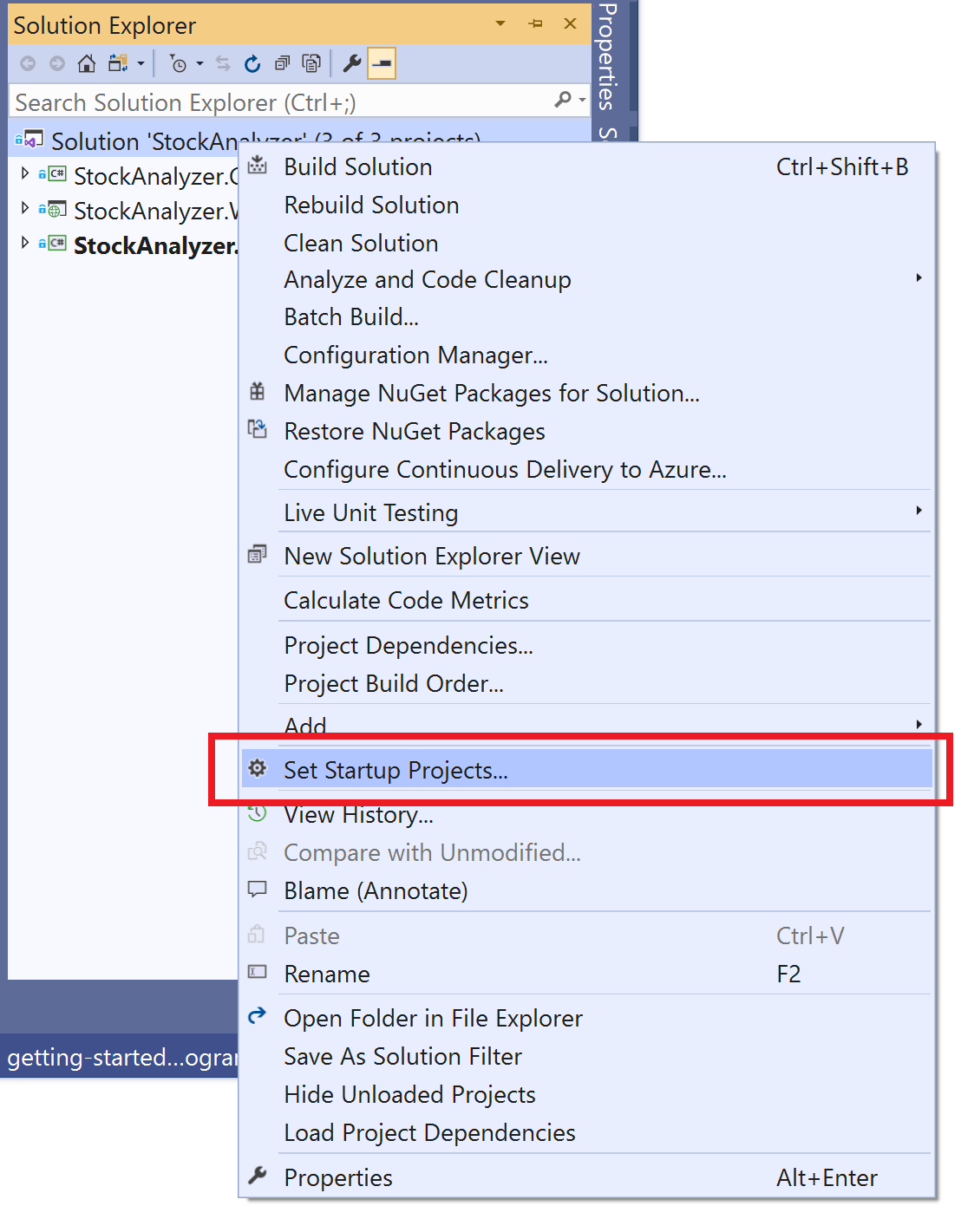
Select the Windows and Web projects as startup projects

Right click the solution and select "Set Startup Projects..."

Create the suggested configuration for multiple startup projects

Select the MacOS and the Web projects as startup projects
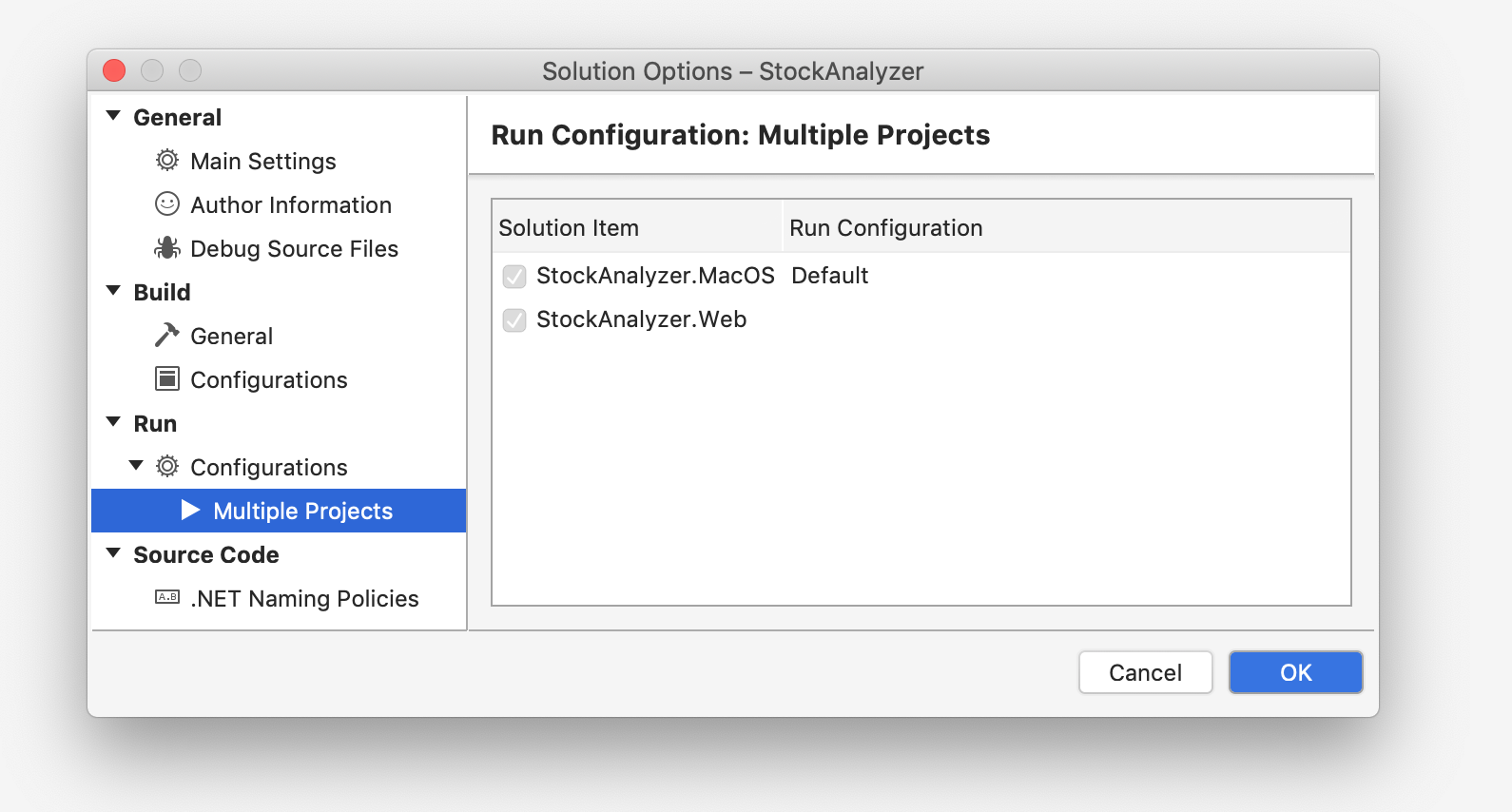
Run the projects
