A VS Code extension — full-featured development toolkit for TAURI® apps.
Navigation, autocomplete, diagnostics, and symbols for commands and events.


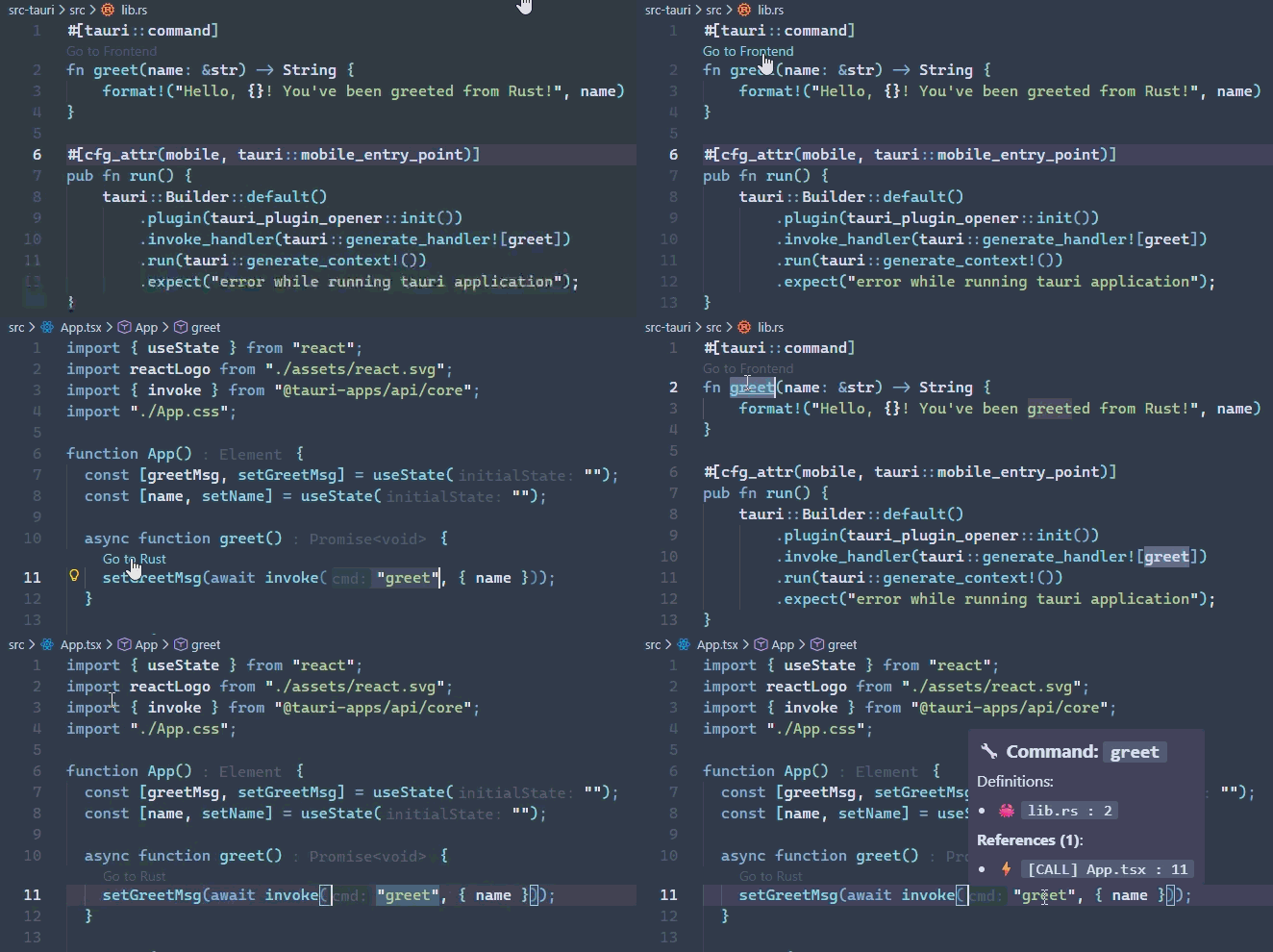
Instantly jump from a frontend invoke or emit call directly to the corresponding Rust command handler or event listener.
- Frontend → Backend: Ctrl+Click on
invoke('my_command')opens the Rust file atfn my_command. - Backend → Frontend: Ctrl+Click on
app.emit("my-event")shows where this event is listened to in React/Vue/Svelte.
See all places where a specific command or event is used across both TypeScript and Rust files.
Contextual buttons appear above your commands and events to show usage stats or provide quick navigation.
| Context | CodeLens Preview | Action |
|---|---|---|
| Rust Command | Go to Frontend |
Jumps to the TS file calling this command. |
| Frontend Call | Go to Rust |
Jumps to the Rust implementation. |
| Multiple Uses | 3 References |
Opens a peek view to choose the destination. |
Start typing inside invoke(", emit(", or listen(" and get suggestions for all known commands and events in your project.
Real-time warnings for mismatched commands and events:
- Warning: Command invoked but not defined in Rust backend
- Warning: Event listened for but never emitted
- Hint: Command defined but never invoked
- Hint: Event emitted but never listened to
Quick outline of all commands and events in the current file.
Search for any command or event across your entire project.
MIT © 2026 mvoof
TAURI is trademark of [The Tauri Programme within the Commons Conservancy]