A modern POS and inventory dashboard built with React and Vite. The UI focuses on fast operations for sales, customers, suppliers, products, and reporting.
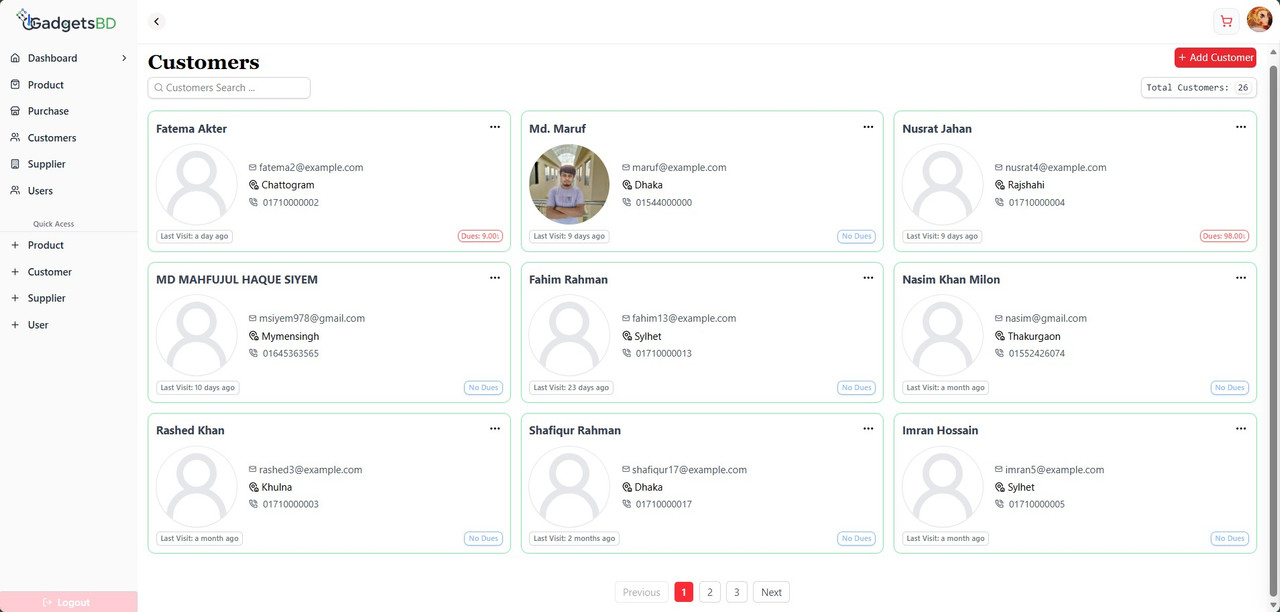
- Product, customer, and supplier management flows
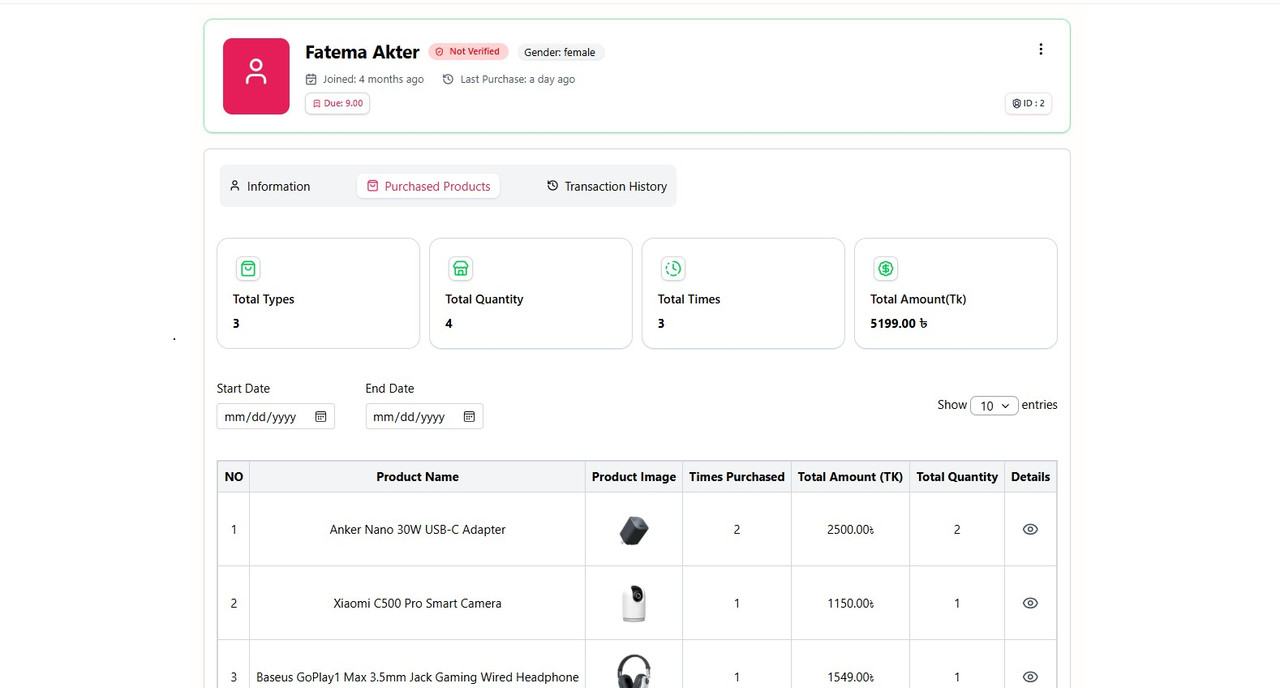
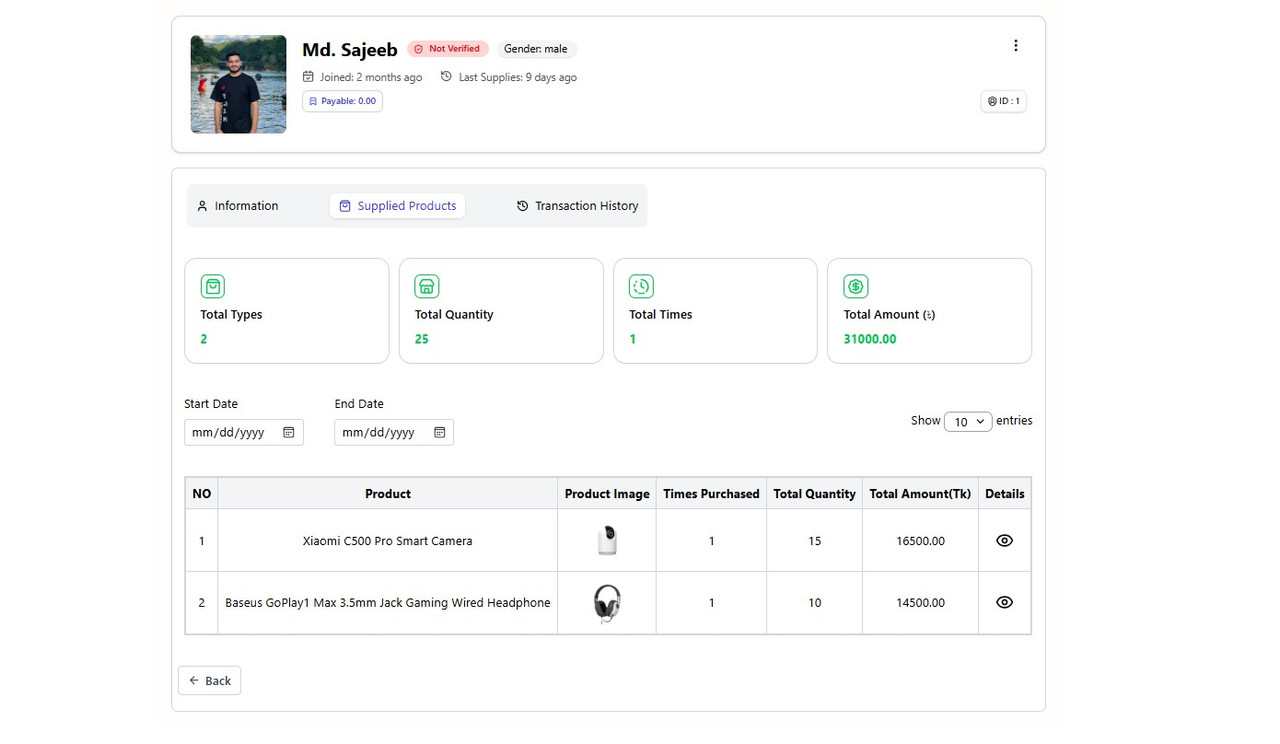
- Sales, purchase, and due tracking screens
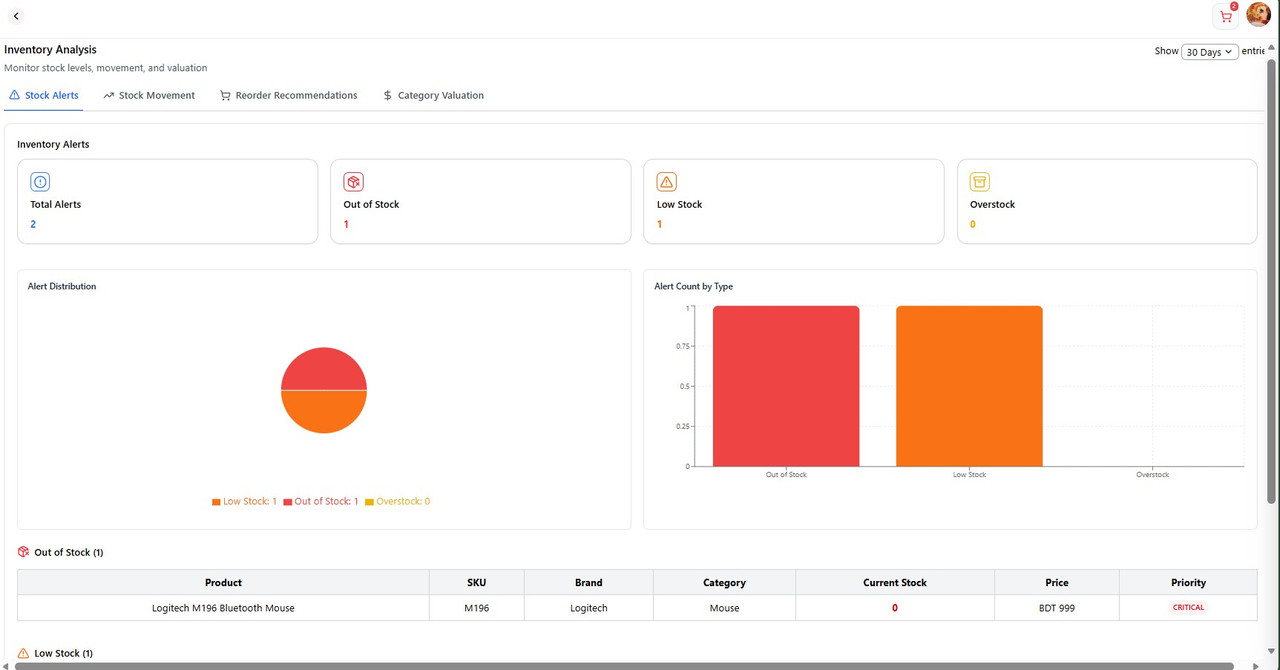
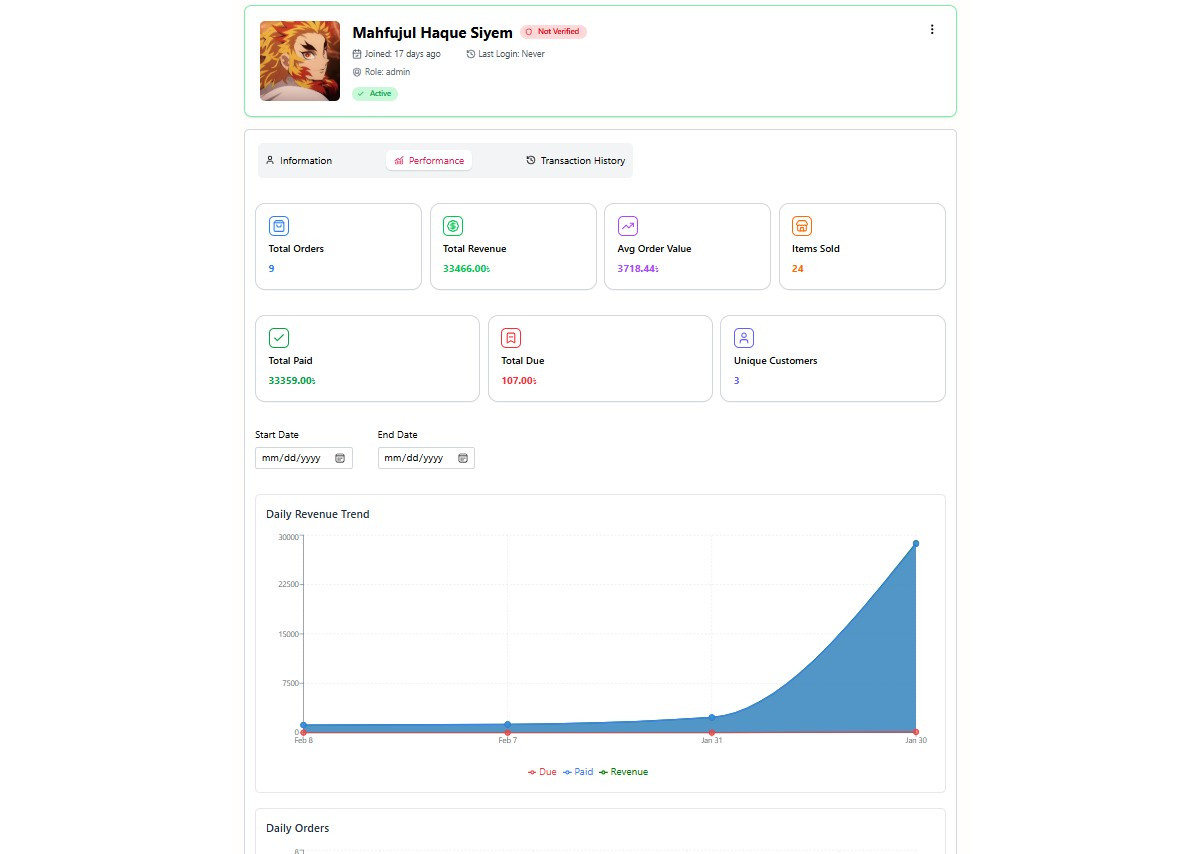
- Dashboard and analytics views with charts
- Form validation with Zod + React Hook Form
- Clean, modular UI and route protection
- Store owner / Admin: overall control, reports, and settings
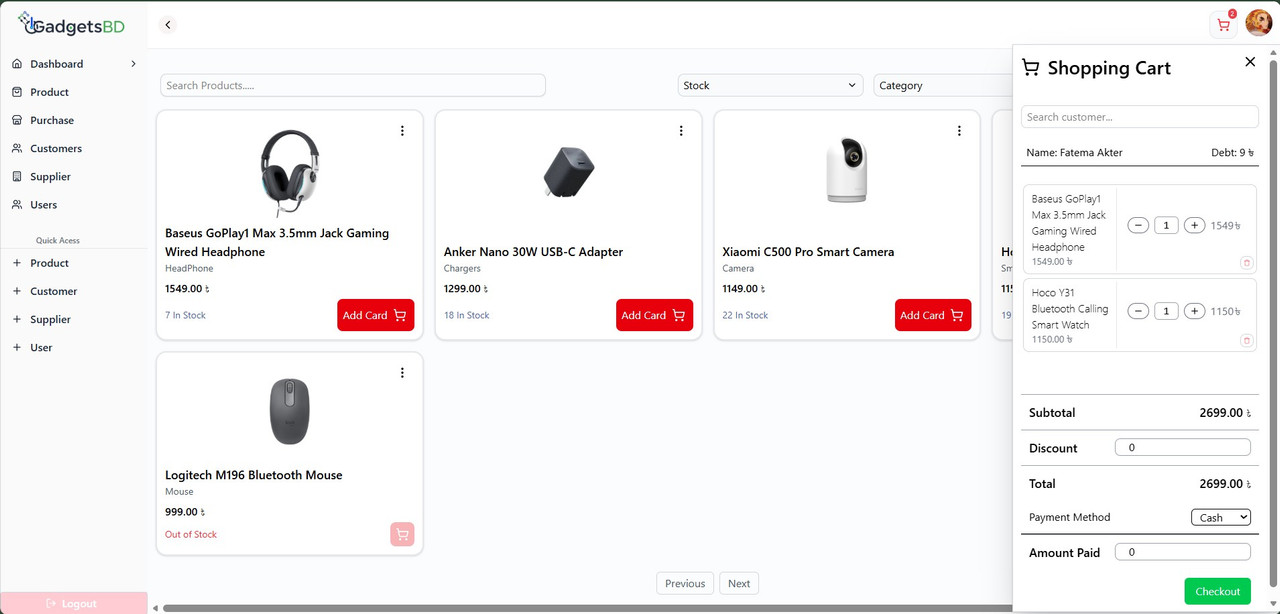
- Sales staff (POS operator): day-to-day selling and checkout
- POS flow: add items, manage cart, and complete sales
- Product catalog: create, edit, and track inventory
- Customer and supplier modules: profiles, dues, and payables
- Purchases and selling history for quick lookups
- Dashboard insights with charts and summaries
- Role-based route protection for private pages
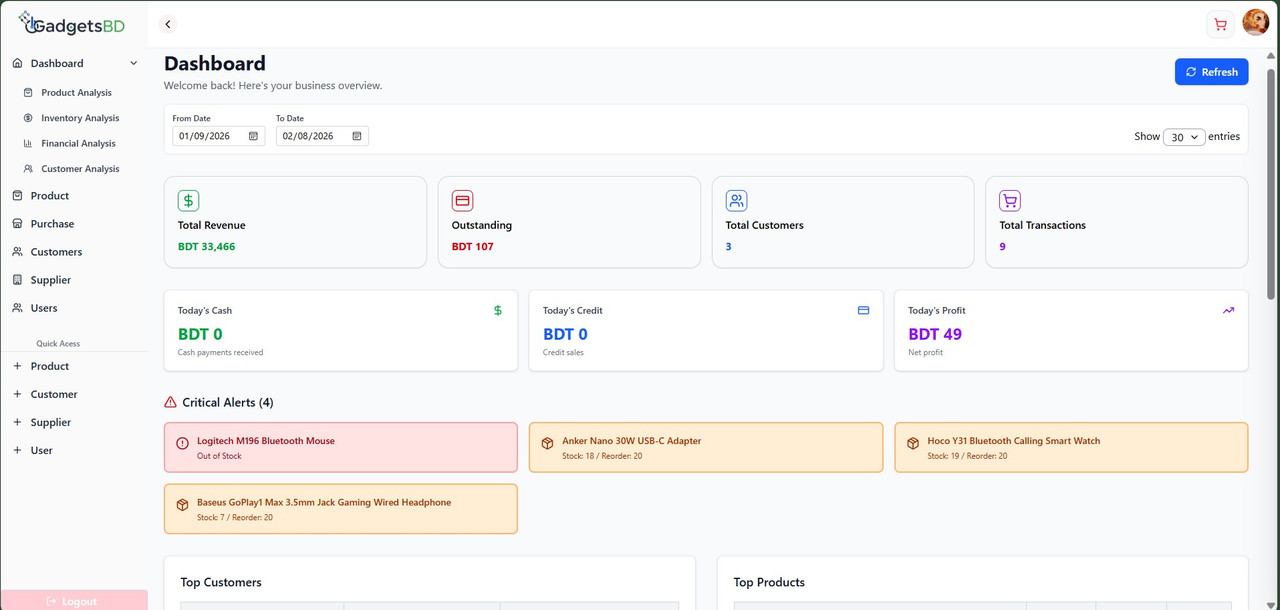
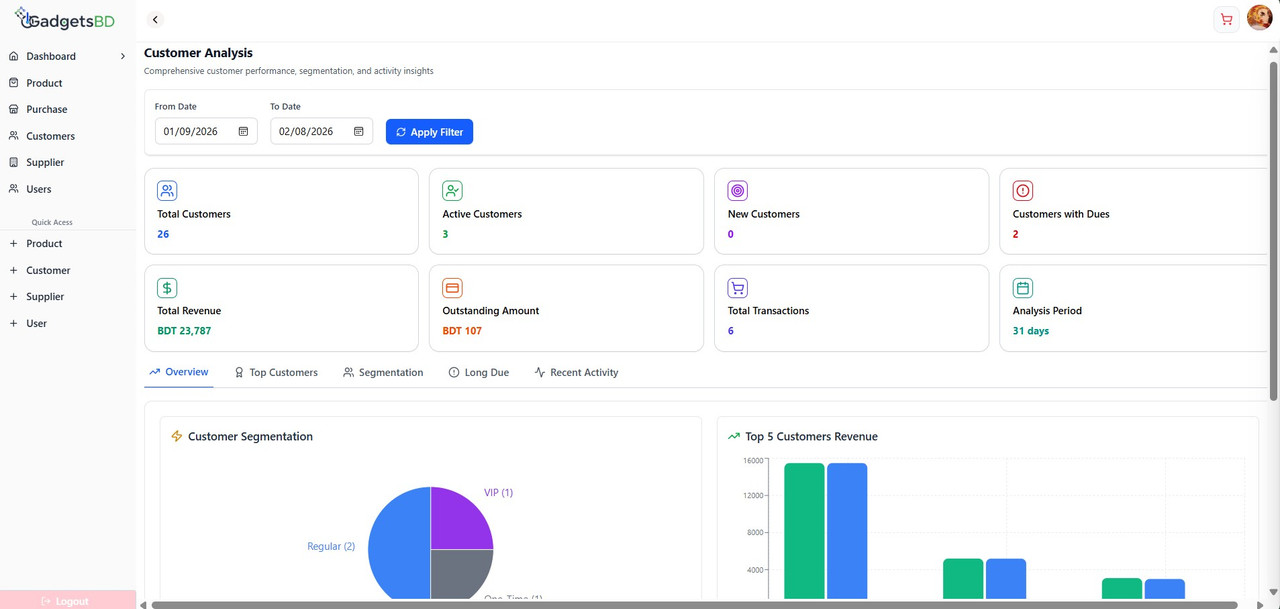
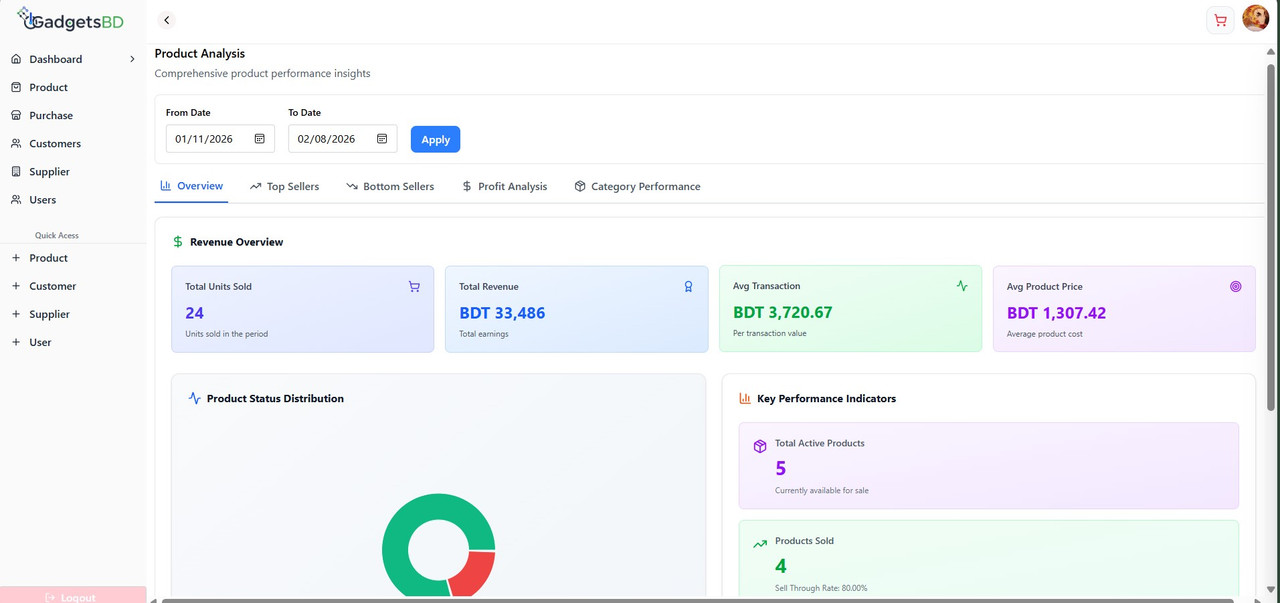
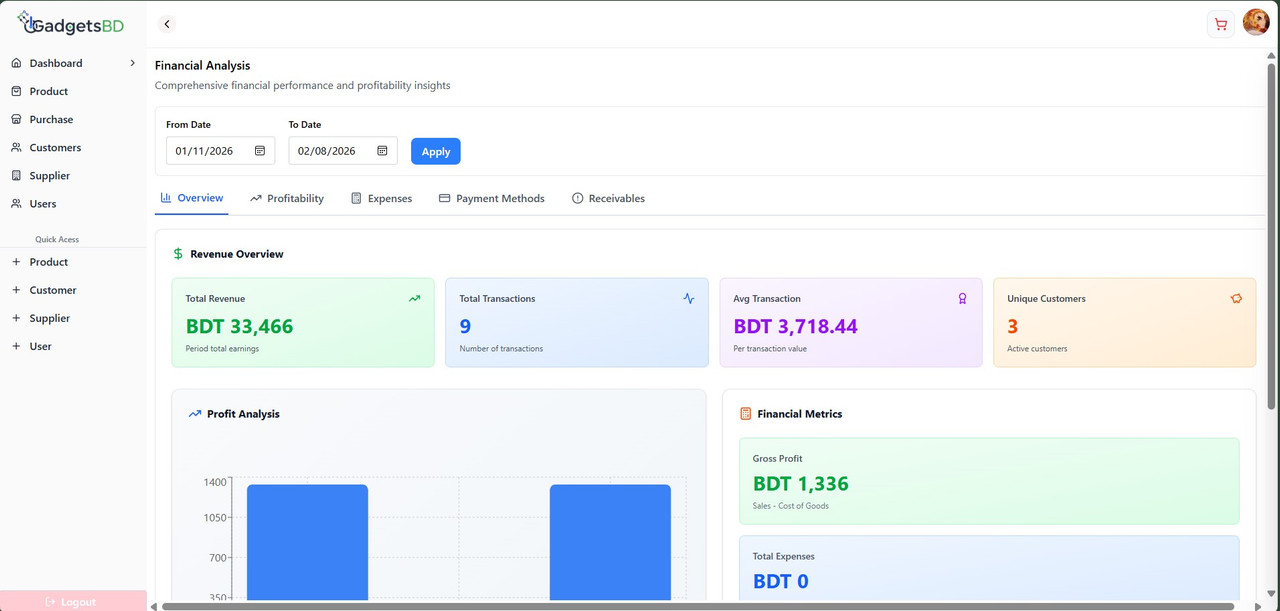
- React 19 + Vite
- React Router
- Tailwind CSS
- Axios
- Zod, React Hook Form
- Recharts
- src/api: API client and request helpers
- src/context: Auth context and hooks
- src/private: Protected pages and feature modules
- src/routes: Route config and guards
- src/forms: Zod schemas and form utilities
- src/ui: Reusable UI components
- public/data: Static JSON used for local data
The API client is defined in src/api/api.js. It uses a base URL from an environment variable and falls back to a local default.
- Create a .env.local file at the project root
- Set the API base URL
Example:
VITE_API_BASE_URL=https://your-api-domain.com/api
If this value is not set, the app uses http://localhost:3000/api.
- Install dependencies
- npm install
- Start the dev server
- npm run dev
- Build for production
- npm run build
- Preview production build
- npm run preview
- npm run dev: Start Vite dev server
- npm run build: Production build
- npm run preview: Preview the build
- npm run lint: Run ESLint
- npm run format: Run Prettier
Not deployed yet. You can use the notes below when you are ready.
Common build settings:
- Build command: npm run build
- Output directory: dist
Netlify:
- New site from Git
- Set build command and output directory as above
- Add environment variables in Site settings > Environment variables
Vercel:
- Import project
- Framework preset: Vite
- Add environment variables in Project Settings > Environment Variables
- API configuration lives in src/api.
- Routes and access control are defined in src/routes.
Private project. All rights reserved.