
Note: the Heroku app is currently down. Click the YouTube link below for a walkthrough, or follow the instructions below to build it yourself.
Natural Neighbors is a social network where wildlife enthusiasts can post about what animals they've seen. Think iNaturalist but tiny and not intended for the advancement of science.
Try it out, or watch a walkthrough below:
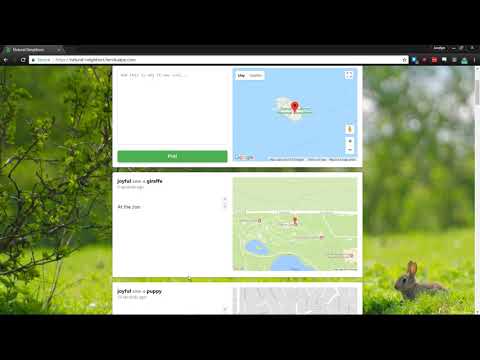
Note that this site is missing a number of features necessary for a full-scale social network. We'll probably take it off Heroku after the class ends (or at least downscale), but I encourage you to clone it and run locally because it's freakin' cool
Hi! We're teamWORK, a collective of enterprising, industry-disrupting young students in CSCI 3308 (section 104, group 2). Our incredible code and great ideas live in this repository!
- Joy Mace (@JoyMace) - SCRUM master
- Jacob Bloom (@mrjacobbloom) - server and testing
- Robert Rosetti (@RobertRossetti) - database
- Eliott Ishak (@elis7999) - maps and Google APIs
- Tuqa Alaithan (@Totoistough) - front-end design
- Jun Sheng (@sntst) - front-end design
Here's a breakdown of what you'll find in this repo:
code/- the code for the social network itselfsass/- stylesheets that will be compiled to CSS files (learn more)server_resources/- a couple utility JS files used by the serversql/- code for setting up the database locally and on Travisstatic/- non-HTML files used by the website, like scripts, styles, and images. Includes the site's logoviews/- HTML-like files used by Nunjucks used by the server to generate HTML filestemplates/- files used by many Nunjucks files, like the navigation links
index.js- the code for the server. It uses Express to handle HTTP requestspackage.json- tells Node how to run the server, how to run tests on it, how to set up the database, and what modules it needs to install the servertest.js- our test suite (see below)
meeting_notes/- word documents containing the notes from our weekly meetingsmilestones/- word documents marking our progress at certain points throughout the development processtravis.yml- configuration for our Travis CI testing (look at it go!)package.json- a dummy manifest file, which directs Heroku to run the server in thecode/folder
There is no documentation beyond this README file, but feel free to open an issue if you have any questions or need assistance with anything.
Before you do this: Note that there have been issues installing Nunjucks on the VM. I recommend doing this on your main operating system since it'll run just as well there.
- Clone the repository:
cd folder/where/I/want/the/repo
git clone https://github.com/mrjacobbloom/teamWORK.git- Install NodeJS
- Install npm
- Navigate into the
codefolder:
cd code- Install the dependencies:
npm install-
Set up the database locally:
npm run-script database- Navigate into the
codefolder:
cd code-
Start the server:
npm startOur test suite automatically runs on every push to this repo. You can see the results of those tests on our Travis CI page.
The suite works by running the server in a new process and directing it to use a specific port. Then, it runs a series of tests by sending HTTP requests to that port. It verifies that things like logging in and posting work as expected. It uses a little Promise noodlery to look synchronous.
Make sure the server is installed before you try running the test suite.
Note: the test suite uses some newer JS features. If you get errors like "unexpected token function" then you'll need to run the test suite on a newer version of Node.js (7.6 or newer).
cd code
npm test