My vision of how NextUI should be. Minimal on the surface. Structured underneath. Built to last.
NextUI is a custom firmware for retro handheld gaming devices. It replaces the stock operating system with a clean, minimal interface focused on playing retro games with no unnecessary bloat.

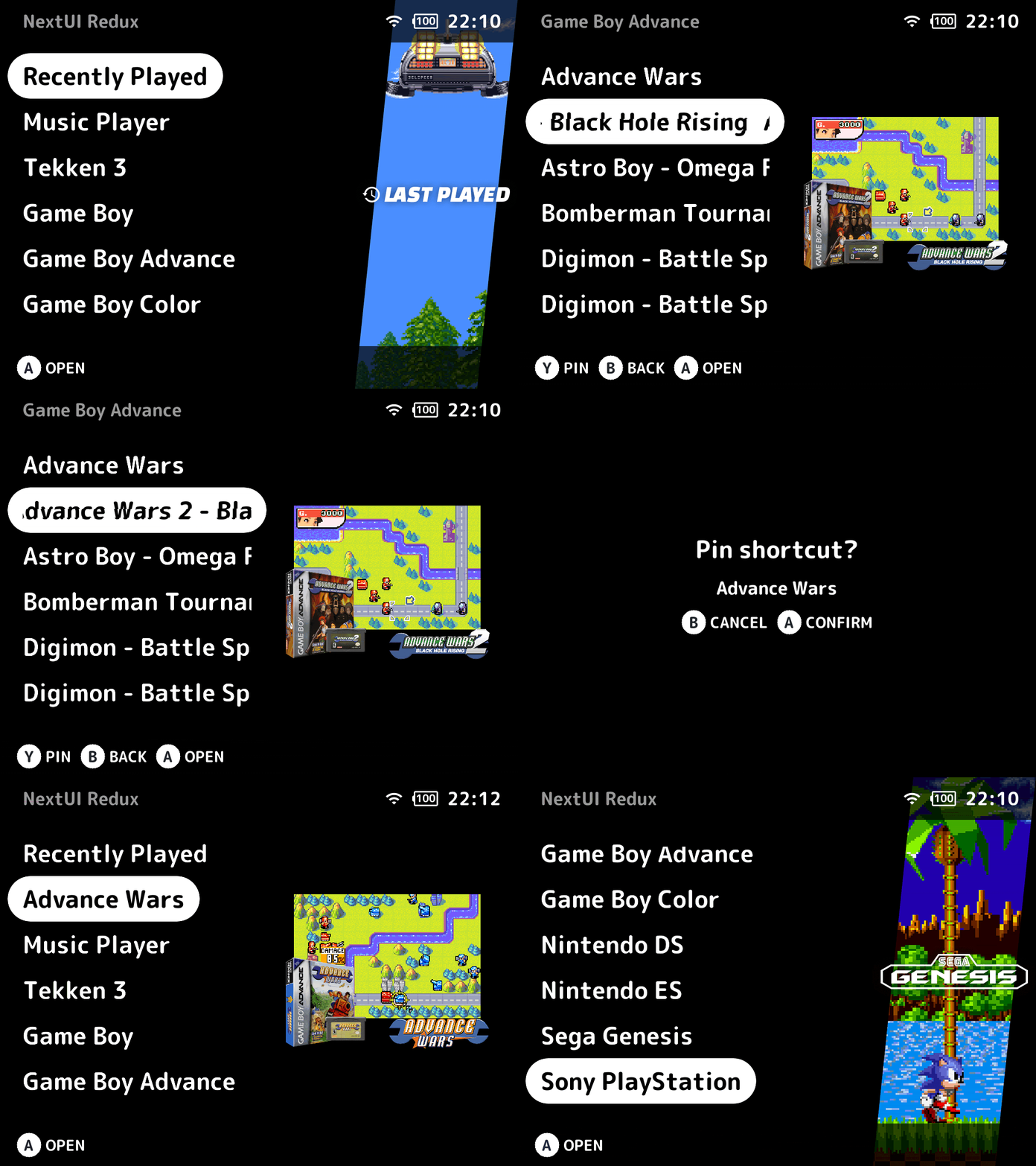
Refer to the Youtube Video below for demonstration of the features:

- Trimui Brick
- Trimui Smart Pro
- Trimui Smart Pro S
NextUI is a great foundation — lightweight, focused, and true to its minimalist roots.
But over time I found myself wanting two things the upstream project couldn't give me:
- Creative freedom — the ability to add features and UX improvements without waiting for upstream approval or aligning with someone else's roadmap.
- Structural clarity — cleaner code organization, consistent formatting, and a codebase that's easier to maintain and extend.
NX Redux is where those two goals meet.
Improvements:
- Refactored
nextui.c, splitting the monolithic code into smaller, focused components. - Applied various bug fixes and optimizations across the refactored components.
- Added clang-format tooling with enforced code style and VSCode support.
- Introduced reusable UI components for consistent design across tools.
- Fixed incorrect Wi-Fi/Bluetooth state icons in the quick menu.
- Added a semi-transparent progress overlay for blocking actions.
- Added confirmation dialogs for actions that require them.
- Rewrote the
Settingsapp in C with a redesigned UI - Removed the
Batterymonitoring feature. - Merged the
LED Control,Input,ClockandUpdaterinto theSettingsapp (no separate app required) - Integrated the
Remove Loadingfeature directly into the install script (no separate app required) - Split release builds into per-platform zips packages (brick/smartpro/smartpros).
- All standalone emulators now support USB-C and Bluetooth audio.
- All standalone emulators now include a custom in-game menu with UI styling consistent with the system.
- All standalone emulators now support save states with screenshots.
- Added sleep by pressing power button support for all standalone emulator and Portmaster games.
New Features:
- Redesigned UI with consistent styling across the system.
- Game art fallback for titles without save states in the game switcher
- Main menu shortcut for quick access to frequently used
ToolsandGames - Option to disable the emulator folders (ideal for users who prefer listing only selected games via shortcuts in the main menu)
- Direct selection of Wi-Fi networks and Bluetooth devices from the quick menu.
- IP address is displayed in the bottom button hint bar when connected.
- Added
Developer optionsinSettings:- Toggle SSH service and autostart
- Disable system sleep (useful for ADB)
- Clean up macOS-specific dotfiles (if any were copied)
- Quickly turn off Developer Mode from the quick menu
- Added slide transition animations (can be disabled in Settings)
Quick Menuslides down on enter and up on exitGame Switcherslides up on enter and down on exitPage Navigationslides in from the right on enter and out to the left on exit
- Added
Simple ModeinSettings - Added
Searchfunction in main menu (PressYto activate) - Added jostick and calibration feature in
Inputapp - Added
Device Syncto sync game saves, states, user settings, and ROMs (optional) across devices. - Added
Artwork Managerto fetch custom mix box art for ROMs. - Built-in
ScreenshotandScreen Recorderoption in quick menu- When Screenshot is enabled, press
L2+R2+Xto capture the screen - When Screen Recorder is enabled, recording runs automatically in the background.
- When Screenshot is enabled, press
- Built-in Music Player
- Built-in Media Player
- Bundled
Drastic Nintendo DSemulator. - Bundled
Mupen64Plus Nintendo 64emulator.- Support for high resolution textures (with limitations due to 1GB RAM)
- Bundled
PPSSPP Playstation Portableemulator. - Bundled
Portmasterin the Tools.- Configured by default with Nintendo input layout (configurable)
Upcoming Features:
- Built-in ROMs collection management
- Integration with Netplay
- Netplay for
Mupen64Plus Nintendo 64emulator - Netplay for
PPSSPP Playstation Portableemulator - Minarch refactor
Ongoing focus areas:
- Cleaner, more maintainable core code
- Improved file and module structure
- Refactoring for readability
- Selective feature improvements as needed
This project is a derivative of LoveRetro/NextUI.
Upstream changes may be merged selectively. Architectural decisions here prioritize clarity and maintainability over strict parity.
- ro8inmorgan, frysee and all contributors for developing NextUI
- KrutzOtrem for the overlays
- timbueno for the Artbook theme
- anthonycaccese for the Artbook artwork
- ben16w for the Minui-Portmaster
Licensed under GNU GPL v3.0, the same license as the original project.
All original copyrights are retained. Modifications in this repository are also distributed under GPL-3.0.
See the LICENSE file for details.
NX Redux is an independent fork and is not affiliated with the original NextUI project.
