
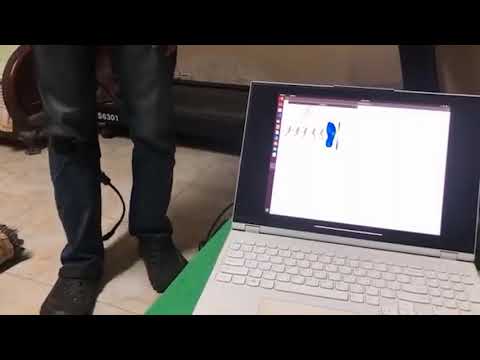


Click the image above to watch the project demo video.
Step Scope is a project developed as part of the Biomedical Engineering Course at the Faculty of Engineering, Ain Shams University. The main objective of this project is to design and develop a wireless, portable, and wearable system that utilizes inertial measurement units (IMUs) and force-sensitive resistors (FSRs) to monitor foot plantar pressure and gait in individuals with diabetic foot disease (DFD) or other neurological abnormalities affecting gait.
Please note that the system has been thoroughly tested on both healthy subjects and patients/simulated patients to ensure its effectiveness and accuracy.
The system provides the following features:
- Real-time visualization of foot pressure using color coding (Heatmap).
- Measurement of various spatiotemporal gait parameters.
- Detection of gait events and phases (Heel Strike, Mid-Stance, Toe Off, etc.).
- Analysis of shank kinematics using IMUs.
- Estimation of the center of pressure (CoP).
- Assessment of patient stability based on FSR and IMU data.
- Wireless Telemetry: Data is transmitted wirelessly to a PC for visualization, analysis, and reporting.

The system is built around the ESP8266 (NodeMCU) microcontroller, which collects data from the sensor array and transmits it via TCP/IP to the ROS backend.
- Microcontroller: NodeMCU v1.0 (ESP8266)
- IMU: 2x MPU6050 (Accelerometer & Gyroscope for Thigh and Shin)
- Force Sensors: 5x Force Sensitive Resistors (FSR) placed at key plantar pressure points.
- Multiplexer: 8-channel Analog Multiplexer (to handle 5 FSRs on the single ESP8266 Analog Pin).
| Component | NodeMCU Pin | GPIO | Description |
|---|---|---|---|
| Multiplexer S0 | D7 | 13 | Channel Select Bit 0 |
| Multiplexer S1 | D6 | 12 | Channel Select Bit 1 |
| Multiplexer S2 | D5 | 14 | Channel Select Bit 2 |
| Multiplexer Sig | A0 | ADC | Analog Signal Input |
| MPU6050 SDA | D2 | 4 | I2C Data |
| MPU6050 SCL | D1 | 5 | I2C Clock |
The PC-side software utilizes ROS (Robot Operating System) to modularize data handling, processing, and visualization.
- Communication Node (
comm_data.py): Establishes a TCP/IP socket connection with the ESP8266.- Publishes raw sensor strings to the
/commtopic.
- Publishes raw sensor strings to the
- Parser Nodes:
fsr_data.py: Subscribes to/comm, parses FSR arrays, and publishes to/fsr_data.imu_pub.py: Parses IMU angles and publishes to/imu_data.
- Visualization Node (
project.py): A Tkinter-based GUI that subscribes to all sensor topics.- Visualizes Heatmaps, Knee Angles, and Gait Phases in real-time using OpenCV and Matplotlib.
The GUI allows for patient data entry, real-time monitoring, and data recording.

Below is an example of the system detecting the "Mid Stance" phase during a live test.

- OS: Ubuntu 20.04 (Recommended for ROS Noetic)
- ROS Version: ROS Noetic Desktop Full
- Python: Python 3.8+
-
Clone the repository into your Catkin Workspace:
cd ~/catkin_ws/src
git clone https://github.com/mohamedeyaad/Step-Scope.git
cd ..
catkin_make
source devel/setup.bash
-
Install Python Dependencies:
pip3 install -r requirements.txt
(Note: Ensure
numpy,matplotlib,scipy,pandas,XlsxWriter,opencv-python, andPilloware installed). -
Upload Firmware:
- Important: The firmware code is located in a separate branch.
- Switch to the firmware branch:
git checkout Arduino-Code
- Open the
.inofile in Arduino IDE. - Configure your WiFi credentials in the code.
- Upload to the NodeMCU.
- Power on the Hardware: Ensure the NodeMCU is powered and connected to the WiFi.
- Launch the System:
Run the ROS launch file to start the communication, parsing, and GUI nodes simultaneously.
roslaunch step_scope nodes.launch
For any inquiries, please contact me at: mooeyad@gmail.com