Time Capsule WebApp is a fun web application that allows users to write messages and schedule them to be delivered in the future, whether to themselves or others. Think of it as emailing your future self (or your friends!) and getting a surprise years later.
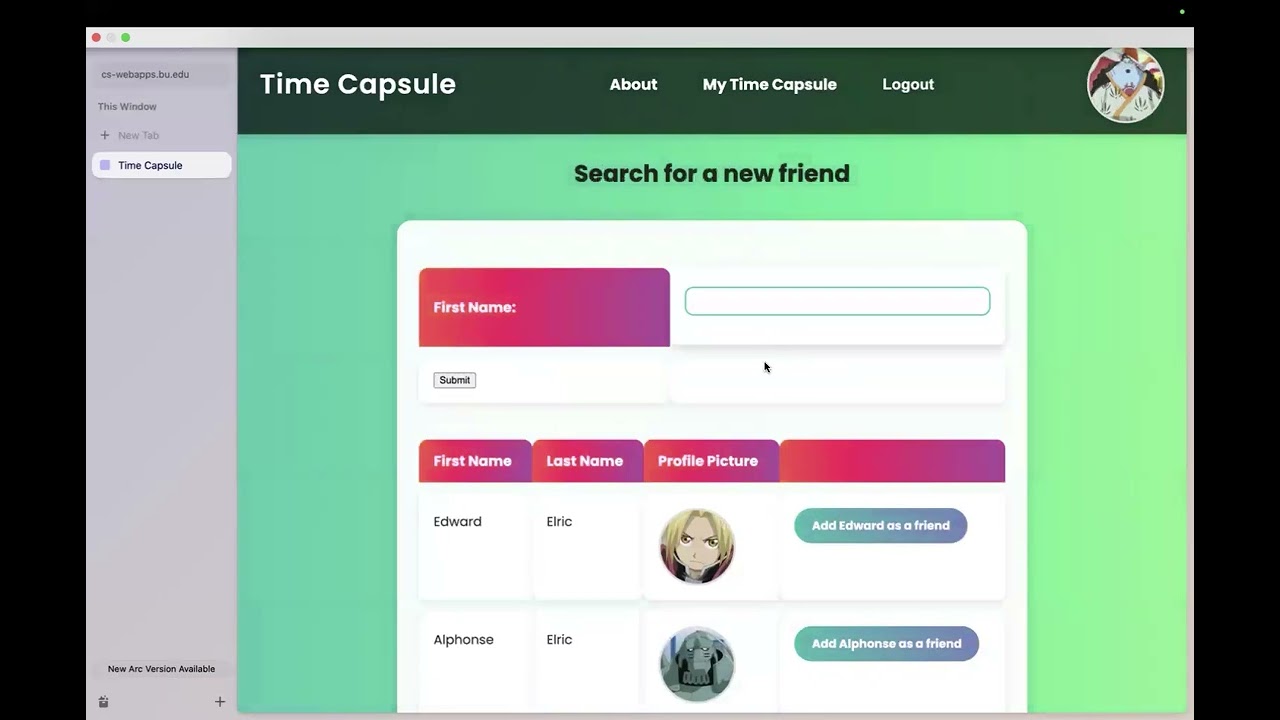
- Write messages and schedule email delivery to yourself within a future time frame
- Simple but effective user interface for composing, viewing scheduled messages
- Social media like user interface where users can search and add friends
- Group messages allow groups to receive future messages from the whole group
- Backend / Web Framework: Django
- Database: SQLite
- Frontend / Static files: HTML, CSS
If you wish, below are the typical steps to get this project running locally:
-
Fork and clone the repository
-
This project was originally intended to run on a Boston University server so there are some modifications that must be made
- Create a directory on your local machine called job_queue
- Create a script called run_job_queue.zsh on your local machine and add to it the following:
#!/bin/zsh
cd /path/to/your/job_queue || exit

for job in *.sh(.N); do
    bash "$job" && rm "$job"
done
- Make the script exicutable:
chmod +x /path/to/your/run_job_queue.zsh
- Add the script to your crontab:
crontab -e

#then add to the vi:
* * * * * /path/to/your/run_job_queue.zsh

# You can save from the vi by typing ':' and then 'x' (I always forget)
# You can check that the cron job was added correctly by:
crontab -l
- Go into models.py and edit at_job_helper to the following code:
def at_job_helper(delivery_date, subject, email, message):
 '''A helper function that will add an email at job given the required fields.'''
 # convert delivery date to at time
 at_time = delivery_date.strftime('%H:%M %b %d %Y')

 # New Approach:
 # Add atjobs as sh files to a directory and have a crontab call a script every minute.
 # When the script will go through the directory and add any jobs there as at jobs then
 # remove them.
 job_id = timezone.now().strftime("%Y%m%d%H%M%S.%f")
 command = f'mailx -s \\"{subject}\\" \\"{email}\\" <<< \\"{message}\\"'

 with open(f'/path/to/your/job_queue/{job_id}.sh', 'w') as f:
     f.write(f'echo "{command}" | at {at_time}\n')
-
Now create a virtual environment
pipenv shell
-
And run the local server
python manage.py runserver -
Go to http://127.0.0.1:8000/ and use the app!