Home
This tool is supposed to help automating or partially automate the functionalities covered to give a better experience and saving time during the setup and maintenance of Dual-write.
This tool will most likely NOT work with the new ALM experience, however until it’s released you can use it.
- Please make sure you have .NET 6 runtime installed (Download .NET 6.0 (Linux, macOS, and Windows) (microsoft.com))
- Microsoft Edge Browser needs to be installed
How does it work? Since Dual-write is only working with an actual user, the tool is leveraging a selenium edge driver to login to the Dual-Write UI and fetch the token.
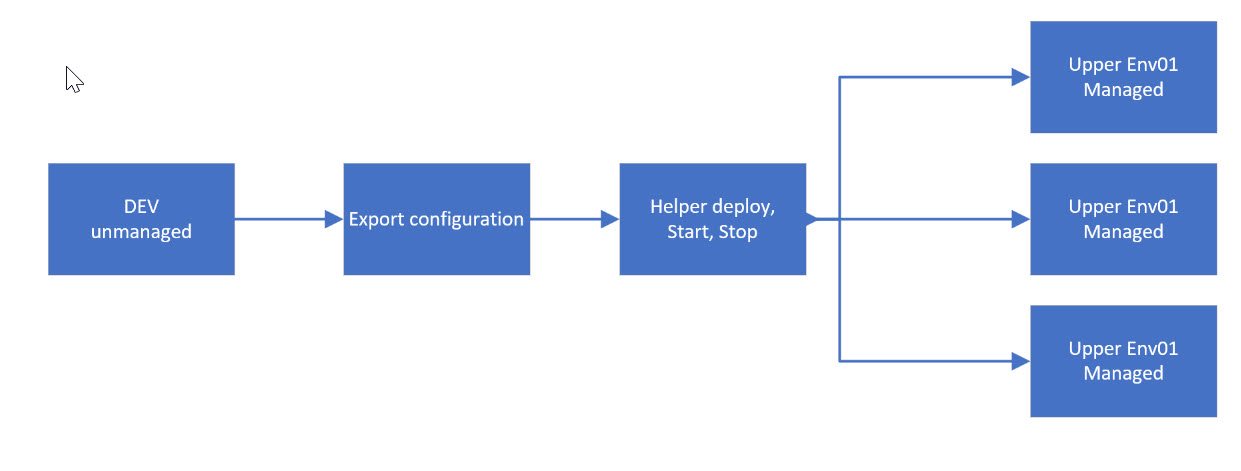
After that the token will be used to execute API calls directly to the backend where it can execute all functionalities you also see on the UI. The concept of the tool runs on configuration files. For a custom integration firstly a configuration file must be retrieved from a manual setup instance.
The best config file you can get from a working and running Dual-Write instance of yours. The config file can be then re-used on any other target environment with the same setup and can be modified in the process of further modifications.