See the complete documentation rendered with Sphinx 📚.
sphinx_diagram_connect is a powerful Sphinx extension designed to create intelligent, clickable links within your PlantUML or DrawIO diagrams.
-
By automatically resolving
std:docorstd:refsyntax, this extension allows you to effortlessly connect elements in your diagrams directly to relevant sections or components within your Sphinx documentation. -
Also references to other domain like
py:funcwill be resolved. -
Optionally, references to
needitems can be resolved if the sphinx-needs package is available in the Python environment and the extension is enabled in the documentation project’s conf.py.
The sphinx_diagram_connect extension works on the generated svg files of your graphical tools. This means also other diagram types are supported automatically.
This means enhanced navigation, improved information flow, and a more interactive experience for your readers!
Imagine clicking on a diagram element and being taken directly to its detailed explanation in your documentation. This is precisely what sphinx_diagram_connect enables.
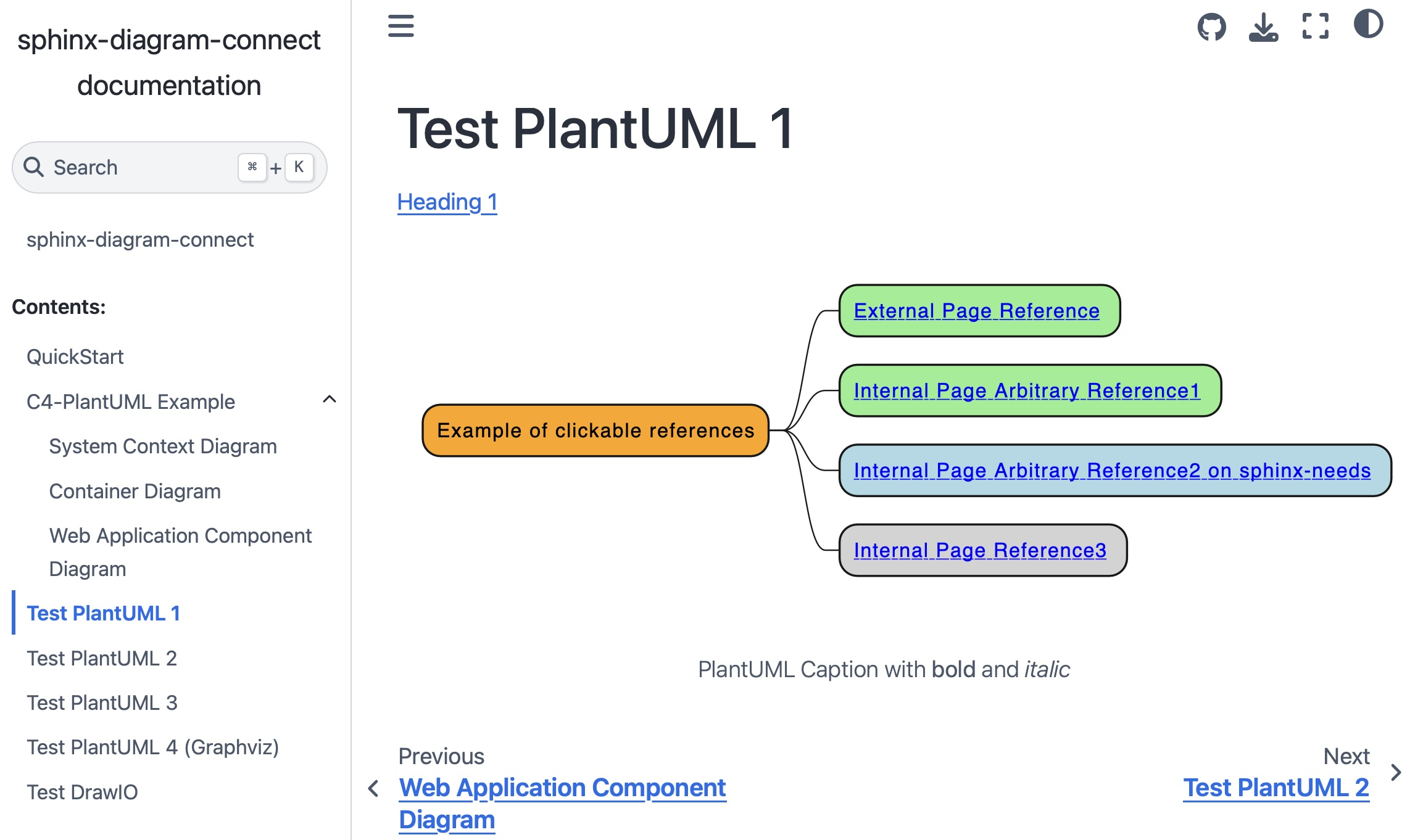
This example demonstrates how references of the standard domain std with :doc: and :ref: syntax within your PlantUML code becomes a live hyperlink in your rendered documentation:
.. uml::
    :caption: PlantUML Caption with **bold** and *italic*
    :name: PlantUML Label2

    @startmindmap mindmap2

    *[#Orange] Example of clickable references
    **[#lightgreen] [[ ":ref:`Heading 2`" Internal Page Arbitrary Reference1 ]]
    **[#lightblue] [[ ":ref:`N_00002`" Internal Page Arbitrary Reference2 on sphinx-needs ]]
    **[#lightgrey] [[ ":doc:`Test PlantUML 3`" Internal Page Reference3 ]]

@endmindmapYou can easily install sphinx-diagram-connect using pip:
pip install sphinx-diagram-connectAlternatively (for Linux users with Poetry):
git clone https://github.com/mi-parkes/sphinx-diagram-connect.git
cd sphinx-diagram-connect

poetry install
poetry build

poetry add -G sphinx dist/sphinx_diagram_connect-*-py3-none-any.whlOnce installed, simply add sphinx_diagram_connect to your extensions list in your conf.py file:
extensions = [
    ...,
    'sphinx_diagram_connect'
]To see all referenceable labels in your project, use:
poetry run task labels