Flawless-Cut was developed to improve the user interface of another application, Lossless-Cut, a new plan for UI were mentioned in that project's issue but never upgraded. Compared to Lossless-Cut, Flawless-Cut removes some infrequently used features and user preferences to keep it simple and easy to use. Although Flawless-Cut is almost completely rewritten in terms of code, it still borrows from many practices of Lossless-Cut, thanks for that.
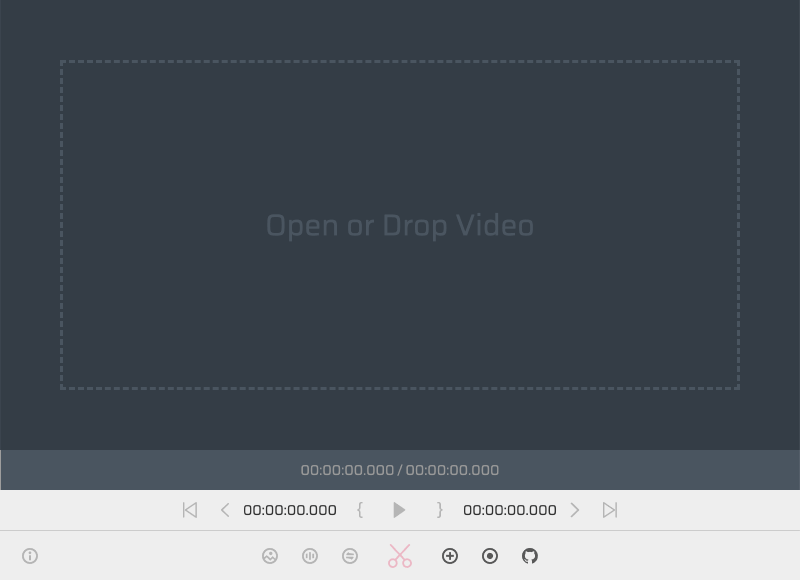
- Losslessly cut video/audio in common formats (very fast)
- Losslessly merge video/audio clips of the same encoding format (very fast)
- Lossy cut video/audio and convert to MP4 format (fast)
- Lossy cut or extract audio from video and convert to MP3 format (fast)
- Capture video frames as pictures with the smallest file and highest quality
- Record output of screen and microphone
- Visualization of audio sound waves
- Support for Windows/Linux/MacOS platforms
| Key | Action |
|---|---|
| Right Arrow | Forward 1 second |
| Left Arrow | Go back 1 second |
| Alt + Right Arrow | Forward 10 seconds |
| Alt + Left Arrow | Go back 10 seconds |
| Space | Play/Pause |
| Backquote | Toggle display metadata |
Since Flawless-Cut is based on Chromium core and HTML5 video player, not all ffmpeg supported formats are supported directly. In order to use this application faster and smoother, the following formats/codecs should generally be imported: MP4, MOV, WebM, MKV, OGG, WAV, MP3, AAC, H264, Theora, VP8, VP9. Related for more information on Chromium's supported formats/codecs, see https://www.chromium.org/audio-video。
For formats not supported by Chromium, Flawless-Cut uses fast real-time transcoding and playback technology, which allows play all videos which ffmpeg can be decoded, and the cut result is still lossless. But unfortunately, especially in the case of large video files, the efficiency of this method (accurately in terms of tracking fluency) is still not the same as the native support format.
Please install it yourself.
npm installIf you encounter network issues in mainland China, please use the mirror of ELECTRON.
# Linux/MacOS
export ELECTRON_MIRROR="https://npmmirror.com/mirrors/electron/"

# Windows CMD
set ELECTRON_MIRROR=https://npmmirror.com/mirrors/electron/

# Windows PowerShell
$env:ELECTRON_MIRROR="https://npmmirror.com/mirrors/electron/"

# Maybe you need this
npm config set strict-ssl false

# And then try again
npm installnpm startnpm run build:linux
npm run build:win
npm run build:macOn Linux, you may also need to run the following commands.
chmod +x bin/linux/*
sudo apt install -y libmediainfo-devsips -s format icns icon.png --out icon.icns