Download Code
https://help.github.com/en/articles/cloning-a-repository
- Method1: Command line GIT
- Download and install https://git-scm.com/downloads
- Goto desired folder location
- type
git clone https://github.com/mclim9/rssd.git
- Method2: Windows GUI GIT
- Download and install https://git-scm.com/downloads
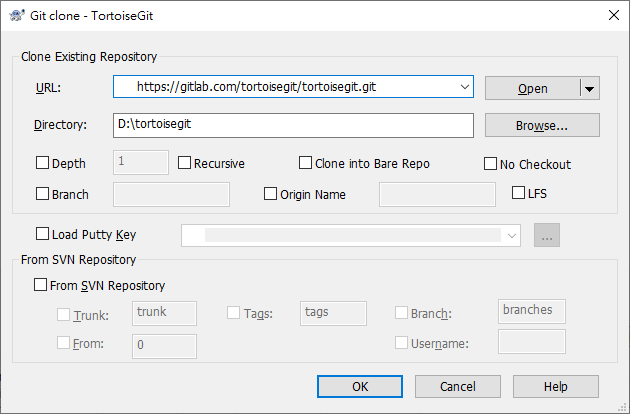
- Download and install https://tortoisegit.org/
- Goto desired directory and right click mouse
- Enter URL: https://github.com/mclim9/rssd.git
- Goto desired directory and right click mouse

- Make Developer Version
- Open command prompt in newly created
rssddirectory - Verify setup.py file is in directory
- type
pip install -e .- default library location is LIB\site-packages\rssd\
- above command will delete code in default directory
- above command redirects rssd imports to this directory
- type
pip listto verify
- Open command prompt in newly created