|
|

|
iPhone/iPad | Android: Coming Soon | Discord
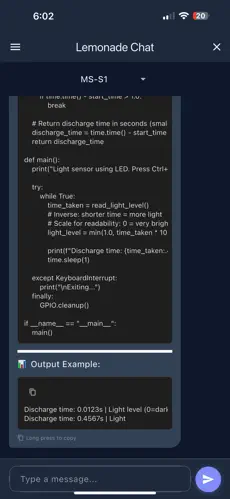
Lemonade Mobile is a polished chat interface for Lemonade AI servers with syntax highlighting and multi-server support. Start your server, connect this app, and take your Lemonade to go.
A Lemonade Open Source Project - maintained by Geramy Loveless.
- Multi-Server Support: Connect to multiple Lemonade/OpenAI-compatible servers
- Code Syntax Highlighting: Beautiful code rendering with language detection
- Streaming Responses: Real-time chat with live text streaming
- Dark Theme: Modern dark UI that's easy on the eyes
- Persistent Chat History: Never lose your conversations
- Cross-Platform: Works on mobile and desktop
# Get dependencies
flutter pub get

# Run the app
flutter run- Launch the app and tap the settings gear icon
- Add your server details:
- Name: Something descriptive like "My Local Server"
- URL: Your server endpoint (e.g.,
http://192.168.1.10:8000/api) - Later will be changed to be user friendly. - API Key: Optional, defaults to "lemonade" if empty
Use the checkmark button next to each server to verify connectivity before chatting.
- Server Selection: Pick your AI server from the top dropdown
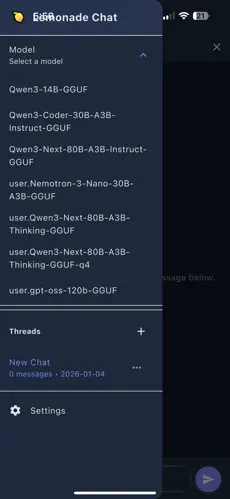
- Model Selection: Expand the drawer menu to choose different models
- Chat Interface:
- Type your message and hit send
- Watch responses stream in real-time
- Code blocks get automatic syntax highlighting
- Copy Functions:
- Long-press any message to copy it entirely
- Tap the copy icon on code blocks to copy just that code
- Chat Management:
- Create new conversations from the drawer
- Switch between chat threads
- Delete old conversations you don't need
- Framework: Flutter with Material Design 3
- State Management: Riverpod for clean architecture
- Persistence: SharedPreferences for local storage
- API Integration: dart_openai for OpenAI-compatible endpoints
- UI Polish: Custom themes and smooth animations
lib/
├── main.dart                 # App bootstrap & routing
├── models/                   # Data structures
│   ├── server_config.dart    # Server connection details
│   ├── chat_message.dart     # Message format
│   └── chat_history.dart     # Conversation management
├── providers/                # State management
│   ├── servers_provider.dart # Server list & selection
│   ├── chat_provider.dart    # Active conversation
│   ├── chat_history_provider.dart # Saved conversations
│   └── models_provider.dart  # Available AI models
├── screens/                  # Main UI screens
│   ├── chat_screen.dart      # Main chat interface
│   └── settings_screen.dart  # Server configuration
├── services/                 # External integrations
│   └── openai_service.dart   # AI API communication
├── widgets/                  # Reusable UI components
│   ├── chat_input.dart       # Message composition
│   ├── message_bubble.dart   # Message display with code highlighting
│   ├── server_selector.dart  # Server picker
│   └── chat_drawer.dart      # Navigation sidebar
└── utils/                    # Shared utilities
    └── constants.dart        # Theme & styling constants