This Minesweeper game is built following the requirements of Rocket's Academy Project 3: Full-Stack Game. It comes with 2 modes: Practice (Single Player) Mode, or 2-Player Mode.
This Minesweeper project is deployed and can be viewed on this website.
Table of Contents
The objective of a traditional single-player Minesweeper game is to clear a rectangular board containing hidden mines without detonating them. The clues to the mines' location are given by opening (clicking on) non-mine tiles, which will display a number indicating the number of mines adjacent to said opened tile(s).
The rules, as summarised from this Wikipedia article, are as follows:
- When the game loads, a rectangular board (A x B number of tiles) is generated with mines scattered randomly across the tiles.
- All tiles have three states: (1) unopened, (2) opened, (3) flagged
- Unopened tiles can be opened by left-clicking on them: opened tiles will display nothing (no adjacent mines), a number (indicating number of adjacent mines), or a mine.
- When an unopened tile opens to reveal a mine, the game is over because the mine is "detonated".
- Right-clicking a mine flags it, causing a flag to appear on it. Players flag a tile to indicate a potential mine location.
- To win the game, players must open all non-mine cells. Flagging all the mined cells is not required.
However, this Minesweeper project is built to support a 2-player game. Thus, its rules also differ, including the ones for its Practice (Single Player) Mode. The differences in the rules will be articulated in the sections below.
| Traditional Minesweeper | 2-Player Mode (This Project) | |
|---|---|---|
| Number of Players | Single player only | Two players |
| Is there a timer for tracking time to win? | Yes | No |
| Win Condition | All non-mine cells are opened. Timer will be stopped at this point. | First player to flag 26 mines (out of a total of 51) wins. |
| Loss Condition | Player opens a tile to reveal a mine, "detonating" it. Timer will be stopped at this point. | When a player flags 26 mines, the other player loses. |
| Left-Click Mechanic | Opens a tile. Opening a tile should reveal (1) nothing (no adjacent mines), a number (indicating number of adjacent mines), or a mine. | Opens a tile if there isn't a hidden mine. If there is a hidden mine, it automatically flags it. |
| Right-Click Mechanic | Flags a tile. Player flags a tile to indicate a potential mine location. | No right-click mechanic. |
Thereafter, the Practice (Single-Player) Mode is also based off the new rules from this 2-player interpretation of traditional Minesweeper. The rules for Practice Mode, compared to the other modes, are in the next section.
| Traditional Minesweeper | 2-Player Mode (This Project) | Practice Mode (This Project) | |
|---|---|---|---|
| Number of Players | Single player only | Two players | Single player only |
| Time- or Turn-Based | Time-based | Turn-based | Turn-based |
| Is there a timer for tracking time to win? | Yes | No | No |
| Is there a indicator tracking number of turns to win? | No | Yes | Yes |
| Win Condition | All non-mine cells are opened. Timer will be stopped at this point. | First player to flag 26 mines (out of a total of 51) wins. | Flag 26 mines (out of a total of 51) to win. The number of turns taken to flag 26 mines will be recorded. |
| Loss Condition | Player opens a tile to reveal a mine, "detonating" it. Timer will be stopped at this point. | When a player flags 26 mines, the other player loses. | No loss condition. Player is encouraged to flag 26 mines in as few turns as possible. |
| Left-Click Mechanic | Opens a tile. Opening a tile should reveal (1) nothing (no adjacent mines), a number (indicating number of adjacent mines), or a mine. | Opens a tile if there isn't a hidden mine. If there is a hidden mine, it automatically flags it. | Opens a tile if there isn't a hidden mine. If there is a hidden mine, it automatically flags it. |
| Right-Click Mechanic | Flags a tile. Player flags a tile to indicate a potential mine location. | No right-click mechanic. | No right-click mechanic. |
Given that there isn't really a loss condition for Practice Mode (Single-Player) Mode, the mode is aptly named as such. Players select that mode if they are not looking for a partner to play with, and they want to practice finishing flagging mines in as few turns as possible.
I am a Minesweeper nerd, and try my best to complete a traditional game daily. My mind wanders a lot, and Minesweeper keeps it (fruitfully) active.
Back in high school (early-2000s), I looked forward to ending class, so I can be at home playing a couple of 2-player Minesweeper games on MSN Messenger with friends. A gameplay video (not mine) of MSN Messenger's 2-player Minesweeper game can be found here.
Since the discontinuation of MSN Messenger (and its games), I couldn't find a good 2-player alternative to Minesweeper online. Thus (and for nostalgia's sake), I decided to build my own.
- HTML
- SCSS
- JavaScript
You can visit the project's website here.
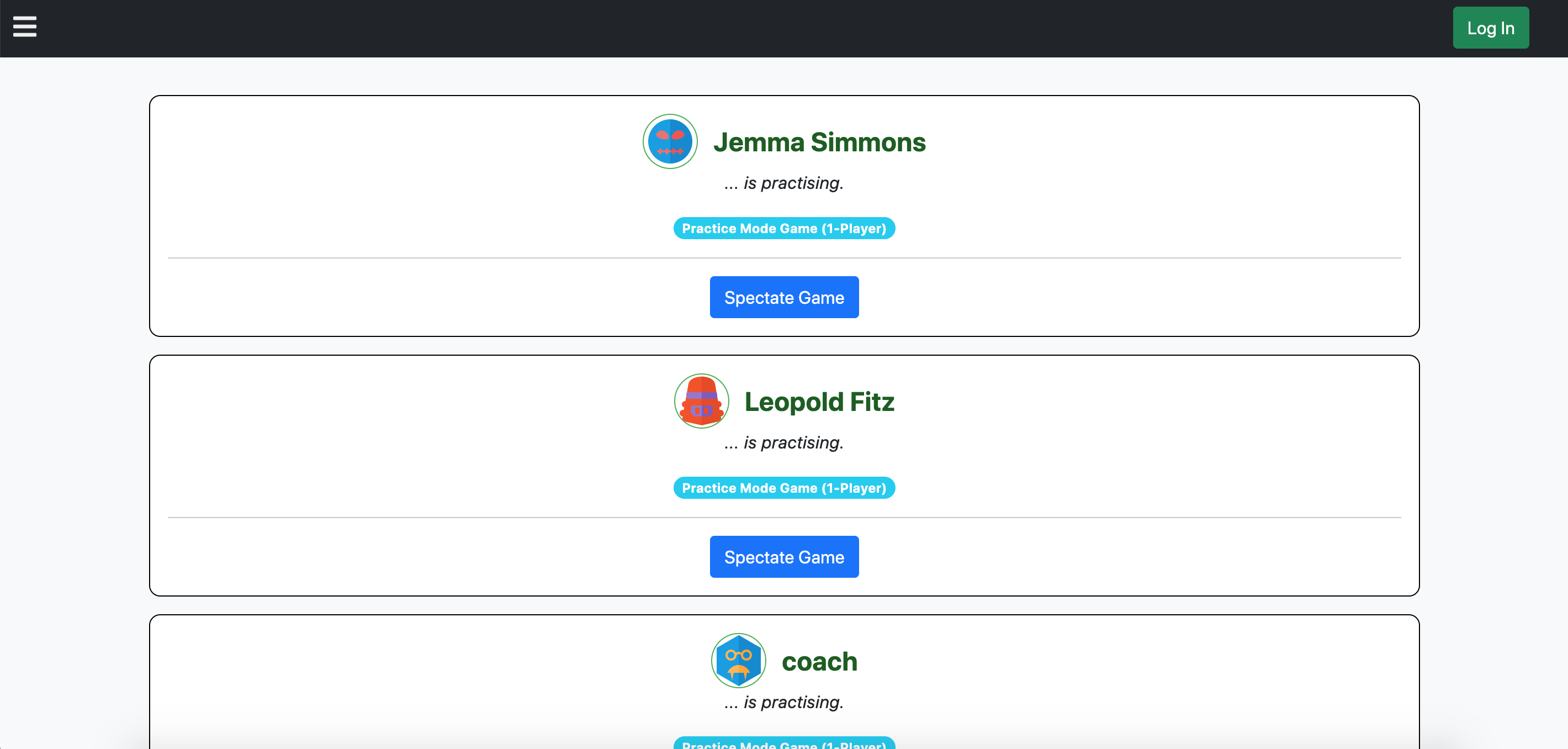
- Go to the project's website. You should be able to see a simple page with all the currently running games just like the screenshot above. Without an account yet, you can only spectate other players' games. Click on the green Log In button on the top navigational bar to begin joining or creating games.
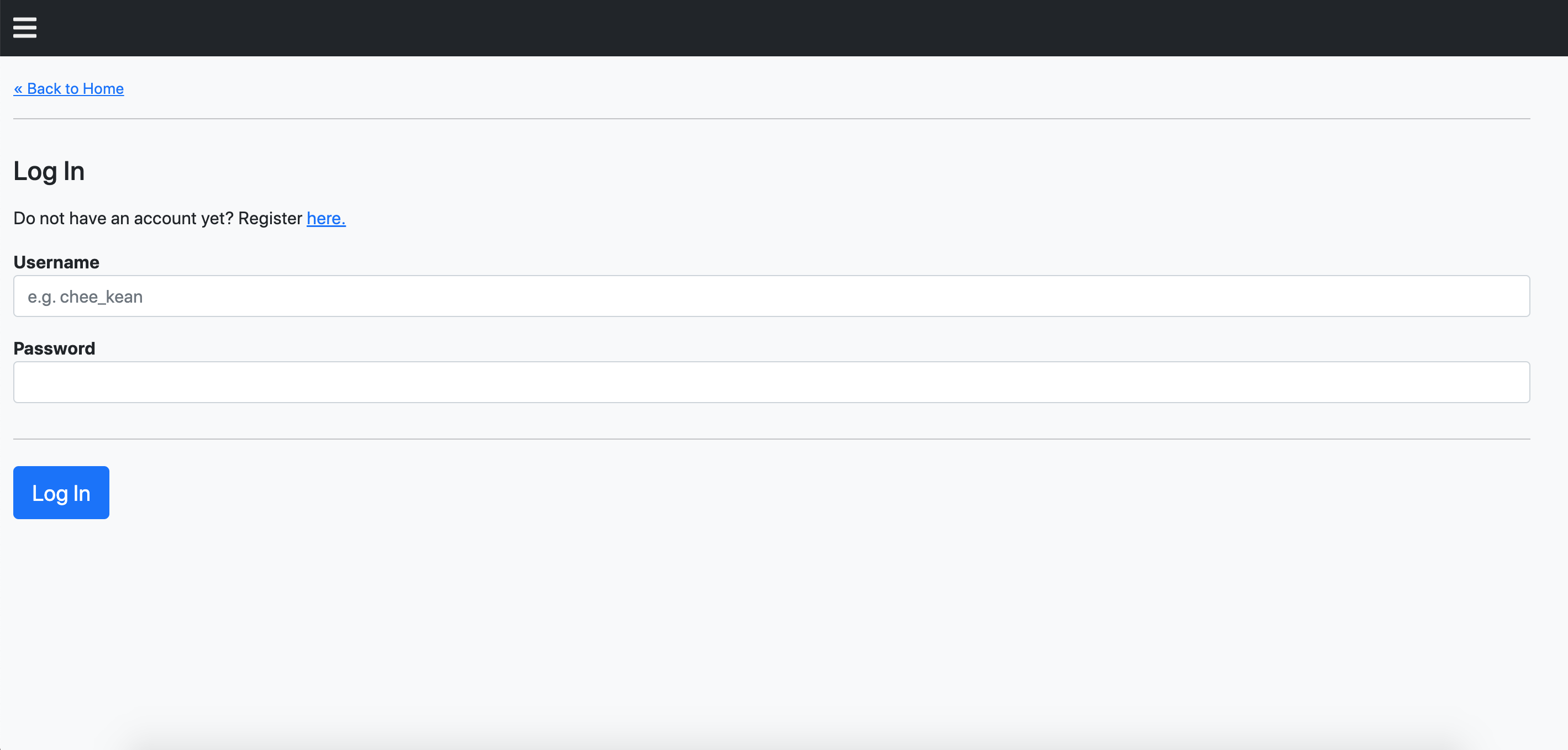
- Log in with your username, or sign up for an account if you haven't already got one.
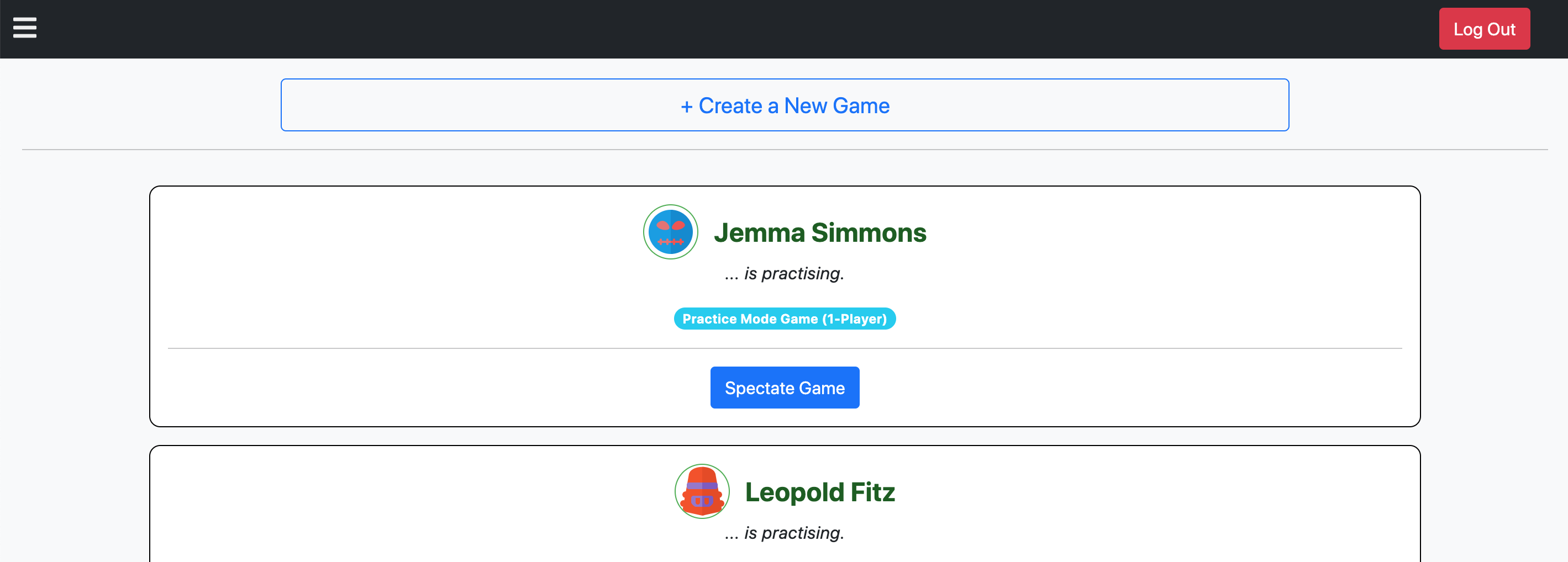
- Once logged in, the "Create a New Game" button should be displayed on the main page. Click on it, and you will be brought to a page to select the game mode.
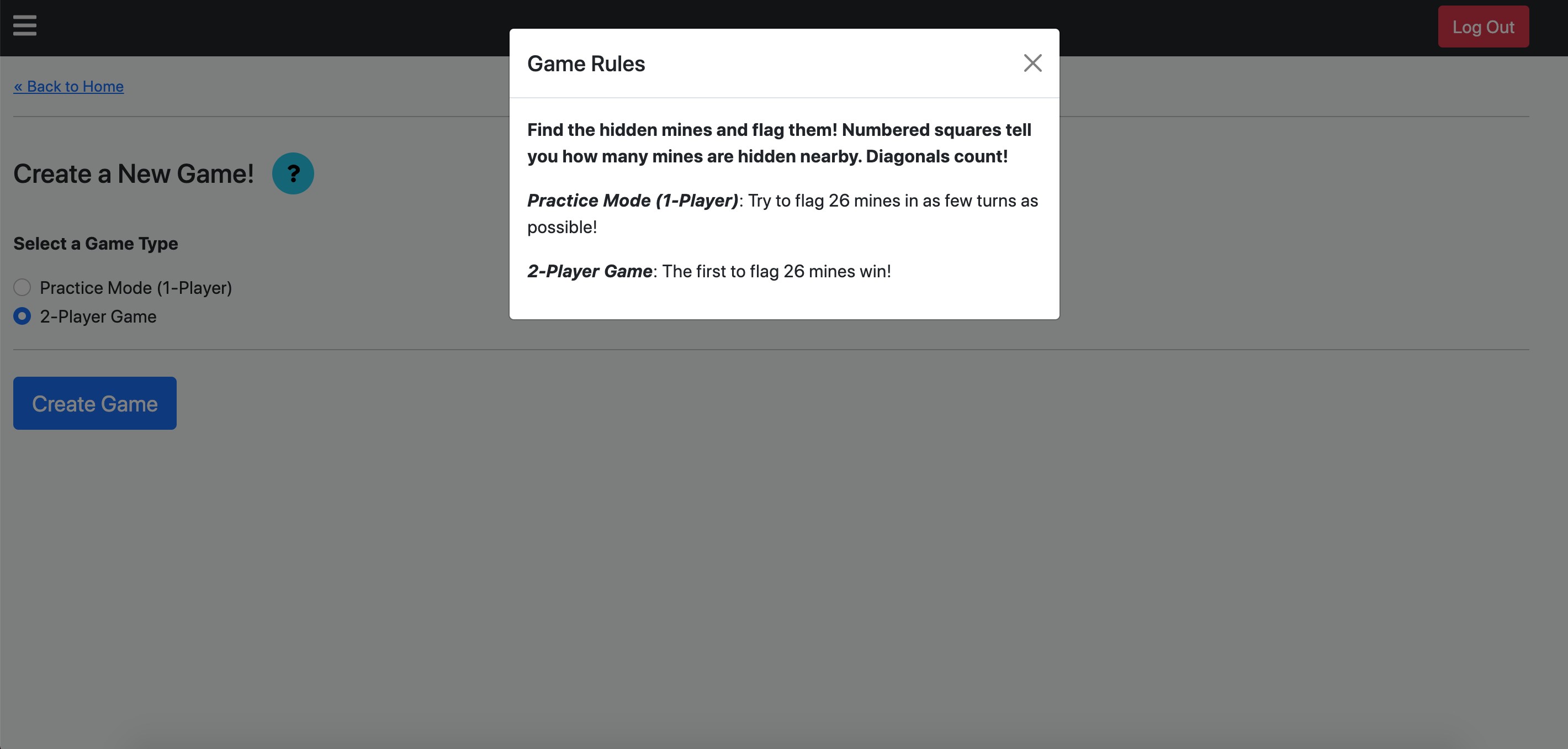
- The game creation page will provide you with 2 game modes to select. Clicking on the blue (?) button will open a popup summarising the Minesweeper rules. In the next sub-section we will explain the interface in the Practice Mode.
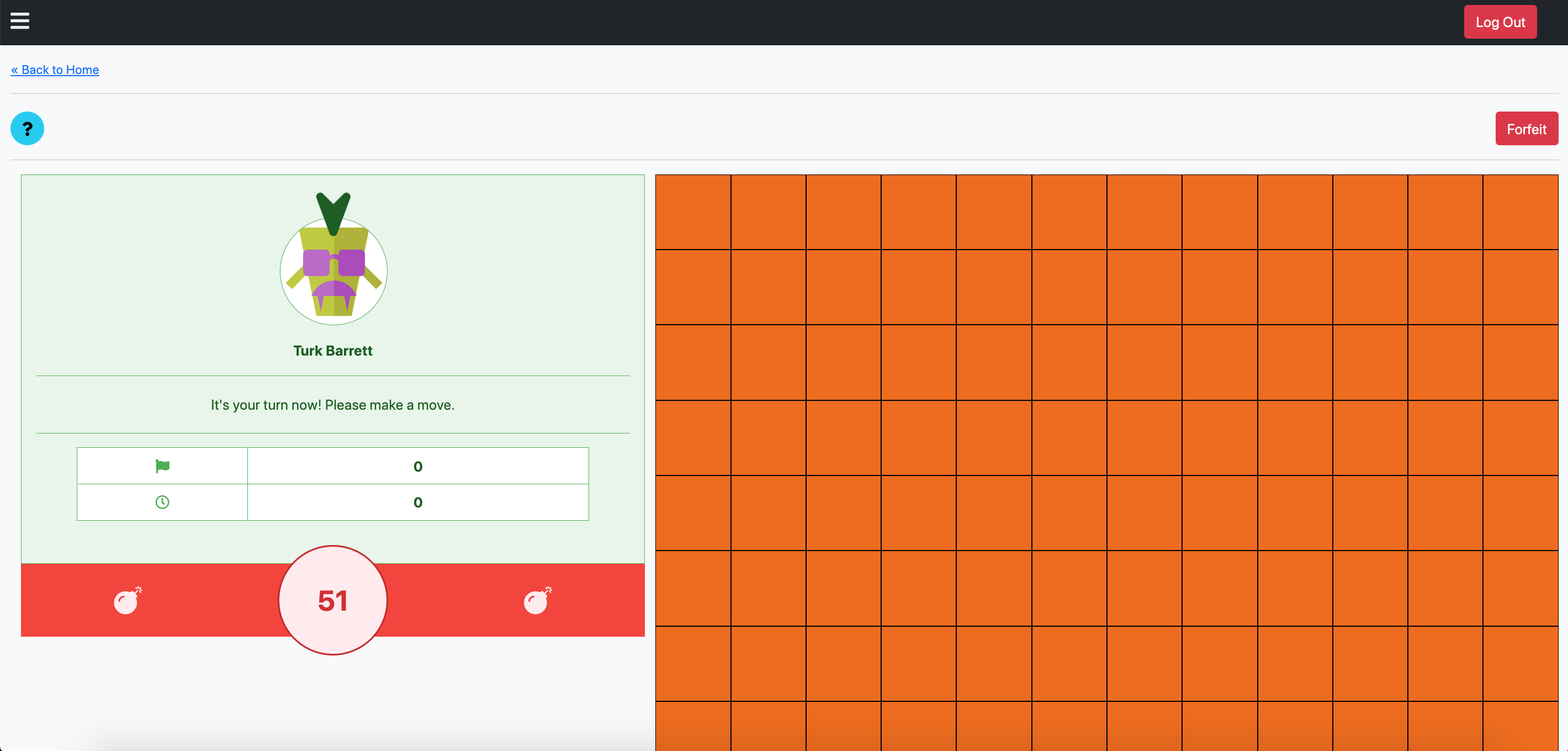
- Creating a Practice Mode game will bring you to the game, just like the screenshot above. Every game, Practice Mode or 2-Player, has a red Forfeit button in the top-right hand corner of the page for players to end the game. In a 2-player game, this counts as a loss. Just like the game creation page, there's a blue (?) button that opens a popup summarising the Minesweeper rules.
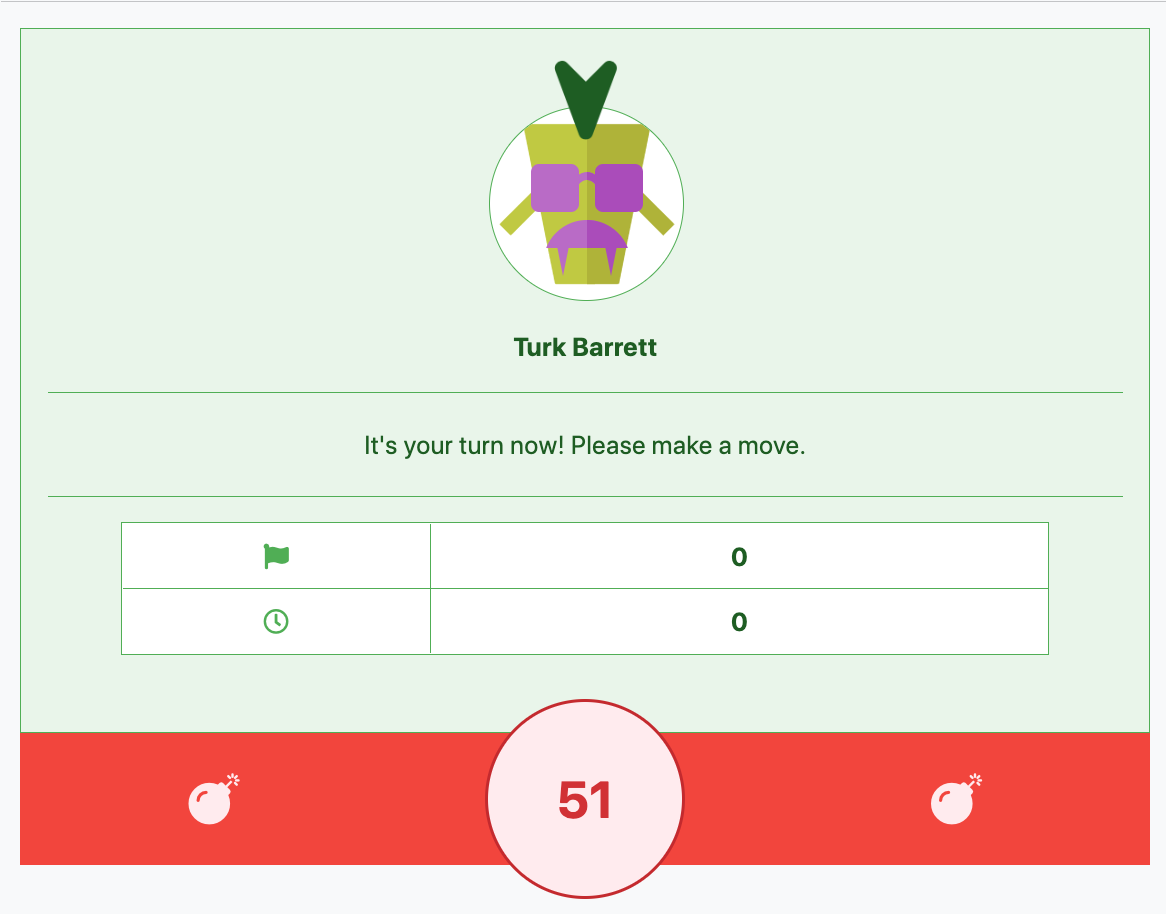
- The left-hand corner of every game screen contains the profiles of the player(s) and their progress in the current game. In a Practice (Single-Player) Mode game, there is only 1 player profile present - the player who created the game. In the screenshot above, there is a green bordered table with 2 icons as labels. The first row indicates the number of mines the player has flagged, and the second row indicates the number of turns elapsed. In the bottom of this profile section, there is a red label with the number "51", just like the screenshot above. This refers to the number of mines left unflagged on the board.
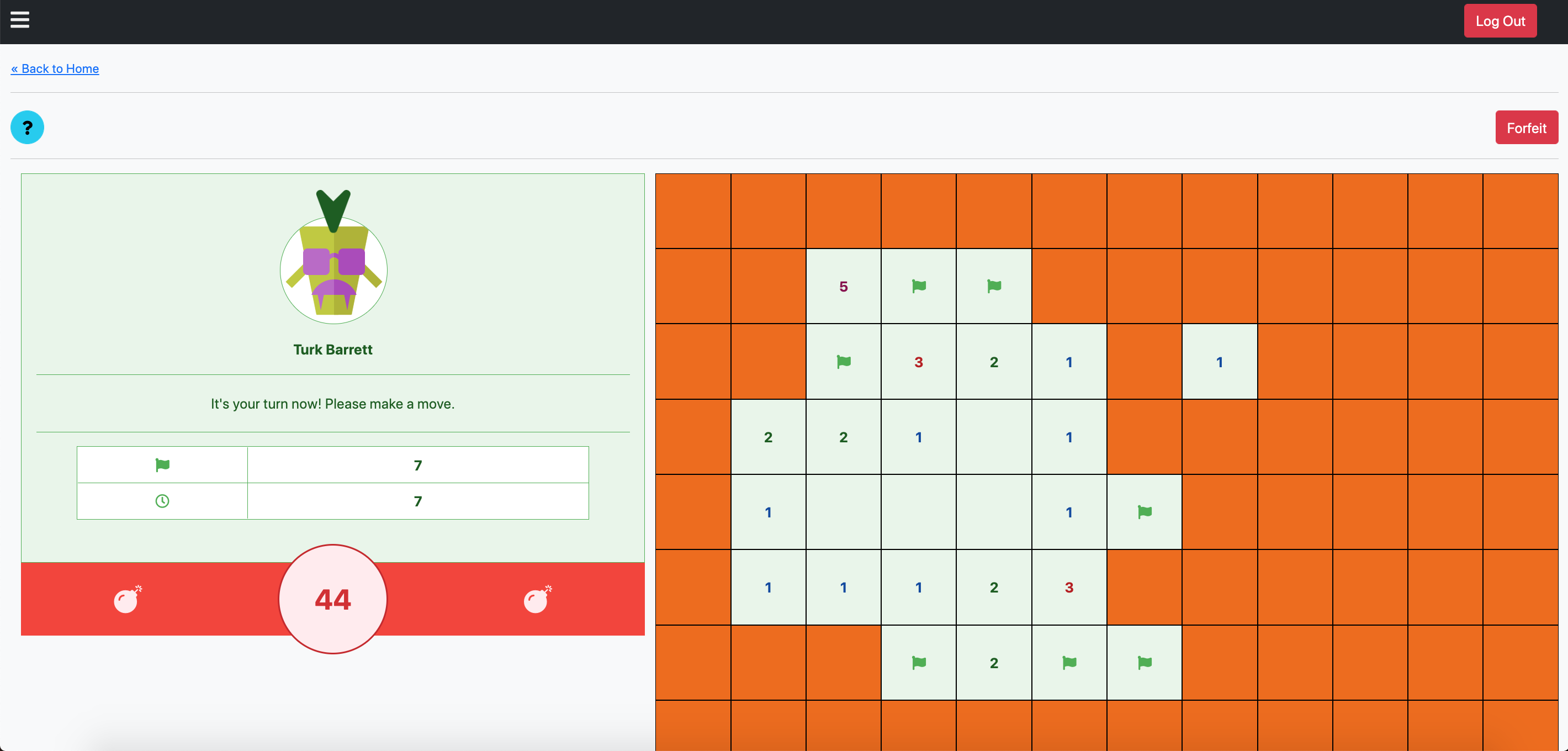
- Start left-clicking on the tiles on the right-hand side of the page to begin opening tiles and flagging mines.
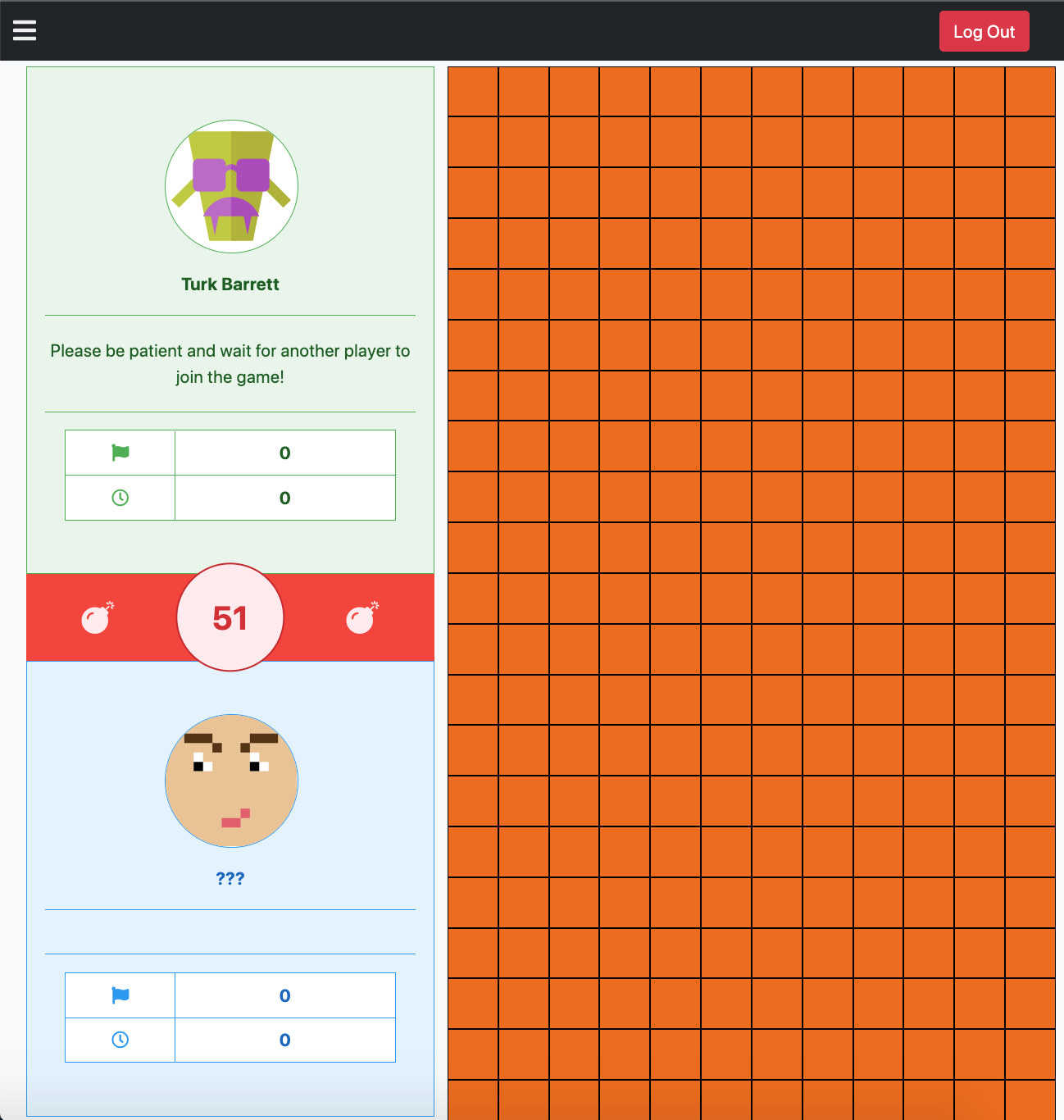
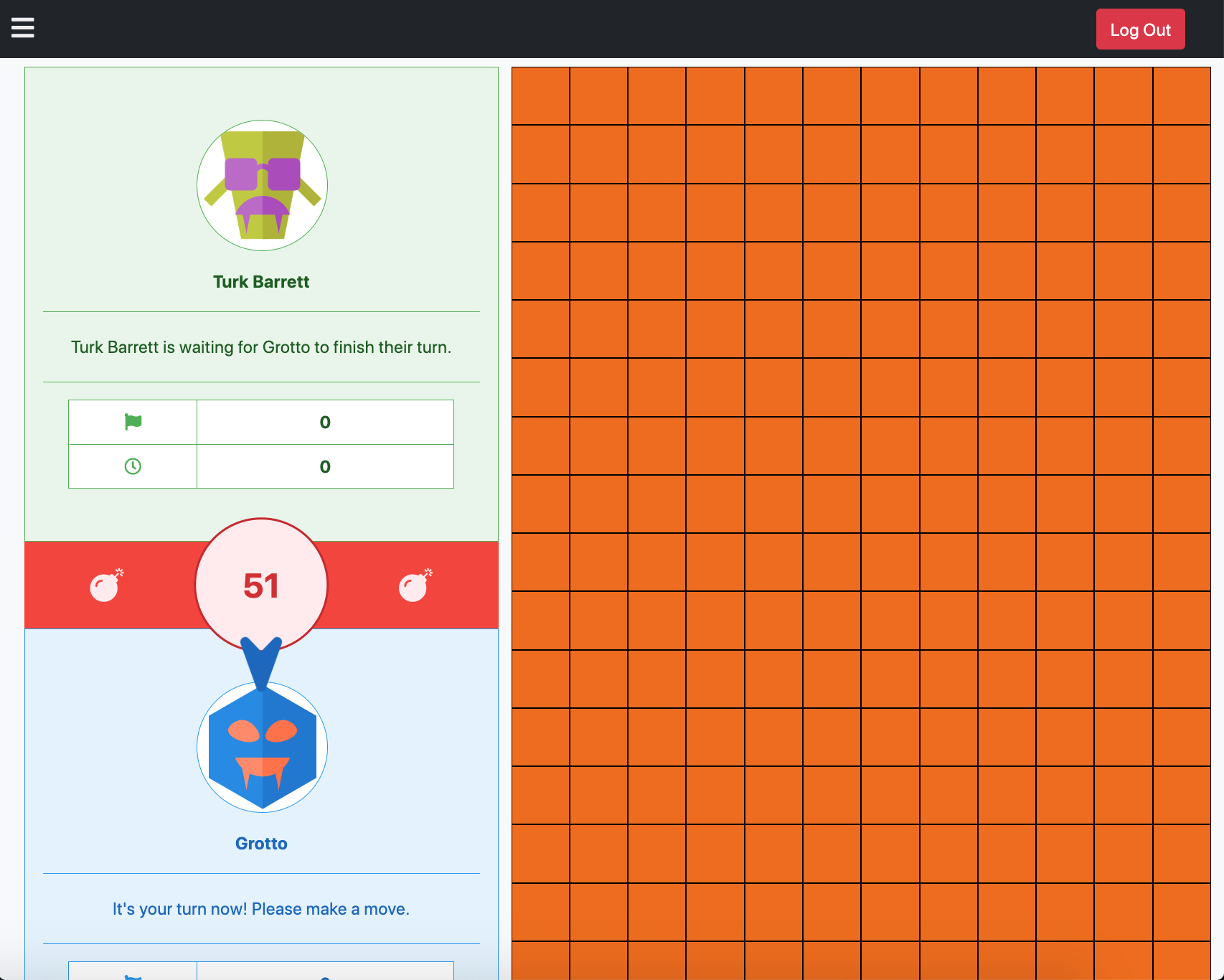
- After creating a 2-player game, you should be brought to an interface similar to the screenshot above. You will notice 2 player profiles: yours, and an empty player profile. The empty player profile will be properly filled once another player joins the game. You can join any game as the second player through 2 methods, as listed below.
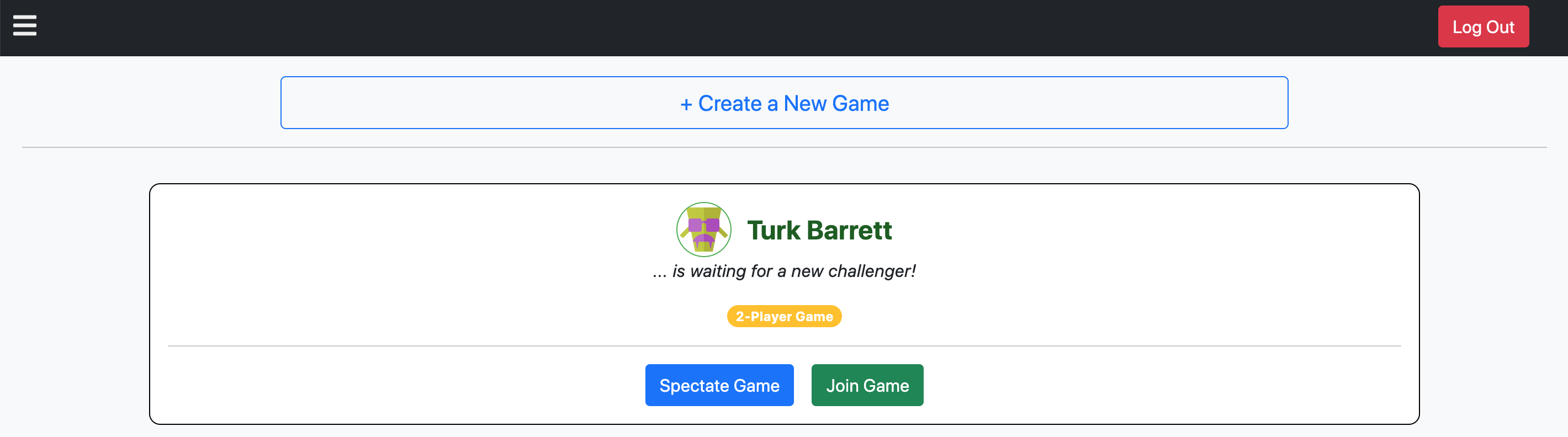
- A player can join a 2-player game by clicking on the green "Join Game" button in the main page.
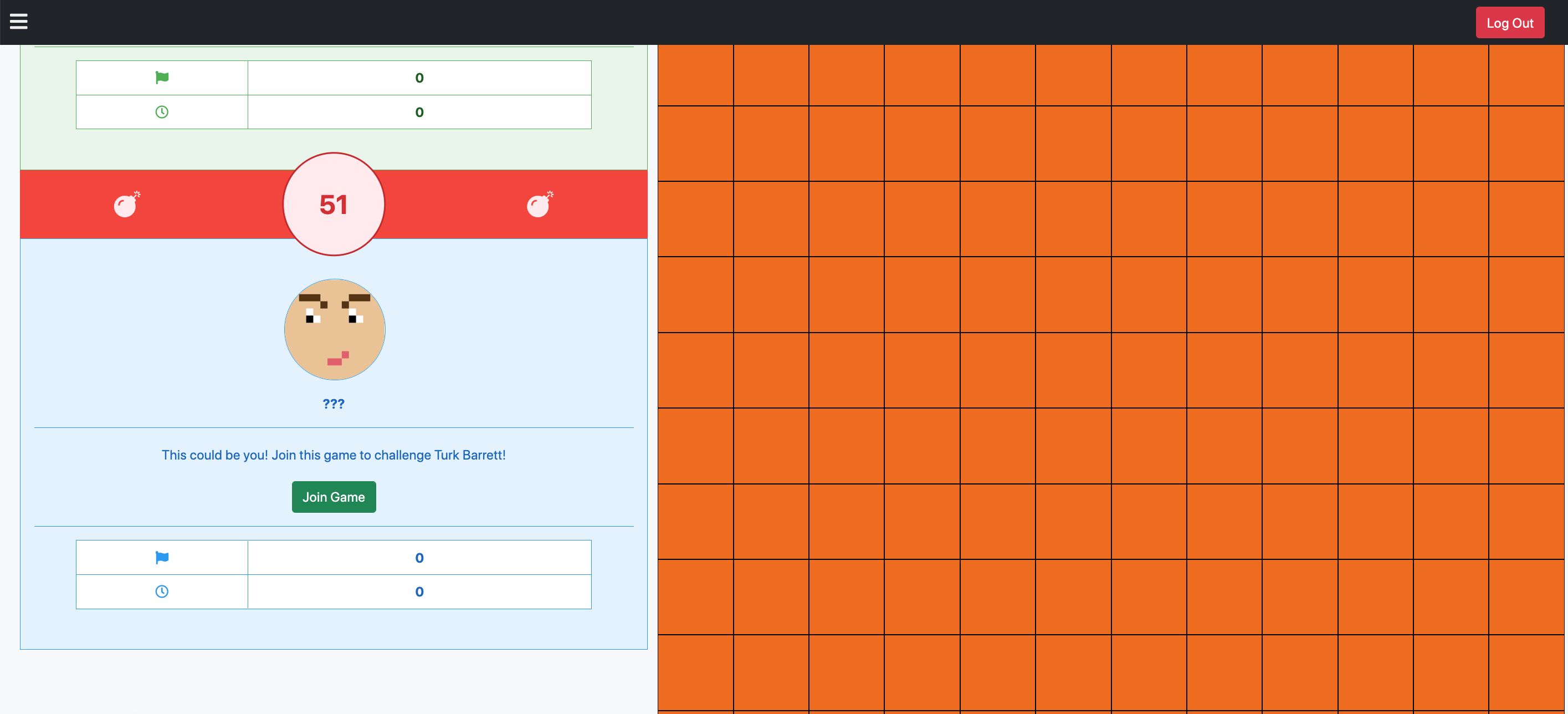
- A player can also join a 2-player game by clicking on "Spectate Game" in the main page, and once landing on the main page, clicking on "Join Game" in the empty player profile section.
-
Once a player has joined some other player's 2-player game, their turn will begin. By default, the second player (game joiner, not the game creator) goes first. The arrow above each player's profile image indicates the current player's turn.
-
When it's a player's turn, they can left-click on the tiles on the right-hand side of the page to begin opening tiles and flagging mines.
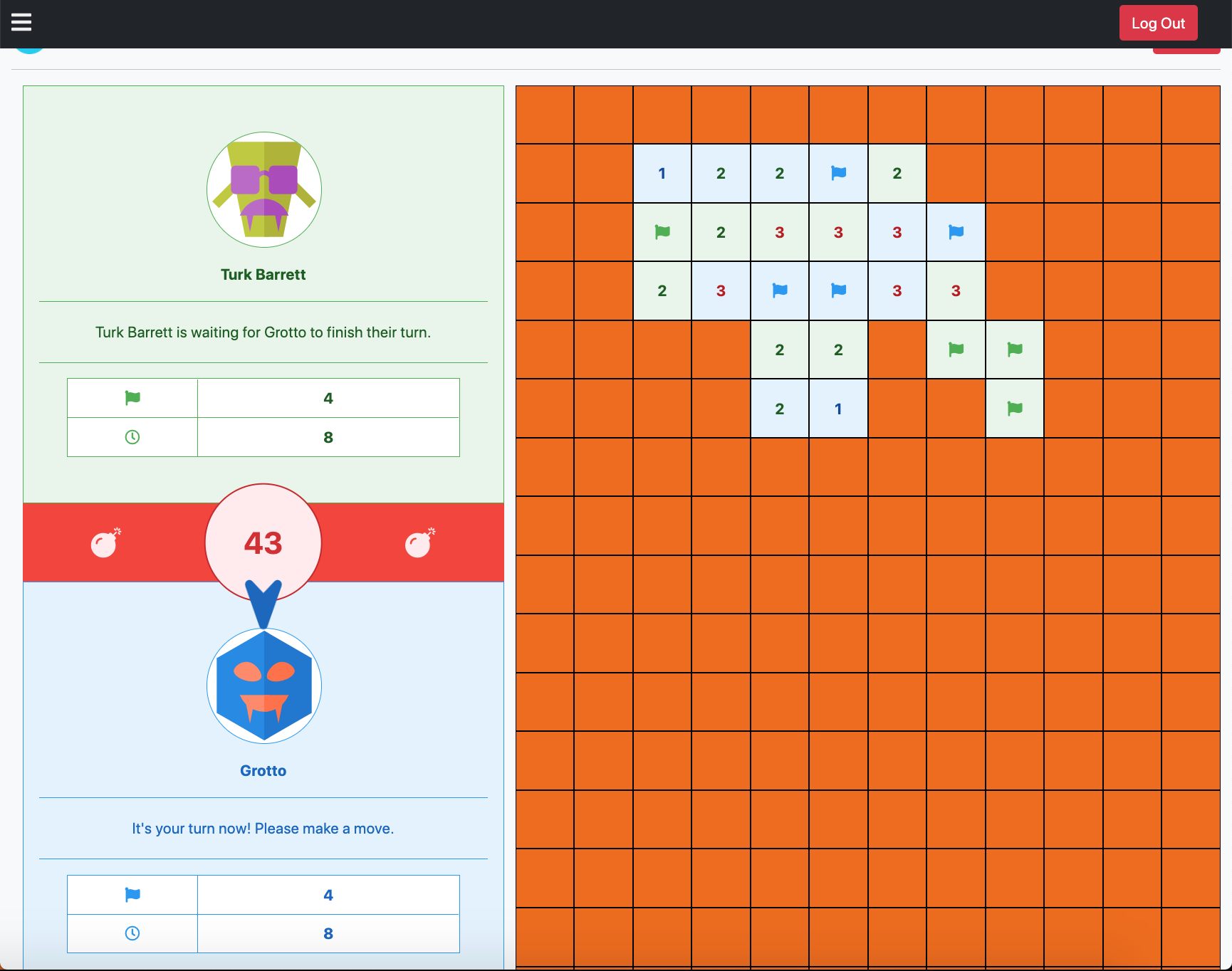
- The faint blue and green backgrounds of the tiles, when opened or flagged, indicate the players who have clicked on them. Green always refers to the game creator, and blue the game joiner, just like the backgrounds of their profile sections in the game. In the screenshot above, the green tiles are clicked by Turk Barrett, while the blue tiles are clicked by Grotto.
- Migration to Socket.io for 2-player turn tracking purposes (from
setInterval) - Once-a-game area-of-effect tile opening and flagging mechanic (see this video at 0:32)
- Resolve bug where UI says a vistor can join a game (as a second player) which already has 2 players playing.
How are depth-first search and recursion related to Minesweeper? In Minesweeper, clicking to open a tile which does not have a hidden mine will reveal a number indicating the number of adjacent mines. In the case of opening an empty tile (no adjacent mines), adjacent tiles will continue (recursively) opening until a tile is opened with a number.
In a depth-first search, you explore in one direction (of a tree, graph etc) as far as possible, before backtracking and exploring in another. Assuming a 3x3 block of tiles, and the player chooses to click on the middle tile to open it to reveal nothing (no adjacent mines), there are (9 - 1) different directions the tiles can continue opening.
Given the structure of a Minesweeper game board as a 2D grid, it can be reimagined as a graph data structure.
Putting the above together, a simplistic pseudocode algorithm for (recursively) opening tiles upon clicking to open the first empty tile is:
// definition of openTile function:
  // base cases:
  // (1) row and/or column indices exceed bounds, OR
  // (2) tile has already been opened
    // `return` or stop function execution if so

  // if opening tile reveals a mine, or number:
    // open tile
    // `return` or stop function execution

  // all other cases, ie just opening empty unopened tiles:
    // recursively open tile in all 8 directions
    // openTile(top)
    // openTile(topLeft)
    // openTile(topRight)
    // openTile(left)
    // openTile(right)
    // openTile(bottom)
    // openTile(bottomLeft)
    // openTile(bottomRight)
The actual code for this tile opening algorithm, together with other game logic included to track flags, mines and player turn, can be found here.
The decision to build a Minesweeper game for 2 players instead of a traditional one came a few days before the project presentations. Thus, a prototype is quickly built using the simple setInterval function to make an API call every few seconds to get the current game state.
Given more time on this project, using WebSockets or Socket.io would have been a cleaner solution. A setInterval "hack" simulates the two-way communication between the clients of spectators and players, and the server. However, given a large number of spectators, the server can be slammed with too many requests and responses every X seconds.
Also, socket communication will only allow data retrieval when necessary - when the game state has actually changed, when the players' turns are switched. Using setInterval, a request will be made every X seconds in anticipation of changes; the changes need not actually have occurred. This may lead to many redundant and wasteful requests.
Chuan Xin - chuanxin.lee@gmail.com
MIT