
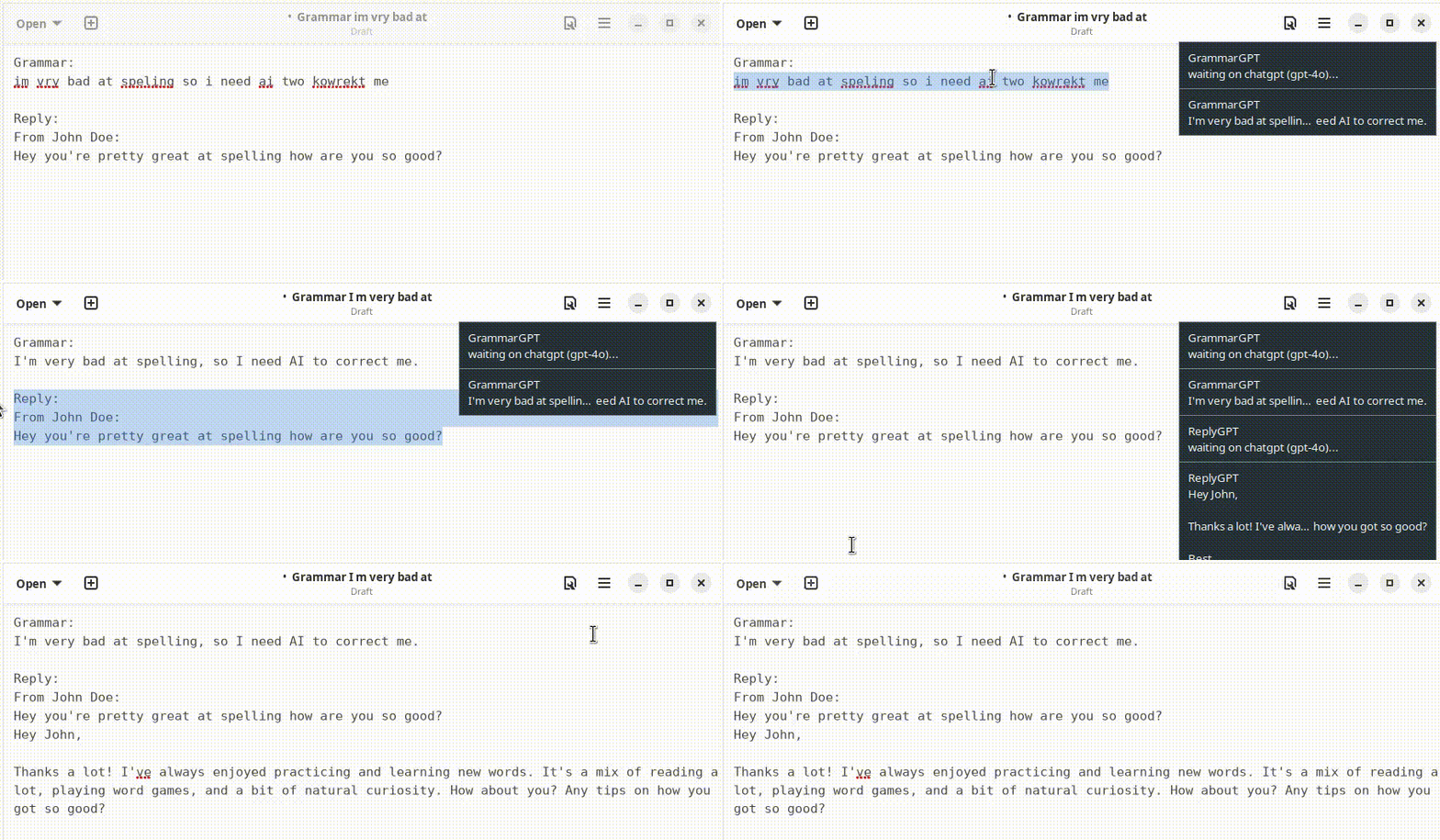
A clipboard manager that uses OpenAI's GPT to process selected text. Features a template system for custom prompts and integrates with i3/rofi for quick access.
- uv
xselorxclip(for clipboard access)xdotool(for window title detection)rofiordmenu(for prompt selection menu)
uv tool install git+https://github.com/lbr88/clipboardgptNote: Ensure ~/.local/bin is in your $PATH.
-
Clone the repository:
git clone https://github.com/lbr88/clipboardgpt.git cd clipboardgpt -
Install the tool:
uv tool install .
Configure the tool using the TUI:
clipboardgpt-configOr manually create ~/.config/clipboardgpt/config.toml:
openai_api_key = "your_openai_api_key"
name = "Your Name"
model = "gpt-4o"
menu_command = "rofi -dmenu -p 'ClipboardGPT'"
Automatic Migration: Old .env files and legacy prompt formats are automatically migrated on first run.
# Update to latest version
uv tool install git+https://github.com/lbr88/clipboardgpt --force --reinstall

# Reset prompts to get the latest default prompts
clipboardgpt --reset-promptsAfter pulling new changes from the repository:
# Reinstall to get the latest code
uv tool install . --force --reinstall

# Reset prompts to get the latest default prompts
clipboardgpt --reset-prompts
Note: --reset-prompts updates the default prompts (grammar, reply, cli) while preserving your custom prompts.
-
Open your i3 config file:
$EDITOR ~/.config/i3/config
-
Add these keybindings (customize the keys to your preference):
# ClipboardGPT - Show rofi menu to select prompt type bindsym $mod+g exec clipboardgpt # ClipboardGPT - Direct shortcuts for specific prompt types bindsym $mod+Shift+g exec clipboardgpt -t grammar bindsym $mod+Shift+r exec clipboardgpt -t reply # Optional: Add more shortcuts for custom prompts # bindsym $mod+Shift+s exec clipboardgpt -t summarize # bindsym $mod+Shift+t exec clipboardgpt -t translate -
Reload i3 to apply changes:
# Press $mod+Shift+c to reload config (default i3 keybinding)
# Or run: i3-msg reload
Note: $mod is typically the Super/Windows key. Change keybindings to avoid conflicts with your existing i3 config.
- Select text in any application
- Press
$mod+gto open the prompt selection menu - Choose a prompt type (grammar, reply, or custom)
- Wait for the notification with the result
- Paste from clipboard (
Ctrl+v)
If you prefer dmenu or wofi instead of rofi, configure it in ~/.config/clipboardgpt/config.toml:
# Using dmenu
menu_command = "dmenu -p 'ClipboardGPT'"

# Using wofi (Wayland)
menu_command = "wofi --dmenu --prompt 'ClipboardGPT'"# Show menu to select prompt type (default)
clipboardgpt
# Use a specific prompt type directly
clipboardgpt -t grammar
clipboardgpt -t reply
# Add context to the prompt
clipboardgpt -t reply -c "be formal and professional"
# Use a different model
clipboardgpt -t grammar -m gpt-4-turbo
# List available prompt types
clipboardgpt --listAdd custom prompts in the TUI (clipboardgpt-config) or directly in config.toml:
[prompts.translate]
system = "You are a translator. Translate text to English."
user = "{text}"

[prompts.summarize]
system = "Summarize the following text concisely."
user = """{?context}Focus on: {context}
Text: {text}"""

[prompts.code_review]
system = "You are a code reviewer. Review the code and suggest improvements."
user = """{?context}Language: {context}
Code:
{text}"""| Variable | Description |
|---|---|
{text} |
The selected text |
{context} |
Additional context from -c flag |
{window_title} |
Active window title |
{app} |
Application type (chat, email, terminal, editor, browser) |
{name} |
Your name from config |
{datetime} |
Current date and time (e.g., "2025-12-17 14:30:45") |
{date} |
Current date (e.g., "2025-12-17") |
{time} |
Current time (e.g., "14:30:45") |
{year} |
Current year (e.g., "2025") |
Prefix a line with {?variable} to only include it when the variable is non-empty:
[prompts.reply]
system = "Write a response to the message."
user = \"\"\"{?app}This is a {app} conversation.
{?context}Context: {context}
{?name}Responding as: {name}
Message: {text}\"\"\"
If app is empty, the entire line is omitted.
Customize the menu command in config.toml:
# Use rofi with custom theme
menu_command = "rofi -dmenu -p 'GPT' -theme ~/.config/rofi/clipboard.rasi"

# Use dmenu
menu_command = "dmenu -p 'ClipboardGPT'"

# Use wofi (Wayland)
menu_command = "wofi --dmenu --prompt 'ClipboardGPT'"