English | 中文
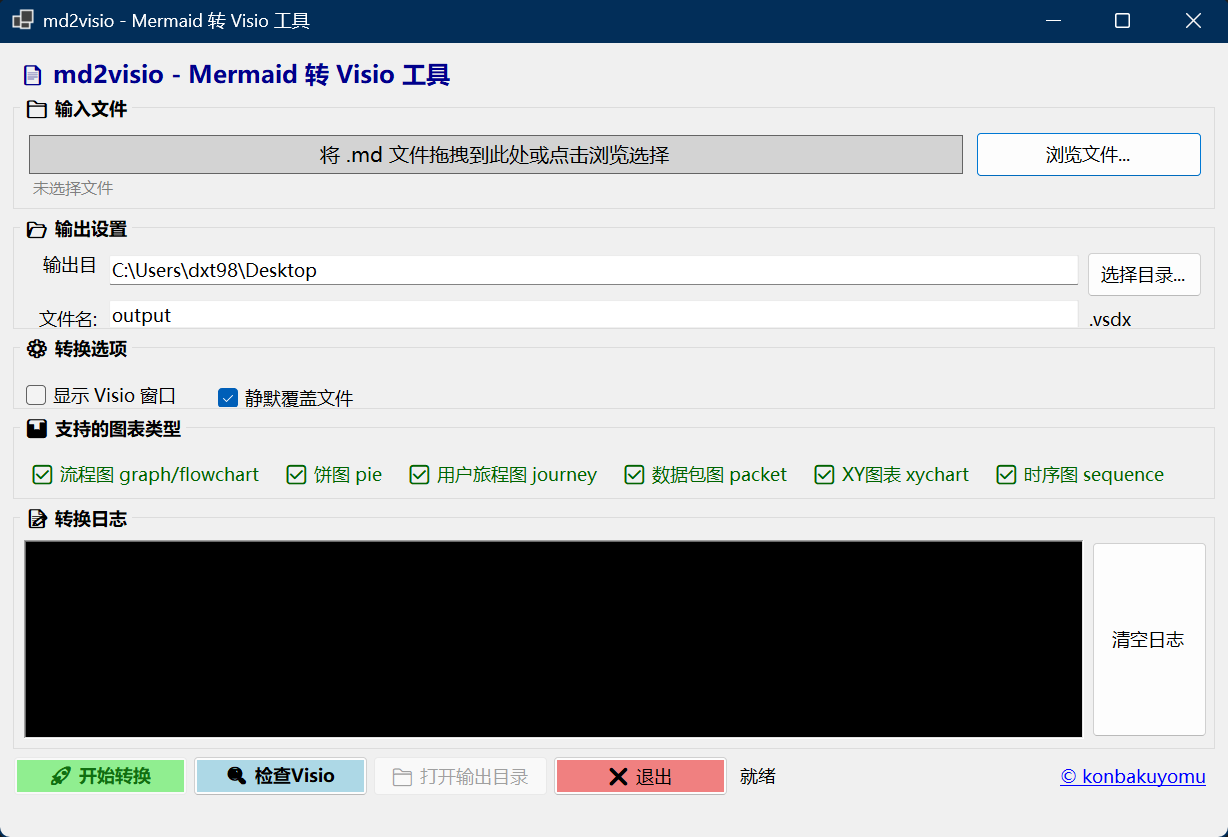
A desktop application built with .NET 8 and Windows Forms that converts Mermaid.js diagrams to Microsoft Visio .vsdx format files.
The key feature of this project is providing an intuitive graphical user interface (GUI), making it accessible to users who are not familiar with command-line tools.
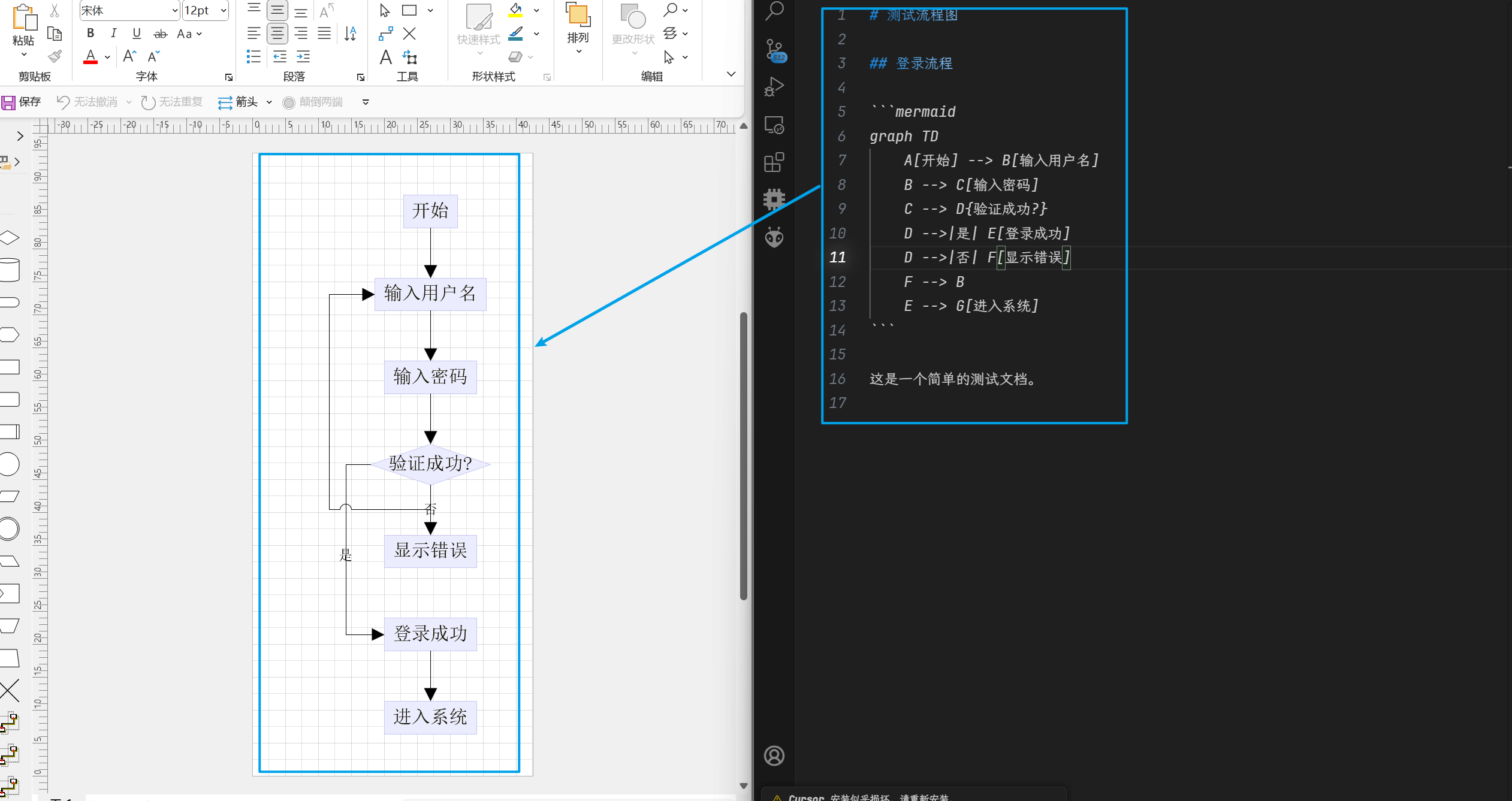
Conversion Example:
- Class Diagram Support (
classDiagram) - Full support for UML class diagrams with all 8 relationship types, annotations, and namespace grouping - Sugiyama Layout Algorithm - Professional hierarchical layout for class diagrams, producing clean and readable output
- Improved Flowchart Layout - BFS tree layout for better structure visualization
This project is a fork of Megre/md2visio.
The original project provides the powerful core logic for Mermaid to Visio conversion. Based on that foundation, I have:
- Developed a brand-new GUI for more intuitive and simpler operation
- Fixed several stability issues, such as Visio process crashes in certain scenarios
- Optimized UI layout and user experience
- Refactored parts of the codebase for better maintainability and extensibility
Special thanks to Megre for the outstanding work and open-source contribution!
- Graphical Interface: No command line needed - all features accessible via mouse clicks
- Drag & Drop Support: Simply drag
.mdfiles into the window to load them - Real-time Logging: Monitor the conversion process step by step
- Flexible Output Settings: Customize output folder and filename
- Visio Display Control: Watch Visio draw in real-time or run silently in the background
- Environment Check: One-click verification of Visio installation status
| Diagram Type | Status | Theme Support |
|---|---|---|
| graph / flowchart | ✅ Supported | ✅ |
| sequenceDiagram | ✅ Supported | ✅ |
| classDiagram | ✅ Supported | ✅ |
| journey | ✅ Supported | ✅ |
| pie | ✅ Supported | ✅ |
| packet-beta | ✅ Supported | ✅ |
| xychart-beta | ✅ Supported | - |
| Configuration (frontmatter/directive) | ✅ Supported | - |
| erDiagram | ✅ Supported | - |
| stateDiagram | ❌ Not yet | - |
| gantt | ❌ Not yet | - |
| gitGraph | ❌ Not yet | - |
| mindmap | ❌ Not yet | - |
| timeline | ❌ Not yet | - |
| sankey-beta | ❌ Not yet | - |
- Core Framework: .NET 8 + C# 12
- User Interface: Windows Forms (WinForms)
- Key Dependencies:
- Microsoft.Office.Interop.Visio: COM interop for Visio communication
- YamlDotNet: YAML configuration file parsing
- Architecture Patterns:
- Layered Architecture (Library + GUI)
- State Machine Pattern (Mermaid parsing)
- Service Layer Pattern (ConversionService)
- IDisposable Pattern (COM resource management)
Your Markdown file must contain Mermaid diagrams wrapped in fenced code blocks:
```mermaid
graph LR
    A[Start] --> B[Process]
    B --> C[End]
```
A single .md file can contain multiple Mermaid diagrams - each will be converted to a separate Visio file.
- Download: Go to Releases and download the latest version
- Extract: Unzip to any location
- Prerequisites: Ensure Microsoft Visio desktop version is installed
- Run: Double-click
md2visio.GUI.exeto launch - Convert: Drag your
.mdfile into the window, or click "Browse" to select it
Requirements:
- Visual Studio 2022
- .NET 8.0 SDK
- Microsoft Visio
Project Structure:
md2visio/          # Core library
├── mermaid/       # Mermaid parser (state machine)
├── struc/         # Graph data structures (AST)
├── vsdx/          # Visio drawing engine
├── Api/           # Public API interfaces
└── default/       # Style configuration files

md2visio.GUI/      # Graphical user interface
└── Services/      # Service layer

md2visio.Tests/    # Unit tests
Build:
dotnet build md2visio.slnPublish:
dotnet publish md2visio.GUI -c Release -r win-x64 --self-contained true -p:PublishSingleFile=trueMIT License
- Megre/md2visio - Original project
- @LiLittleCat - ER diagram support adapted from PR #8