
A powerful, feature-rich, and beautiful Mastodon TUI client.
Explore the Homepage »
Follow Mastui on Mastodon for Updates
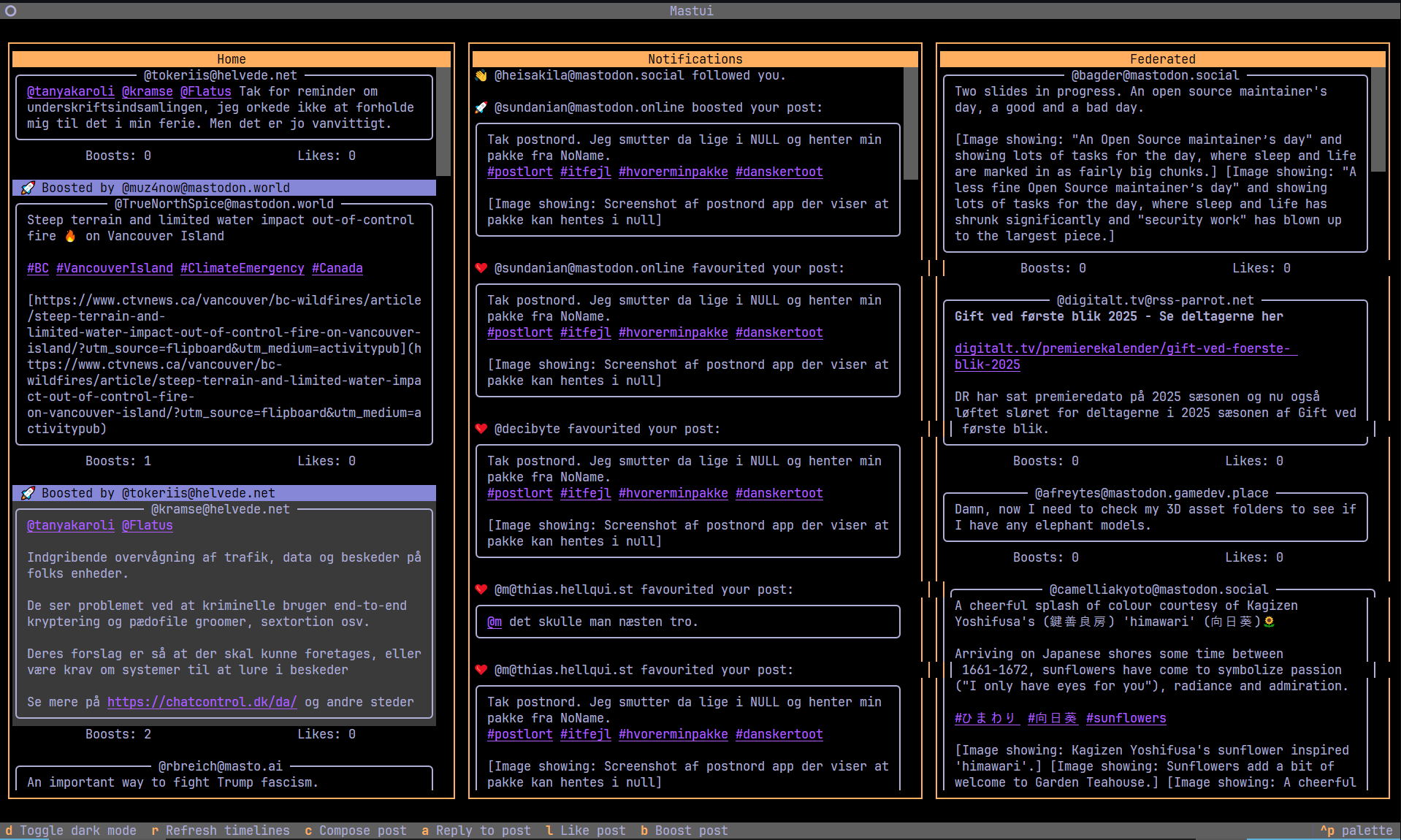
Mastui is a modern Mastodon client for your terminal. Built with Python and the powerful Textual framework, it provides a highly efficient, multi-column layout that lets you keep an eye on all the action at once.
Whether you're a power user who wants to manage multiple accounts or someone who just loves the terminal, Mastui is designed to be your new favorite way to interact with Mastodon.
- Python 3.9+
- A terminal with UTF-8 support and 120+ columns recommended
- Optional: Sixel/TGP-capable terminal for high fidelity image rendering
- Mastodon access token (the onboarding flow can create one for you)
pipxorpipfor installation
- Linux
- macOS
- Windows (PowerShell/WSL)
- Android (via Termux)
If you encounter any platform-specific issues, please open an issue.
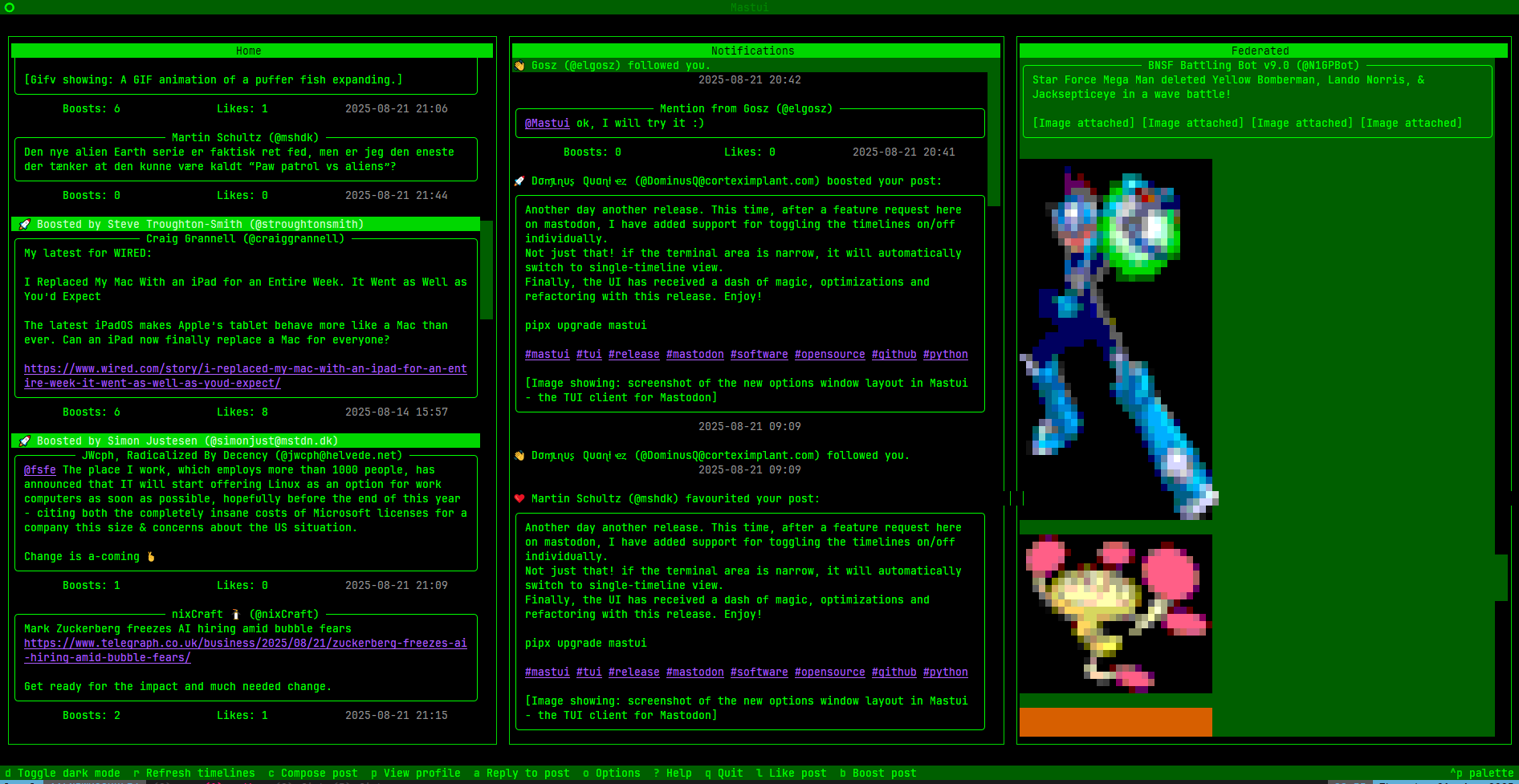
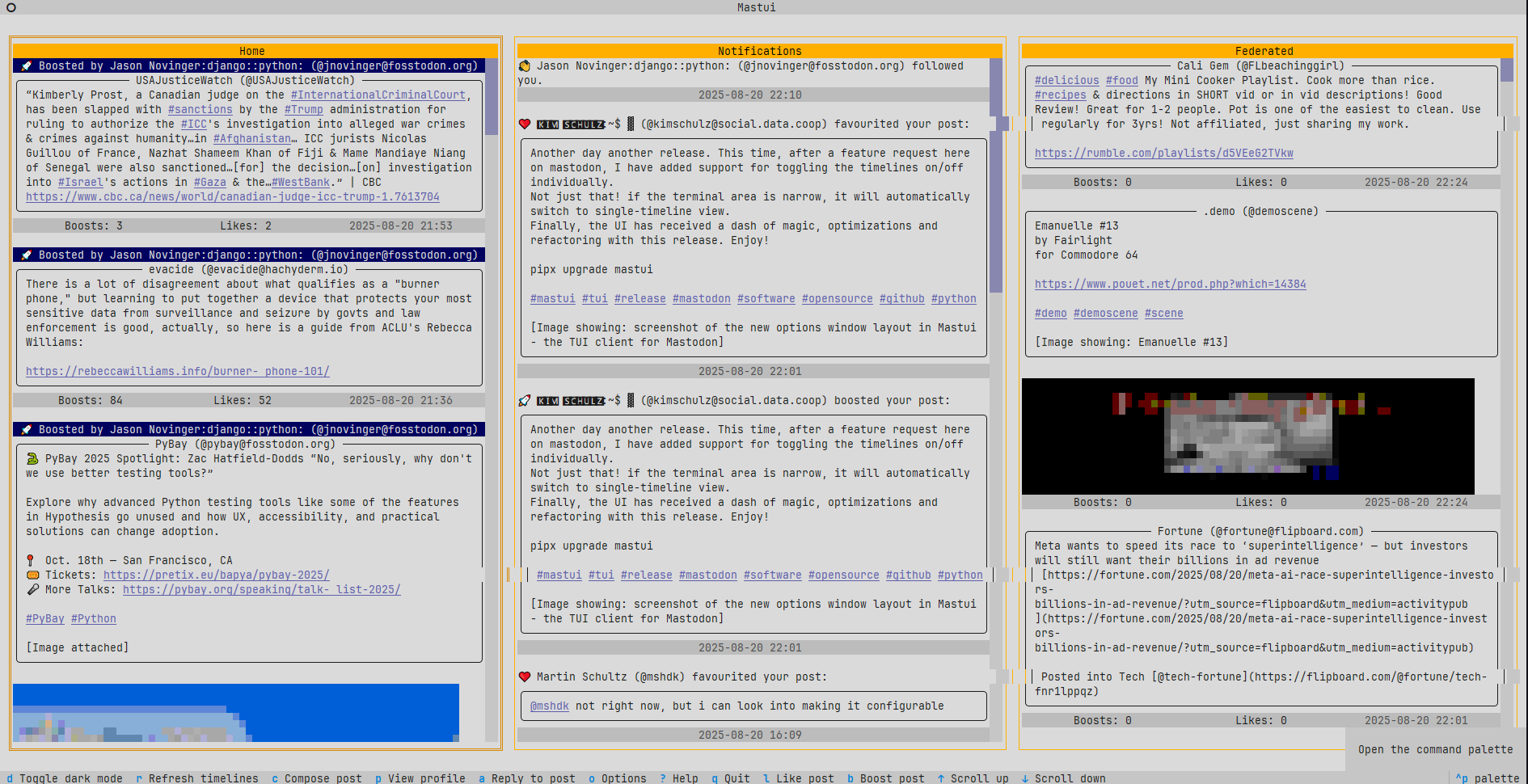
- Multi-Column Layout: Home, Local, Federated, Mentions, and DM timelines can be shown side-by-side. Layout automatically collapses for narrow terminals.
- Multi-Profile & Sandboxed Config: Every account has its own config directory, keymap, credentials, cache, and custom theme overrides.
- Timeline Power Features
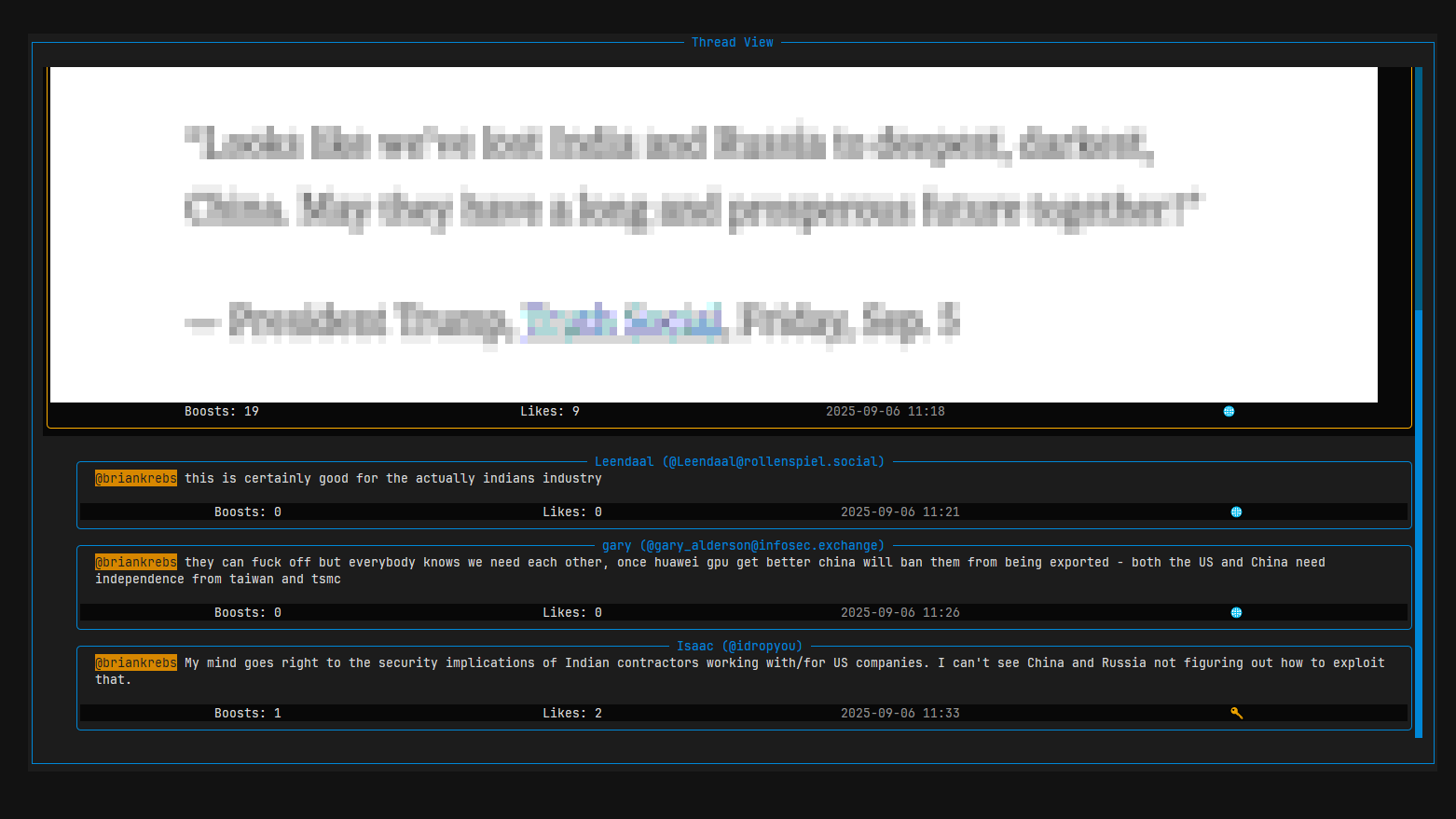
- Like, boost, reply, edit, and view threads directly from the keyboard
- Jump to the top (
g), refresh (r), or move between columns with configurable bindings - Persistent SQLite cache enables offline reading and super fast scrolling
- Rich Composer
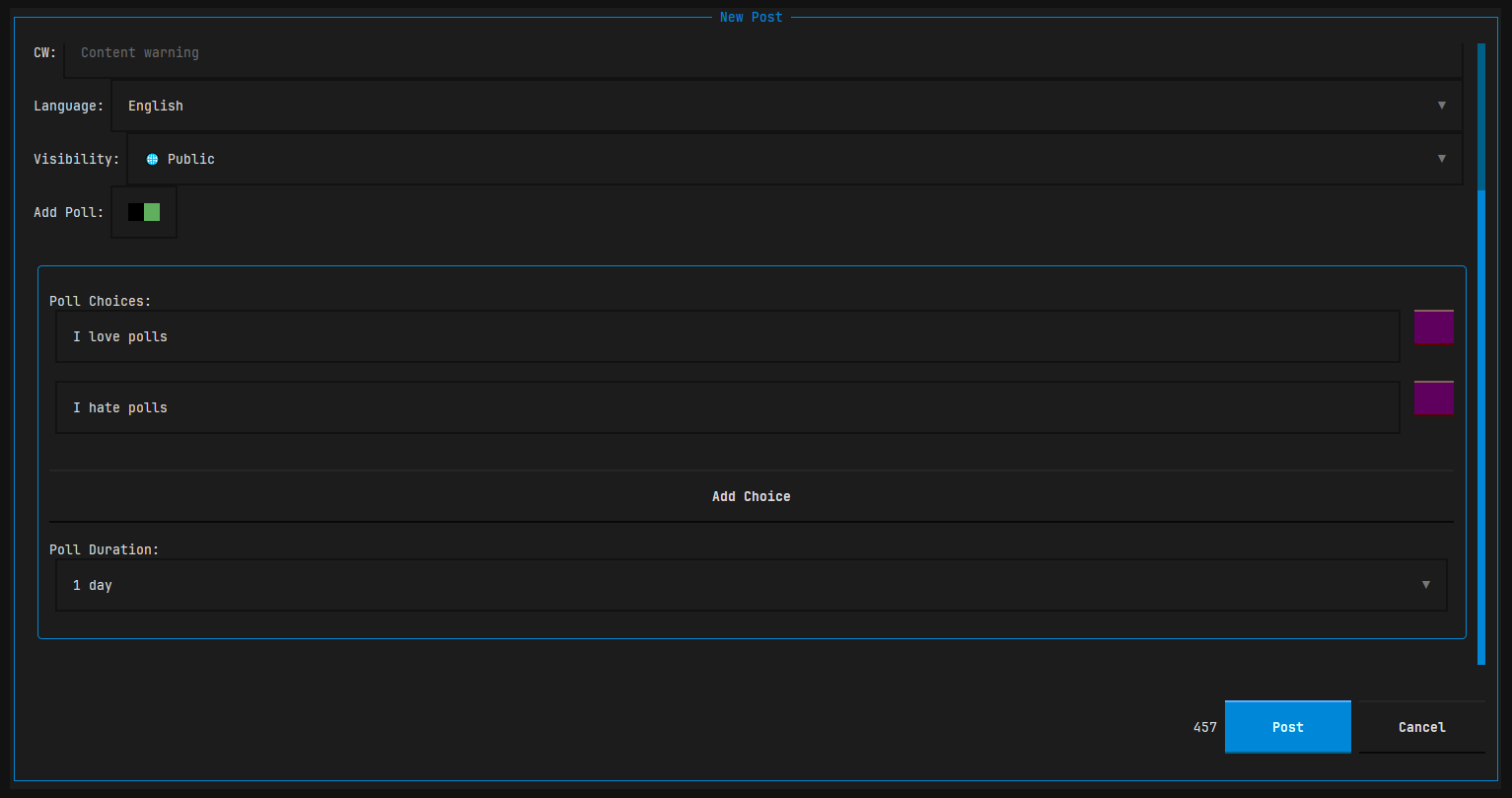
- Content warnings, poll builder, visibility controls, and language selector
- Autocomplete for
@mentionsand#hashtagssourced from your follows and the local instance - Inline preview of original post when replying
- Media Friendly
- Inline image previews with ANSI, Sixel, or TGP renderers (auto-detect)
- Polls rendered with vote counts or interactive voting UI
- URL extractor modal lets you copy media/card links without leaving the TUI
- Personalization
- Quick theme switches plus custom CSS overrides
- Keybinding editor with per-profile
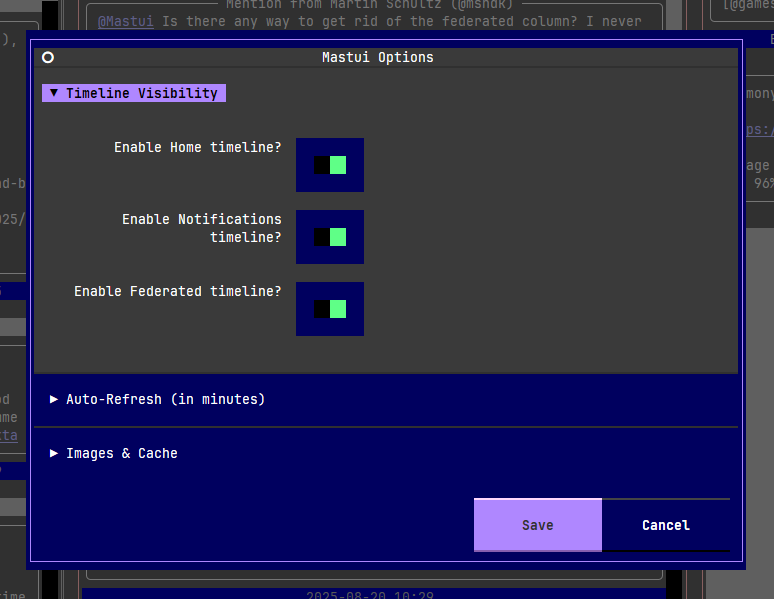
keymap.json - Options modal to toggle timelines, enable image caching, configure auto-refresh cadence, and curate the language list used in the composer
- Productivity niceties
- Search panel for people, tags, and posts
- Hashtag timeline modal
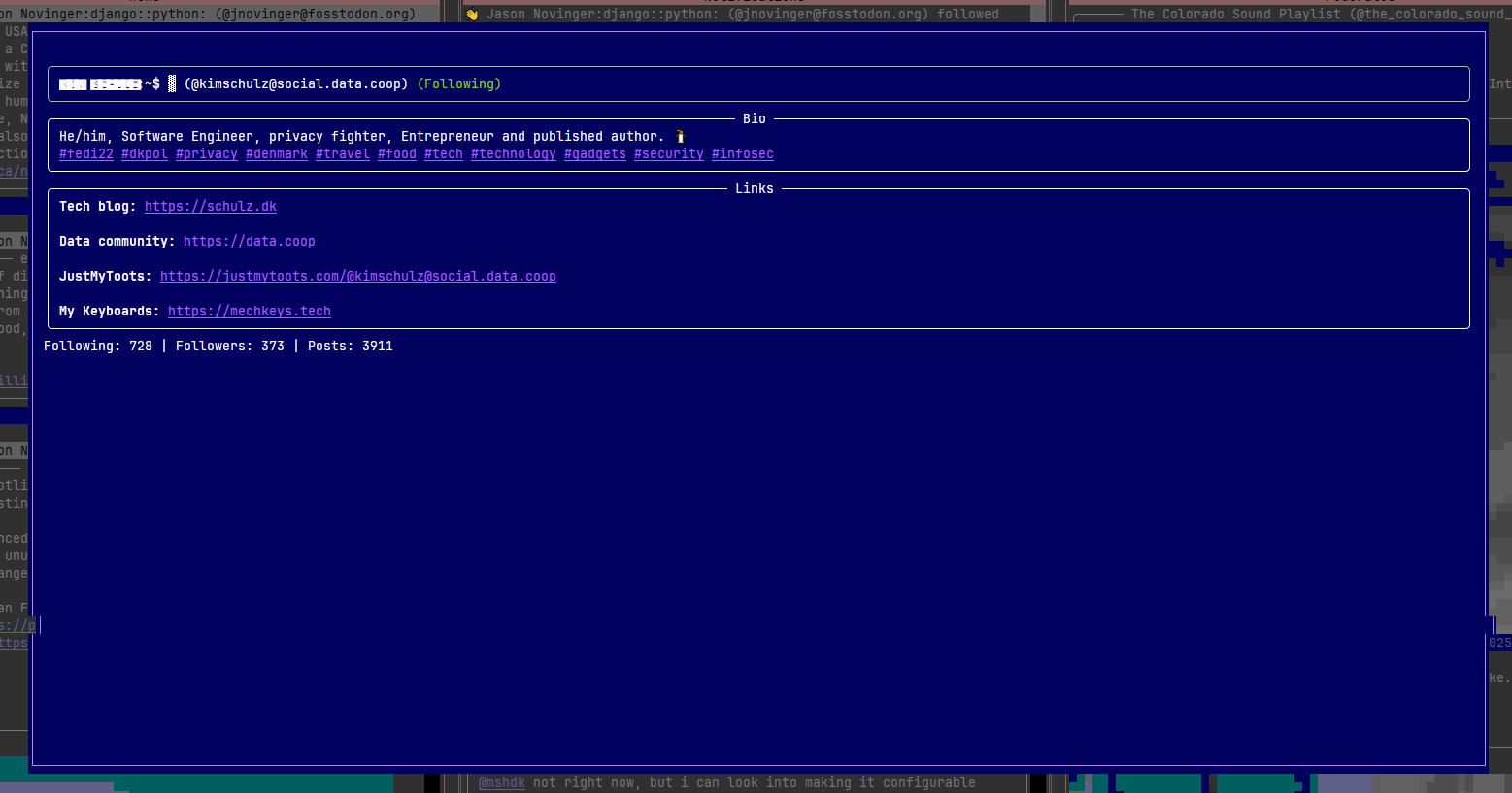
- Profile and conversation screens with follow/mute/block actions
- Log viewer (
F12) when running with--debug
| Thread View | Profile View |
|---|---|
 |
 |
| Compose Window with Poll | Options Screen |
 |
 |
| Retro Green Theme | Light Theme |
 |
 |
pipx install mastui
# later upgrades
pipx upgrade mastuipython -m venv .venv
source .venv/bin/activate
pip install mastuigit clone https://github.com/kimusan/mastui.git
cd mastui
pip install poetry
poetry install
poetry run mastui --debugMastui stores profile data under ~/.config/mastui/<profile> (or the platform equivalent). Remove those directories to wipe a profile, or use the built-in profile manager.
This is a summary of the most common key bindings. For a full list, press ? inside the app.
| Key(s) | Action |
|---|---|
q |
Quit the application |
d |
Toggle dark/light mode |
u |
Switch user profile |
o |
Open options screen |
/ |
Open search screen |
? |
Show the full help screen |
up/down |
Move selection up/down |
left/right |
Focus timeline to the left/right |
g |
Jump to the top of the focused timeline |
r |
Refresh all timelines |
c |
Compose a new post |
a |
Reply to the selected post |
l |
Like / Unlike the selected post |
b |
Boost / Reblog the selected post |
e |
Edit one of your own posts |
p |
View the author's profile |
enter |
View the post's thread |
Mastui is actively developed. Here are some of the features planned for future releases:
- Bookmarks: Bookmark posts and view them in a dedicated timeline.
- Content Filtering: Support for Mastodon's server-side content and keyword filters.
- User Lists: View and interact with your created user lists as timelines.
- Post Management: Delete your own posts.
- Profile Management: Re-authenticate or delete profiles from within the app.
- Post Drafts: Save and load drafts of your posts.
- Localization: Support for multiple languages in the UI.
Have an idea? Feel free to open an issue to discuss it.
Contributions are welcome! Please read CONTRIBUTING.md for details on our code of conduct and the process for submitting pull requests.
Mastui is built with some fantastic open-source libraries:
- Textual for the TUI framework
- Python
- Mastodon.py for interacting with the Mastodon API
- textual-image for image rendering
- httpx for HTTP requests
- html2text for converting HTML to Markdown
- python-dateutil for parsing datetimes
- Kim Schulz - Initial work - kimusan
See also the list of contributors who participated in this project.
Mastui is licensed under the MIT License. See the LICENSE file for more information.