
This is my toolbox of aliases, customizations and scripts that makes my work much more productive.
It also serves as a quick installation of applications and settings when setting up a new machine.
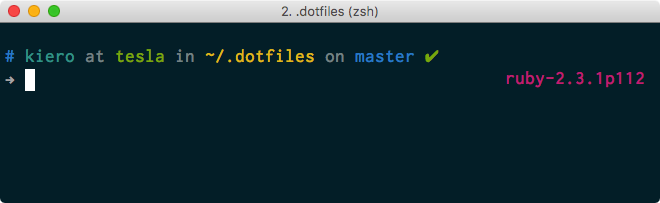
To install dotfiles run this in your terminal:
git clone https://github.com/kiero/dotfiles.git ~/.dotfiles
cd ~/.dotfiles
scripts/bootstrap.sh
scripts/install
It will clone the repo to ~/.dotfiles. scripts/bootstrap.sh script will link all dotfiles from this folder to proper place. And finally scripts/install script will install all applications from Brewfile, set up macOS custom settings via defaults and install stuff from all install.sh scripts.
- atom.symlink/ — this directory contains all settings files for Atom and is symlinked to
~/.atom - bin.symlink/ — all scripts from this directory will be available in your
$PATH - cheat.symlink/ - files here contain cheatsheets for particular commands and are available via cheat app
- config/ - all directories here are linked to
~/.config/directory. It's for applications that use$XDG_CONFIG_HOMEfor config path - private/ - directory for private things that won't be tracked in git
- scripts/ - scripts to bootstrap (link dotfiles) and install all stuff
- shared/ - helper scripts with functions which other scripts use
All things ending with .symlink are linked automatically to $HOME directory with . at the beginning of the filename. It happens in scripts/bootstrap.sh phase.
Stuff ending with .symlink_special are linked to proper place also in scripts/bootstrap.sh phase.
install.sh file in each topical directory contains stuff to install for particular topic and this happens in scripts/install phase.
Files ending with .zsh is automatically loaded into the shell.
All other directories such zsh/, vim/ or macOS/ contains topic related things (settings, aliases, environments variables and so on).
If you find any improvements or bugs, feel free to open an issue and I will check it out.
If you want to add new things and settings you can also propose it via issues but I consider this project as my dotfiles so it's unlikely I will merge it into the project. The best way in this case is to fork the repo to yourself and add it there.
- Zach Holman and his dotfiles repository for topical structure approach and linking scripts
- Mathias Bynens and his dotfiles repository for macOS defaults settings script
Kiero's dotfiles are available under the MIT license. See the LICENSE.txt file for more info.