#ActiveDirectory #WindowsServer2022 #VMware #ITSupport
I recently completed a hands-on Windows Server 2022 home lab project focused on implementing and managing Active Directory Domain Services (AD DS). Using VMware Workstation, I built a virtualized environment, installed Windows Server, and deployed a fully functional Active Directory domain.
- Creating and organizing Organizational Units (OUs)
- Configuring Groups (security & distribution) and group scopes
- Creating and managing User Accounts
- Applying practical system administration and IT infrastructure management techniques
- Strengthening understanding of domain structures, permissions, and access control
This project improved my real-world IT capabilities by bridging theory with hands-on experience. It forms part of my growing home lab portfolio, developed to prepare for professional roles in:
- IT Support
- System Administration
- Network & Infrastructure Management
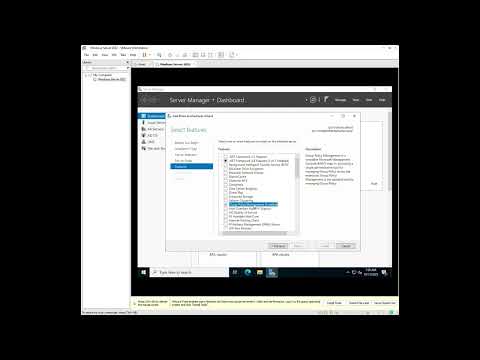
#GPO #ActiveDirectory #WindowsServer #ITHomeLab #ITLearning #SystemAdministration
In this part of my Windows Server Home Lab project, I focused on Group Policy Management. I explored how to apply and test Group Policy Objects (GPOs) on client machines, add a computer to a domain, and organize devices within different Organizational Units (OUs) to observe how policies propagate across the network.
- Joined a Windows 10 client to the domain
- Applied and tested Group Policy Objects (GPOs)
- Organized devices into OUs for structured policy management
- Verified how policies affect domain-joined computers
- 📌 Implemented Control Panel restriction via GPO
This session strengthened my understanding of how Active Directory and Group Policy work together to manage users and computers within a domain. Building this home lab continues to help me apply theoretical knowledge in a real-world environment, further developing my Windows Server administration and IT infrastructure skills.
#WindowsServer2022 #HomeLab #ITSpecialists #ITSupportServices
In this part of my Windows Server Home Lab series, I focused on configuring File and Folder Sharing within a domain environment. This hands-on session helped me understand how shared resources are managed, accessed, and secured across a Windows network.
- Configuring file and folder sharing on Windows Server
- Preparing client machines for network access
- Mapping network drives for users
- Automating drive mapping using Group Policy (GPO)
- Managing permissions, network configurations, and end-to-end file sharing
This project continues my journey of building a robust Windows Server Home Lab, helping me strengthen practical IT skills related to file services, permissions management, and domain-based resource access.
#WindowsServer2022 #FSRM #FileServices #ITHomeLab #SystemAdministration #ITSupport #LearningByDoing
In this episode of my Windows Server Home Lab, I explored the File Server Resource Manager (FSRM) — a key Windows Server feature for managing and securing file systems.
- 💡 Installing and configuring FSRM
- 💡 Setting up quota management to monitor and control disk usage
- 💡 Configuring file screening to prevent storage of specific file types
This hands-on experience deepened my understanding of how system administrators use FSRM to ensure efficient storage utilization and maintain data integrity within enterprise environments. Always exciting to see theory come to life through practical lab setups! ⚙️
#WindowsServer2022 #SecurityPolicies #ActiveDirectory #ITHomeLab #ITSupport #SystemAdministration
In this episode, I focused on Windows Server security policies to protect user accounts and maintain system integrity.
- 🧩 Password Policies – Enforcing strong password requirements to enhance account security
- 🔒 Account Lockout Policies – Preventing brute-force attacks by locking accounts after multiple failed logins
- 👥 User Rights Assignment – Managing permissions to control administrative actions
- ⚙️ Fine-Grained Password Policies – Creating custom password rules for different users or groups for flexible security management
This hands-on setup strengthened my understanding of how security policies work together to enhance authentication and overall server security in an enterprise environment.
#WindowsServer2022 #WindowsServer #HomeLab #ITSupport #ITSpecialists #SysInternals #ITSupportServices #LearningInPublic #WindowsServerLabs
In this episode, I explored how Service Accounts work in Windows Server environments and demonstrated how to set up single-purpose computers using Windows Kiosk Mode. I also used SysInternals tools to monitor and manage these accounts effectively.
During the process, I had to clear up local disk storage to download and extract the SysInternals suite — a real-world reminder of how important system maintenance and resource management are in server administration.
- 🧠 Understanding the role and importance of Service Accounts
- 💻 Configuring single-purpose computers using Windows Kiosk Mode
- 🧰 Using SysInternals tools for system monitoring and troubleshooting
- 🧹 Managing storage space efficiently for server tools and utilities
- 🔐 Strengthening security through account isolation and least privilege
This hands-on session enhanced my understanding of service account management, security practices, and real-world system administration in Windows Server environments.
#WindowsServer2022 #ActiveDirectory #GPO #ITHomeLab #ITSupport #SystemAdministration #ITSecurity
In this chapter, we explore how Group Policy Objects (GPOs) can be used to manage and secure service accounts in a Windows Server environment. This session demonstrates how to apply the right policies to enforce permissions, enhance security, and ensure service accounts operate with least privilege.
- Creating and applying GPOs specifically for service accounts
- Best practices for locking down service accounts using security filters
- Linking and enforcing policies within your Homelab environment
- Tips for troubleshooting service account policy issues
This session is ideal for anyone building a secure Windows Server environment, especially in a homelab setup that mirrors real-world enterprise practices.