Ginkgo is a simple budgeting tool that allows you to set financial goals, track your spending and income, and compare your spending with your goals on a month-by-month basis.
Set up your Ginkgo account here
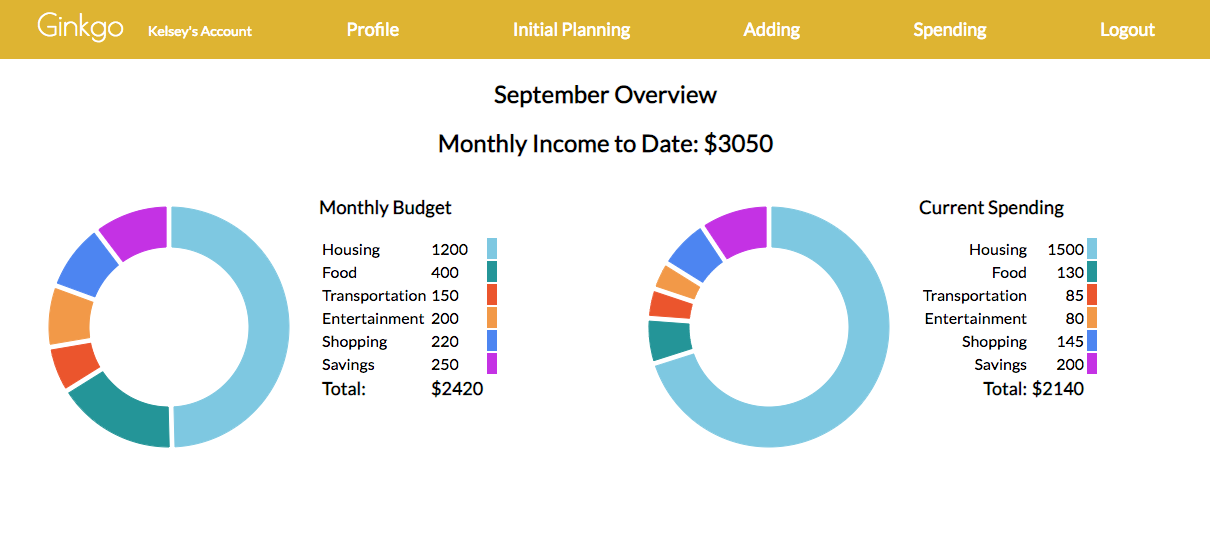
Ginkgo is a budgeting tool for visual thinkers. On the profile page, the user can see a doughnut chart showing the breakdown of their monthly budget and their monthly spending. It's easy to see when certain categories get out of balance. The profile page also displays a bar chart that shows actual spending vs budget for each category so the user can determine at a glance whether their spending is in line with their budgeting.
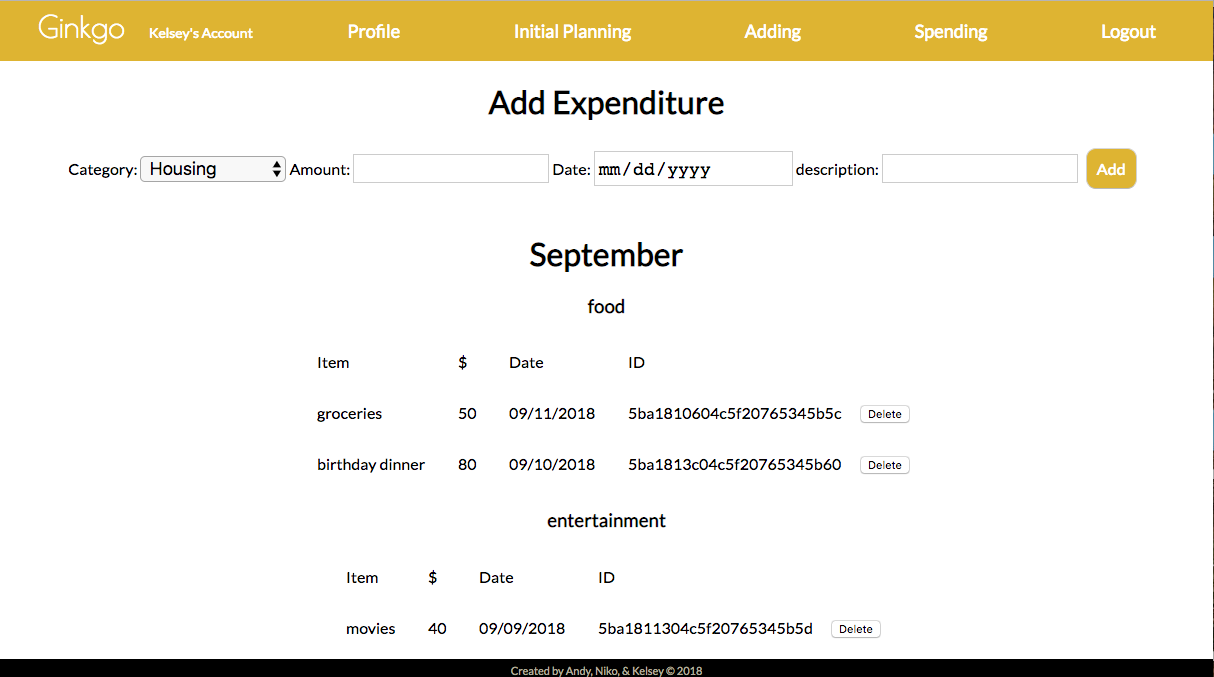
Ginkgo tracks spending by date and by category. On the profile page, the user can see a summary of spending, but on the Expenses page, the user can see a record of expenditures sorted by date and type. On the Income page, the user can see a detailed record of all income sources and instances, sorted by date and separated by month.
As a Gingko user:
- I want to set a budget for different categories of expenses, like housing, transportation, and entertainment.
- I want to record expenditures and income, and see lists of my previous expenditures and income.
- I want to compare my spending-to-date with the budget I set.
Ginkgo is a full-stack decoupled app built with React, MongoDB/Mongoose, Express, and NodeJS.
Gingko uses the following APIs:
- React-vis: a data visualization library that makes Gingko's beautiful and informative charts
- MomentJS: helps parse and display dates so Gingko can easily keep track of spending by month
Ginkgo’s data models include a user and spending schema.
User: Object
- firstName: String (e.g., ‘John’)
- lastName: String (e.g., ’Smith’)
- email: String (e.g., 'john@smith.com')
- password: String
- spendingCategory: spendingCategorySchema
spendingCategory is an embedded schema within the user schema spendingCategory: Object * housingBudget: String, * foodBudget: String, * transportationBudget: String, * entertainmentBudget: String, * shoppingBudget: String, * savingsBudget: String
====================================
Spending: Object
- userId: { type: mongoose.Schema.Types.ObjectId, ref: 'User' },
- date: Date,
- month: String,
- category: String,
- amount: Number,
- description: String
| Method | Path | Location | Purpose |
|---|---|---|---|
| POST | /auth/login | controllers/auth.js | Login form page |
| POST | /auth/signup | controllers/auth.js | Signup |
| POST | /auth/me/from/token | controllers/auth.js | This is what is returned when client queries for new user data |
| Method | Path | Location | Purpose |
|---|---|---|---|
| POST | /budget | controllers/budget.js | Finds the users budget goals |
| POST | /budget/update | controllers/budget.js | Updates users budget goals |
| Method | Path | Location | Purpose |
|---|---|---|---|
| POST | /money/all | controllers/money.js | Displays the users income records |
| POST | /money/all/post | controllers/money.js | User adds income information |
| POST | /money/delete | controllers/money.js | Delete an income entry |
| Method | Path | Location | Purpose |
|---|---|---|---|
| POST | /spending/post | controllers/spending.js | Displays the users spending records |
| POST | /spending/ | controllers/spending.js | User adds spending information |
| POST | /spending/delete | controllers/spending.js | Delete a spending entry |