

🔗 Live App: https://blogsphere.sooprr.com
👋 Welcome to Blogsphere, a modern blogging platform built to empower creators and engage curious readers.
- 🌐 Create, Discover, and Engage — with seamless social and engagement features.
- ✨ AI-powered publishing workflow — instantly generate titles, summaries, and tags.
- 📱 Responsive, accessible design — sleek on mobile, tablet, and desktop.
- For a more in-depth walkthrough, explore these detailed videos:
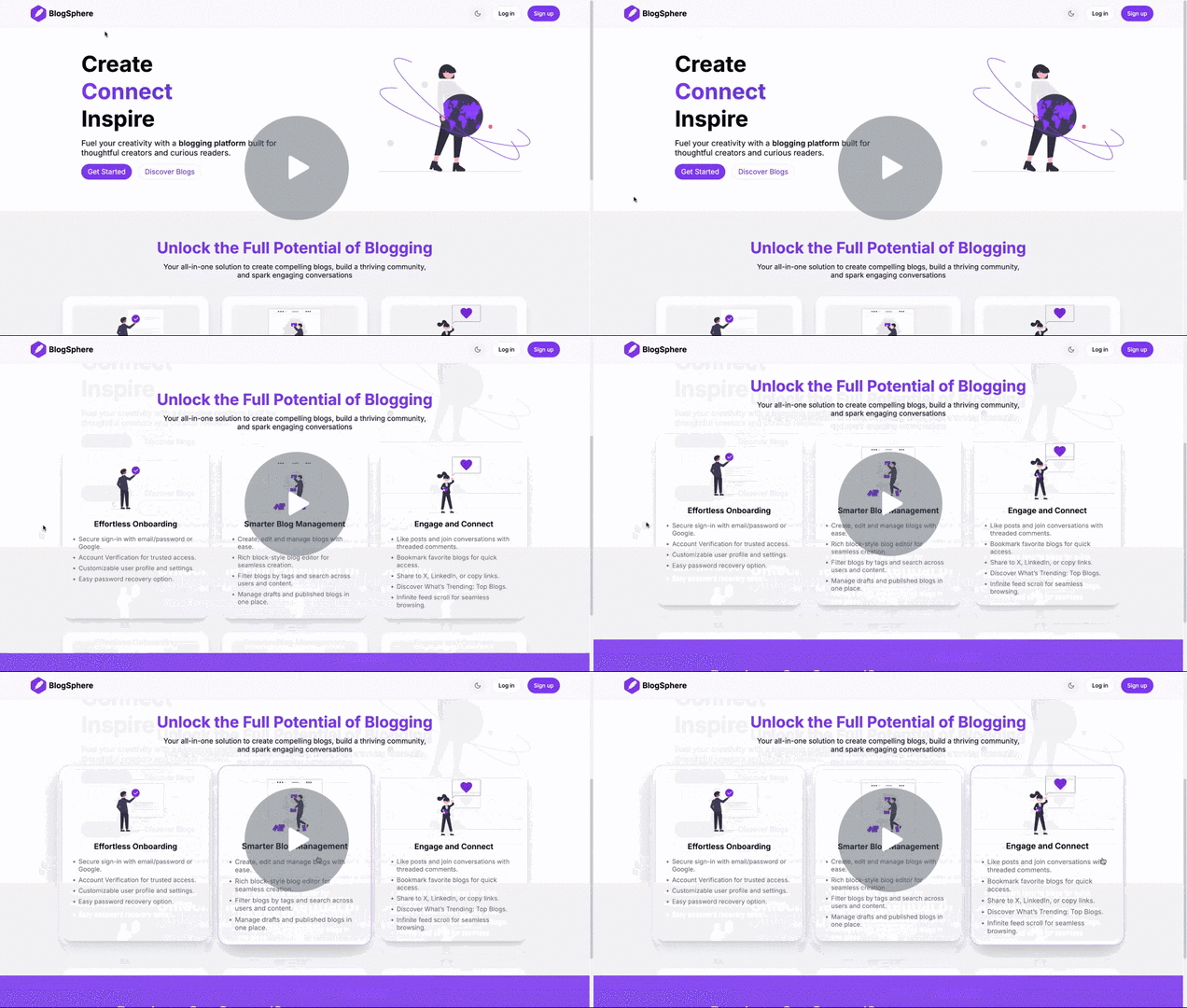
- Blog Feed: Discover recent and trending blogs with infinite scrolling and a curated list of the top 10 most engaging posts.
- Search: Quickly find blogs by title, description, tags, or author name. You can also search for users by their full name.
- Filter by Categories: Browse blogs by specific categories to focus on the topics that interest you most.
-
🔐 User Authentication
- Sign up / Log in with Email-password or Google.
- Email Verification: Verify your account via email for trusted access, with the option to resend the verification if needed.
- Password Recovery: Securely reset your password with the easy forgot password process.
- Session Management: Automatic session expiration and secure token handling for enhanced security.
-
User Profile
- View and edit your profile, including name, bio, profile image, and social links.
- Bookmarks: Access and manage all the blogs you've bookmarked for quick and easy reference.
-
Account Settings
- Change Password: Easily update your login password from the settings.
- Change Username: Users have a one-time option to change their username, which is initially generated from their name or email.
- Full Blog Control: Effortlessly create, edit, and delete both draft and published blogs through a clean, user-friendly dashboard.
- Rich Text Editor: Create beautifully structured blogs using a block-style editor powered by Editor.js.
Add headings, paragraphs, lists, images, quotes, code blocks, and more with ease. Need help? Access the dedicated Editor Guide to assist content creation. - ✨ AI Blog Metadata Generator: Speed up your publishing workflow with one-click AI-generated metadata - including a compelling title, concise summary, and relevant tags, based on your blog content. Easily review, refine, or undo AI suggestions to stay in control.
- Draft & Publish Modes:
- Save blogs as drafts and continue editing anytime.
- Preview your draft to see exactly how the blog page will look before publishing.
- Privacy & Access Control: Draft blogs are private and visible only to their authors. Unauthorized users attempting to access them are automatically redirected.
- Like & Comment:
- Engage with content by liking blogs and participating in discussions through comments.
- The nested comment system supports threaded replies for more meaningful conversations.
- Bookmark: Save your favorite blogs for quick access and later reading.
- Share Options: Easily share blogs via X (Twitter) and LinkedIn, or copy the link to your clipboard for effortless sharing anywhere.
- Dark/Light Theme: Toggle between light and dark mode for a personalized reading experience.
- Responsive Design: Optimized for mobile, tablet, and desktop devices
- Minimal, Modern UI: Built for readability and ease of use
Frontend
- React — A JavaScript library for building fast, interactive, and reusable user interfaces.
- TypeScript — Strongly typed JavaScript for safer code.
- Tailwind CSS with shadcn/ui — Utility-first styling with customizable UI components.
- Zustand — Lightweight state management for React apps.
- Tanstack Query — Manage server state, caching, and API data fetching efficiently in React.
- Editor.js — Block-style rich text editor used for blog content creation.
Backend & Database
- Node.js - JavaScript runtime environment
- Express — API framework.
- MongoDB — Document-based NoSQL database to store users, blogs, and comments.
Fully managed via MongoDB Atlas for data storage and scalability. - Google Gemini AI (GenAI) — Powers the AI Blog Metadata Generator by generating titles, summaries, and tags based on blog content.
- Cloudinary — Manage and deliver blog images and user profile pictures with fast, cloud-based storage and CDN delivery.
- Firebase — Used for Google authentication integration.
- Mailgun — Transactional email service used for account verification and password recovery emails.
- Jest — JavaScript testing framework used for unit and integration tests.
Deployment
- Backend: Deployed on Google Cloud with an automated CI/CD pipeline using GitHub Actions for continuous integration and deployment.
Every push to the repository triggers build, test, and deployment processes. - Frontend: Deployed on Vercel with an automatic CI/CD pipeline for continuous updates.
Contributions from the community are always welcome to make BlogSphere even better.
To contribute, please follow these steps
- Fork the repository on GitHub.
- Clone your forked repository:
- Create a new branch from the
mainbranch. - Make the necessary changes and commit them with descriptive commit messages.
- Push your changes to your forked repository and raise PR on this repository
Support the project by giving it a star ⭐.
Feel free to reach out if you have any questions or suggestions.