


BizCardX is a software tool that uses Optical Character Recognition (OCR) technology to extract information from business cards. With BizCardX, users can easily digitize the information on their business cards, making it easier to manage and organize contact information.
import easyocr
import cv2
import pandas as pd
import re
import sqlite3
import base64
import streamlit as st
from streamlit_option_menu import option_menuconn = sqlite3.connect('mydatabase.db', check_same_thread=False)
cursor = conn.cursor()
my_table = 'CREATE TABLE IF NOT EXISTS Business_cards_data(ID INTEGER PRIMARY KEY AUTOINCREMENT,COMAPANY_NAME TEXT,EMPLOYEE_NAME TEXT,DISIGNATION Text,EMAIL_ID TEXT,CONTACT TEXT,ALTERNATE_CONTACT TEXT,WEBSITE TEXT,ADDRESS TEXT,IMAGE BLOB)'
cursor.execute(my_table)Image Processing like converting color to gray-scale image and setting threshold value before inserting into OCR
img = cv2.imread(image)
original_img = cv2.cvtColor(img, cv2.COLOR_BGR2GRAY)
rect, thresh_image = cv2.threshold(original_img, 70, 255, cv2.THRESH_TOZERO)reader = easyocr.Reader(['en'], gpu=False)
res = reader.readtext(thresh_image, detail=0, paragraph=True)
result = reader.readtext(thresh_image, detail=0, paragraph=False)
my_data = 'INSERT INTO Business_cards_data(COMAPANY_NAME,EMPLOYEE_NAME,DISIGNATION,EMAIL_ID,CONTACT,ALTERNATE_CONTACT,WEBSITE,ADDRESS,IMAGE)values(?,?,?,?,?,?,?,?,?)'
cursor.execute(my_data, (company_name, name, designation, email_id, contact, alter_contact, link, address, image))
conn.commit()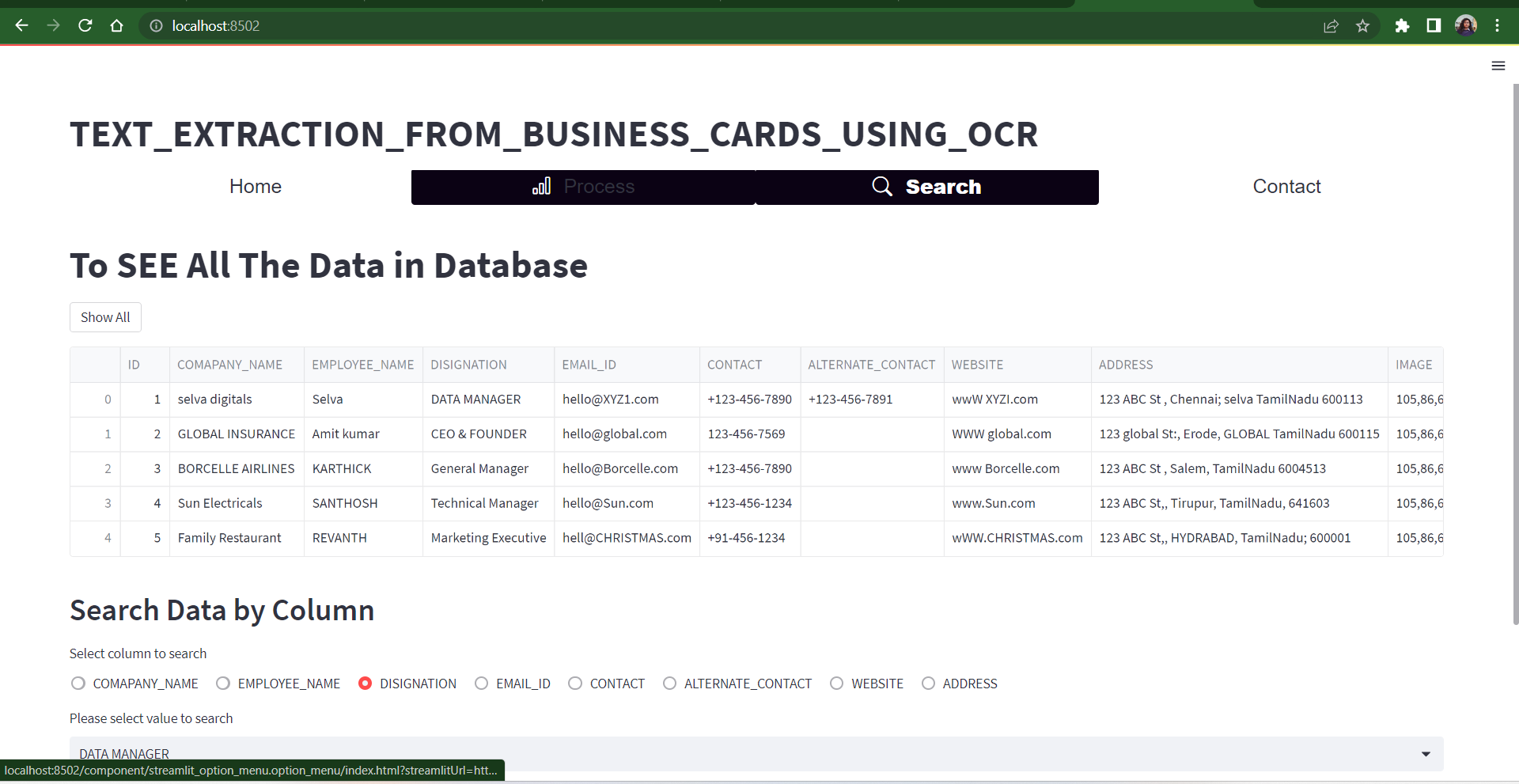

Local URL: http://localhost:8502 Network URL: http://192.168.0.102:8502