The Blessi-AI UI is a simple yet functional web interface designed to interact seamlessly with the Blessi-AI server. Built with pure HTML, CSS, and JavaScript, this user interface enables users to utilize Blessi-AI's voice capabilities and email functions with ease. The UI provides an accessible platform for users to engage with Blessi-AI, which can respond to voice commands and assist with tasks in multiple languages.
Check out the demo of Blessi-AI in action!
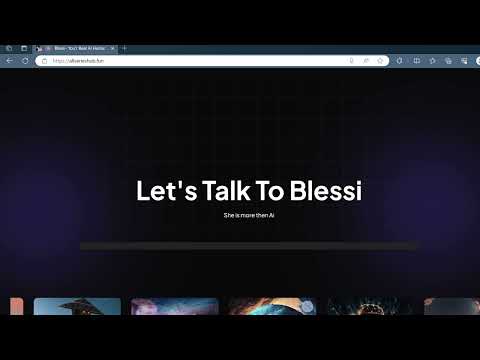
You can access the live version of Blessi-AI at the following link:
- Multilingual Support: Speaks fluently in any language of your choice.
- Mood Variability: Adapts to various emotional states, making interactions more engaging (e.g., happy, sad, laughing).
- Memory Capability: Remembers user inputs and can remind you upon request.
- Email Functionality: Composes and sends emails in any language through voice commands.
- Web Scraping: Finds and analyzes relevant data from the web to provide useful insights.
- Easy Integration: Simple setup using Python and Azure services.
- A running instance of the Blessi-AI server, which provides the backend functionality for voice recognition and email services.
- Browser compatibility with JavaScript enabled.
- API Integration
- The Blessi-AI UI interacts with the Blessi-AI API to process user requests. JSON data is sent from the UI to the server, and the server responds with relevant information.
(POST Request)
- This endpoint requires audio data as a multipart/form-data payload.
-
file: The audio file, typically a Blob or File object, in audio/mp3 or audio/wav format. Example:
-
Key: "file"
-
Value: recorded_audio.mp3 (or another audio file format)
-
Sample Request Format:
POST https://api-endpoint/audio/Bless_audio_input
Content-Type: multipart/form-data
file: recorded_audio.mp3
(GET Request)
- This endpoint does not require any parameters. It simply fetches the processed audio output in response to the uploaded audio.
- None (just a standard GET request to retrieve the audio output)
- Sample Request Format:
GET https://blessi-api.allserieshub.fun/audio/Bless_audio_output
- UI Modifications: Feel free to improve the UI or make it dynamic! You can use the existing UI as a base or create something new with React if you're interested.
- Model Integration: Connect your own model by fine-tuning an LLM on Azure for a more customized experience.
- Blessi-AI should be used responsibly, and user-provided credentials should be kept secure. Ensure compliance with data privacy laws and do not share your credentials publicly.