Formatter settings
Formatter settings can be accessed here: https://gist.github.com/tkurylek/5943736
Go to:
Window -> Preferences -> Java -> Code Style -> Formatter
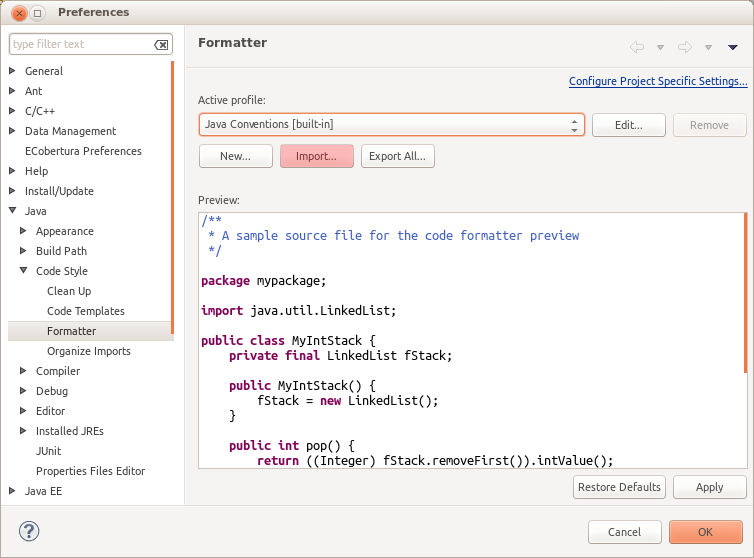
Click Import... button and select the formatter file.
A sample source file for the code formatter preview
package mypackage;

import java.util.LinkedList;

public class MyIntStack {
	private final LinkedList fStack;

	public MyIntStack() {
		fStack = new LinkedList();
	}

	public int pop() {
		return ((Integer) fStack.removeFirst()).intValue();
	}

	public void push(int elem) {
		fStack.addFirst(new Integer(elem));
	}

	public boolean isEmpty() {
		return fStack.isEmpty();
	}
}