Sockets
This article is about nRFMicro socketing. Read the Batteries article about specific batteries.
- I recommend Dupont-style 3.5 mm tall headers, namely PBS (Pin-Blade Socket) sockets and PLS (Pin-Lug Socket) pins.
Regular PBS Sockets are 8.5 mm tall, so you need the low-height ones. They use square PLS pins that come with the boards.
- https://aliexpress.com/wholesale?SearchText=2.54mm+Female+Header+3.5mm Standard are 8.5, you need 3.5 or 5.0

3.5 mm clearance is needed to fit the 3 mm battery under the controller. Low-profile headers are compatible with the PLS pins.

5.0 mm PBS (Dupont) sockets installed on MRIYA, allowing for the SuperMini SMD parts and the 4+ mm battery underneath.

The pins are the regular PLS pins, they come with the board. The 2.5mm plastic spacer can be removed after soldering.

SuperMini with PLS pins soldered and plastic spacer removed, ready for the low-height PBS sockets.
Also see this video: https://youtu.be/CsANtp6a3YU?t=166 (features 3.5mm sockets).

3.5mm PBS sockets, 301230 batteries and nRFMicro 1.1
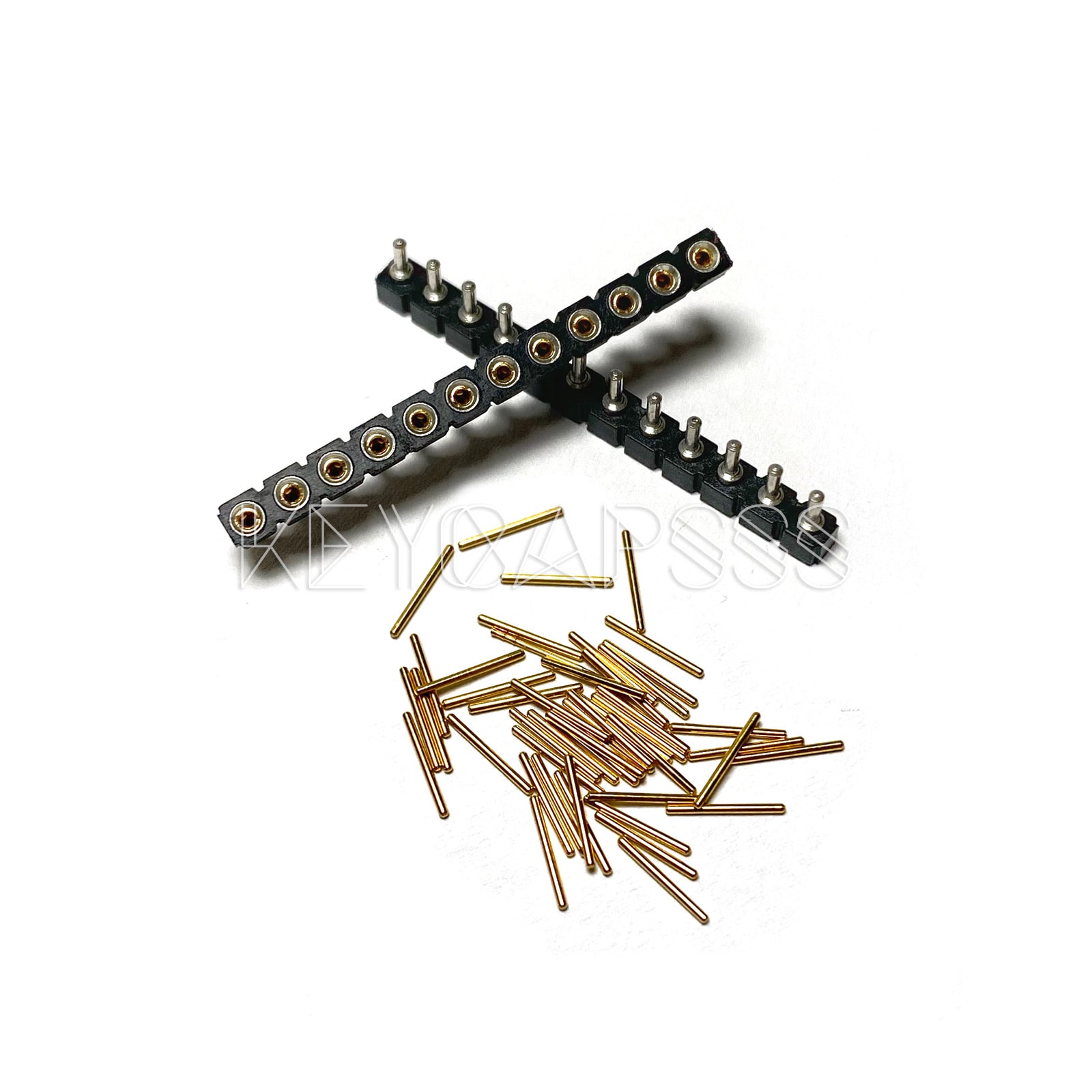
I used these for most of my keyboard builds. They are 4.5mm tall sockets, perfect for 301230 Batteries and SMD parts. They use 0.5-0.6mm ROUND pins.
- https://aliexpress.com/wholesale?SearchText=round+female+pin+header (search) they cost about $1.75 for 10 pcs

With these sockets I use RGBW 4-pin or 5-pin headers that you can loot for pins and they're very cheap (cheaper than wire):

The pins are 10.0 x 0.6mm, gold plated, very sturdy and fit snugly. Cut them in half to get 5mm long pins for machined sockets.
- https://aliexpress.com/wholesale?SearchText=RGBW+pins (search) They cost about $3 for 100 pcs or $0.6 for 20 pcs.

Don't use the plastic headers, pull out the pins and throw the rest out. I usually cut pins in half to 5 mm and solder them flush.

Solder like this to use 10mm standoffs for the OLED cover (picture is not mine, insert fully without a gap, you get the idea):

Most 40-pin headers have thick barrel-like profile machined pins (the thinnest part of the barrel is 1.5mm) so they don't fit.
DO NOT BUY THOSE MACHINED PINS! THEY ARE WAY TOO TALL TO USE AS IS AND THEY CANNOT BE CUT IN HALF.

You may also use diode legs as in this video: https://youtu.be/l7OQ1A3-x5I (make sure they are thick enough, most of them are flimsy).
You can cut your own needle pins from 0.5-0.6 mm brass wire (0.6mm pins hold a little bit better).
Careful about buying the "Gold Color" decorative wire (this one), it's lacquered aluminum and it's non-conductive until you scrape the gold paint off it. Search for H62 brass wire or phosphor bronze wire. But it's still more expensive than RGBW pins.
- https://www.aliexpress.com/item/32826904328.html 0.5mm industrial H62 brass wire, tested, good quality, $1 per meter

There are also 0.6x15mm pins on TaoBao (untested):

Machine pin sockets can also be stripped of plastic casing and used as a super-low profile midmount sockets. You will need PCB with larger (1.5-1.6 mm) pin holes. See https://t.me/inpudiy/142

KOMETA PCB, featuring slightly larger (1.5mm) holes for the hotswap sockets https://t.me/inpudiy/144

Side view. Uses standard machine pin sockets later cut to length (also supports holtities) https://t.me/inpudiy/143

Machine pin socket specs. Officially support 0.40-0.56 mm mating pins (0.6 also fit but really snug).
- https://github.com/inpudiy/KOMETA/
- https://www.harwin.com/products/D01-9973242 (sockets)
- https://www.mill-max.com/products/printed-circuit-board-pcb-pin/straight-pin/3320 (0.51 mm diameter, 6.35/12.70 length for 3320-0/3320-1)
- https://www.mouser.ca/ProductDetail/Mill-Max/3320-0-00-15-00-00-03-0 (6.35 mm)
- https://www.digikey.ca/en/products/detail/mill-max-manufacturing-corp/3320-0-00-15-00-00-03-0/4147392 (6.35 mm)
- https://www.mouser.ca/ProductDetail/Mill-Max/3320-1-00-15-00-00-03-0 (12.70 mm)
- https://www.digikey.ca/en/products/detail/mill-max-manufacturing-corp/3320-1-00-15-00-00-03-0/4147393 (12.70 mm)
Those are really expensive and may be too low profile (301230 battery needs more clearance).

Mill max pins are pretty expensive (about $5 for 50 pins, shipping is not included). Pins are 0.51 x 6.35 mm:

Specifications: Mill-Max Printed Circuit Board (PCB) Pins
EZ-Solder Machine Sockets and Headers
New and improved! Our EZ-Solders now have gold-plated headers and a socket designed for easier removal.
These machine sockets and headers are just a hair taller than our Mill-Max Sockets and Pins when stacked. Solder the headers to your nice!nano, the sockets to your PCB, and slot them together!
This is made to socket one nice!nano. Purchase one for each.
They're tall enough for our 301230 batteries to fit underneath while being short enough for the nice!view to sit atop.
They are rather expensive though ($9 a set).

Super-low-profile sockets for 0.45 - 0.51mm pins max, min outer diameter is 1mm. They DON'T fit Corne boards.
- https://keeb.io/products/peel-a-way-sockets-for-pro-micros ($2.49 a strip of 82 pins)
Peel-A-Way are NOT Corne PCBs compatible. They need 1mm holes, but Corne v2 and v3 have 0.85mm holes.
They are NOT RGBW pins compatible as well. They need 0.51 mm pins max, RGBW pins are 0.6 mm.

Solderless "Con-through" also known as "Spring pin header", made by Mac8, a Japan company, they sell mostly in Japan.

Keycapsss.com sells 2 pieces for 6.90 EUR, so it's probably the cheapest option up to date, considering European shipping.
- https://keycapsss.com/keyboard-parts/parts/91/spring-loaded-pin-headers-12-pin-2pcs-conthrough (2 pcs for 6.90 EUR)
- https://yushakobo.jp/shop/a01mc-00 (yushakobo store, usually in stock)
- https://talpkeyboard.stores.jp/items/5e056626d790db16e2889233 (less taxes than on yushakobo)
- https://www.littlekeyboards.com/products/spring-header-12-pin ($7.99 for 2 pcs)
Getting 4 pieces from yushakobo via zenmarket.jp costed ~$20 (220*4+300+300+560=2040 JPY), it's about $30 now.
They are 2.5mm tall and support 0.85 mm holes max, won't hold in blue Pro Micros, barely hold in black Pro Micros, but work well with nRFMicro, BLE Micro Pro and nice!nano (you will also need counterpart PCBs with 0.85mm holes, i.e. Corne).
Specifications: https://www.mac8sdk.co.jp/uploads/entry_meta/file_value/1117/mac8_2018a_jp-xb2.pdf
They DO NOT NEED SOLDERING, do not solder them, they're too expensive for that, use them as press-fit headers only.
They fit nice!nano, nRFMicro and black MicroUSB Pro Micros.
Note that Purple Pro Micros with USB-C (also Blue Pro Micros, MicroUSB versions) are incompatible with Japanese Con-Through (spring) pins, you need black MicroUSB Pro Micros for that. Video:

Also see https://redd.it/as3cdh
Blue USB-C (old revision only) may fit but I'm not 100% sure. (Comparison with nRFMicro, not my picture)
Upd. @filterpaper: Just tested, both blue ones, old and new AVR chip fit the con-through. (discord)
Con-through will fit, but the USB port is too thick to use them face down.

Headers are just 2.5mm tall, topmount USB-C is 3.2 mm tall so headers are not tall enough for reverse mount. Also Chinese USB-C Pro Micros are longer than MicroUSB Pro Micros for about 3mm so they may not fit some cases.

There are also some taller ones that go well with the battery under the controller. They are absolutely the best but expensive.
- https://typeractive.xyz/products/no-solder-spring-headers (5mm tall, $15 a pair plus shipping)

Millmax are mostly used FOR SWITCHES (not Pro Micros). Sometimes cost more than switches (you need two per switch).
CAUTION! Millmax/Holtite/Rivets only work for holes >=1.5mm, Corne Pro Micro holes are too small, 0.85mm!
- https://keycapsss.com/keyboard-parts/parts/73/mill-max-0305-holtite-for-switches-hotswap-sockets ($0.20 a pcs)
There are 7305 and 0305 ones, 2.67mm and 3.94 mm tall respectively, outer diameter 1.55mm (fits 1.50mm holes).
- https://www.mill-max.com/products/receptacle/7305 (7305-0-15-15-47-27-10-0) (7305 are 2.67 mm tall)
- https://www.mill-max.com/products/receptacle/0305 (0305-2-15-80-47-80-10-0) (0305 are 3.94 mm tall, easier to solder)
- https://www.mouser.com/datasheet/2/273/179-259776.pdf (datasheet)

| 7305 | 0305 |
|---|---|
 |
 |
There are also "taobao" millmax sockets, they are way too large (need 2.0mm holes)
They cost 55 CNY (~$8.50) for 100 pcs but they're too large for standard PCBs (untested):

Switch sockets (2mm outer diameter so they need special PCBs):

LED sockets (too small for switch legs):

Arrived in 2023 on Aliexpress. Slightly cheaper than real Millmax.
- https://aliexpress.com/item/1005005368449984.html 1.45 x 4.00 mm, rim 2.50 mm, open
- https://aliexpress.com/item/1005005570777236.html 1.45 x 4.00 mm, rim 2.50 mm, open
- https://aliexpress.com/item/1005004950077521.html 1.50 x 4.00 mm, rim 2.00 mm, closed
- https://aliexpress.com/item/1005005653876547.html 1.45 x 3.00 mm, rim 2.00 mm, open (tested, MX compatible)
Also these https://aliexpress.ru/item/1005007656106891.html

Generally all Chinese sockets are called holtities (sometimes Millmax are called holtites too). Part number 8134-HC-8P3.
- https://deskthority.net/wiki/Holtite
- https://keycapsss.com/keyboard-parts/parts/83/holtite-hotswap-sockets-for-pcb/switches-8134-hc ($0.26 a pcs)
- https://www.digikey.com/product-detail/en/te-connectivity-amp-connectors/8134-HC-8P3/A114359-ND/1151726
They are press-fit mounted to the 1.5mm holes on the keyboard PCB. Outer diameter 1.50 mm. Height 3.45 mm. Look like this:

You can also use dirt-cheap rivets ($3 for 1000 pcs) instead of millmax/holtities for switches and boards, see this post:
Despite the semi-conical shape they work pretty bad and unreliably, need switch plate and sligthly bent pins.
- https://www.aliexpress.com/item/32784673985.html nainine raised the price, 100 pcs (1.3x3.5mm) for $1.39
- https://www.aliexpress.com/item/33026899340.html another lot that sells 500 pcs (1.3x3.5mm) for $3.19
- https://www.aliexpress.com/item/33062607708.html another that sells 1000 pcs (1.3x3mm ones) for $2.80
- https://www.aliexpress.com/item/32760681240.html also works with EN0506 terminals (you can find cheaper ones)
Upd. checked out 1.3x3.5mm rivets, they are pretty loose. I don't know what the hell I was thinking. Maybe try shorter ones.

40 percent club has a few good articles about various sockets:
- http://www.40percent.club/2018/03/sockets.html (article about sockets)
- http://www.40percent.club/p/socketing-pro-micro.html (article about socketing a Pro Micro)
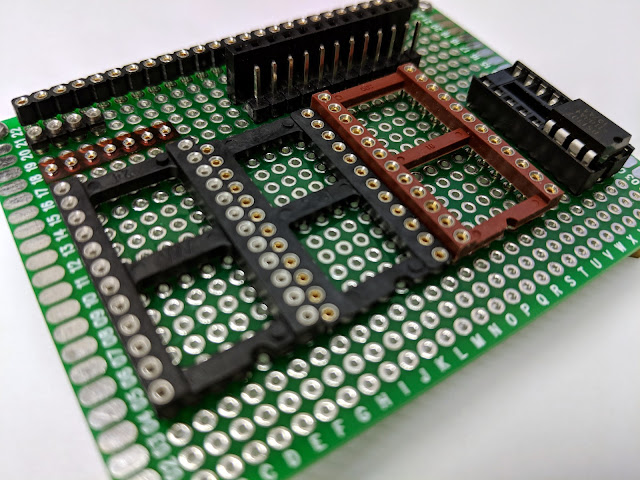

- https://josefadamcik.github.io/SofleKeyboard/sourcing_parts.html (Sockets and pin headers for Pro Micro)