PowerGSLB is a simple DNS based Global Server Load Balancing (GSLB) solution.
Main features:
- Quick installation and setup
- Written in Python 2.7
- Built as PowerDNS Authoritative Server [Remote Backend] (https://doc.powerdns.com/3/authoritative/backend-remote/)
- Web based administration interface using [w2ui] (http://w2ui.com/)
- HTTPS support for the webserver using [stunnel] (https://www.stunnel.org/)
- DNS GSLB configuration stored in a MySQL / MariaDB database
- Master-Slave DNS GSLB using native MySQL / MariaDB [replication] (https://dev.mysql.com/doc/refman/5.5/en/replication.html)
- Multi-Master DNS GSLB using native MySQL / MariaDB [Galera Cluster] (http://galeracluster.com/)
- Modular architecture
- Multithreaded architecture
- Systemd status and watchdog support
- Extendable health checks:
- ICMP ping
- TCP connect
- HTTP request
- Arbitrary command execution
- Fallback if all the checks failed
- Weighted (priority) records
- Per record client IP / subnet persistence
- DNS GSLB views support
Please report bugs and request new features!
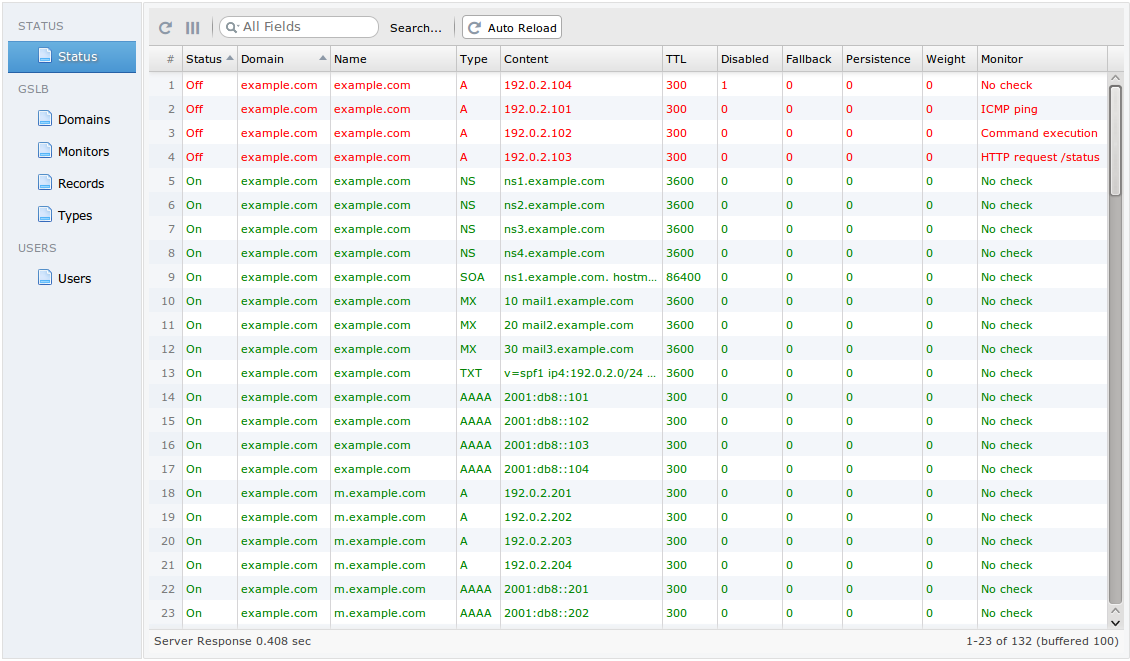
Status grid
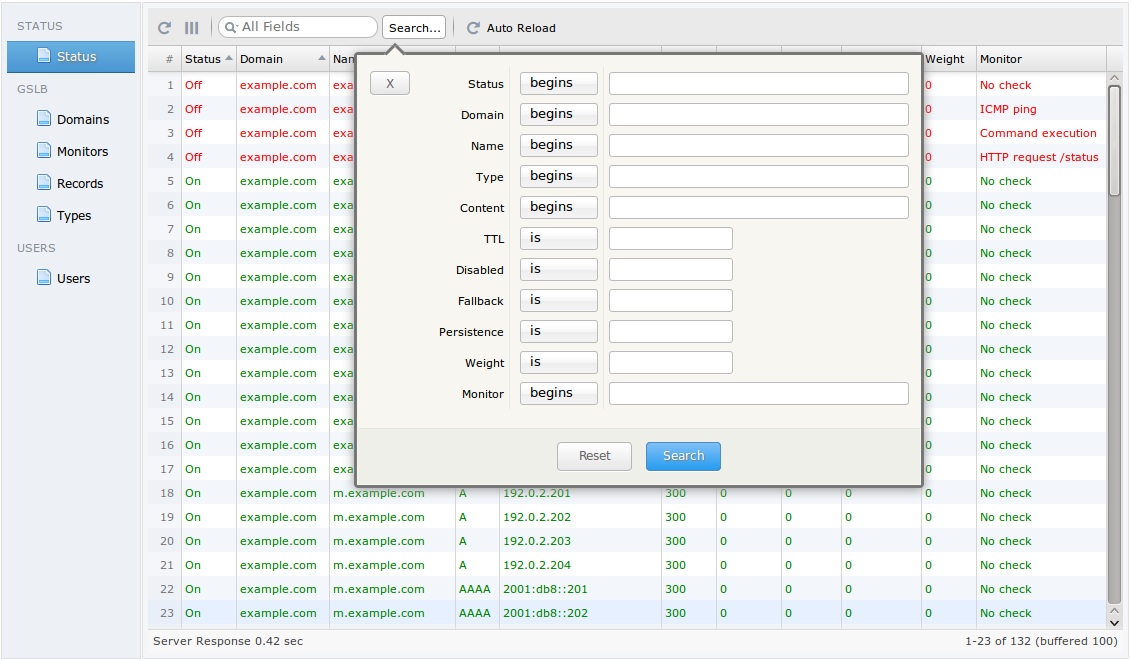
Advanced search
Add new record
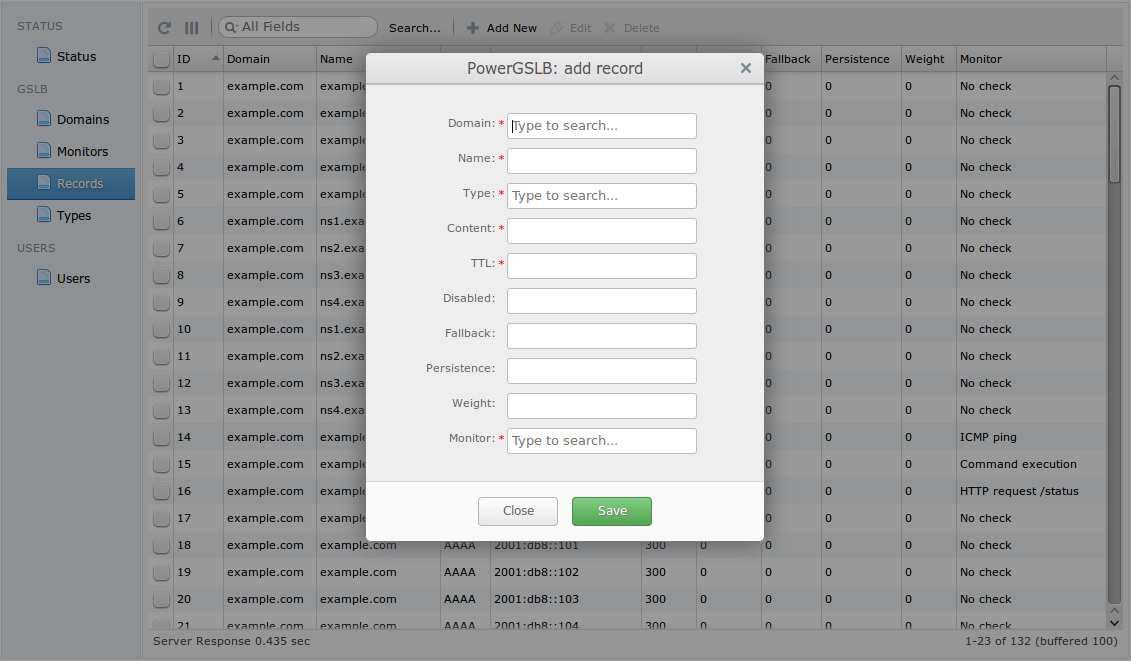
[More images] (https://github.com/AlekseyChudov/powergslb/tree/master/images)
You should always create RPM packages in a clean environment and preferably on a separate machine!
Please read [How to create an RPM package] (https://fedoraproject.org/wiki/How_to_create_an_RPM_package).
yum -y update
yum -y install @Development\ Tools

VERSION=1.6.1
curl "https://codeload.github.com/AlekseyChudov/powergslb/tar.gz/$VERSION" > "powergslb-$VERSION.tar.gz"
rpmbuild -tb --define "version $VERSION" "powergslb-$VERSION.tar.gz"
Upon successful completion you will have four packages
~/rpmbuild/RPMS/noarch/powergslb-$VERSION-1.el7.centos.noarch.rpm
~/rpmbuild/RPMS/noarch/powergslb-admin-$VERSION-1.el7.centos.noarch.rpm
~/rpmbuild/RPMS/noarch/powergslb-pdns-$VERSION-1.el7.centos.noarch.rpm
~/rpmbuild/RPMS/noarch/powergslb-stunnel-$VERSION-1.el7.centos.noarch.rpm
yum -y update
yum -y install epel-release
yum -y install gcc python-devel python-pip

pip install pyping subprocess32

VERSION=1.6.1
yum -y install "powergslb-$VERSION-1.el7.centos.noarch.rpm" \
               "powergslb-admin-$VERSION-1.el7.centos.noarch.rpm" \
               "powergslb-pdns-$VERSION-1.el7.centos.noarch.rpm" \
               "powergslb-stunnel-$VERSION-1.el7.centos.noarch.rpm"

sed -i 's/^password = .*/password = your-database-password-here/g' /etc/powergslb/powergslb.conf

cp /etc/pdns/pdns.conf /etc/pdns/pdns.conf~
cp "/usr/share/doc/powergslb-pdns-$VERSION/pdns/pdns.conf" /etc/pdns/pdns.confyum -y install mariadb-server
sed -i '/\[mysqld\]/a bind-address=127.0.0.1\ncharacter_set_server=utf8' /etc/my.cnf.d/server.cnf
systemctl enable mariadb.service
systemctl start mariadb.service
systemctl status mariadb.service
mysql_secure_installation
VERSION=1.6.1
mysql -p << EOF
CREATE DATABASE powergslb;
GRANT ALL ON powergslb.* TO powergslb@localhost IDENTIFIED BY 'your-database-password-here';
USE powergslb;
source /usr/share/doc/powergslb-$VERSION/database/scheme.sql
source /usr/share/doc/powergslb-$VERSION/database/data.sql
EOFsystemctl enable powergslb.service pdns.service stunnel@powergslb
systemctl start powergslb.service pdns.service stunnel@powergslb
systemctl status powergslb.service pdns.service stunnel@powergslbyum -y install bind-utils
dig @127.0.0.1 example.com SOA
dig @127.0.0.1 example.com A
dig @127.0.0.1 example.com AAAA
dig @127.0.0.1 example.com ANYOpen URL https://SERVER/admin/.
- Default username: admin
- Default password: admin