

Script for xfce4-genmon-plugin that regularly checks your internet connection by requesting your public IP to a third-party service. When the script is triggered by genmon, the public IP returned if any is displayed on the panel.
The last time the connection status changed is logged and can be checked in the tooltip. Particularly useful if you are suspicious you are getting microcuts from your ISP.
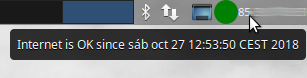
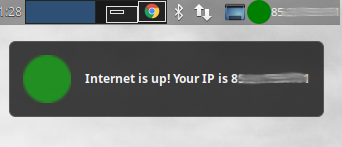
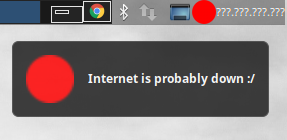
Inspired and few bits taken from parantapa/pomodoro. The guidelines for installation have also been borrowed from its readme with slight modifications.
If you are using XFCE along with any APT based distro you can try cloning the repository and run install.sh. The script should perform the whole process described below, setting up a check period of 60 seconds.
- Download the project or clone this repository.
- Install xfce4-genmon-plugin:
$ apt-get install xfce4-genmon-plugin - Right click on your XFCE panel, go to Panel > Add New Items...
- Search for Generic Monitor, and select it
- Right click on the newly added monitor in panel, and select Properties
- In the window that pops up, enter the path to
xfce-my-ip.shin Command field - Uncheck Label
- Set period in seconds, this will determine how often the request is sent.
- xfce4-genmon-plugin
- ipify service
- Icons have been downloaded from iconsdb.com: ok icon and down icon