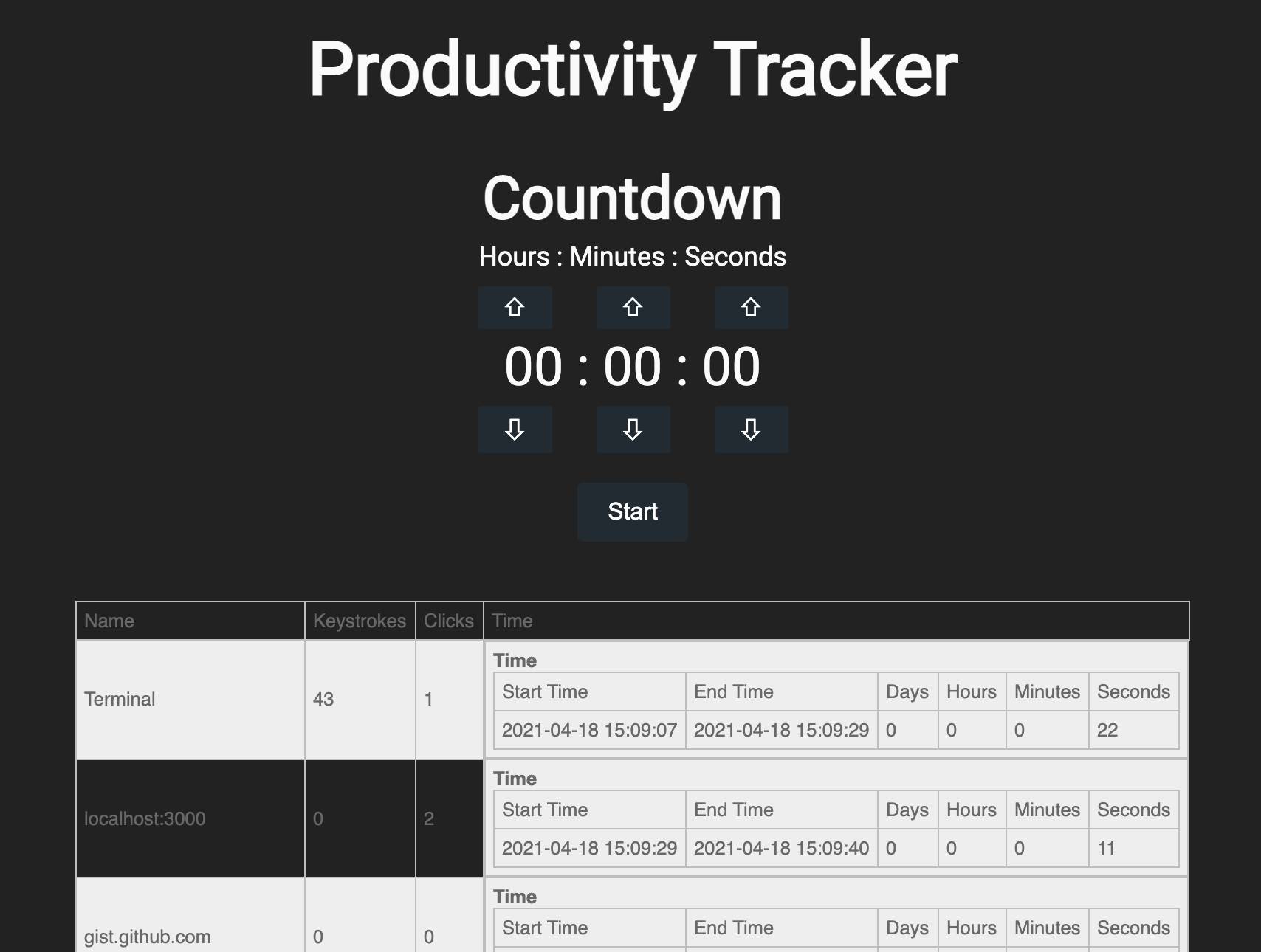
ProductivityTracker is a product that tracks user actions and formats into a table that includes window name, number of keystrokes for the window, number of mouse clicks for the window, and the time spent on the window. There is also a countdown capabliity that alerts the user when the time is complete.
To clone and work on the repository, you can run the command:
git clone https://github.com/jlbrewe/ProductivityTracker.git
To install node modules, you will need to have Node.js installed and use these commands in the main folder:
npm install
npm install react-to-json
npm install fontsource-roboto
npm install @material-ui/core --save
npm install pynput
npm install python-dateutil
npm install react-json-to-table
npm install os
npm install threading
npm install datetime
npm install sys
npm install time
npm install json
npm install subprocess
npm install re
- If not all of the modules are downloaded, follow the directions in your terminal window to retrieve missing modules using npm. The terminal window will give you specific errors on what modules to download until you can run the program.
- Works best when using Google Chrome as web browser and on a Mac
- Navigate to the cloned repo folder and move the node_modules folder into the my-app folder.
- Open two terminal windows
- In one terminal window, navigate to /my-app/src and run the command:
python3 autotimer.py
- In the other terminal window, navigate to /my-app and run the command:
npm start
- When the localhost window pops up, pop it out, making sure it is in its own separate window. If desired, set the countdown and start.
Requirements:
- Python 3.8 or higher
- Node.js (React Frontend)
Projects used as blueprints for this project:
- Countdown Feature: https://github.com/peterdurham/timers-demo
- Activity Tracking Feature: https://github.com/KalleHallden/AutoTimer