Project Link: Wearby Parker
WearbyParker is a clone of the eyewear company, Warby Parker's ecommerce site. Features:
- User Authentication
- Shopping Cart / Tryon Cart
- Products
- Catigory Filter
- Search
- BACKEND
- Ruby on Rails
- PostgreSQL - Database
- AWS S3 - Image Storage
- FRONTEND
- Javascript
- React / Redux
First time users can easily create an account or use the provided Demo User profile. To ensure security, all passwords are salted and hashed before added to the database. All features of the site are availble without login, however to save your cart one must have an account. Users must enter information into all inputs in order to click the login or sign-up button. User error handling provides specific messages for each input for aid.
This duel cart feature allows users to add items ready for purchase alongside up to 5 items to try for free. To add items to the cart, users are navigated through a multi-page form for an intuitive experience.
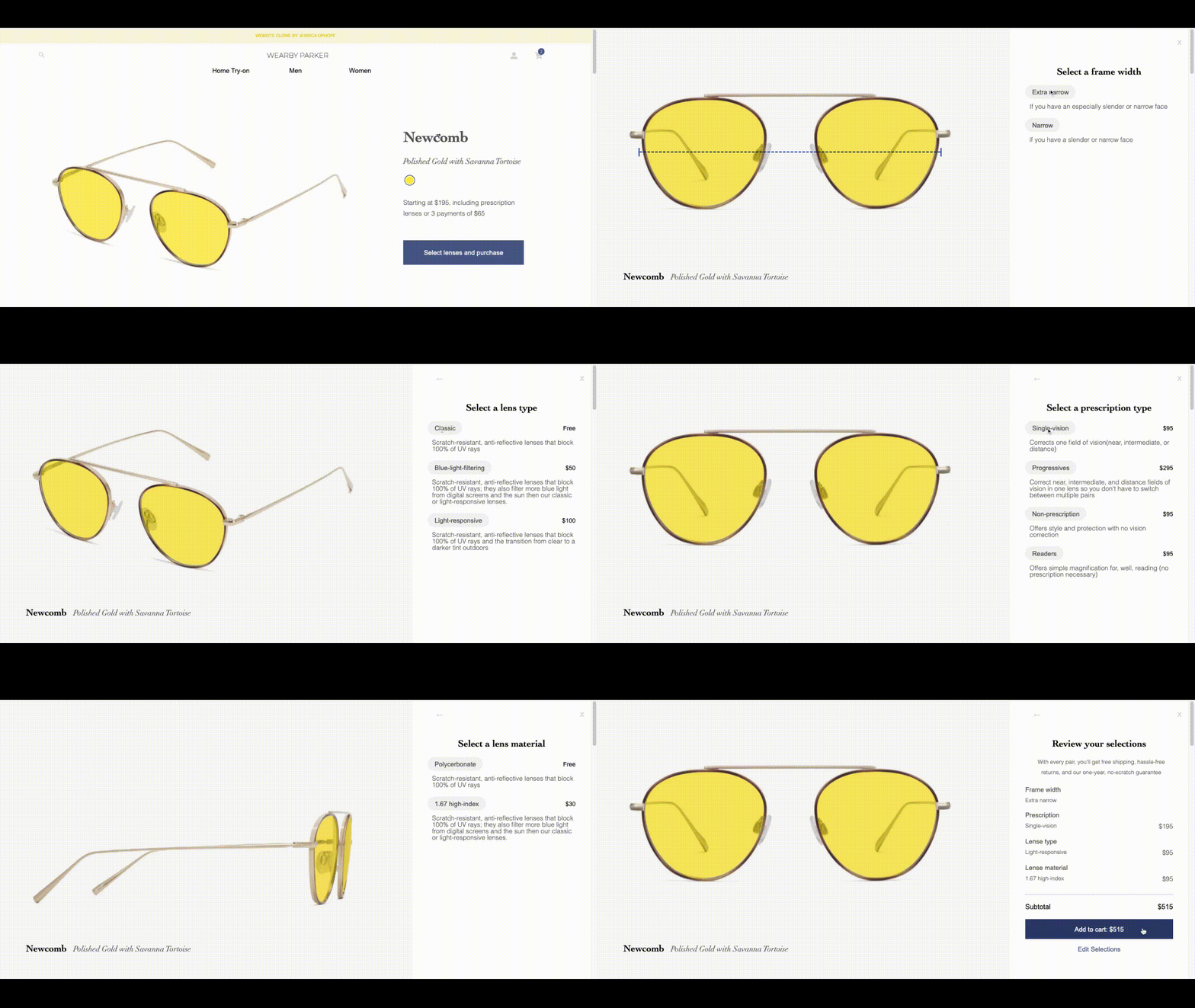
When a user has a cart prior to loging in, the current cart will be prioritized over the cart stored on the user account.
  def self.find_cart(session_cart, current_user)
    cart = Cart.find_by(id: session_cart)
    total_count = cart.cart_items.length + cart.cart_tryon_items.length if cart

    if !cart || total_count === 0
      cart = Cart.find_by(user_id: current_user.id) if current_user
      cart = Cart.create if !cart
    end

    return cart
end- TRYON
- By pressing the toggle on the product index, each product populates a button to allow users to add to cart.
- The switch is automatically turned off unless user navigates though the 'Home Try-on' located in the main navigation bar. A query is added to the url, prompting the tryon toggle to turn on.
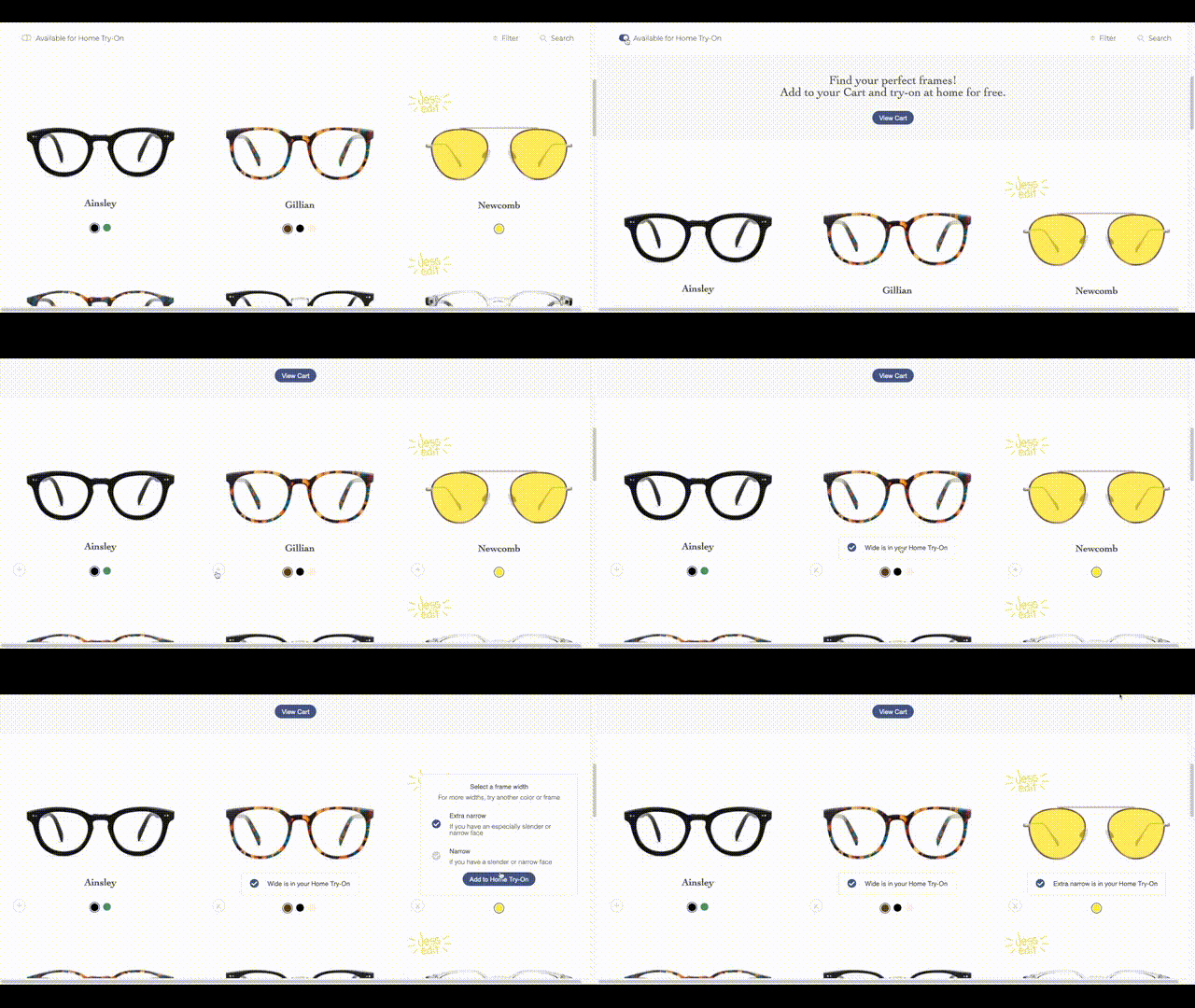
  tryonNav(gender) {
    return () => {
      let historyCheck = location.href.split('/#/')[1];
      if (historyCheck.includes(`genders/${gender}`)) {
        let switchEle = document.querySelector('.switch-off')
        let button = document.querySelector('.relative-btn')
        if (switchEle) switchEle.click();
        button.click();
      } else {
        location.assign(`/#/genders/${gender}?true`)
        location.reload();
      }

      this.setState({ tryon: false });
    }
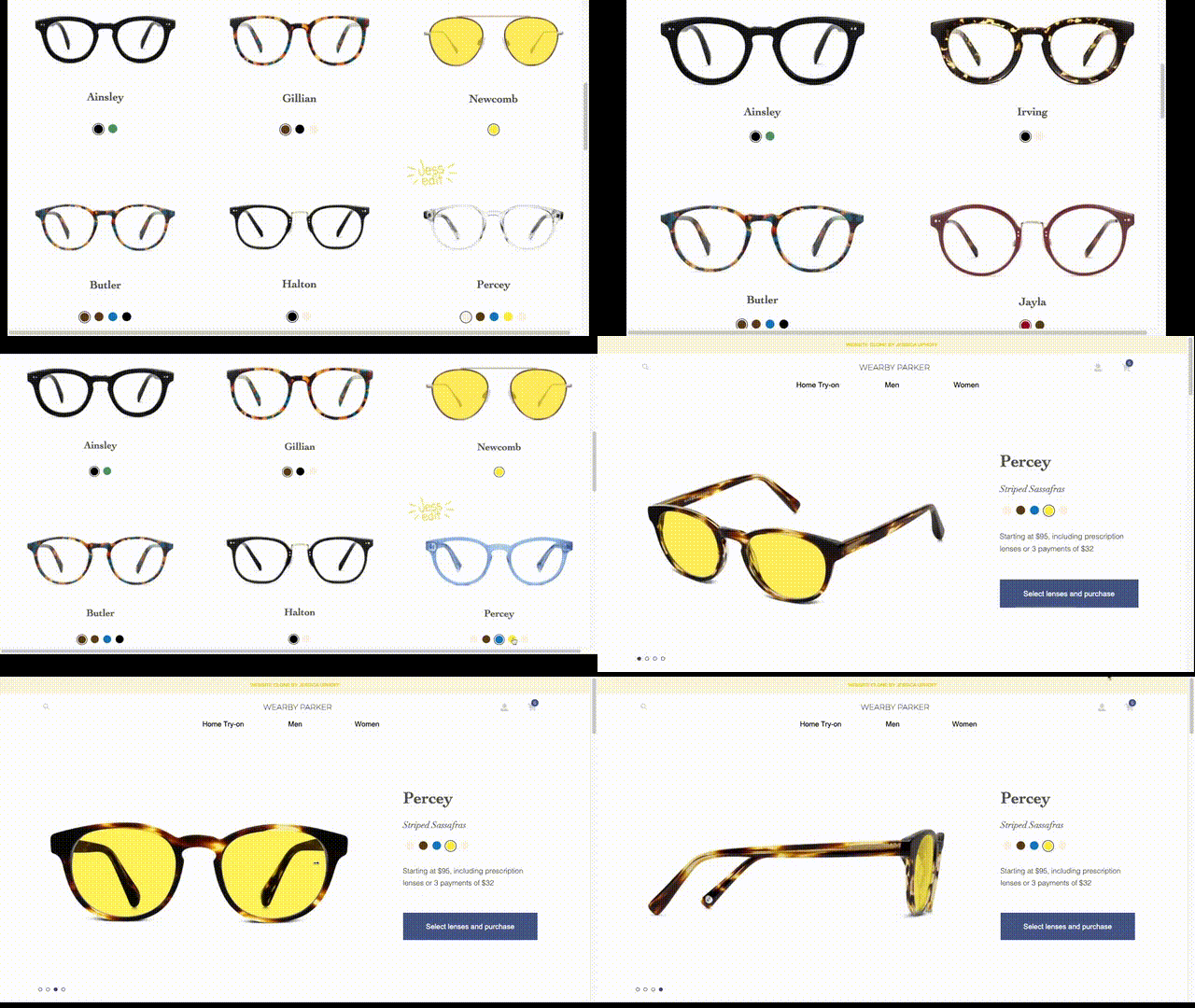
}Products are grouped by gender with custom imagery for Men and Women products. The dynamic layout scales images and adds or reduces columns for the optimal viewing experience. The selected colorway persists from the product index page and is refelcted throughout the entire show page. On the show page users can explore the products by selecting the radio button or by using the cursor arrows when hovering over the image.
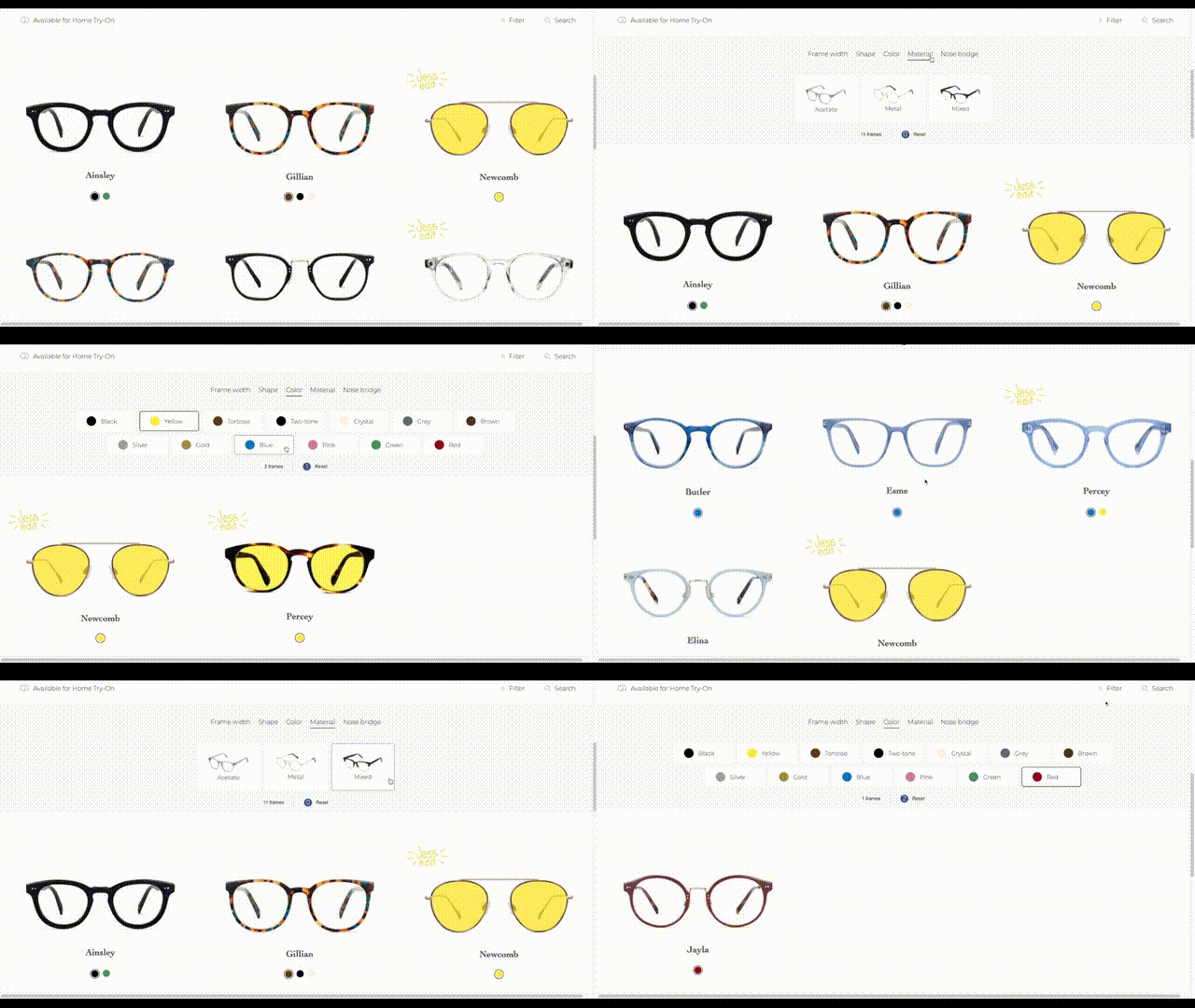
From the product index page the user can drop down the dynamic Filter element. By selecting multiple options within the same catigory, the products will reflect any product with either option. When options across multiple catigories are selected, the product will reflect products with both features present. In addtion the Color catigory will only show the color option(s) selected within each product. By creating tables in the database for all catigories, the logic on the backend is optimized.
Each catigory is checked for selected filters and the product collection is added to array.
    when 'color'
      if filter
        @colorsArr = []
        filter.each do |id|
           @colorsArr << id.to_i
        end
        next_step = filter.map do |id|
          Color.find(id.to_i).products
        end
        collected_products << next_step
      end
...once all catigories have been added, selections within the same catigory (like color above) will use an 'or' operator to combine products. Then use the 'and' operator to compare the major catigories, curating the final collection.
      filter_combine = []
      collected_products.each do |type_arr|
        array = type_arr
        first = array.pop.to_a
        while array.length > 0 do
          next_step = array.pop.to_a
          first = (first | next_step)
        end
        filter_combine << first
      end

      total = []
      first = filter_combine.pop.to_a
      while filter_combine.length > 0 do
        next_step = filter_combine.pop.to_a
        first = (first & next_step)
      end
      total << first

      @products = (@products.to_a & total[0])
endThe Search modal is available in both the main and product nav bar. The minimal design and the on-focus text input prompts users to type in a product name. The search shows all products by colorway. Once product is clicked, gender options become available linking to appropriate show page.
  def index
    input = params['input']
    @products = Product.where("name LIKE '%#{input.capitalize}%' OR name LIKE '%#{input}%'")

    render :search_index
  end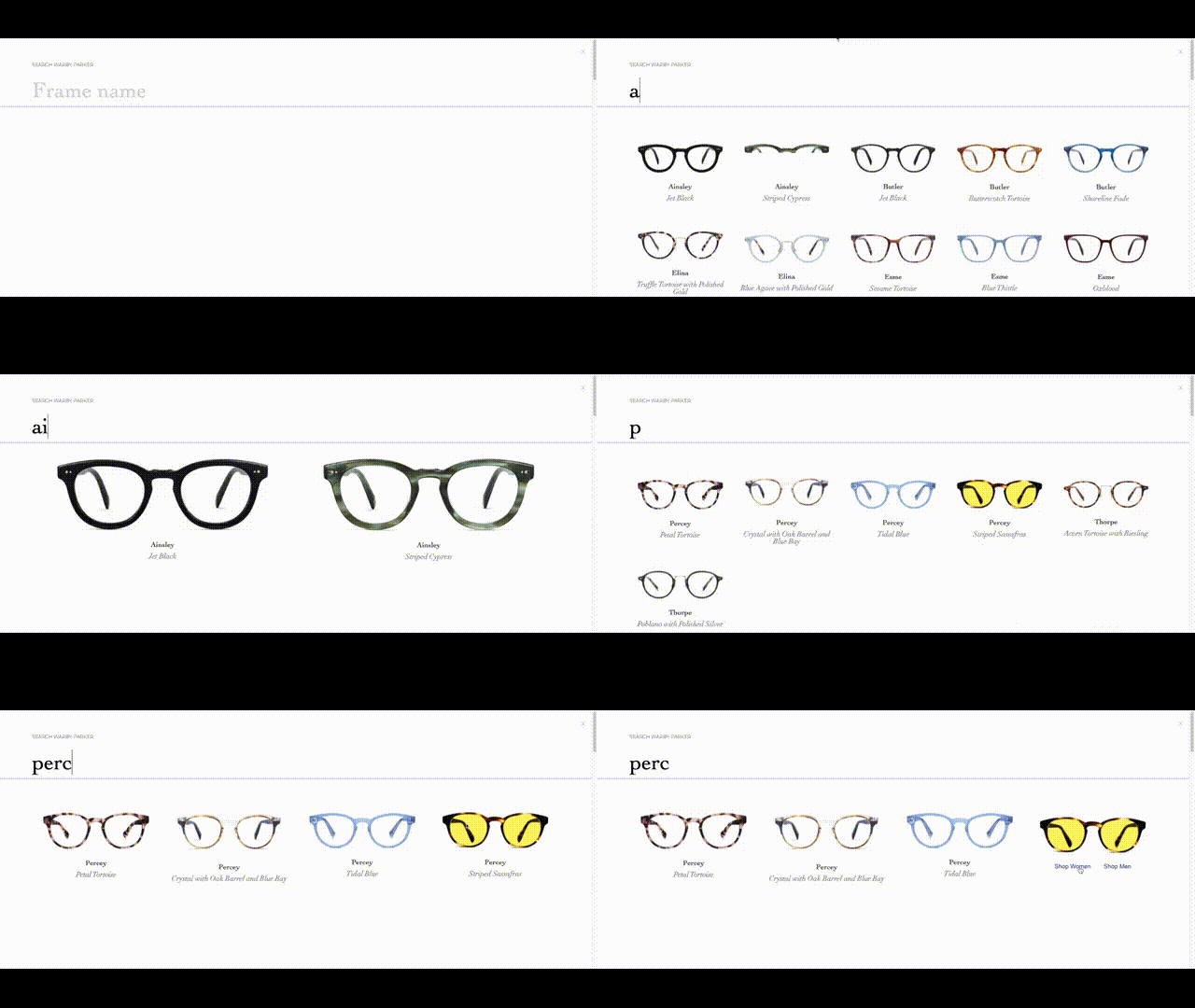
- Recommendation Quiz
Step-by-step: Guided question that narrow down to 5 pairs. Try on at home: Automatically adds 5 samples to cart.