Developed by: Jason Kim, Moaz Abdelmonem, and Zachary Schmidt under the supervision of Dr. David Nobes (University of Alberta) in the Summer of 2022
Program written in Python to generate an interactive web based diagram that visualizes the different program sequences available in engineering programs at the University of Alberta.
Courses are displayed in boxes, with the calendar description of that course being displayed when
the corresponding box of the course is hovered over as shown below. The course will be coloured according to its "category", which
is configured and detrimined by the website creator.

The webpage also allows a user to display the prerequisites and corequisites of a course, as well as the courses that
the course is a prerequisite or corequisite of, allowing them to interactively view the dependencies between different courses.

The webpage allows users to switch between the different program sequences as displayed below.
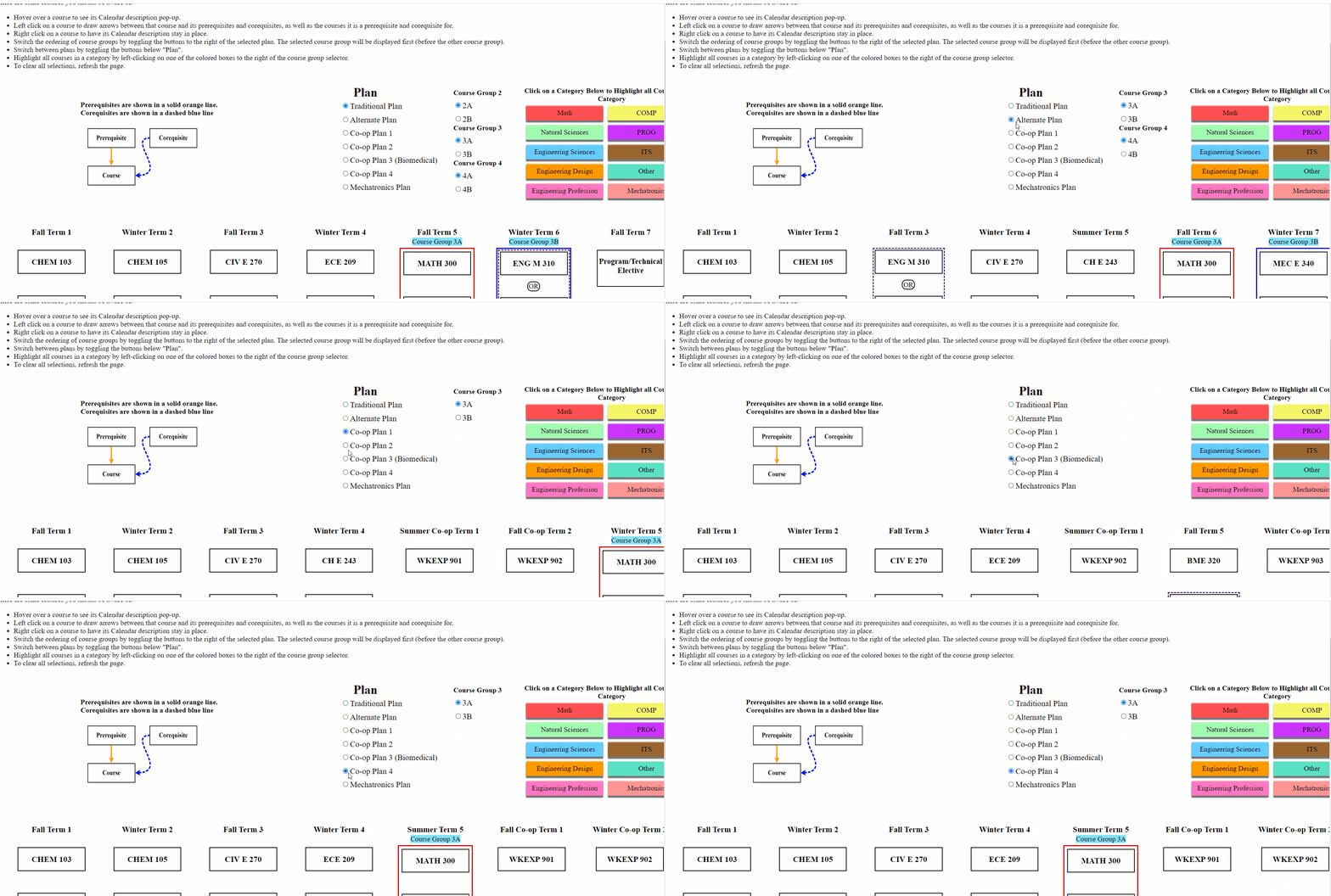
Note that certain plans have different "course groups", so in order to switch between the options (each option is treated as its own "plan"),
select the options on the right on the plan selection menu.

The webpage also allows users to highlight/unhighlight courses of a specific category using the buttons shown below.

The program can be run as a Python script using /src/main.py and the Python modules located in /src/modules/. In order to properly run the script,
the template HTML file /src/template.html and the directories /src/output/ and /src/GUI-images/ must be located in the same directory as the script. You must also
prepare four Excel files (.xls files, note that .xlsx files will NOT work) which specify course, sequencing, course category, and accreditation information. Details on how to format these Excel files can be found in the user manual found in /docs/
The program can also be run as a portable executable located in the .zip files in /releases/. These .zip files package the executable and neccesary files needed
for the execution of the program. To use, simply download the .zip and extract the files, and run the executable. Note that you should NOT modify any of the files provided in the .zip and that the executable, currently, only works for 64-bit Windows machines.
To produce a portable executable from the script:
- Run
pyinstaller main.py -F --onefile -n programVisualizer - This will produce an executable called
programVisualizer.exein thedistdirectory produced, as well as other files and directories. Remove the other files and directories as they are not needed
Upon running, the program will launch a GUI that will prompt you to locate the aforementoined Excel files and input the name of the departement which you are generating the program sequences for. The products of the program will be found in the /output/ directory, which you should upload the contents of to the
web server hosting the diagram.
This project requires Python 3.6 or higher.
This project has the following dependencies:
- LeaderLine for drawing lines between courses with a prerequisite or corequisite relation on the generated webpage
- AngularJS for the front end logic on the generated webpage
- BeautifulSoup for generation of the final HTML within Python
- xlrd for parsing Excel files with Python
- pyinstaller to convert the Python script into a portable executable