Class Attendee - Automated attendance marking tool for whole class in just one click by faculty using Face Recognition

As it's difficult or very time consuming to take attendance of students on papers also sometimes students mark the fake proxy of their friends 😁 So to remove this I came with a solution: Class Attendee !!
Class Attendee - An automated attendance marking tool that uses facial recognition to take attendance of the whole class to easen work and save time for the professor. This is solely built during the period of Microsoft Engage Mentorship program'22 conducted by Microsoft to provide mentorship and to enrich freshmen with various software development techniques.
To build a fully functional prototype to demonstrate the application of Face Recognition Technology
| Feature | Images |
|---|---|
| SignUp Page | |
| It is fast, easy to use, and incredibly convenient with a minimalistic UI ! Firstly You need to signUp or make your profile as professor by entering the given fields | 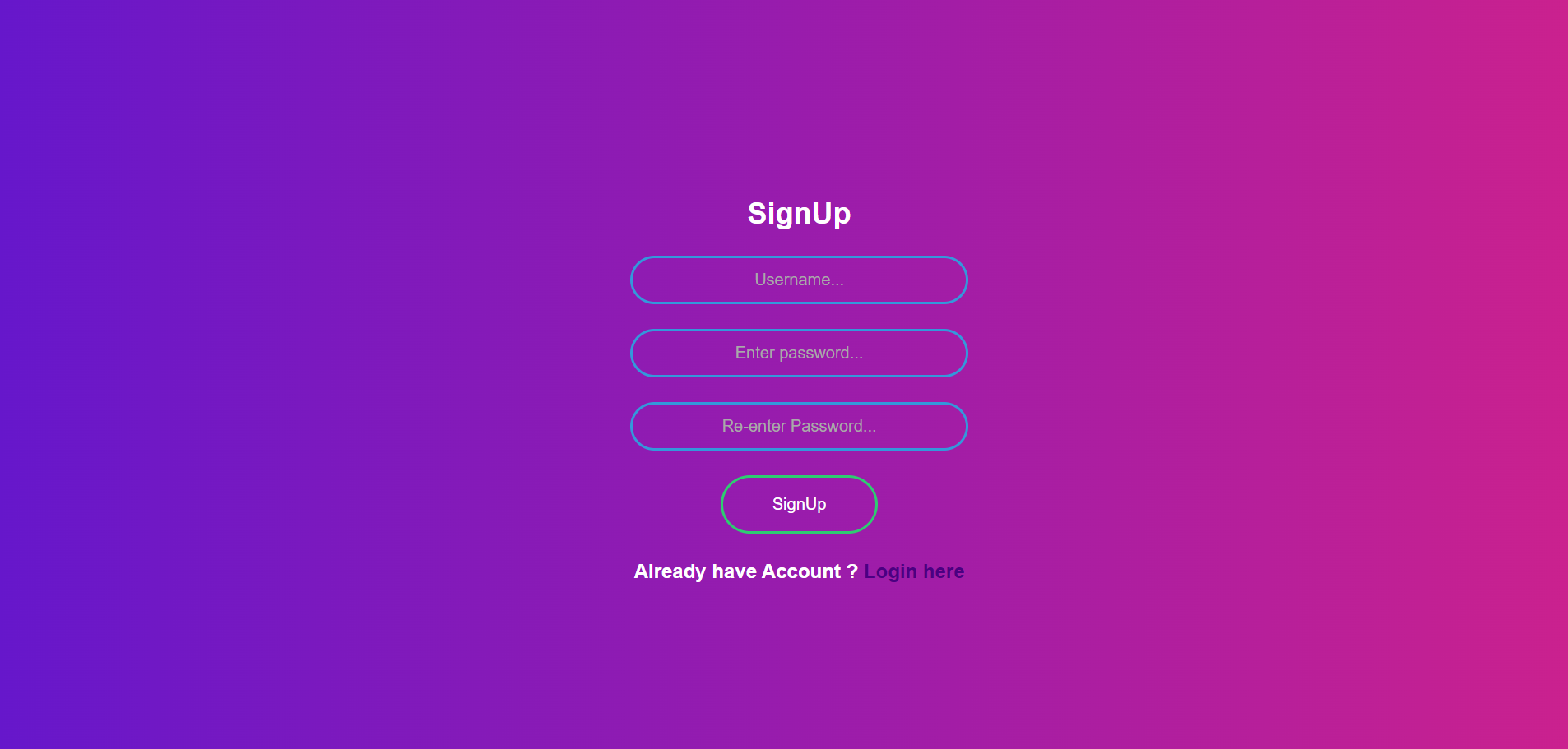 |
| Login Page | |
| After creating the profile you will redirected to login page here you need to re-enter your credential |  |
| HomePage | |
| After successfully login HomePage appears there will be four cards Take Attendance , Add Student , Update Student Details , Search Attendance | 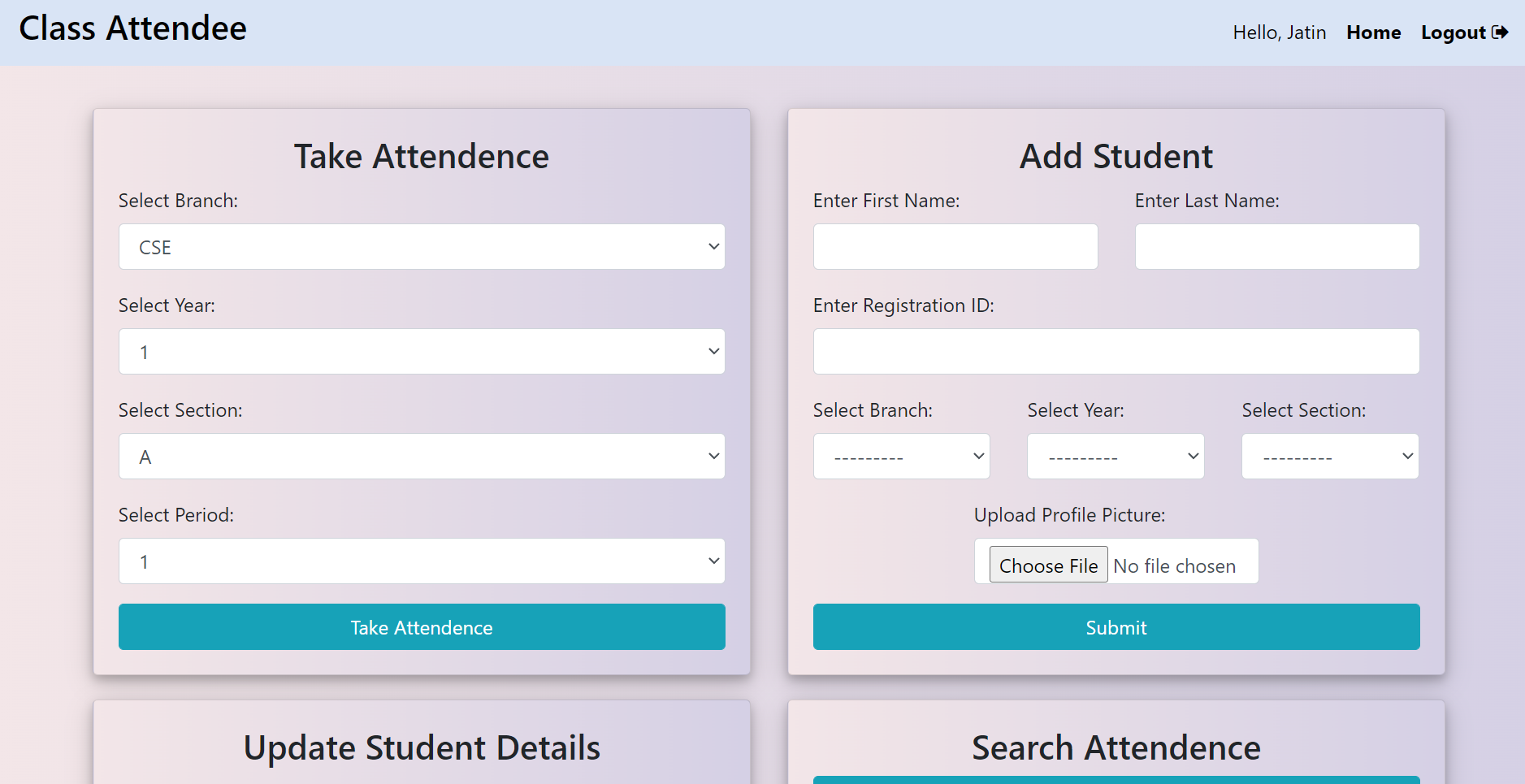 |
| Add Student | |
| This is foremost thing to do , you need to add all students of class into it only one time they all record into the database. There is number of fields First Name , Last Name , Registration ID , Branch , Year , Section and most required thing Profile Picture | 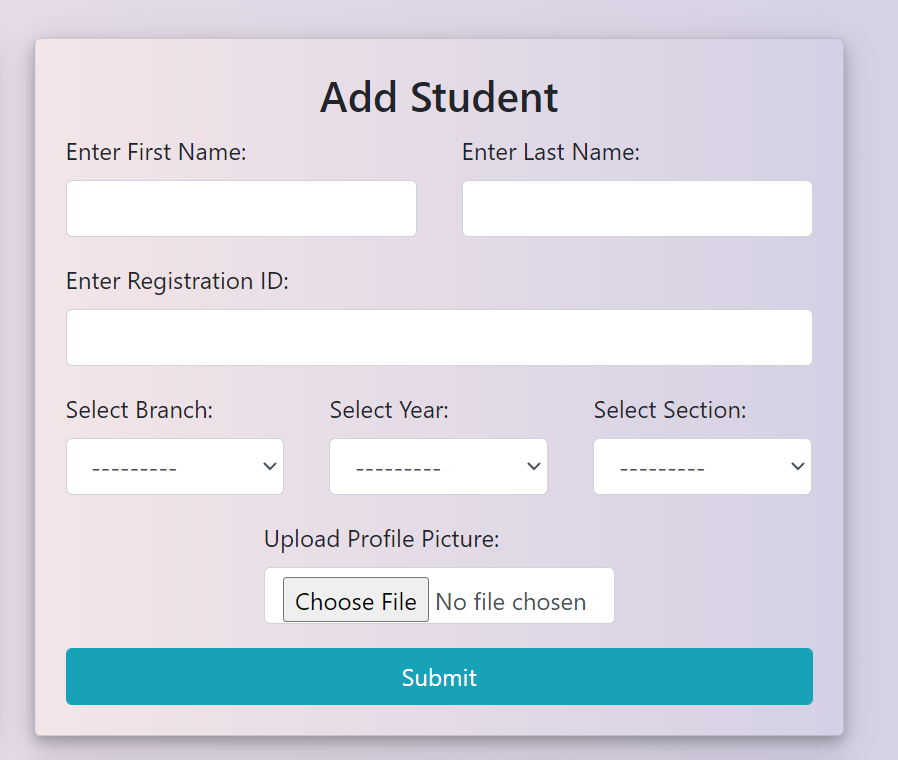 |
| Take Attendance | |
| Professor need to enter the details about class like Branch , Year , Section and Period. There is also a feature that In a day the attendance of same period again is not allowed and to save the attendance when the python window open PRESS S KEY ON KEYBOARD | 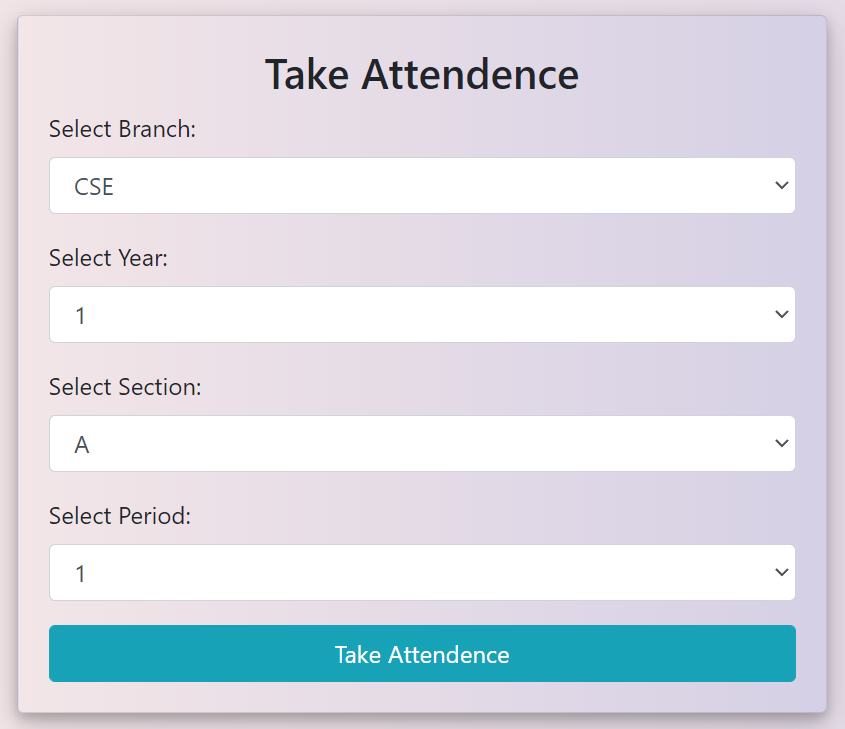 |
| Update Student Details | |
| Professor can update the details of registered students. Here professor need to enter the Registration ID and branch. | 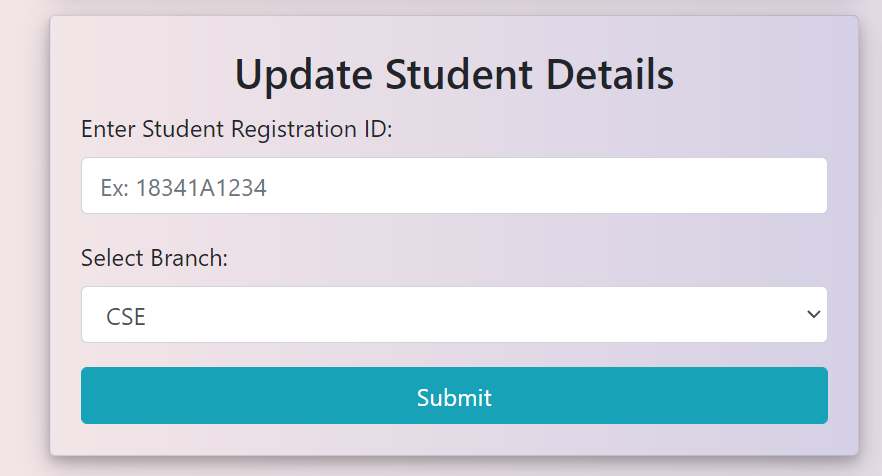 |
| Search Attendance | |
| Professor can search the marked attendance can also filter the attendance also | 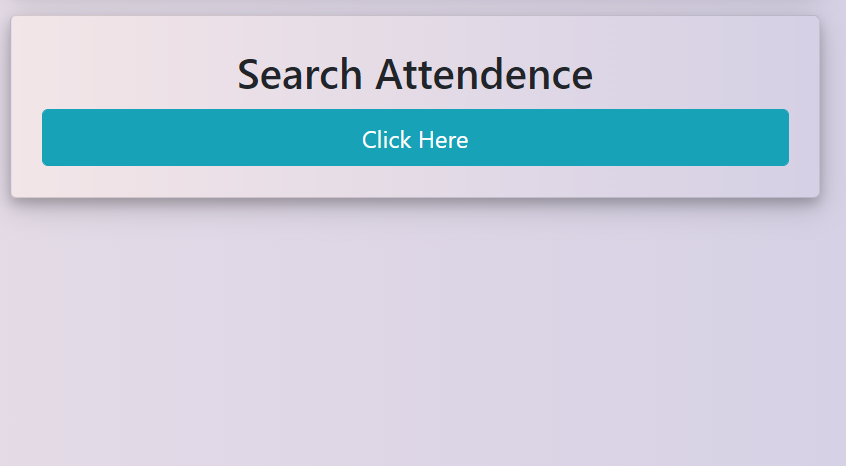 |
| Logout | |
| Professors can logout easily without any complexity just in a click and can also see his/her details |  |
| Feature | Images |
|---|---|
| Face Visibility The Face appear on a window over there a green box mention your Registration ID. | 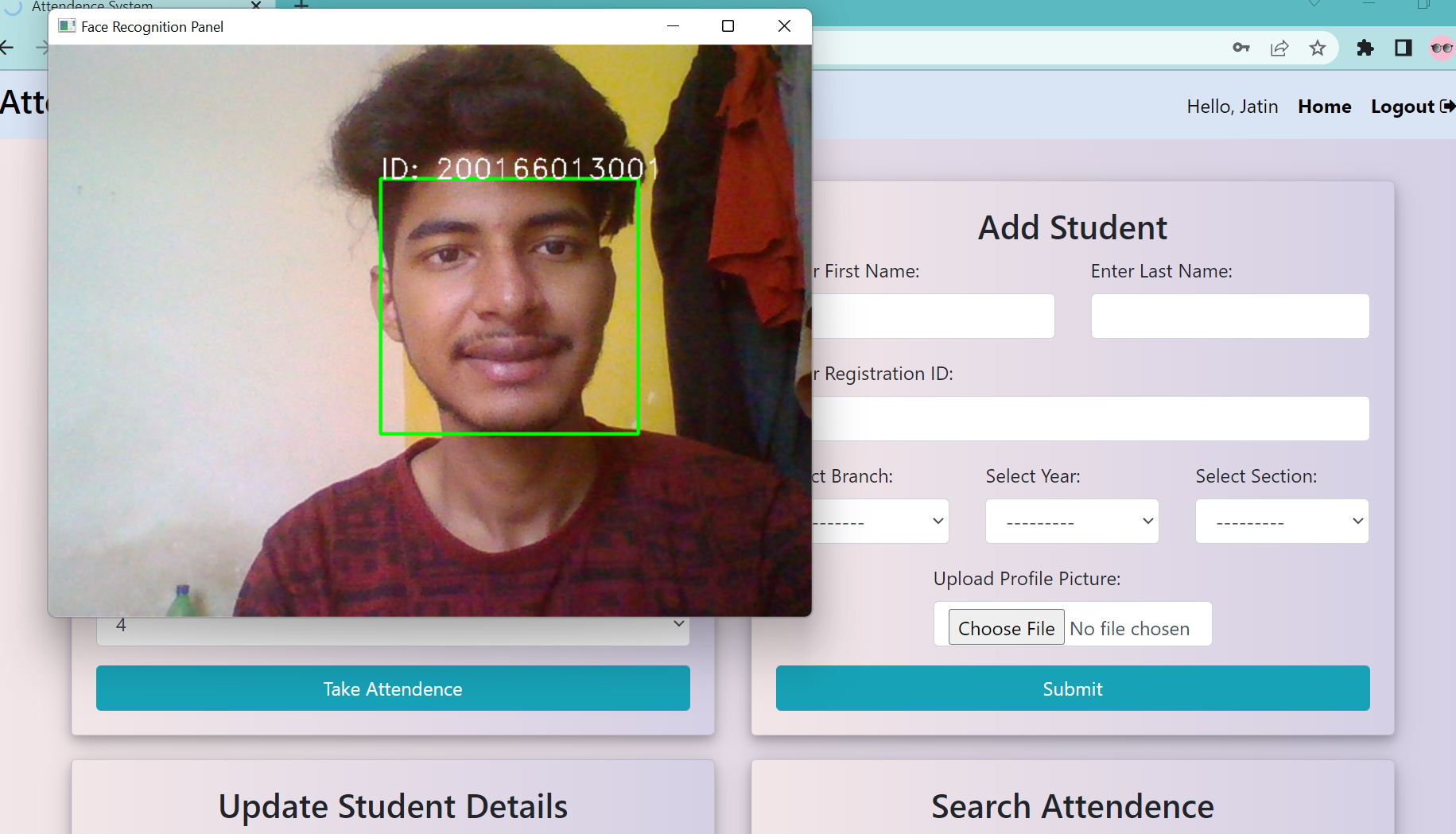 |
| Multiple Face Recognition As the foremost feature that we can record attendance of multiple students , we can also scan profile pictures on teams,meet meeting as well as in physical classes too | 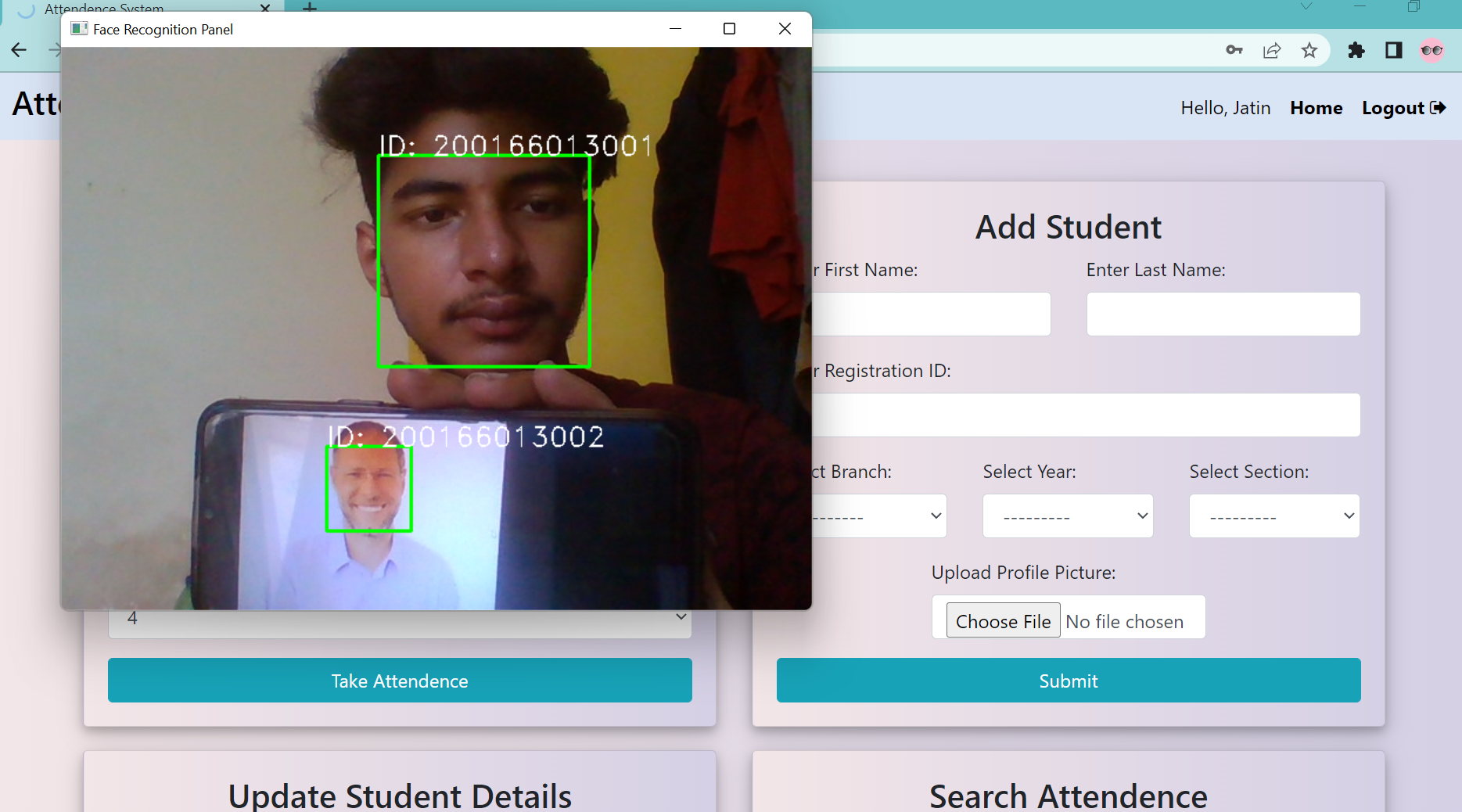 |
| Marking Attendance To record the attendance first the system automatically scanned the faces and you as a professor need to PRESS S KEY and then you will redirected to present period attendance detail. | 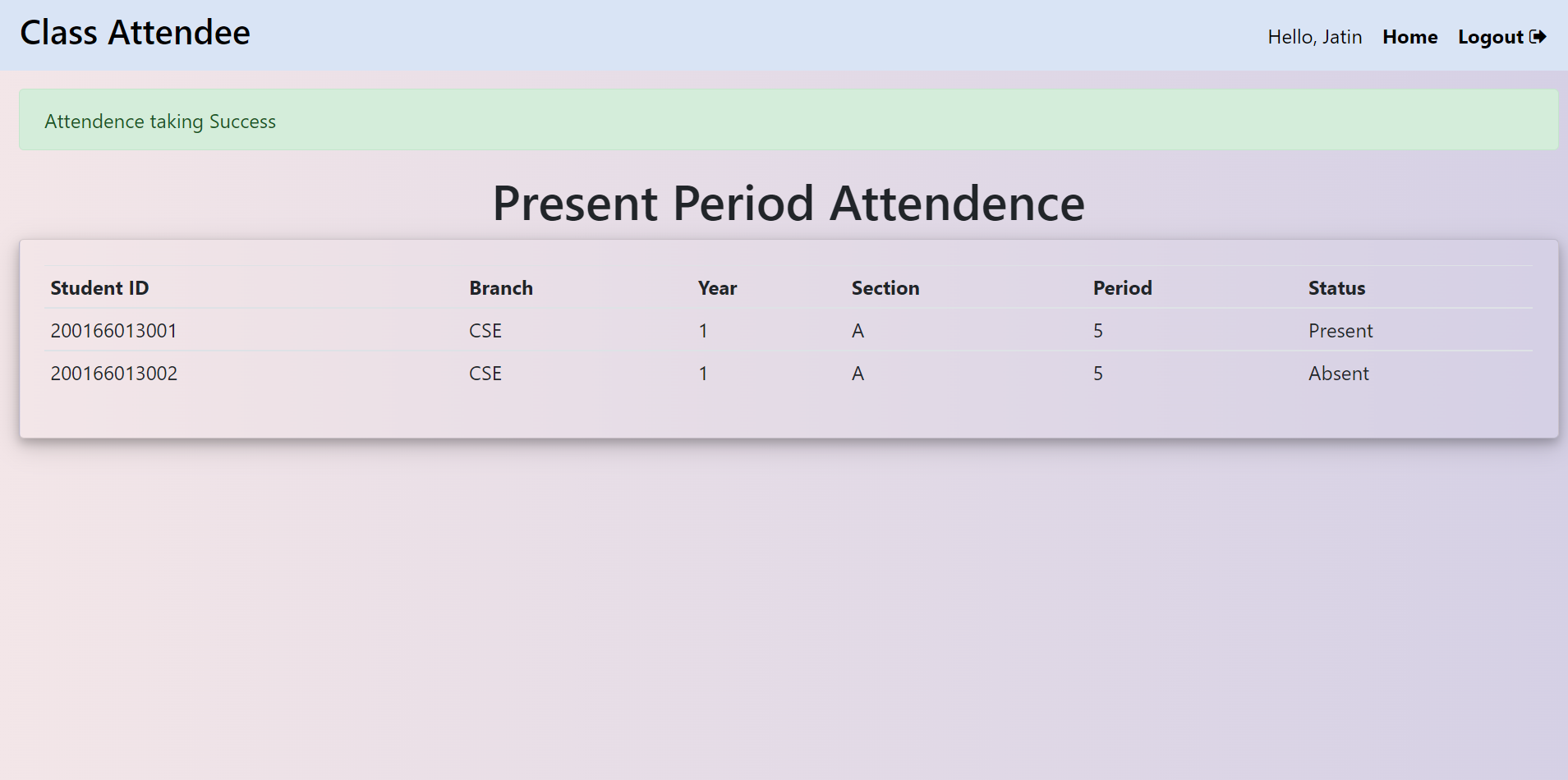 |
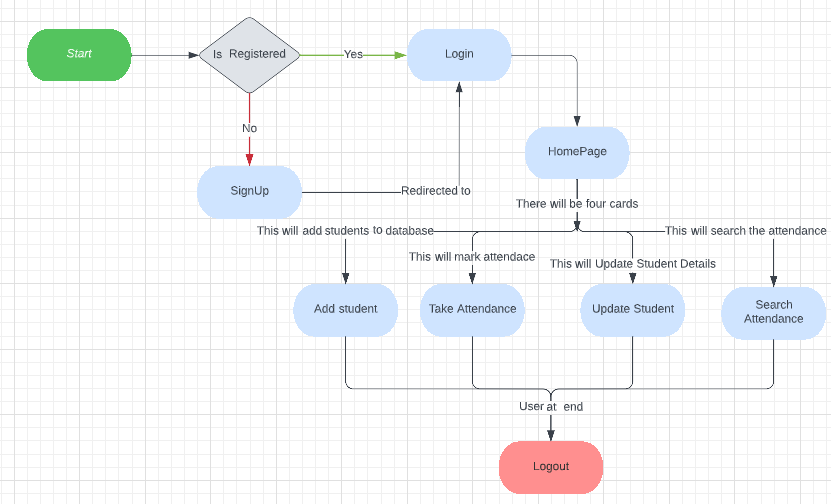
Agile methology was followed by implementation of sprint of 6 days in a week , continuous integration and development.
| Week | Task | Remarks |
|---|---|---|
| 1 | Design & Setup phase Basic app built by exploring technologies , Setup Django server , Setting up the authentication system and database | Successfull setup implementation, authentication system |
| 2 | Face Recognition Model Building the face recognition custom model using using Face_Recoginition Library , Integration of Model , Testing Recognition Features | All bugs resolved & Implemented Successfully |
| 3 | Build Phase Integrating the face_recognition Library with backend , Adding Students to backend,Implementing Updation of student Profile(Bug), Advanced Search Functionalities, Framed the user with Registration ID | Problem statement tasking completed |
| 4 | Deployment and Design UI Fixes, Testing and review , Homepage , Manual Testing of every feature | Task completed |
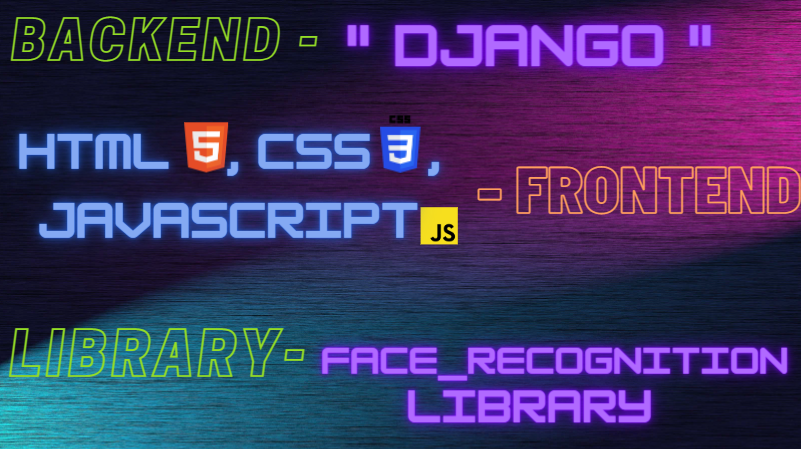





Frameworks/Libraries : Face_Recoginition Library
- Write the following command and press enter.
$ git clone https://github.com/jack-coder5416/Class_Attendee.git
- Install the latest version of Python with pip.
- Install the latest Django framework.
- Opened the cloned folder run following command on command prompt.
- To run the web app on your local computer, install the required libraries(requirements.txt) using the command.
pip3 install -r requirements.txt
- While you are still inside the cloned folder, write the following command in command prompt to run the website locally.
python manage.py runserver
NOTE: This concurrently runs server and frontend, give a few seconds for frontend to load and the port by default will be http://127.0.0.1:8000/
| Feature | Explanation |
|---|---|
| Export Attendance as Excel | User/Professor can easily fetch attendance in form of excel. |
| Security Features | The web-application would provide more security and better user interface and user experience to the product. |
| Class Management | All class management activities (branch/section wise) separately for every year students, creating assignment in the application itself assigning tasks and keep a record of every student activites individually in different sections. |
Thank you ! Microsoft Team for such a wonderful mentorship program ❤️ You can also check My weekly record during this program