
This plugin brings back the CP Element Count plugin, yeah!
Plugin shows you the number of elements - Entries, Assets, Categories and Users directly in the control panel.
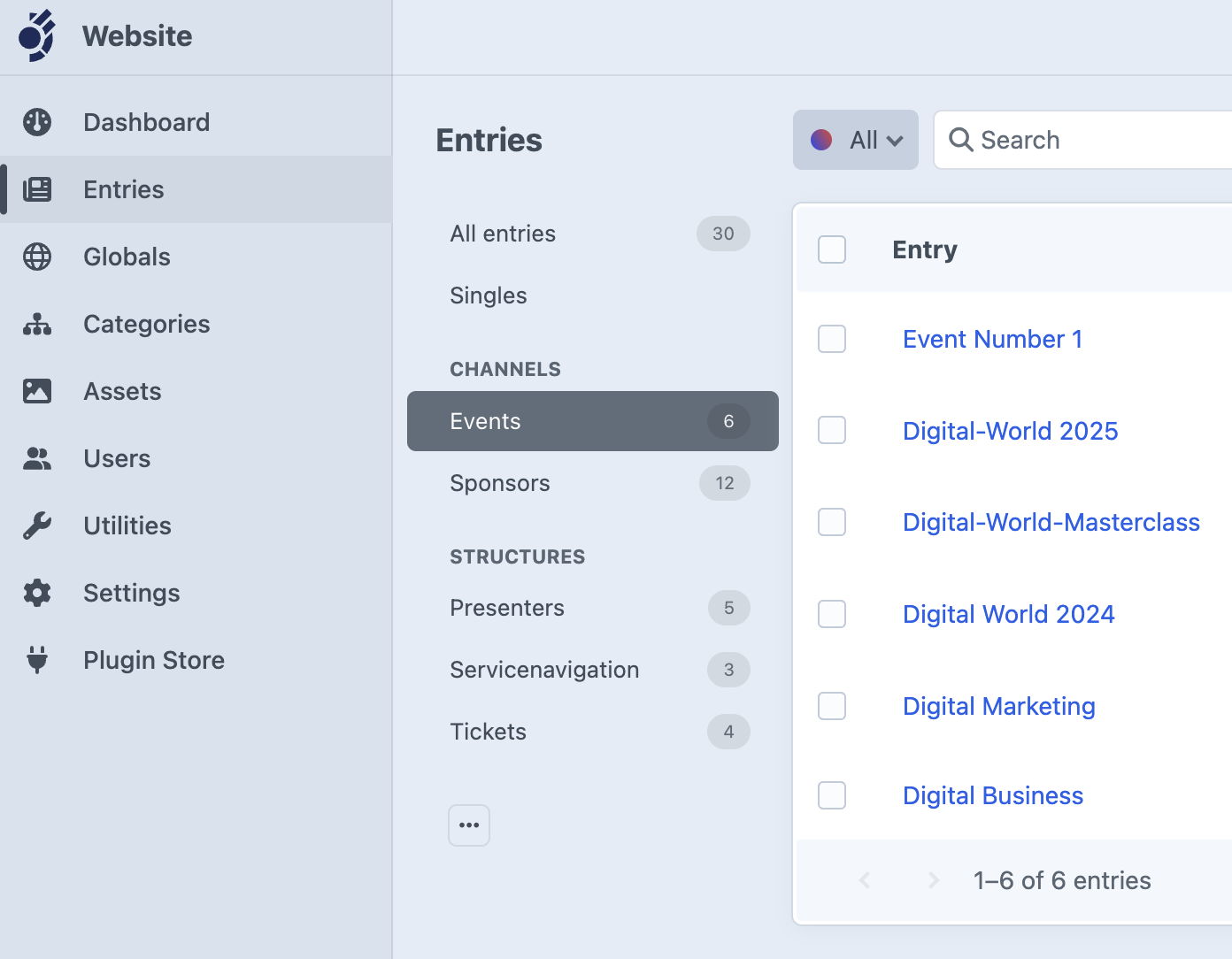
Brought to you by IWF with a big thank you to André Elvan for the original plugin.
- PHP 8.2 or higher
- Craft CMS 5.0.0 or later
You can install this plugin from the Plugin Store or with Composer.
Go to the Plugin Store in your project’s Control Panel and search for “Control Panel Element Counter”. Then press “Install”.
Open your terminal and run the following commands:
# go to the project directory
cd /path/to/my-project.test

# tell Composer to load the plugin
composer require iwf/craft-control-panel-element-counter

# tell Craft to install the plugin
./craft plugin/install control-panel-element-counterPlease read CONTRIBUTING.md for details on our code of conduct and the process for submitting pull requests.
This project uses Conventional Commits for automated releases and changelog generation.
We use SemVer for versioning. For available versions, see the tags on this repository.
All authors can be found in the AUTHORS.md file.
Contributors can be found in the CONTRIBUTORS.md file.
See also the full list of contributors who participated in this project.
This project is licensed under the MIT License - see the LICENSE.txt file for details.
A list of used libraries and code with their licenses can be found in the ACKNOWLEDGMENTS.md file.