


Push secrets and variables from your .env file to your GitHub repository using the GitHub REST API — without the need for GitHub CLI.
I was tired of manually adding GitHub Actions secrets and variables, so I built this tool to automate the process for personal use. 😞
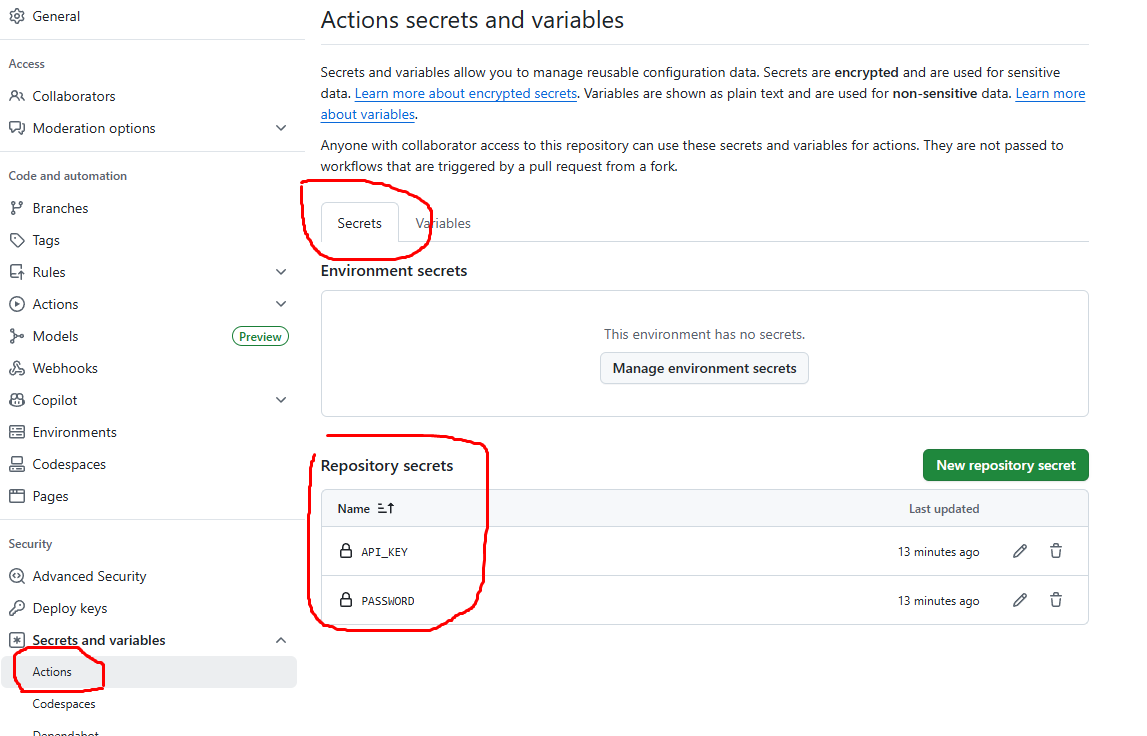
- Push repository secrets via
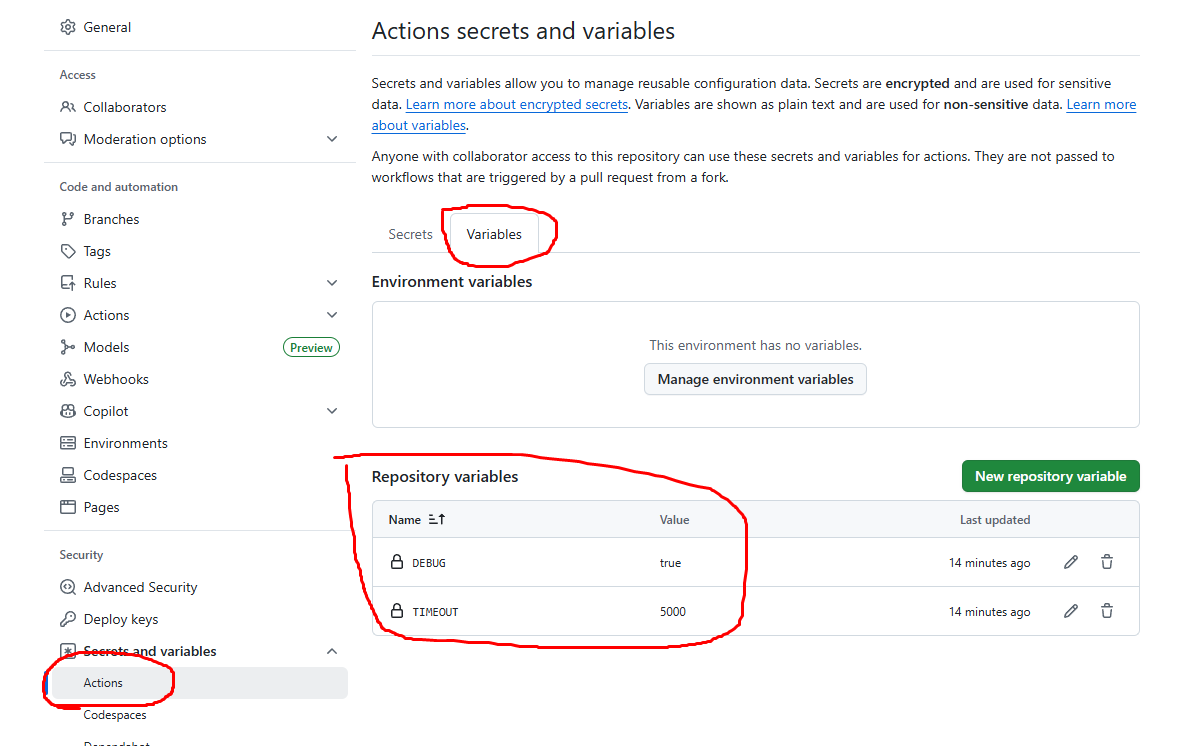
GH_SECRET_<name> - Push repository variables via
GH_VAR_<name> - Automatically normalizes variable names to lowercase
- Built with Octokit and Bun
GitHub Actions environments (e.g. staging, production) are not supported yet — coming in the next phase!
npx gh-push-vars           # Recommended
bunx gh-push-vars          # If using Bun
npm install -g gh-push-vars # Optional global install
gh-push-vars

# With custom env file path
gh-push-vars --env-file=.env.local
gh-push-vars -e .env.local
The script will:
- Automatically detects all keys starting with
GH_SECRET_orGH_VAR_ - Converts the names to lowercase
- Uploads them to your GitHub repository
# Required
GITHUB_TOKEN="ghp_..."
GITHUB_OWNER="your-org"
GITHUB_REPO="your-repo"

# Repository-level secrets
GH_SECRET_API_KEY="abcd1234"
GH_SECRET_PASSWORD="supersecret"

# Repository-level variables
GH_VAR_DEBUG=true
GH_VAR_TIMEOUT=5000
| .env Key Prefix | Type | Target | Resulting GitHub Name |
|---|---|---|---|
GH_SECRET_<name> |
Repository Secret | Repo Secret | name in lowercase |
GH_VAR_<name> |
Repository Variable | Repo Var | name in lowercase |
Example:
GH_SECRET_API_KEYbecomes GitHub secretapi_key>GH_VAR_DEBUG_MODEbecomes variabledebug_mode
Your GITHUB_TOKEN must have the following scopes:
repoactions
These are required to manage repository-level secrets and variables via GitHub’s REST API.
bun install
bun run src/index.ts
bun build src/index.ts --outdir dist --target bun
chmod +x dist/index.js
"files": ["dist"],
"bin": {
  "gh-push-vars": "dist/index.js"
},
"scripts": {
  "build": "bun build src/index.ts --outdir dist --target bun",
  "prepublishOnly": "bun run build"
}
- Repo secrets support
- Repo variables support
- Name normalization to lowercase
- Add support for custom
envfile option - Publish the package to NPM
- Environment-level secrets/variables (
GH_ENV_SECRET_/GH_ENV_VAR_) -
--dry-runpreview mode - Support for
.env.[mode] - Config file (
gh-push-vars.json) - Interactive mode
MIT © 2025 Anggit M Ginanjar