- First download code_block_default_theme.conf.

- Then locate
C:\Program Files\CodeBlocksor where ever you custom install file.
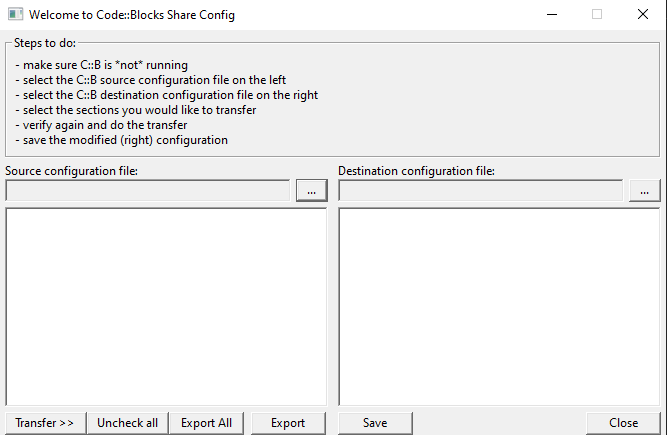
- Then you'll see look like this window
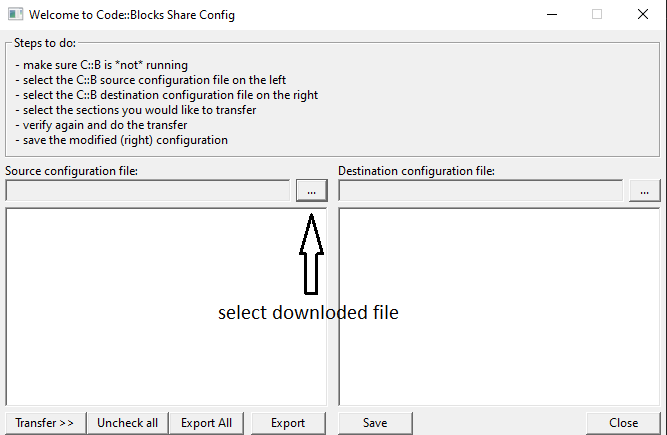
- Select left side
...button and choose downloadcode_block_default_theme.conffile.
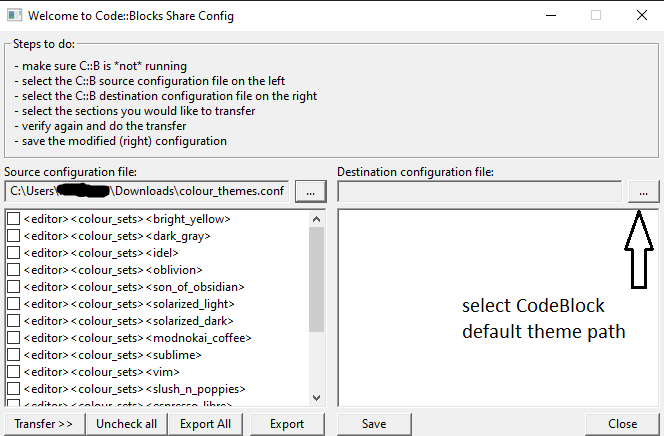
- Then select right side
...button.
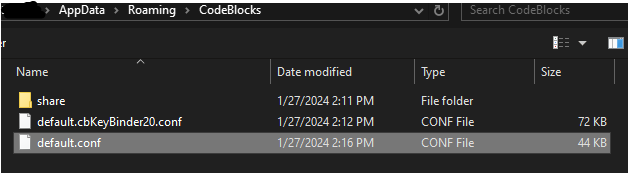
- Then choose default path
C:\Users\{user_name}\AppData\Roaming\CodeBlocksor where ever you install file.
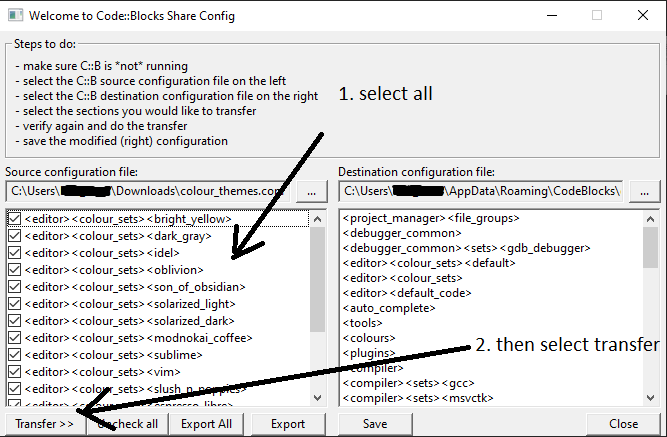
- Lastly select all tickmark then select
Transferbutton after thatsavethen close
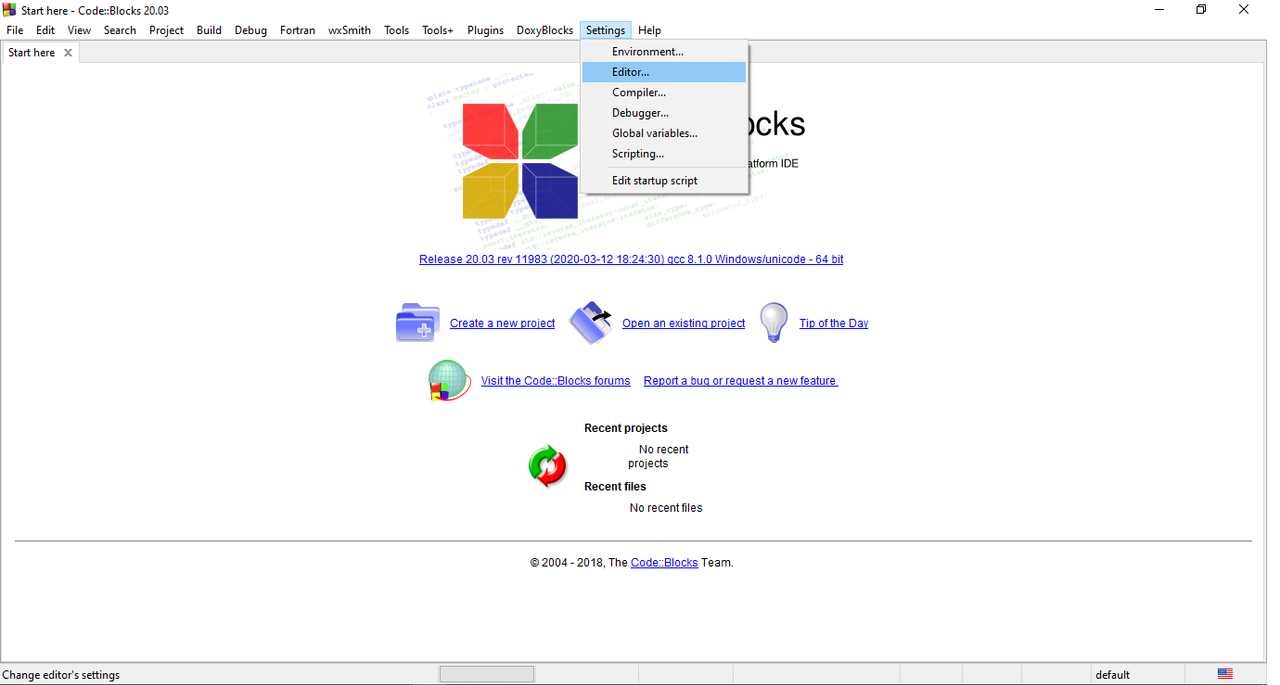
- Open Code::Block then go to
setting > Editor.
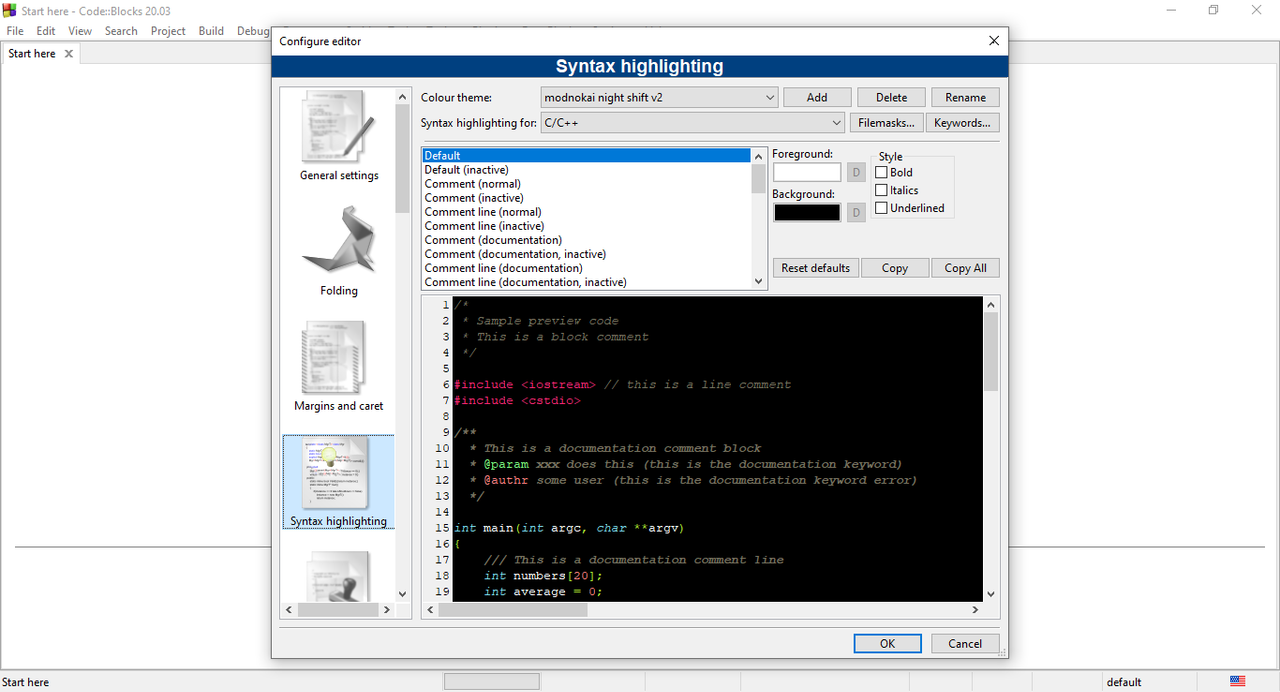
- Then go to
Syntax highlighting.
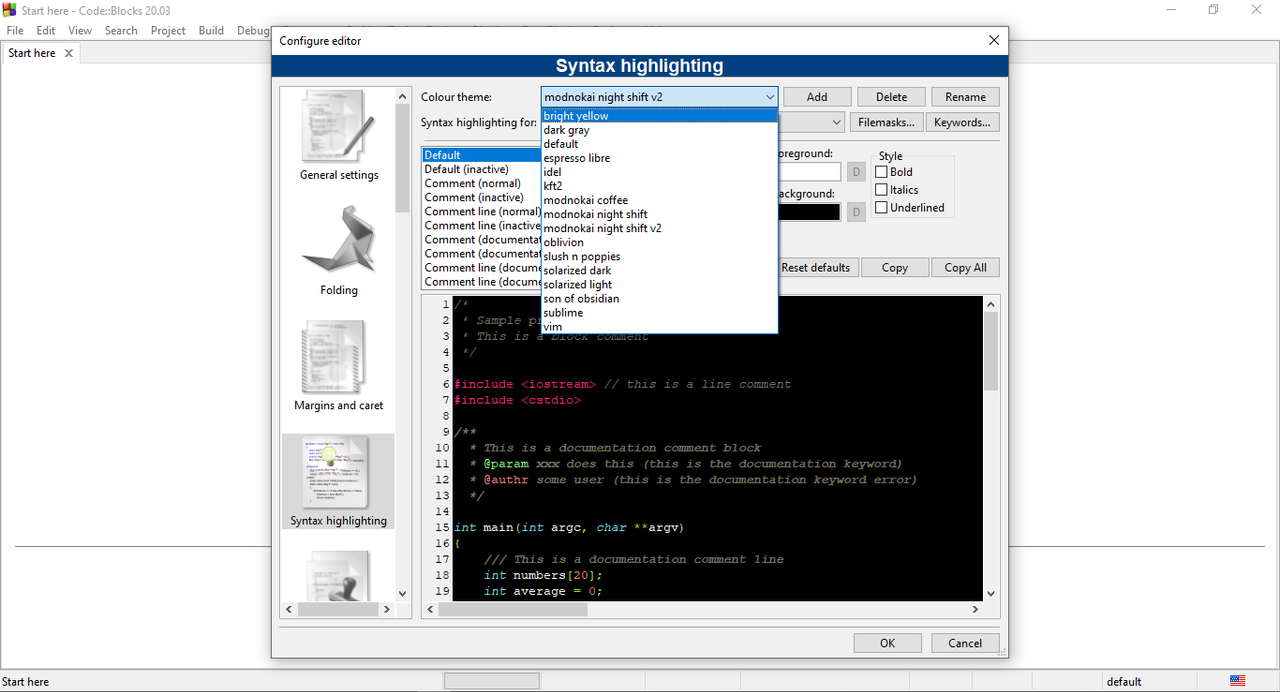
- Then choose whatever theme you like 😀
SOURCE FILE: Post-Img, source-owner(github)