An interactive Periodic Table learning app for Android, built with 100% modern, native technologies.


Atomic Guru is a lightweight, offline-first educational app designed to make learning the periodic table intuitive and engaging. It was built from the ground up as a showcase of modern Android development practices, featuring a beautiful, dual-language interface and interactive elements.
The app was proudly Made with ❤️ in Odisha, India.
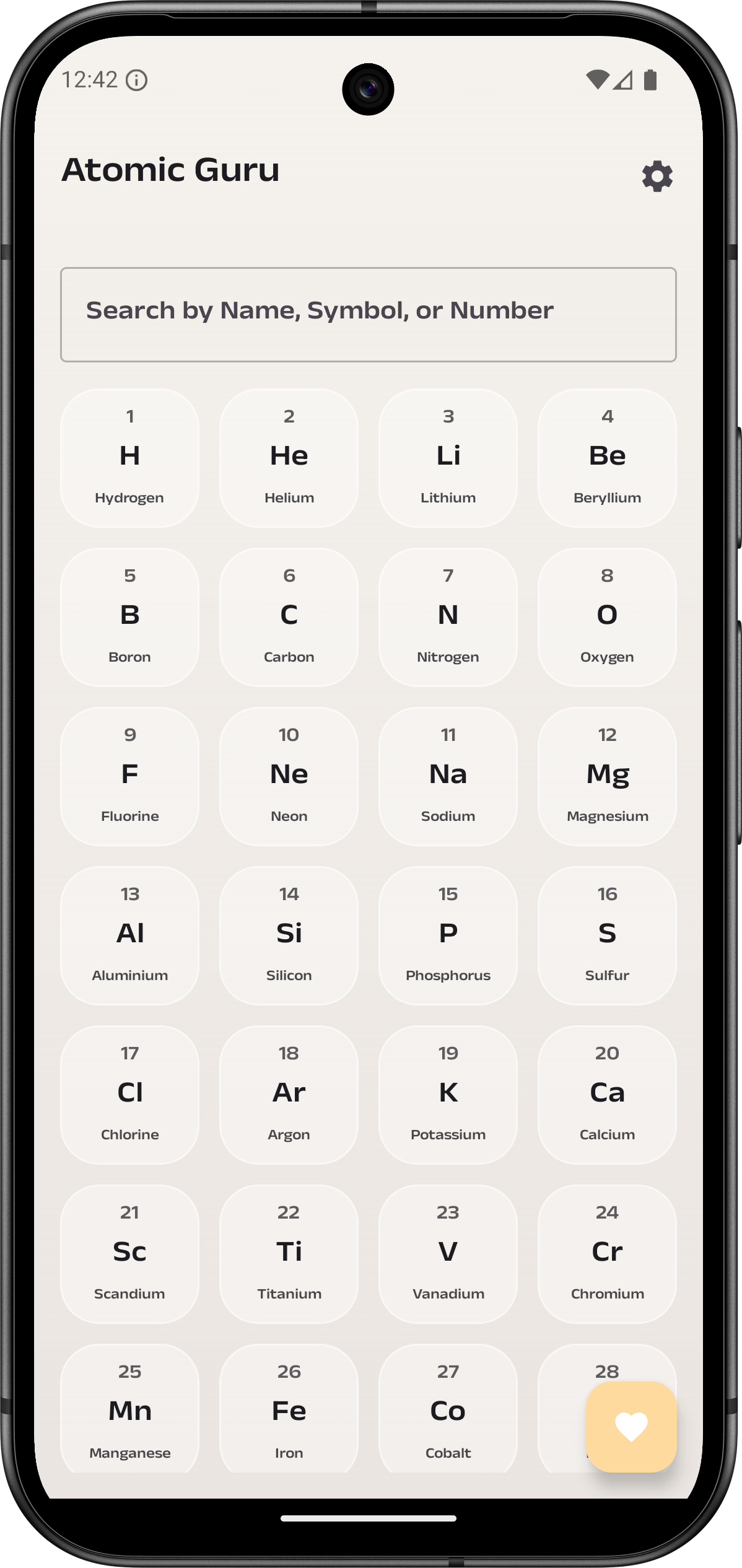
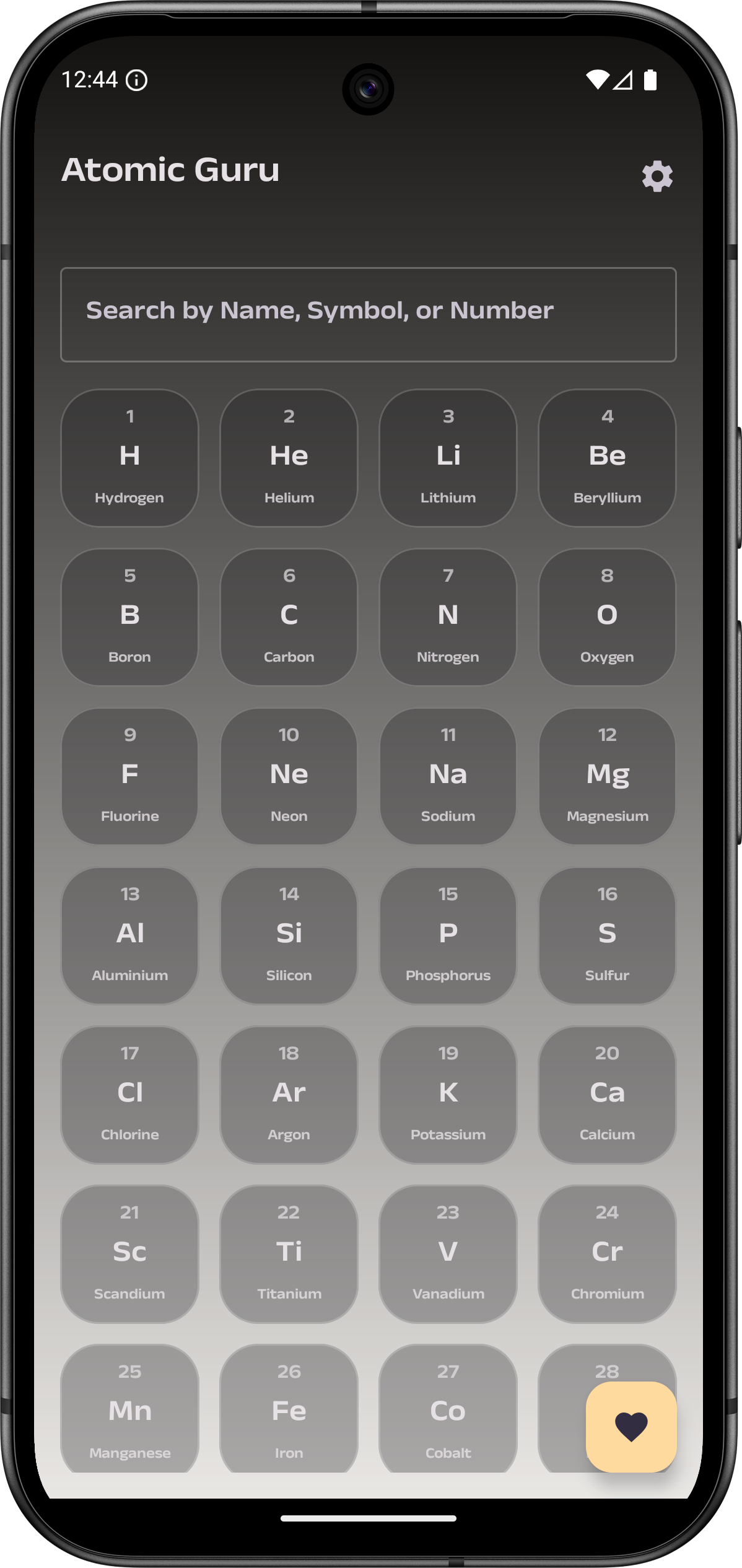
| Home Screen (Light) | Home Screen (Dark) |
 |
 |
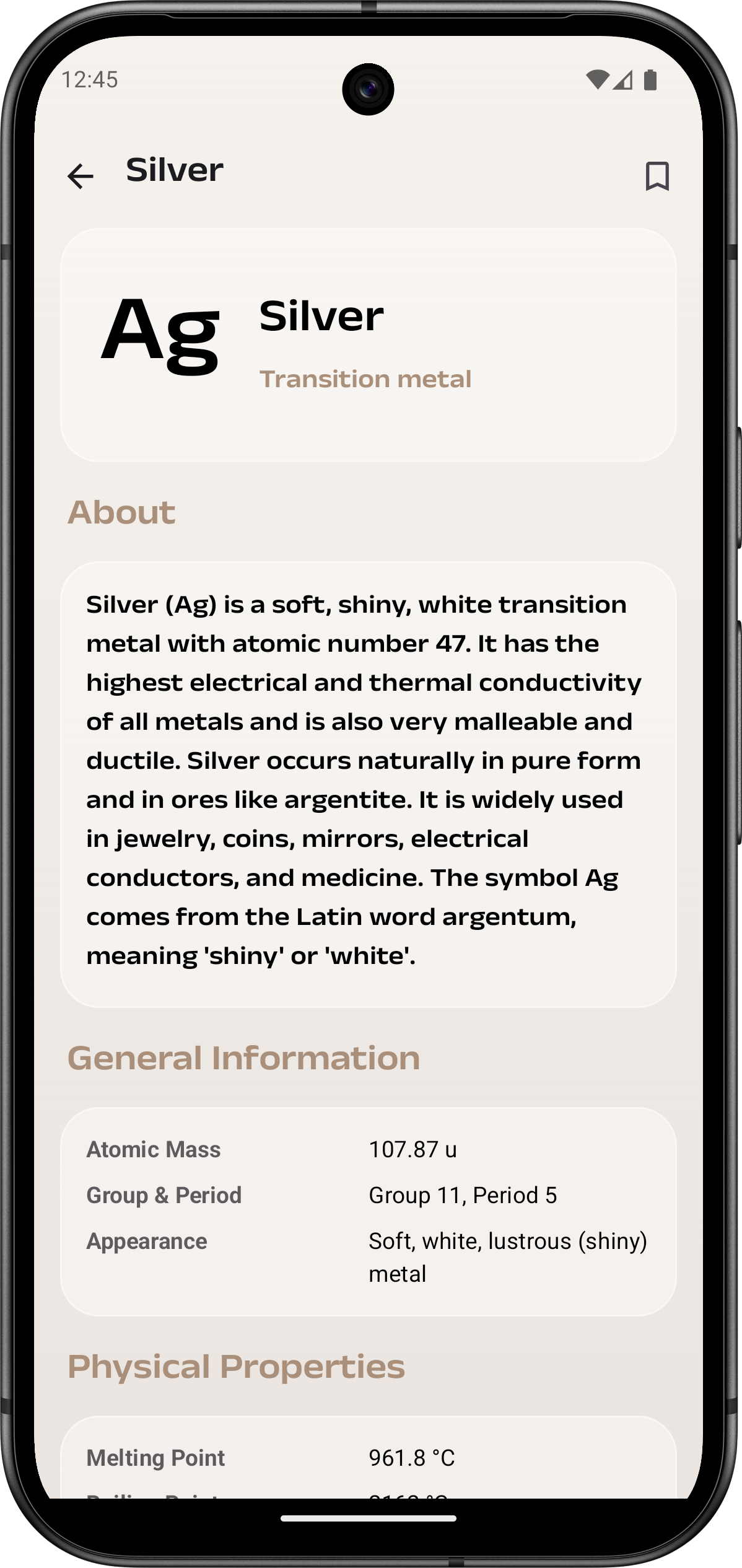
| Details Screen (Light) | Landscape View |
 |
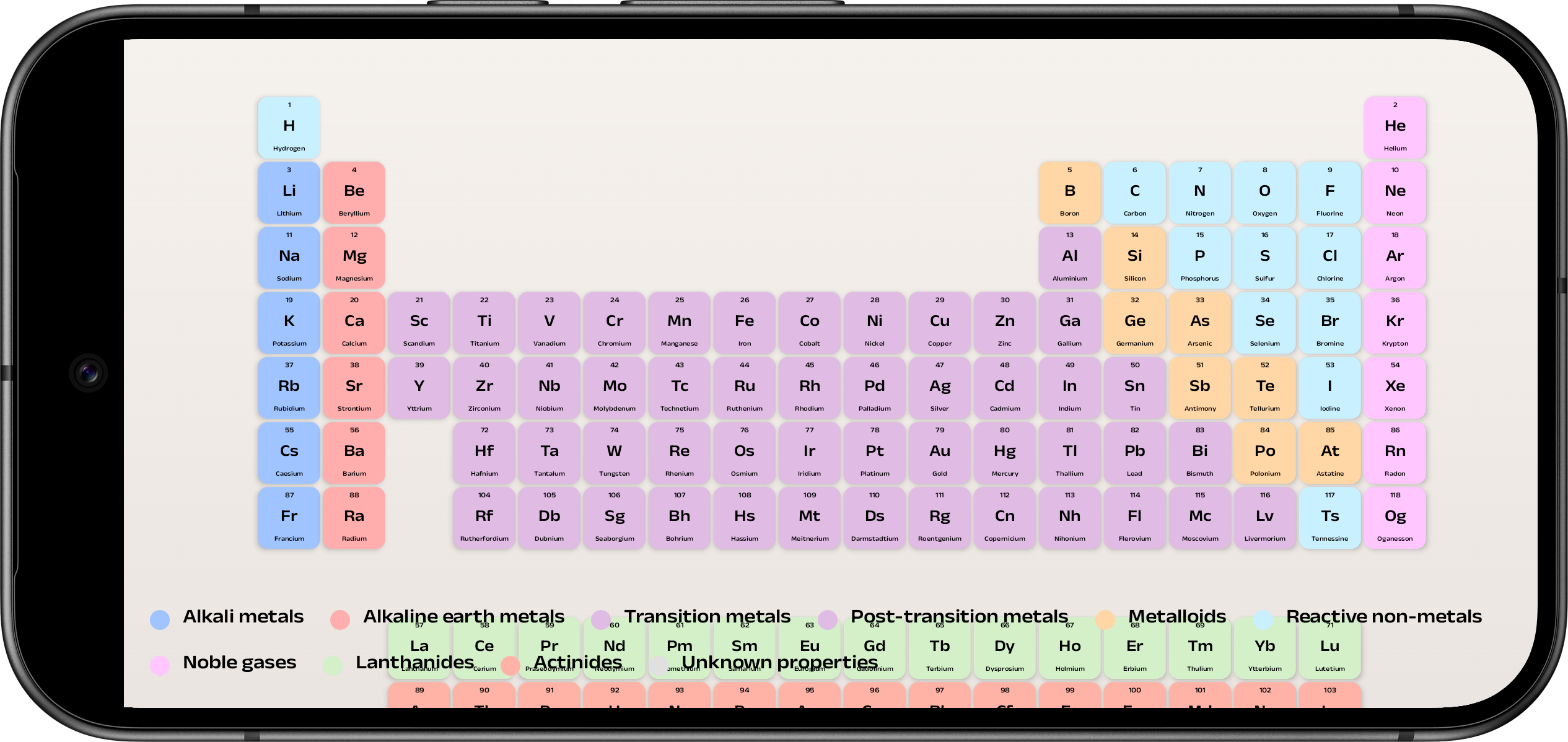 |
- Complete Offline Data: Includes all 118 elements with detailed information.
- Dual-Language Support: Fully functional in both English and Odia (ଓଡ଼ିଆ).
- Multilingual Search: Search for elements by name (in English or Odia), symbol, or atomic number.
- Interactive Classic View: A scientifically accurate periodic table layout that is fully interactive with pinch-to-zoom and pan gestures in landscape mode.
- Modern UI: A beautiful "glassmorphism" inspired design built with Material 3. Supports both light and dark themes.
- Quick Preview: Long-press any element to get a quick preview of its key details without leaving the main screen.
- Detailed Element Screen: A dedicated screen for each element showing general, physical, and chemical properties, as well as common uses and occurrence.
- Favorites System: Bookmark your most-studied elements for quick access.
- External Links: Jump directly to an element's Wikipedia page to learn more.
- Adaptive Layouts: The UI intelligently adapts to portrait and landscape orientations for the best viewing experience.
This project is a showcase of a modern, 100% Kotlin-based Android application.
- UI: Jetpack Compose with Material 3.
- Programming Language: Kotlin (including Coroutines for async operations).
- Architecture: MVVM (Model-View-ViewModel) with StateFlow for reactive UI.
- Navigation: Compose Navigation.
- Image Loading: Coil for loading SVG flag icons from assets.
- Data Parsing: Gson for parsing the local JSON element data.
To get a local copy up and running, follow these simple steps.
- Clone the repository:
git clone https://github.com/your-username/Atomic-Guru.git
- Open the project in the latest version of Android Studio.
- Let Gradle sync the dependencies.
- Run the app on an emulator or a physical device.
Sandeep Biswal G - @sandeepbiswalg
Project Link: https://github.com/imsbg/Atomic-Guru