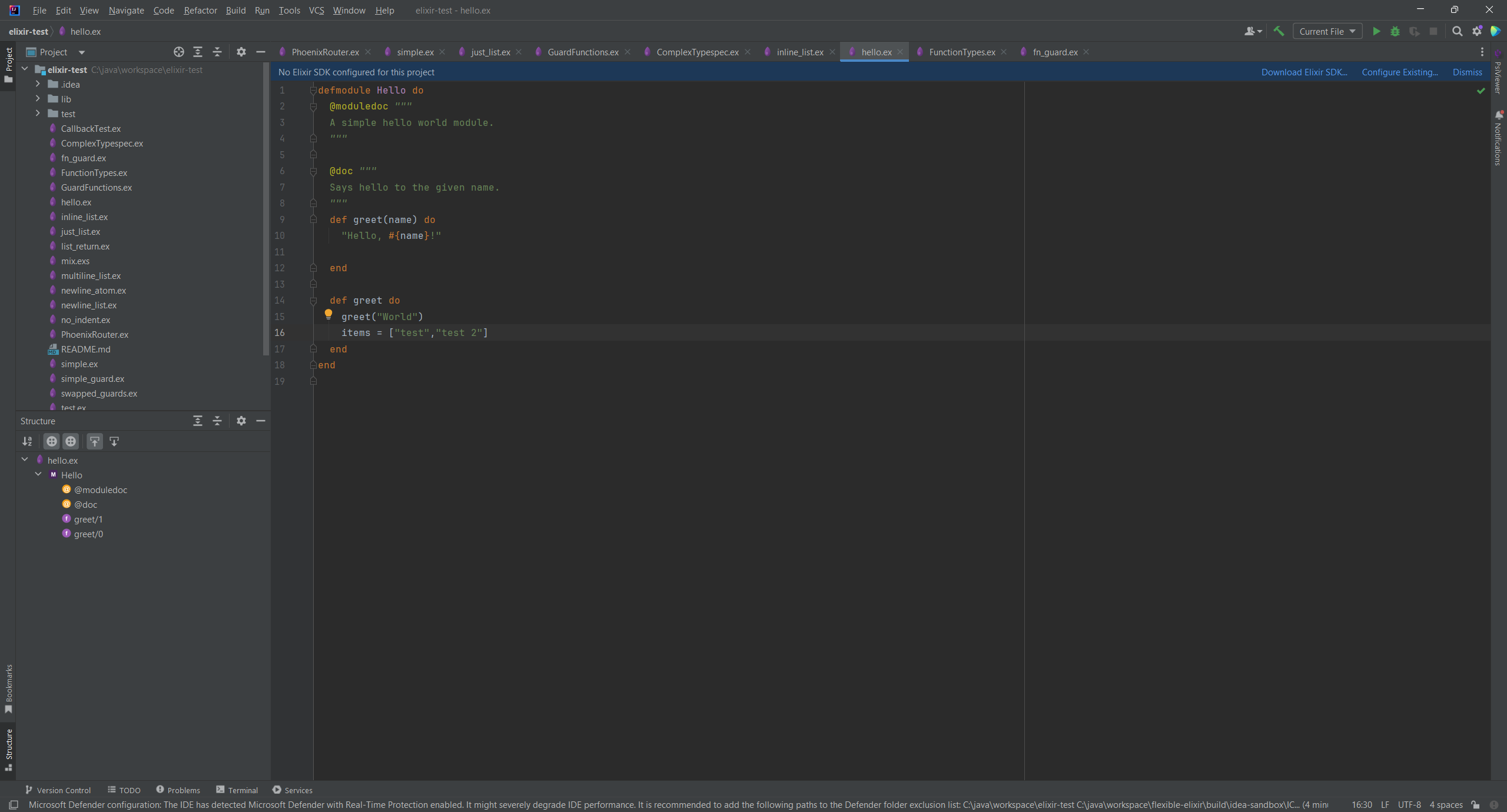
Flexible Elixir is a plugin for JetBrains IDEs that empowers you to develop robust, fault-tolerant Elixir applications for web development, distributed systems, and real-time applications with confidence.
This repository exists as a community hub and issue tracker.
If you have any feedback, suggestions, or issues with the plugin, please use our Github repository to report them (you may have found it already). You can also use the repository to contribute to the plugin development or request new features.
- Syntax highlighting for Elixir language including atoms, sigils, and string interpolation
- Code completion and navigation for Elixir functions, modules, and custom definitions
- Intelligent brace matching for Elixir's control structures and bracket types
- Code folding for functions, modules, and control flow blocks
- Real-time syntax validation and error detection
- Support for Elixir's pipe operator and pattern matching syntax
- Smart commenting with proper Elixir comment syntax
- Code formatting that respects Elixir style conventions
- Module attribute support with @ operator highlighting
- Phoenix and LiveView template support (.eex, .heex, .leex)
You can install Flexible Elixir from the JetBrains Marketplace or from the IDE settings.
- From the Marketplace: Go to Flexible Elixir and click on the Install button. Then restart your IDE to activate the plugin.
- From the IDE settings: Go to File > Settings > Plugins and search for Flexible Elixir. Click on the Install button and restart your IDE to activate the plugin.
To use Flexible Elixir, you need to have Elixir source files in your project.
- Install the plugin
- Check that file types are correctly associated (Settings > File Types > "Flexible Elixir" > List should include *.ex, *.exs, *.eex, *.heex, *.leex; Add if missing)
- Open any Elixir file (.ex, .exs) and start coding with full syntax highlighting and code completion
- Use Ctrl+Space (or Cmd+Space on Mac) to trigger code completion
- Navigate through your code using Ctrl+Click (or Cmd+Click) on identifiers
- Use code folding to collapse/expand function definitions and modules
- Enjoy real-time syntax validation as you type
- Open Mix projects with
mix.exsfiles - the plugin recognizes standard Elixir project structures - Write and edit Elixir modules with proper syntax support
- Develop macros and metaprogramming code with specialized highlighting
- Use the pipe operator naturally with intelligent formatting
- Format your code according to Elixir community style guidelines
- Syntax Highlighting: All Elixir keywords, operators, atoms, and constructs are beautifully highlighted
- Code Completion: Get intelligent suggestions for Elixir built-ins and your custom functions
- Error Detection: Catch syntax errors before running your code
- Template Support: Full support for EEx, HEEx, and LEEx templates
- Navigation: Jump to definitions and find usages across your project
- JetBrains IDE (IntelliJ IDEA, PyCharm, WebStorm, etc.) version 2023.3 or later
- Elixir language runtime (not required for the plugin to work, but needed to run your code)
We welcome contributions! If you'd like to improve the plugin or add new features, please feel free to submit issues.
See the LICENSE file in this repository for details.
We are Ilscipio, developers with a passion for creating tools that make developers' lives easier. From E-Commerce solutions to AI projects and JetBrains plugins, we're committed to building quality software for the developer community.
Visit us at www.ilscipio.com or reach out at info@ilscipio.com for custom plugin development, consulting, or just to say hello!