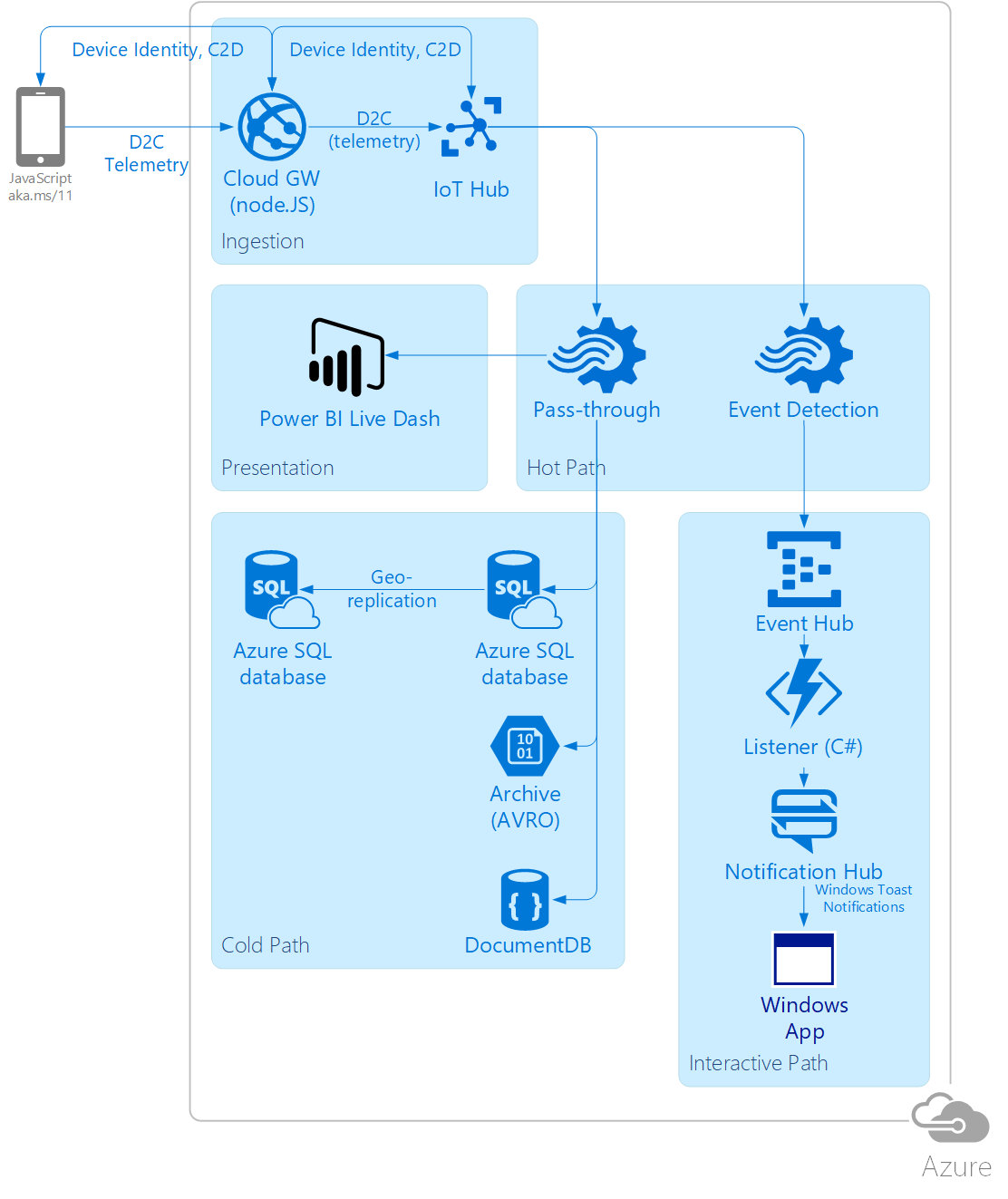
- Create a Web App, IoT Hub, Storage Account, Azure SQL DB, Doc DB, Event Hub, Azure Function, Notification Hub
- table and db structure for SQL is located in ./SQL/
- Either natively deploy a Web App from GitHub, dependencies will be installed automatically, alternatively copy ./Web/ to the web app root and run:
npm install -g bowernpm installbower install
- Create the
iotHubConnectionStringweb app setting with the connection string to the IoT Hub you created earlier - Create an ASA job with a script from the ./ASA/ folder and add the following outputs from step 0:
- blobOutput: Blob Storage
- docDBOutput: Document DB
- notification-output: Event Hub
- pbiAvgOutput: Power BI (it will show up as a streaming dataset for you to create a live dashboard on)
- pbiRawOutput: Power BI
- sqlDbOutput: SQL DB add the voteInput input connecting the IoT Hub created in step 0 to your ASA job
- Deploy a C# Azure Function using code from ./AzureFunction/ and set up a trigger on messages in the Event Hub created in step 0
- make sure to upload all files since there are dependencies specified in project.json
- To subscribe to your Notification Hub, you can use a walkthrough from https://docs.microsoft.com/en-us/azure/notification-hubs/notification-hubs-windows-store-dotnet-get-started-wns-push-notification
- Hit the web endpoint from your mobile, each new device will be given a new identity in the IoT hub
- Use /admin.html page to issue cloud-to-device messages using
- There is a known bug in the way I'm submitting messages to the IoT Hub that can be fixed by erasing all device identities and bouncing the app