
This extension provides an advanced editor for Spright configuration files.
-
Files named
spright.confare automatically detected as Spright Configuration, for others it can be selected using Change Language Mode . Ctrl-K M -
A graphical editor of the configuration can be opened using Show Spright Input panel. Ctrl-Shift-I
Right clicking on sprites, inputs or the background opens property editors. -
A preview of the output can be opened using Show Spright Output panel. Ctrl-Shift-O
-
Sheet building can be triggered using Build Spright output. Ctrl-Shift-B
-
Completion of the configuration file can be triggered by Complete Spright configuration. Ctrl-Shift-C
-
Image file and directories can be dropped on the editor to insert input and glob definitions.
-
JSON sprite sheets can be dropped on the editor to reconstruct the configuration.
Please see the Spright reference for details on how to write configuration files.
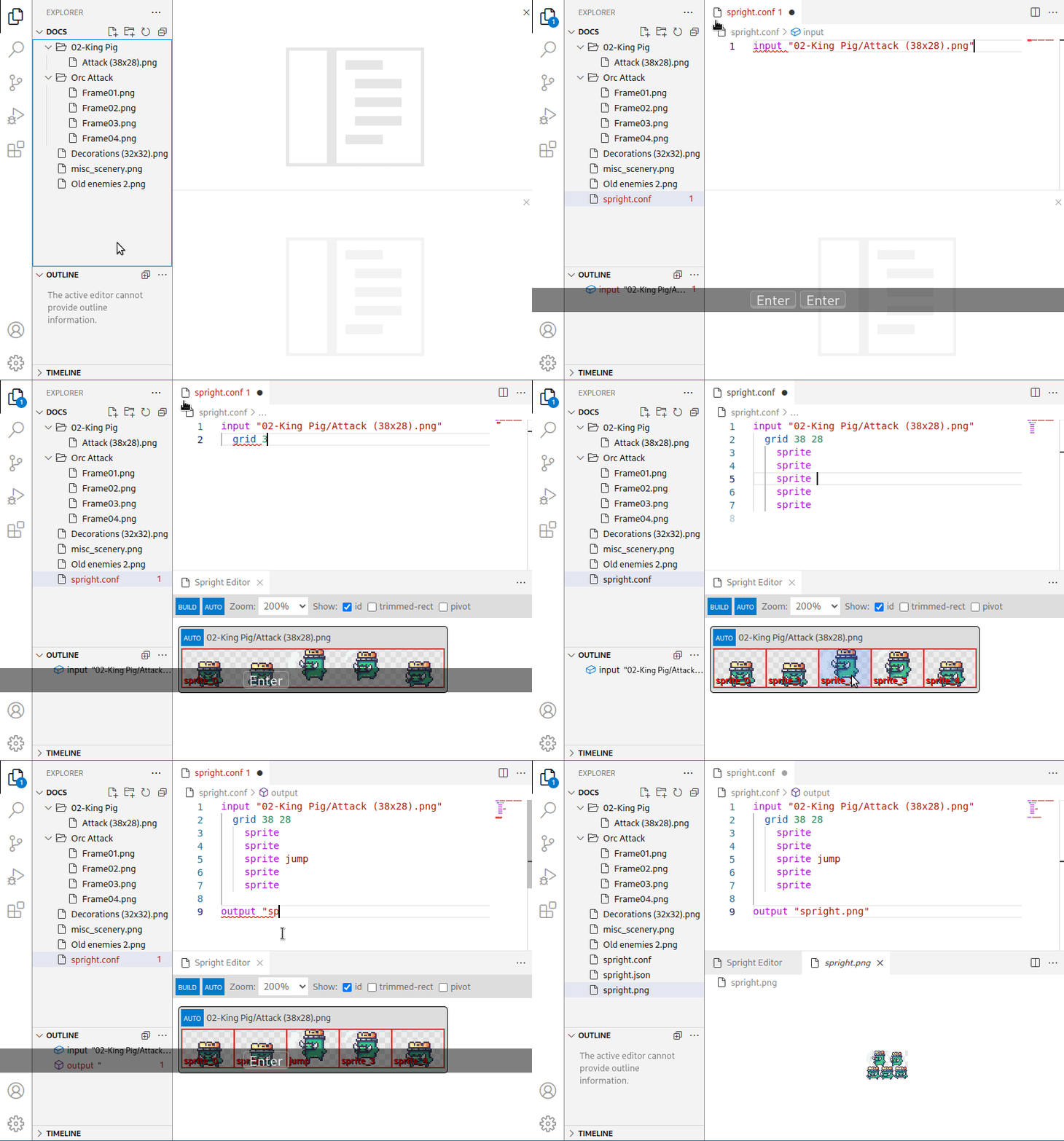
This clip shows the extension in action:
spright-vscode is released under the GNU GPLv3. It comes with absolutely no warranty. Please see LICENSE for license details.
All image files are derived from files released as CC0 on OpenGameArt.