Releases: hikarii-dev/Custom-Recipes
CustomRecipes v2.0.0 - Major Update! [2025-11-25]

[2.0.0] MAJOR UPDATE - 2025-11-25
Added
Furnace Recipes - Complete custom smelting system
-
Custom Furnace Recipe Creator - Create custom smelting recipes in-game
- Visual input/fuel/result slots with drag-and-drop interface
- Custom fuel support (use any item as fuel, not just coal/lava buckets)
- Burn time configuration with visual slider (ticks/seconds display)
- Experience reward configuration
- Smelting conditions (XP requirement, permission, money cost, cooldown, usage limits)
- Craft Events support (sounds, particles, commands triggered on smelt completion)
- Random Results support with %chance outcomes
- Failure Chance system (0-100% chance to fail and produce nothing while crafting/smelting)
-
Smelting Conditions GUI - Advanced furnace recipe requirements
- Experience level requirement to use recipe
- Permission requirement
- Money cost per smelt (Vault integration)
- Cooldown system with per-player timer
- Daily/Weekly/Total usage limits per player
- XP reward granted on successful smelt
- Custom cooking time configuration (in ticks)
-
Furnace Recipe Editor - Modify existing furnace recipes
- All creator features available for editing
- Visual pattern preview and modification
- Conditions configuration access
- World restrictions support
Random Results System - Multiple weighted outcomes
-
Random Results GUI - Configure probability-based outcomes
- Add up to 27 different possible results per recipe
- Chance-based probability system
- Visual chance adjustment (left/right click, shift for ×10)
- "Show Chances" toggle to display percentages in recipe browser
- Failure Chance - Configure 0-100% chance for craft/smelt to completely fail
- Failure message shown to player when craft fails
- Support for both Crafting Table (shaped/shapeless) and Furnace recipes
- Per-variant item customization with Variant Switcher integration
-
Random Results Viewer GUI - Display possible outcomes to players
- Shows all possible results with their probabilities
- Percentage display for each outcome
- Visual indicators for failure chance
- Integrated into recipe viewer
Craft Events System - Actions triggered on recipe use
-
Craft Events Menu - Configure events executed when recipe is crafted/smelted
- Sounds - Play custom sounds to player (adjustable pitch 0.1-2.0, volume 0.1-2.0)
- Particles - Spawn particle effects at player location (count, offset X/Y/Z, speed)
- Commands - Execute console commands with placeholder support
- {player} - Player name who crafted
- {recipe_key} - Recipe identifier
- Individual enable/disable toggles for each event type
- Works for both Crafting Table and Furnace recipes
-
Craft Event Presets System - Reusable event configurations
- Save combinations of sounds/particles/commands as named presets
- Apply presets to multiple recipes instantly
- Preset Selector GUI with preview of preset contents
- Preset Editor for modifying existing presets
- Share common event configurations across recipes
-
Sound Selector GUI - Browse and configure all Minecraft sounds
- Paginated list of all available sounds
- Search functionality (coming soon)
- Test play button to preview sounds
- Volume slider (0.1-2.0) with visual adjustment
- Pitch slider (0.1-2.0) for sound variation
- Left/right click adjustment with shift for ×10
-
Particle Selector GUI - Browse and configure all Minecraft particles
- Paginated list of all particle types
- Test spawn button to preview particles
- Count adjustment (1-100 particles)
- Offset X/Y/Z sliders for spread area
- Speed adjustment for particle velocity
- Visual configuration with live preview
-
Command Editor GUI - Manage multiple commands per recipe
- Add unlimited commands to single recipe
- Remove commands dynamically
- Full placeholder support: {player}, {recipe_key}
- Commands execute from console (bypass permissions)
- Commands run in order defined
Item Editor Major Enhancements
-
Variant Switcher System - Edit each random result independently
- Chest button in Item Editor to cycle through variants
- Per-variant enchantments, flags, names, descriptions, NBT data, craft events
- Visual variant counter display (e.g., "1/3", "2/3", "3/3")
- State preservation when navigating to sub-menus (enchantments, flags, craft events)
- Seamless integration with Random Results system
- Each variant can have completely different properties
-
Item Flags Support - Complete ItemFlag configuration
- HIDE_ENCHANTS - Hide enchantment list from tooltip
- HIDE_ATTRIBUTES - Hide attribute modifiers
- HIDE_UNBREAKABLE - Hide unbreakable tag
- HIDE_DESTROYS - Hide "Can Destroy" block list
- HIDE_PLACED_ON - Hide "Can Place On" block list
- HIDE_POTION_EFFECTS - Hide potion effect tooltips
- HIDE_DYE - Hide dye color on leather armor
- HIDE_ARMOR_TRIM - Hide armor trim patterns
- HIDE_ADDITIONAL_TOOLTIP - Hide additional tooltip information
- Dedicated Flags Selector GUI with visual toggle buttons
- Works independently per variant when using Random Results
Multi-Language Support System
-
4 Complete Language Translations
- English (en_US) - Default language
- Russian (ru_RU) - Complete translation
- Ukrainian (uk_UA) - Complete translation
- German (de_DE) - Complete translation
- All GUI elements, messages, and tooltips translated
- Consistent terminology across all languages
-
Language Selector GUI - In-game language switching
- Visual flag icons for each language
- Player-specific language preference storage
- Instant language change without restart
- Automatic fallback to English for missing translation keys
- Located in plugin settings menu
Changed
Vanilla Recipe System Major Fixes
-
Result Amount Application - Fixed custom amounts not applying
- Furnace recipes now properly apply custom result amounts during smelting
- Per-variant amount tracking for recipes with ingredient variants
- Recipe list GUI now shows correct modified amounts
- Both display and actual smelting results now use custom amounts
-
Ingredient Validation System - Better error reporting
- Invalid ingredients now log warnings instead of silent failures
- Furnace recipes use
warning()instead ofdebug()for visibility - Variant results with invalid materials now properly logged
- Recipes with all-invalid ingredient options are rejected with explanation
- Users can now see which recipes failed to load and why
-
Recipe Creator Variant Integration - Edit variants during creation
- RecipeCreatorGUI detects random results and enables variant switcher
- FurnaceRecipeCreatorGUI supports variant editing during setup
- Edit each random result item's properties before saving recipe
- No need to edit recipe after creation
Fixed
- Critical Bug Fixes - all bug's fixed!
CustomRecipes v1.5.0 - Major Update! [2025-11-21]
⚠️ Important Notice - Version 1.5.0+
If you're updating to version 1.5.0 or higher, this version introduces a new saving/migration and recipe storage system for better item metadata support.
Before updating to be safe:
- Backup your
plugins/CustomRecipes/folder - Save all your recipes (they're in
plugins/CustomRecipes/recipes/) - Read the changelog
The new system provides:
- Full durability/damage support
- Complete enchantment matching
- Enchanted book support with stored enchantments
- Backward compatibility (old recipes still work!)
Need help? Join our Discord
Added
-
Vanilla Recipe Editor - Complete vanilla Minecraft recipe customization system
- 801 vanilla recipes fully integrated (Crafting Table recipes)
- Recipe pattern modification with preview
- Support for multi-ingredient variants (e.g. different wood types)
- Per-variant result customization (e.g. Suspicious Stew effects)
- Disable/enable individual vanilla recipes
- Recipe search system with partial name matching
- Category filtering (Building, Decorations, Redstone, Transportation, Food, Tools, Combat, Brewing, Misc)
- Station filtering (more stations coming soon)
- Ingredient variant cycling for recipes with multiple options with visual numbered options
- Result item amount adjustment (left/right click)
- Reset to original vanilla recipe functionality
-
Advanced Recipe Pattern Editor
- Click-to-modify ingredient grid for shaped recipes
- Type toggle between Shaped/Shapeless for vanilla recipes
- Result item amount adjustment (left/right click)
- Pattern preview
- Multiple variant support per recipe (up to 10+ variants)
-
Enhanced Item Editor - Expanded customization options
- Enchantment Selector GUI - Dedicated menu for enchantment management
- All enchantments in searchable grid layout
- Visual level adjustment (left/right click)
- Max level enforcement per enchantment
- Quick max/reset with shift-click
- Enchantment compatibility + filter toggle/enable
- Enchantment descriptions and effects
- Visual indicators
- Enchantment visibility toggle (HIDE_ENCHANTS flag)
- NBT data editor with key-value pairs
- Custom Model Data configuration
- Enchantment Selector GUI - Dedicated menu for enchantment management
-
Recipe Pattern Editing for Custom Recipes
- Edit existing custom recipe patterns
- Support for shaped and shapeless pattern changes
- Ingredient modification via crafting grid
- Result item amount adjustment (left/right click in edit mode)
- Save changes without recreating recipe
- Preserves recipe metadata and settings
- Visual indicators for edit mode
-
Recipe List Enhancements
- Edit Item Button - Quick result editing from list
- Direct access to item editor from recipe list
- Modify names, descriptions, enchantments without opening full editor
- Right-click context menu for quick actions
-
Recipe Editor Improvements
- Get Result Item button - Receive configured item + Sound feedback on item receive
- Items creating with all properties (NBT, enchantments, custom data)
-
Global Recipe Management
- Disable All Custom Recipes button in Settings
- Enable All Custom Recipes button in Settings
- Disable All Vanilla Recipes button in Settings (801 recipes)
- Enable All Vanilla Recipes button in Settings (801 recipes)
- Recipe count display (enabled/disabled/total)
-
Vanilla Recipe Migration System
- Automatic version detection and migration
- Backup creation before updates
- Fallback for corrupted data
- Version tracking
-
Update System Improvements
- Periodic background update checks (every 30 minutes)
- Real-time notifications for admins whos online
- Automatic notification on new version discovery
- No server restart needed to detect updates
-
Station Selector GUI - Menu for choosing crafting station before recipe creation
- Visual station selection with icons: Crafting Table, Furnace, Blast Furnace, Smoker, Stonecutter, Brewing Stand, Smithing Table, Anvil, Loom
- "Coming soon" indicators for disabled stations
- Grid size display per station
- Glow effect on available stations
- Station descriptions and status messages
-
Exact Item Matching for Recipe Ingredients - Advanced crafting requirements
- Durability/Damage support for tools and armor in recipes
- Full enchantment matching for weapons and tools as ingredients
- Stored enchantments support for enchanted books as ingredients
- NBT/metadata matching in crafting grid
- CustomModelData matching for resource pack items
Changed
-
Recipe Editor GUI - Complete redesign
- Added "Edit Recipe Pattern" button for custom recipes
- New edit mode with separate save/cancel buttons
- Live grid editing with amount adjustment
- Result item editing moved to dedicated button
- Toggle system between view/edit modes
- Better visual feedback for editing state
- Hidden/Visible recipe toggle
-
Vanilla Recipe Storage
- Individual YAML+JSON files per modified vanilla recipe
- Variant-based pattern storage structure
- Multi-variant support in vanilla-recipes.yml
-
Recipe List GUI - Enhanced display
- Plain text names without formatting artifacts
- MiniMessage color preservation for custom names
- Proper name/description extraction from ItemMeta
- Status indicators (Enabled/Modified/Disabled)
- Color-coded recipe names (Green/Yellow/Red)
- Enhanced special properties display (enchantments, NBT, model data)
- World restrictions shown in lore
-
Settings GUI - Enhanced organization
- Dedicated buttons for custom recipe management
- Dedicated buttons for vanilla recipe management
- World restriction status properly reflects active restrictions
- Dimension-based world toggles (Overworld/Nether/End)
- Visual counters for enabled/disabled recipes
- Warning messages for bulk operations
-
Recipe Amount System
- Multi-ingredient amount support in shaped recipes
- Visual amount display in recipe grids
- Proper ingredient consumption for amounts > 1
- Amount preservation during recipe editing
-
Command System Simplification
- Removed /cr list command (use GUI instead)
- Removed /cr enable command (use GUI instead)
- Removed /cr disable command (use GUI instead)
- Removed /cr delete command (use GUI instead)
- Kept only: /cr gui, /cr reload, /cr help
-
Item Property Handling
- ItemFlags preserved across all operations
- HIDE_ENCHANTS flag properly applied and saved
- Full ItemMeta cloning in all editors
- Enchantment visibility controllable per item
Update to 1.1.2
[1.1.2] - 2025-11-17
Added
- Per-World Recipe System - Control recipe availability by dimension
- Enable/disable recipes per world (Overworld, Nether, End)
- Default world restrictions in settings GUI
- Individual world configuration per recipe
- Visual world selector with dimension icons
- World list stored in recipe config files
- Runtime Update Notifications - Real-time alerts for online admins
- Background update checking while server is running
- Automatic notifications when new version is released
- No server rejoin required to see updates
- Same notification format as login messages
- Enhanced Result Item Customization
- CustomModelData button in Edit Result Item menu
- NBT data support button with chat input
- Add custom tags and metadata to crafted items
- Full item property configuration with live preview
- Clear All button to reset customization
- Right-click to clear and restart descriptions
- Edit Item Button in Recipe List - Quick result editing
- Direct access to item editor from recipe list
- Modify GUI/Crafted names, descriptions, CustomModelData, NBT, Enchantments
- Convenient shortcut for result item changes
- Located in each recipe's list entry
Changed
- Recipe Ingredient Matching - Enhanced metadata support
- CustomModelData now affects ingredient matching
- NBT tag comparison for custom items
- Support for anvil-renamed items in recipes
- Better item property awareness
- Recipe Information Display - Now shows complete item data
- Displays GUI Name and GUI Description
- Displays Crafted Name and Crafted Description
- Shows CustomModelData if present
- Lists all Enchantments with levels
- Shows NBT data tags
- Better organized information layout
- Item Editor GUI Layout - Improved organization
- Separate sections for Crafted and GUI properties
- Clear labeling of what appears where (crafted item vs recipe browser)
- Better button descriptions with usage hints
- Right-click functionality for clearing descriptions
Update to 1.1.0
Custom Recipes v1.1.0
🎉 Major Update - Recipe Creator & Shapeless Support
This release brings powerful new features for recipe creation and management!
✨ Added
- Shapeless Recipes - Create recipes where ingredient position doesn't matter
- Recipe Creator GUI - Create recipes directly in-game without editing files
- Drag-and-drop interface for placing ingredients
- Visual recipe type toggle (Shaped/Shapeless)
- Real-time preview of result item
- Item Editor GUI - Customize item names and descriptions in-game
- MiniMessage support for colors and formatting
- Multi-line description editor
- Live preview of changes
- Hidden Recipes System - Hide recipes from recipe mods (REI, JEI, etc.)
- Recipes unlock after first craft
- Per-player discovery tracking
- Advanced Item Storage
- Full ItemStack serialization (NBT, PDC, CustomModelData)
- JSON recipe format alongside YAML
- Individual recipe files in
recipes/folder
- Update Checker - Automatic update notifications
- Support for GitHub and Spigot sources
- Configurable in
config.yml
- bStats Integration - Anonymous usage statistics
🔄 Changed
- Recipe Storage - Recipes now save to separate files instead of main config
- Legacy format still supported for backwards compatibility
- Automatic migration to new format
- Recipe Deletion - Now permanently removes recipe files
- Two-click confirmation system
- Deletes both YAML and JSON files
- GUI Improvements
- Better color schemes (light blue glass panes)
- Empty slots filled with glass in recipe list
- Improved button layouts and descriptions
- Recipe Editor - Expanded to 6-row inventory for better layout
🐛 Fixed
- Recipe patterns with empty edges now work correctly
- AIR ingredients no longer cause crashes
- Recipe enable/disable now properly syncs with files
- GUI listeners properly cleanup on close
- Chat input for item editor works reliably
📦 Migration Notes
- Old recipes in
config.ymlwill continue to work - New recipes are saved to
plugins/CustomRecipes/recipes/ - Both
.ymland.jsonformats are created for each recipe - No manual migration required
Full Changelog: v1.0.0...v1.1.0
RELEASE 1.21+ | 1.0.0
Custom Recipes




Custom Recipes allows you to create custom recipes for wide selection of workstations including:
Crafting Table (Others in Future Updates)
Integrates with other plugins:
(In Future)
In addition, you can switch vanilla recipes at your discretion, as well as disable and override them (In Future)
Support
For any questions or support join the Discord

Features
Recipe Management
- Shaped Recipes - Create custom 3x3 crafting grid patterns
- Custom Names & Lore - Add colored names and descriptions to crafted items
- Flexible Configuration - Easy-to-use configuration
- Bulk Crafting - Configure recipes to produce multiple items (1-64)
- Hot Reload - Reload recipes without restarting the server
GUI Interface
- Recipe Browser - View all recipes in an interactive GUI
- Recipe Viewer - Inspect individual recipe patterns visually
- Pages - Automatically creates new pages when there are a large number of recipes
- Intuitive Navigation - Easy-to-use interface for players and admins
User Experience
- MiniMessage Support - Rich text formatting with gradients and colors
- Permission System - Granular permission control
Usage
Commands
| Command | Aliases | Description | Permission |
|---|---|---|---|
/customrecipes help |
/cr help |
Show help message | customrecipes.use |
/customrecipes reload |
/cr reload, /cr rl |
Reload configuration | customrecipes.reload |
/customrecipes list |
/cr list, /cr l |
List all recipes | customrecipes.list |
/customrecipes gui |
/cr gui, /cr menu |
Open recipe GUI | customrecipes.gui |
Permissions
| Permission | Description | Default |
|---|---|---|
customrecipes.* |
All permissions | op |
customrecipes.use |
Basic command access | true |
customrecipes.reload |
Reload configuration | op |
customrecipes.list |
View recipe list | true |
customrecipes.gui |
Open GUI interface | true |
⚙️ Configuration
Basic Structure
# Enable debug logging
debug: false

# Use custom names and descriptions on crafted items
use-crafted-custom-names: true

# Keep custom names on spawn eggs when they spawn mobs
spawn-egg-keep-custom-name: false

# List of enabled recipe keys
enabled-recipes:
  - RecipeKey
  - BeeSpawnEgg

# Recipe Format:
 <RecipeKey>:                    # Recipe Name
   gui-name: "Name in GUI"       # Always shown in recipe browser GUI
   gui-description:              # Always shown in recipe browser GUI
     - "Line 1"
     - "Line 2"
   crafted-name: "Name on item"  # (Optional) Name on crafted item
   crafted-description:          # (Optional) Lore on crafted item
     - "Line 1"
     - "Line 2"
   type: SHAPED                  # Recipe type (currently only SHAPED is supported)
   recipe:                       # 3x3 crafting grid pattern
     - ITEM ITEM ITEM            # Top row
     - ITEM ITEM ITEM            # Middle row
     - ITEM ITEM ITEM            # Bottom row
   material: RESULT_ITEM         # The resulting item
   amount: 1                     # (Optional) Amount crafted (1-64), default: 1
Example Recipes
Spawn Egg Recipe
BeeSpawnEgg:
  gui-name: "<yellow>Bee Spawn Egg"
  gui-description:
    - "<gray>Craft using honey bottles"
    - "<gold>Place to spawn a bee!"
  crafted-name: "<yellow>Bee Spawn Egg"
  crafted-description:
    - "<gray>Craft using honey bottles"
    - "<gold>Place to spawn a bee!"
  recipe:
    - HONEY_BOTTLE HONEY_BOTTLE HONEY_BOTTLE
    - HONEY_BOTTLE CLOCK HONEY_BOTTLE
    - HONEY_BOTTLE HONEY_BOTTLE HONEY_BOTTLE
  material: BEE_SPAWN_EGG
  amount: 1
Bulk Crafting Recipe
GoldenAppleStack:
  gui-name: "<gold>Golden Apple Stack"
  gui-description:
    - "<gray>Bulk golden apple crafting"
    - "<yellow>Creates 8 golden apples"
  recipe:
    - GOLD_BLOCK GOLD_BLOCK GOLD_BLOCK
    - GOLD_BLOCK APPLE GOLD_BLOCK
    - GOLD_BLOCK GOLD_BLOCK GOLD_BLOCK
  material: GOLDEN_APPLE
  amount: 8
Color Codes
This plugin supports MiniMessage format for text coloring:
<red>,<green>,<blue>, etc. - Named colors<#FF0000>- Hex colors<gradient:#FF0000:#00FF00>Text</gradient>- Gradients<rainbow>Text</rainbow>- Rainbow effect<bold>,<italic>,<underline>- Formatting
See MiniMessage Documentation for more options.
Roadmap
Planned Features
- Shapeless Recipes - Support for recipes without specific patterns
- Furnace Recipes - Custom smelting recipes
- Brewing Recipes - Custom potion recipes
- Smithing Recipes - Custom smithing table recipes
- Recipe Editor GUI - In-game recipe creation interface
- Recipe Export/Import - Share recipes between servers
- MySQL Support - Store recipes in database
- Per-Player Recipes - Unlock recipes per player
- Recipe Groups - Organize recipes into categories
- Recipe Dependencies - Require other recipes first
Installation
- Download the latest
CustomRecipes-1.0.0.jarfrom releases - Place the jar file in your server's
pluginsfolder - Start your server to generate the default configuration
- Edit
plugins/CustomRecipes/config.ymlto add your custom recipes or use/customrecipes guiwith GUI-Create system. - Reload using
/cr reloador restart your server
Compatibility
- Minecraft Version: 1.21+
- Server Software: Paper/Spigot/Purpur (or compatible fork)
- Java Version: Java 21+
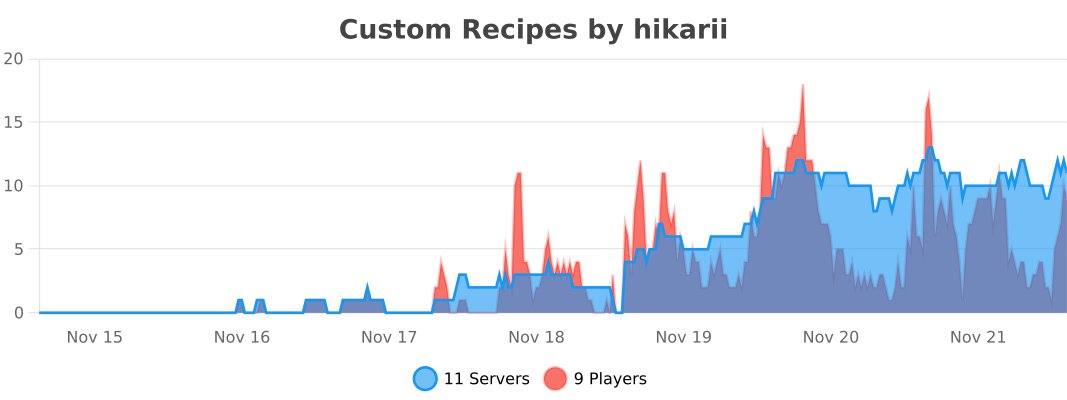
Statistics
Made with ❤️ for the Minecraft community