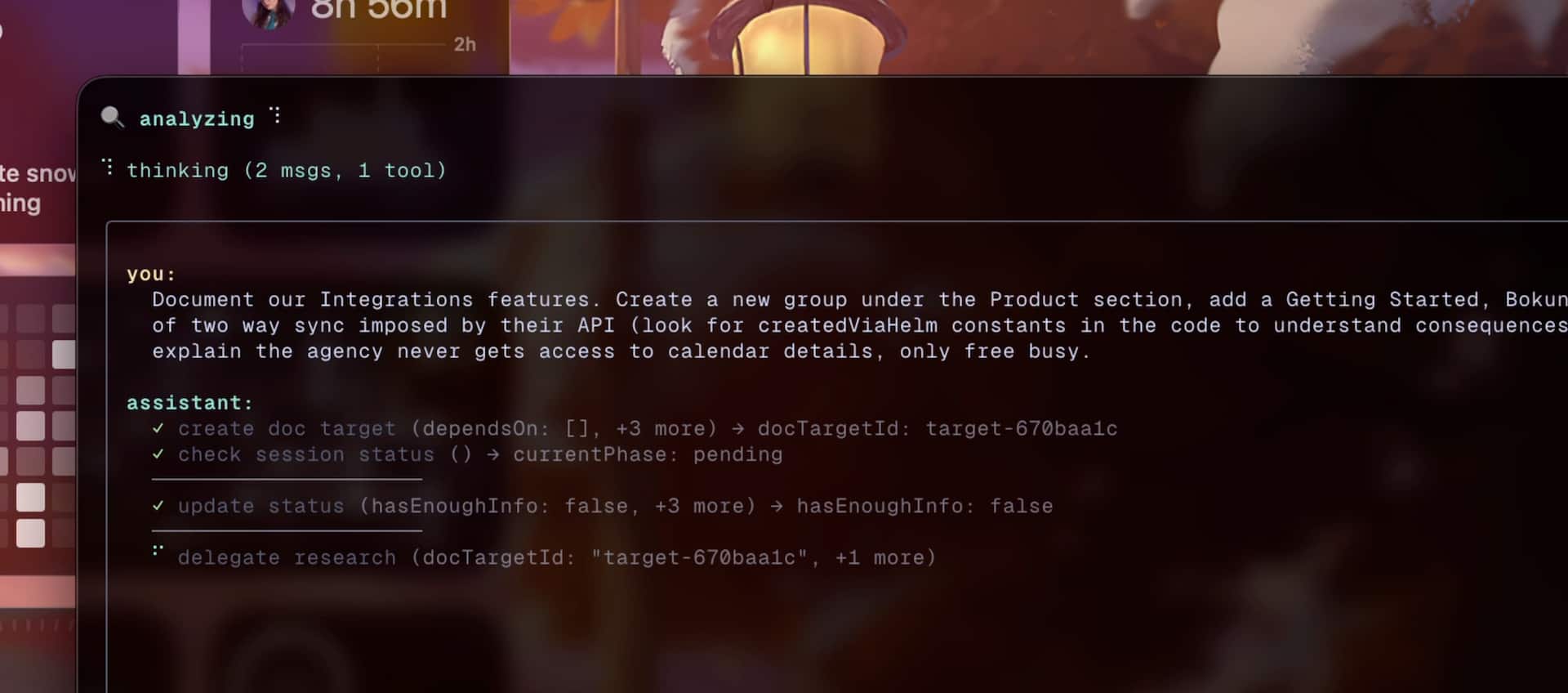

Docbot is a CLI agent that helps you keep documentation up to date.
It reads your docs + codebase, proposes a concrete plan (file-level operations), and only writes changes after you approve.
- Indexing can feel a bit slow right now; running a full cycle across a bunch of pages may take 5–10 minutes, but that's still way faster than the hours you'd spend doing it by hand
- Overall flow is under-optimized today; expect it to improve soon (again, the time and token costs are still much lower than manual work, at least for us)
bunx @helmlabs/docbot --help(Optional) global:
bun add -g @helmlabs/docbot
docbot --help# qdrant (required)
docker run --rm -p 6333:6333 -v "$(pwd)/qdrant_storage:/qdrant/storage" qdrant/qdrant
# config + local state (.docbot/, docbot.config.jsonc)
bunx @helmlabs/docbot init
# index docs/code (uses config; CLI flags override)
bunx @helmlabs/docbot index
# run the agent
bunx @helmlabs/docbot run "document the settings page"- Codebase-aware doc work: finds gaps/stale pages by reading your code, not vibes
- Search that's actually useful: semantic + exact match, reranked
- Interactive planning: you approve the plan before anything touches your files
- MDX-first output: structured edits instead of “giant blob rewrite”
- TUI + API: run with a terminal UI, or start the HTTP server only
Required:
- Bun
- Qdrant (local via Docker or remote -
docbot initwill set you up with a local instance via Docker) rg(ripgrep) for fast exact-match searchAI_GATEWAY_API_KEY(Vercel AI Gateway)
- Analysis: scan docs + codebase, find gaps/duplicates/stale content
- Planning: propose a structured set of operations (create/update/move/delete/consolidate)
- Execution: apply changes (MDX edits, component-aware when relevant)
- Review: verify and re-scan for obvious misses
Docbot is opinionated so we were able to build it fast, but it's not meant to stay tied to a single docs framework or provider forever.
- Docs frameworks: Today Docbot targets MDX-based doc sites and detects Mintlify project structure automatically (as long as you use
docs.json). Mintlify was the first target because that's what we use at Helm; support will expand (custom MDX, Fumadocs, Nextra, Docusaurus, etc.). It's just a matter of tweaking the tools and prompts. - Vector store: Currently Qdrant (required). It's easy to run locally and does the job well. This may evolve as CI/multi-user needs grow.
- Models/provider: Currently Vercel AI Gateway via
AI_GATEWAY_API_KEY. Adding other providers is planned - you can use configure the models in the config file though. - Bun: Required. Will not change.
Scaffolds project config in the repo root:
.docbot/docbot.config.jsonc
docbot initOptions:
--force: overwrite existing config--skip-docker: skip docker setup (you'll need to set up Qdrant manually)
Indexes docs/code for search. If you don't pass flags, it uses your config.
docbot index
# or
docbot index --docs ./docs --codebase ./src
Options:
--docs: docs path (optional if configured)--codebase: one or more codebase paths--config: config file path (default:docbot.config.jsonc)--qdrant-url: qdrant url (default: http://127.0.0.1:6333)--force: force full re-index, ignoring manifest
Runs the interactive workflow (plan → approval → execution → review).
docbot run "document the new api endpoints"Options:
--docs: docs path (optional if configured)--codebase: one or more codebase paths--config: config file path (default:docbot.config.jsonc)--interactive: plan approval (default: true)--port: server port (default: 3070)--qdrant-url: qdrant url (default: http://127.0.0.1:6333)--index-only: only index, don't run--verbose/--no-verbose: detailed logging + log panel--no-server: reuse an already running server--force: rebuild embeddings from scratch
docbot search "authentication" --type hybrid --limit 10Options:
--type:semantic,exact,hybrid(default:hybrid)--limit: max results (default: 5)
Starts the HTTP server (Elysia) without the TUI.
docbot serve --port 3070docbot init creates docbot.config.jsonc. CLI flags override config.
Example:
CLI flags take precedence over the config file.
- Run (default): TUI + server in one process (verbose by default; log panel available)
- Serve: server only; logs to stdout
- Index-only:
--index-only - No-server:
--no-server
Log panel (TUI, verbose only):
- Toggle:
Ctrl+L - Tabs:
←/→ - Scroll:
Shift+↑/↓orShift+PgUp/PgDn - Clear:
C
PRs welcome. Issues welcome.
- This is a very new project—if you hit issues, please open an issue here
- You can also reach celia on X: @pariscestchiant
- Our own docs live at docs.helmkit.com
MIT
Tasks and progress are tracked in todo.md. Next big focus is changebot's integration inside of docbot (it's a changelog generator between two commits; we use it at helmkit.com/changelog)
{
  "projectSlug": "my-project",
  "paths": {
    "docs": "./docs",
    "codebase": ["./apps/web", "./packages/shared"]
  },
  "qdrant": {
    "url": "http://127.0.0.1:6333",
    "manifestPath": ".docbot/manifest.json",
    "collections": {
      "docs": "docbot_my-project_docs",
      "code": "docbot_my-project_code"
    }
  },
  "server": { "port": 3070 },
  "models": {
    "planning": "openai/gpt-5.2",
    "prose": "anthropic/claude-sonnet-4.5",
    "fast": "anthropic/claude-haiku-4.5",
    "embedding": "openai/text-embedding-3-small",
    "reranker": "cohere/rerank-v3.5"
  }
}