


This:
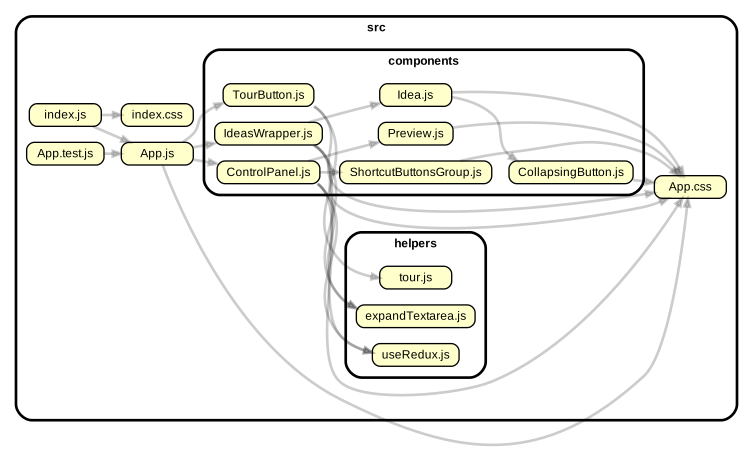
was generated by this: (after you install @hchiam/deps, not deps)
deps
Enter max depth:
Enter src folder (or file or other folder you'd like to inspect): src
This interactive CLI tool deps generates a dependency graph of your files. You just have to give it a file or folder as a starting point. You can (optionally) tell it how deep to explore. It's basically a convenient but limited wrapper around depcruise, which gives you an interactive SVG (clicking on nodes shows you code from local files).
npm -g install @hchiam/depsNow you can use it in any folder with this command:
depsCommands I found useful while creating the npm package for this CLI tool from scratch:
npm linkrm /Users/howard/.nvm/versions/node/v10.13.0/bin/depsnpm publish --access public
A newer example of how to publish to npm (package.json setup only + yarn publish):