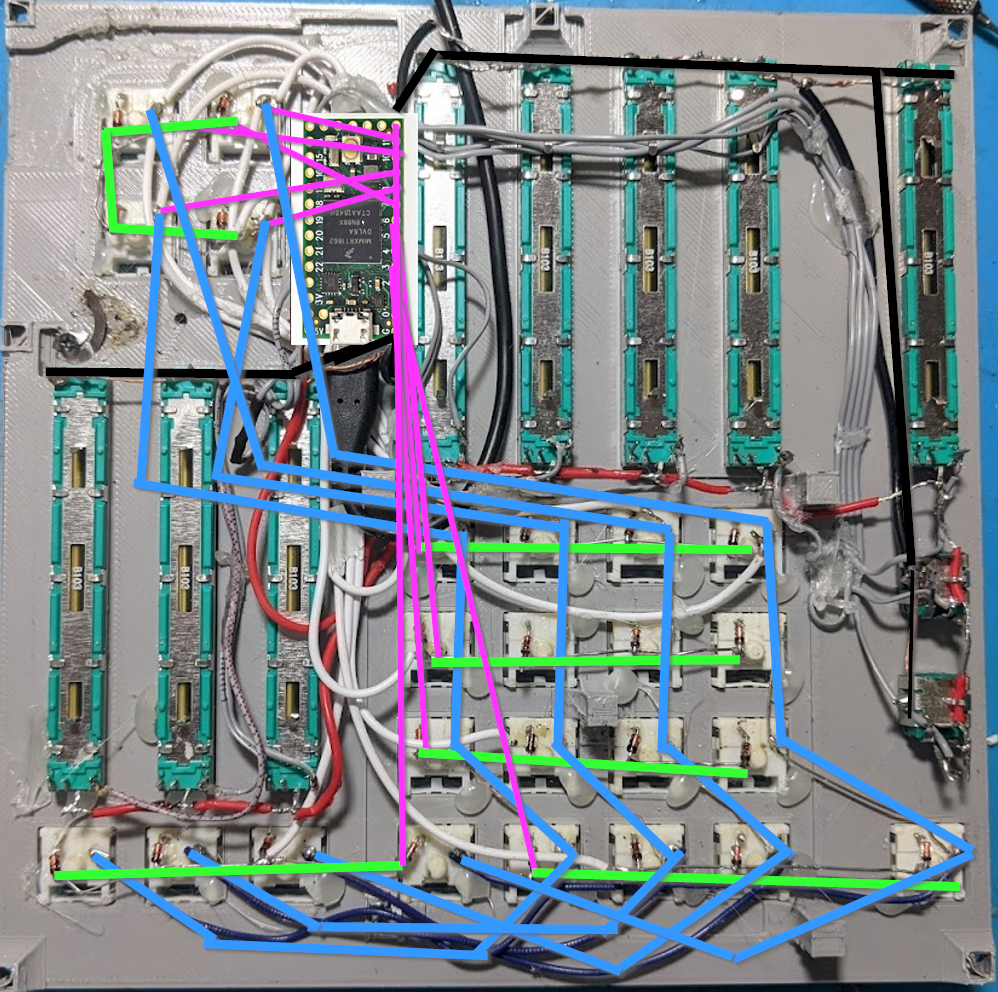
This is the prototype I made using a Teensy 4 and the enclosure I made in Fusion 360:
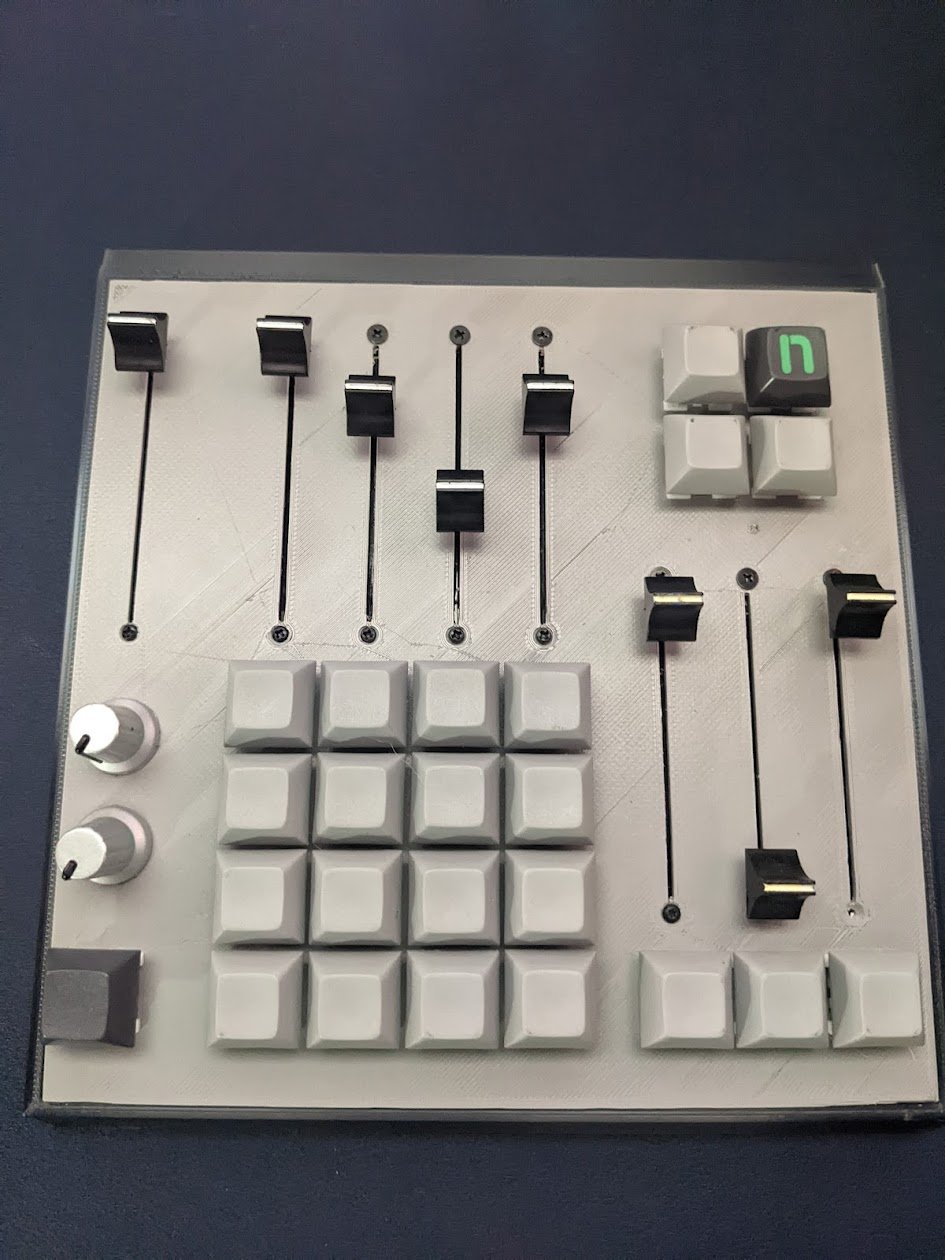 arduino code for a teensy 4 or 4.1 midi controller specifically designed for use with voicemeeter bannana and simple broadcasting for streaming or video conferencing
this project uses:
- resposiveanalogread - https://github.com/dxinteractive/ResponsiveAnalogRead
- keypad - https://github.com/Chris--A/Keypad
For the electronics I used:
- 24 blue "clicky" mechancial keyboard switches configured in a matrix of rows and columns. Diodes on the rows of the matrix.
- 8 75mm 10k potentiometers
- 2 rotary potentiometer I salvaged from a broken midi controller. They are 3 pin but I don't know their specs.
voice meeter banana has 10 channels. I designed this console for my use and it may not apply for everyone, but I think this is a common application:
-
3 "physical" inputs
- mic input from user
- input for desktop audio (browser, specific applications, etc)
- input for game audio
-
2 virtual inputs
- VoiceMeeter Input - input for "catchall" audio from system (system notifications, etc)
- VoiceMeeter Aux Input - input for voice input (discord, video conferencing, etc)
-
3 "physical" outputs
- A1 - physical sound card using stable driver (requirement of voicemeeter to run well)
- A2 - output to wired headset (backup for me when wireless headset is not charged, etc)
- A3 - output to wireless headset (2.4ghz, bluetooth)
-
2 virtual outputs
- B1 - VoiceMeeter Output
- B2 - VoiceMeeter Aux Output
The physical console has:
- 8 dedicated sliders
- mic in volume (slightly offset from the other 4 input channels)
- virtual input 2
- virtual input 3
- physical input 1
- physical input 2
- physical output 1 (A1)
- physical output 2 (A2)
- physical output 3 (A3)
- 2 rotary knobs on channel 1 (my mic in)
- Compression and Noise Gate adjustments but can be assigned to anything
- 24 dedicated switches
- mic mute for mic in channel
- mute, A1, A2, A3 buttons for each virtual and physical input
- mute buttons for each phsyical output (A1, A2, A3)
- 4 misc assignable switches
- I use 1 for a Voicemeeter macro to 'Reset Audio Engine' when I connect a bluetooth headset.
Wiring: I don't know how to sketch a pcb wiring diagram so this is the best I can do. I separated the analog and digital pin wiring so it wouldn't be as confusing. Analog is for potentiometers and digital is the switches for the keypad matrix.
Analog wiring:
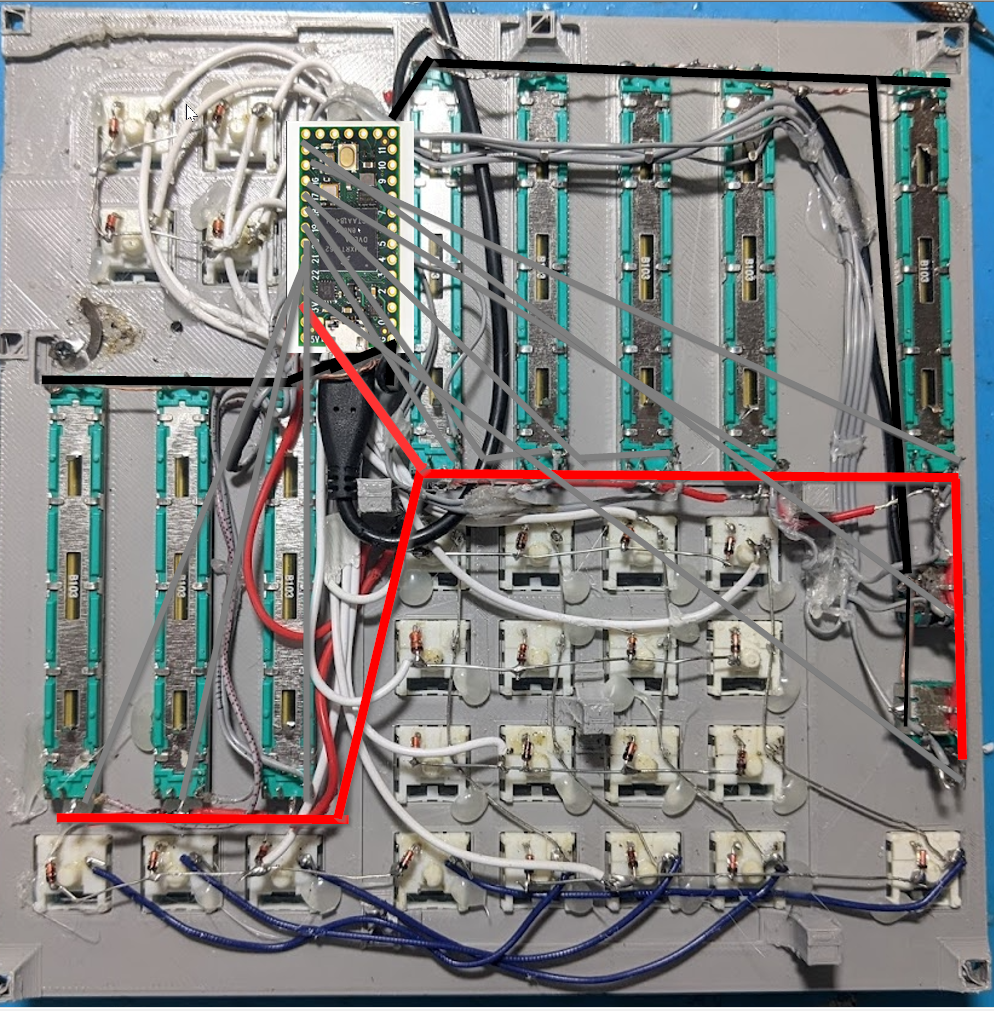
Digital wiring:
You can use any diodes for the keypad matrix. Make sure the black mark is on the circut side of the connection.